🚀 Elevate your home network game with speed and control that keeps you ahead!
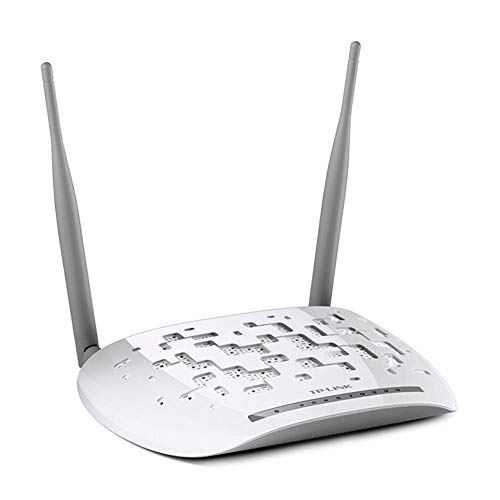
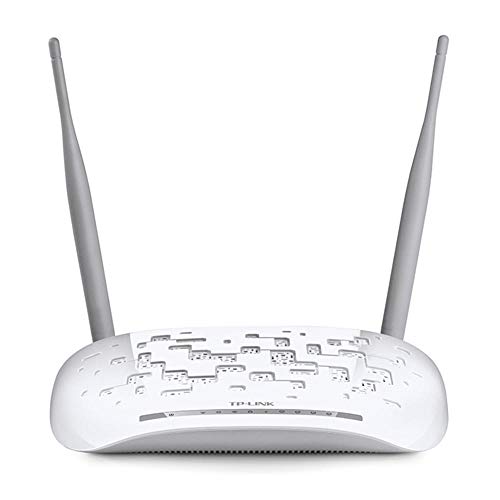
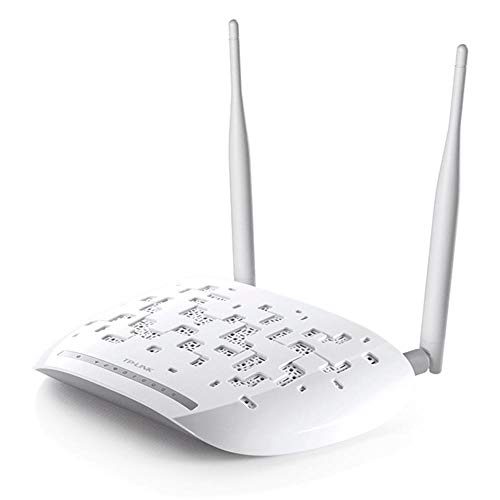
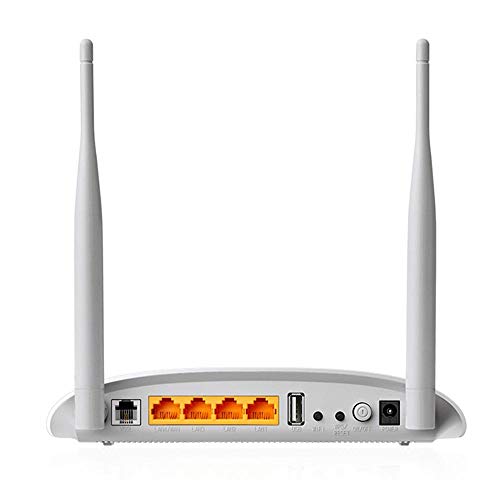
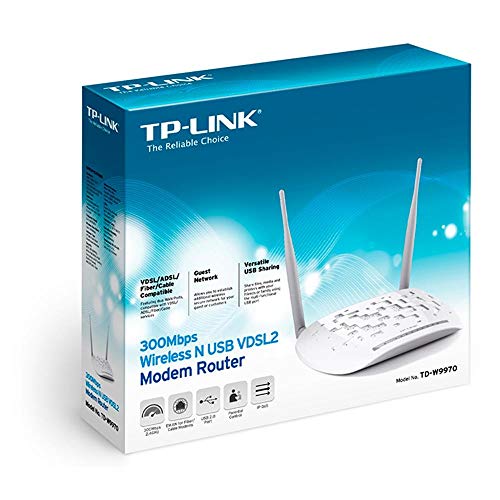
The TP-Link TD-W9970 is a high-performance wireless VDSL/ADSL modem router delivering up to 300 Mbps Wi-Fi speed and 100 Mbps VDSL broadband. Featuring versatile RJ-11 and LAN/WAN ports, dual omni-directional antennas for extended coverage, and remote management via the TP-Link Tether app, it’s designed for seamless connectivity with major ISPs and smart home setups.


| Brand | TP-Link |
| Manufacturer | TP-Link Technologies Co Ltd, TP-Link Technologies Co., Ltd, South Building, No.5 Keyuan Road, Central Zone, Science & Technology Park, Nanshan, Shenzhen, P.R. China |
| Model | TD-W9970 |
| Model Name | TP-link W9970 |
| Product Dimensions | 19.5 x 13 x 3.6 cm; 2 g |
| Batteries | 1 Lithium Ion batteries required. |
| Item model number | TD-W9970 |
| Operating System | Windows |
| Compatible Devices | Wireless, Server, Router |
| Special Features | Remote Access |
| Mounting Hardware | 1 Router, 1 External Splitter, 1 RJ-11 Telephone Line, 1 RJ-45 Ethernet Cable, 1Quick Installation Guide, 1 Resource CD and Power Adapter |
| Number of items | 1 |
| Voltage | 220 |
| Batteries Included | No |
| Batteries Required | No |
| Data Transfer Rate | 300 Megabits Per Second |
| Wireless Type | 802.11n |
| GSM frequencies | 2.4 GHz |
| Number of Ports | 4 |
| Total USB ports | 1 |
| Connector Type | Ethernet, USB, Wi-Fi |
| Includes Rechargeable Battery | No |
| Manufacturer | TP-Link Technologies Co Ltd |
| Imported By | TP-LINK India Private Limited,Green Industrial Park, Dongri Pada, Poman, Kaman-Bhiwandi Road, Vasai East, Palghar, Maharashtra – 401208 |
| Item Weight | 2 g |
H**L
TP modem review
It is a ADSL modem for bsnl phone line. I received it in 5 days as promised. Physical installation was easy as I replaced it with an existing unit. To configure it I had to get bsnl engineers help as I did not know user name, password etc. It has been performing well. However my Dell laptops with Windows 8 are not connecting with wifi probably due to incompability of the drive. I am yet to contact supplier for possible solution as I am able to connect with LAN. I am not able to comment on net speed as I am not sure how good is bsnl speed is. As I do not do any heavy jobs like games and movies, I am satisfied with what the modem does.This is a good product and I vote for it.
A**A
Best ever modem
Is the best model I have ever purchased from Amazon as it has been a DSL port which is best for the ISP and it is very useful it's Wi-Fi range is very much 300mbps is the maximum speed and it is the best quality of Material by made it is and this modem has 4 LAN ports connect many as many as computer we can edit a student with a Wi-Fi extender I would say that you should go for it it's the best for you in this price 1475 is the best price ever thought of thank you Amazon for providing me and thank you TP-LINK.
S**.
Best ADSL2+ modem , can be used as router as well
I have been using ADSL broadband service of BSNL for morethan 8 years .. I have used Dlink, Tenda, cisco routers previously.. But if we look at the price and performance ratio this TPlink modem is the best.. It has got 2 5db antennas.. Where as dling modem with 2 antennas cost 300-400 bucks more.. Good signal reception throughout my home.. Stable network.. It is easy to configure just open a browset and go to its setup page and just select ur ISP and enter u/n and p/w bam.. Thats it.. This device can be used as a router as well. Setup this modem in bridge mode to use as a router only.. I tried it with bsnl FTTH connectiom in bridge mode.. So basically a two in one device.
S**L
Important: Awesome for ADSL/ Not for FTTH Connection
This is an ADSL based Modem & Router & Access Point(Three Separate Components Together in a single device)July 2018 : I bought this back when I had ADSL (RJ-11) based BSNL Connection, Although BSNL didn't offer great services but I didn't have any issues with this router, Internet type of ADSL(RJ-11) is the USP of this device.Majority of the people confuse between the terms. In simpler terms the "Modem" can transmit/receive signals from traditional telephone lines into something computer can understand and "Access Point" can convert those internet signal to WIFI Based Airwaves. "Router" is used to create a private subnet within a network which basically means all devices within the subnet will have different Internal IP and can communicate with each other like screencast/chromecast but all of them will have same External IP(Public IP).This can also be used as just an Access Point(referred as AP from here on). More on this later.Coming to June 2020, I had requested BSNL FTTH Based Internet Connection which essentially is an optical cable network and the modem part of this device is now rendered useless. FTTH based network requires special modems which can transmit/receive light signal instead of electrical signals as in telephone wires, so this device can't be used alone.FTTH based Modems (Also called ONU/ONT) comes in two styles, Only (Modem & Router) or (Modem & AP & Router) Combined Together. The one I have is the second one but WiFi's performance wasn't up to my satisfaction. So I used the Modem & Router part of their ONU and AP part of this device and I have absolutely no issues.If you are buying it new for FTTH based connections then I'll suggest to go with TP-LINK AC1200 than this as you are getting much better deal there (Wifi 802.11ac support on AC1200, Gigabit Ports, --Future Proofing--), This device only has 4 X 100Mbps LAN Port and No Gigabit LAN Ports.I was simply making use of old hardware, For buyers looking for a just router(Only WIFI) with an FTTH connection go with a RJ-45 based routers, They are much cheaper and you are not paying for what you don't need.Coming to how I configured it, Just login into your admin panel, Set up ISP as Bridge(Image Attached)(If you don't set it as bridge it then it will create a private subnet and devices inside this subnet cannot communicate with devices connected to main device), Disable DHCP Server (Let Internal IP Address Allocation be the job of the main device), & Simply configure Wifi SSID/Password. Change the Router Local IP to something in the range of your main device, My ONU has range in 192.168.1.XXX, Some devices may have 192.168.0.XXX. This way you can access your router settings even while connected to the main router. Once done, Simply plug a LAN Cable(RJ-45) coming from your ONU into any of the 4 ports and you will have Internet. Bridges can self-discover the routes, So you don't need to specify what port you have plugged the LAN cable from main device.Edit : Sept 2020, I was getting a maximum transmission bandwidth of 96Mbps (Not to be confused with Internet Speeds) when there were no devices in the vicinity. A single device won't get more than 50 Mbps in actual Internet Speeds. If you have an Internet Plan faster than 50Mbps better go with WiFi AC Routers. I bought TP-Link C6 AC 1200 and it has much better speeds and range than this.Hope this helps, Please mark helpful if you think so!
R**A
Do not buy
Please do not buy this product as this doesnt work as expected. If you buy any product it should work as expected. The issue with this product lies in its technical issue which a non tech user will not be able to comprehend. I initially thought that there is a MTNL line/wire issue ..which I got it replaced end to end .. still this modem kept disconnecting the line leading to connection drops every few seconds. I didn't even have a stable connection for even 5 mins. I even got the modem replaced thinking the first one is faulty. Even the second one is also the same. I eventually brought dlink 2750u and this works perfectly, no line / connection drops at all. I have tried all possible firmware updates and setting one could possibly do it, with no solution. Finally I have now written to technical support if tplink to provide a solution as this is not a issue of ISP. There is a setting which dlink provide that is echo response which is not present in tplink and possibly due to this modem is disconnecting on its own as the ISP possibly is not responding to echo packets in the default settings which is not exposed via UI leading to drops. Now tplink can only answer this where dlink works perfectly and tplink doesn't. So I would leave the decision to you whether you want to spend time during PhD on why this router doesn't work or buy something which works out of the box.
L**N
works fine . but not great!
Fine but not good product from tp link. Works well as a modem n wifi. But those who also want to use it as WDS service , would not be able to do it as compare to other adsl modem with WDS facility.Easily scratchable . but with the time , its outdated.And seller is selling at higher price as various other products are either at lower price or as available higher configuration models in the market from local seller.
Y**S
Nice Modem
Just did the set up today, all the setup instructions were fine. I have mtnl line so had to get the moden configured with MTNL before i could use it, this was cumbersome. other than that it works great. The signal strength is very good for a one bedroom house. got the delivery next day from amazon which was great. The modem comes with all wires and spliter which for helpful.
Trustpilot
1 week ago
3 weeks ago
2 months ago
1 month ago