
DOWNLOAD THE APP


Customer Services
Copyright © 2025 Desertcart Holdings Limited
DOWNLOAD THE APP
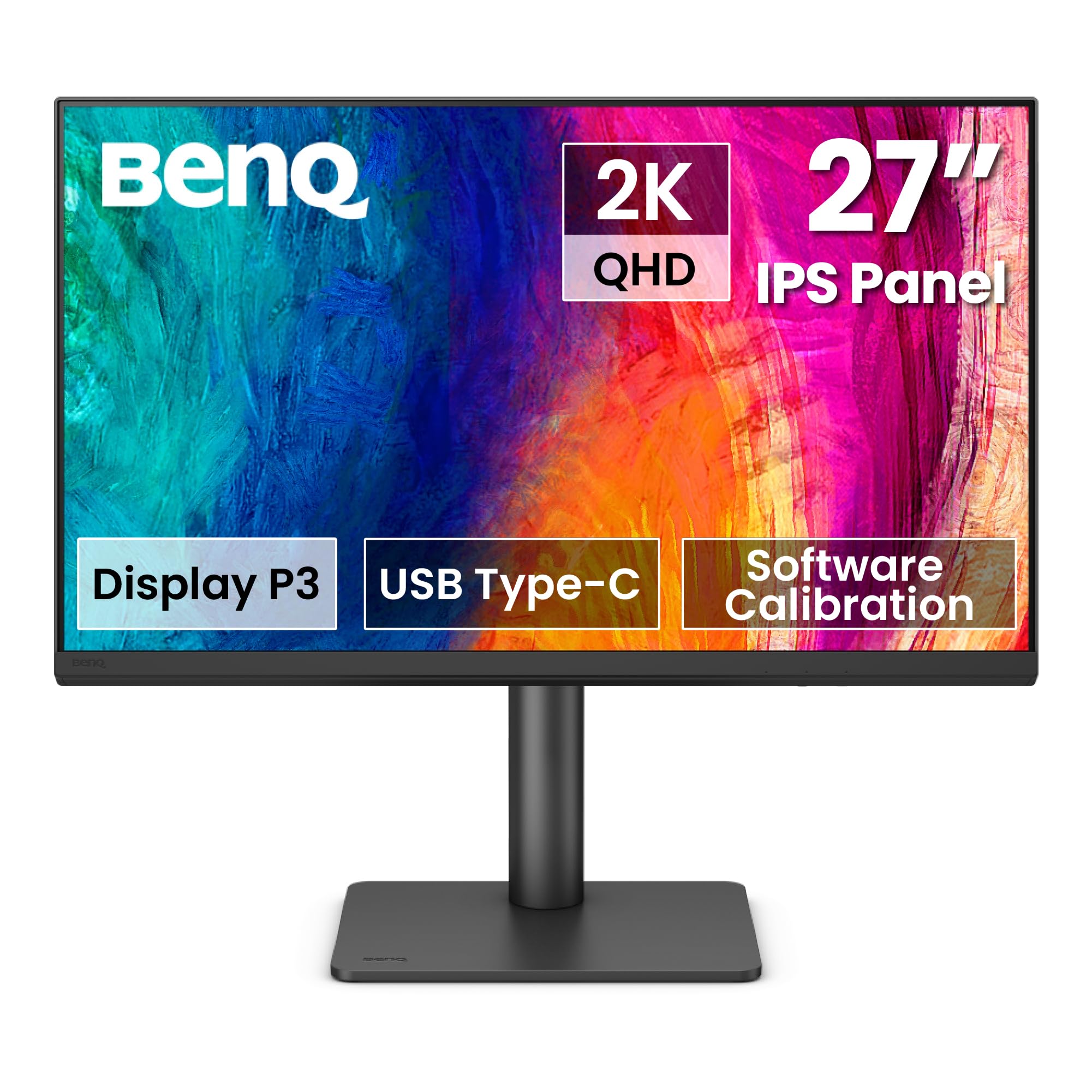
🎯 Elevate your Mac setup with color-perfect precision and sleek, clutter-free power.
The BenQ PD2706QN is a 27-inch 2K QHD IPS monitor designed for Mac users and creative professionals. It delivers exceptional color accuracy with 95% P3 and 100% sRGB/Rec.709 coverage, factory-calibrated for Delta E ≤ 2. Featuring a 90W USB-C port, it simplifies connectivity by combining power, video, and data in one cable. The anti-glare nano matte panel enhances eye comfort, while ergonomic adjustments and daisy chain support optimize your workspace for productivity and seamless multi-monitor setups.


| ASIN | B0DJWTLYGP |
| Best Sellers Rank | #7,965 in Electronics ( See Top 100 in Electronics ) #357 in Computer Monitors |
| Brand | BenQ |
| Color | Black |
| Customer Reviews | 4.4 4.4 out of 5 stars (687) |
| Date First Available | October 11, 2024 |
| Item Dimensions LxWxH | 17 x 9.02 x 24 inches |
| Item Weight | 13.4 pounds |
| Item model number | PD2706QN |
| Manufacturer | BenQ |
| Max Screen Resolution | 2560 x 1440 Pixels |
| Number of USB 3.0 Ports | 1 |
| Product Dimensions | 17 x 9.02 x 24 inches |
| Screen Resolution | 2560x1440 |
| Series | PD2706QN |
| Standing screen display size | 27 Inches |
D**N
Excellent large monitor delivers sharpness and color accuracy very close to my 27” iMac
This is a great monitor. I’m an older guy and I really appreciate the 32” size and the clarity that it delivers. My previous computer was an iMac with 27” monitor and this BenQ monitor delivers sharpness and colors that are just about indistinguishable from the iMac. And that’s saying a lot because the iMac monitors are really good. I really like the articulated arm that comes with the monitor. It’s easy to set the angle and height of the monitor. The color accuracy is excellent too. I would recommend this monitor to anyone looking for a quality monitor. I think it offers excellent value.
J**Y
Excellent monitor for Mac users. Color accuracy is pretty close
I watched sooooooooo many videos on monitors before I decided to go with this one. It really came down to the LG 32" 4k Ergo or This model. I will definitely say that having a 32 inch screen is kind of insanely huge and probably would have been ok with a 27" but I digress this purchase was definitely worth it for the size and available screen real estate. I ended going with BenQ because the warranty was a bit better and the customer service is much better than LG... if any of you have had to deal with LG customer service then I'm totally sorry. The ergo arm on this monitor was easy to put together and easy to get the monitor working. Absolutely nowhere positively mentions what size cables you'll need for your setup so I will safely say that after putting this thing together that 2M length cables are a minimum requirement. The 1M length ones it came with are not sufficient for length and I have my Mac Studio right under it on my desk. After purchasing a 2M length cable there was just a lot more freedom so I definitely say don't waste your time with 1 or 1.5M length and just start with 2M length cables. As far as color calibration goes, the Mbook mode stock was pretty close to my new MBP Pro (Newest M3 Pro version) There is a very slight color difference but it really is not something that was too insane. The colors were depicting very close to each other on both the screen and my MBP. I design packaging and the colors that printed were very close to the screen so I'm pretty happy. I am sure that at some point I will have to get a color calibration tool but hopefully that is further down the line than anytime soon. The LG 32" 4K Ergo, does have a very similar arm on it, though I think that the Ben Q version feels less cheap and more solid. The screen profile on the Ben Q is much larger than the LG counterpart BUT the BenQ has the power supply built in so you don't have the giant power brick that the LG comes with... yes it's gigantic. Having the power supply built in really really works with cable management under desk on a tray because you don't have to worry about a giant power brick. I have this paired with a Screenbar Halo Plus and it fits very well. I highly suggest a desk lamp if you don't have one. I didn't think that it was going to come in handy but in the end it's very very very handy and has the two color temps to work with which is nice for day to night use. The Hotkey Puck comes in clutch... no need to worry about pressing any buttons except for the power button which is easily accessible on the bottom right corner on the back. Using this on my Mac it does go to sleep and will wake as soon as I hit the mouse or trackpad. So there's really no need to actually shut the monitor off. All in all I'm very happy with the purchase I just hope that it doesn't take a crap in less than a couple of years because it is quite pricey to replace.
P**D
A 32" monitor that is 4k and useful for both typical and art related, this is a great monitor
First, this product arrived on time in its original sealed box and with minor blemishes to the box (meaning it arrived safe and didn't seem to be mishandled). BenQ has been making various monitors to meet all sorts of needs. In my case, I had the choice of 2 27" monitors or one 32" monitor. Due to space constraints and such, the 32" was a better for me. I will say I am extremely happy with this 32" monitor choice. There are various Youtube videos about this monitor that can go into depth about its features so I'll skip some of the tech facets other than to say at this price they are top notch. The image comes pre calibrated from the factory and that is a plus as it was ready for the type of art work I do and had settings for other types of use such as movies, graphics, cadd etc. I only use two and both are spot on for my needs. This monitor comes with an "arm mount" rather than the traditional stand. For my purposes, either would have done but the arm mount was an elegant solution for moving the monitor far more than a typical stand. Caveat when mounting the arm - make sure you have a surface that the "clamp" mount of the arm can fully attach to and then there is placement. The two most often used positions is to mount the arm where a stand might go (say middle between left and right side of the desk) and then the arm off to one side where it is nearly fully extended to have the monitor sit in the ideal location. Take your time to get the arm where you want and realize that if placed where a stand might go, the monitor will be a bit more forward based on the arm design. I admit it took me two tries to get the arm where I wanted it but once there, the arm worked like a charm. BenQ not only delivered a great monitor with a solid well designed arm, but also came with an attached button/dial puck that attached to the monitor and can take on various tasks such as switching between video ports (if you have more than one device/computer attached) as well monitor speaker volume and which colour profile you prefer and so on. - Extremely handy. To add to this, various well made cables come with the monitor and a snap on cover for the cable input ports. This monitor serves to systems - a computer and a streaming box. The computer gets USB C and the streaming box (NVidea Shield Pro) gets HDMI. So far, no issues and streamed video/movies etc. look good and serve as a nice break from computer work. 32" is great for movie watching. Mac users - many months ago the M chip series Macs had issues with various monitors. This for the most part has been a problem resolved. This monitor works very well with Macs (as it does with PCs and some media streamers). There are plenty of 32 inch monitors out there and if you are a gamer, this is *not* for you. Chances are you will know this as you will know the spec you need for fast game play. If you want a monitor for general use, some media playback (movies etc.) and graphic/photo work then this is a very very good option. I would both buy this again and recommend it for most non-gamer users.
F**D
Very good function and quality.
This monitor provides a very clear, sharp and large display. The connections and supplied cables were all I needed to connect my Laptop speakers and WiFi. I am using it right now to make this review. I am very pleased with this purchase.
N**D
I ordered two of these screens simultaneously to create a dual monitor setup with identical monitors. However, I received one monitor that was new and another that was refurbished. The refurbished one seemed like it belonged to Shrek... it has crazy scratches all over the back, the previous owner what connecting his cable with less care than a truck repair shop or what ? and he even forgot his Logitech receiver in the USB plug. Upon checking, it had been used for 200 hours already. Regarding the monitor itself, it performs excellently. It has good colors, advanced features, solid build quality, and a very well-made mount. The uniformity is pretty good. not as much as an Eizo, but better than competition. Overall, I am very pleased with my choice. I would recommend it over more well-known brands like Samsung, which is rumored to intentionally disable their products after a certain period. I like the at menus are done with a joystick rater than just buttons. The DeltaE of my screens is much lower than the advertised value of 3. One measures 1.04 and the refurbished one is 1.1, which is excellent to know. To BenQ or Amazon: You're fortunate that I am not a stupid troll lowering reviews for damaged parcels, because I hesitated including this bad experience in my review that could really deserve a lowered rating. I find it disappointing and unacceptable to package refurbished units with new ones. Now, I have to wait two weeks for my replacement screen, manage the return process, and temporarily pay for a third monitor. What is it that you gain by misleading customers in such a way? Of course, I will return the second hand (damaged) product, and that will only increase delivery costs, reduce margins for you, and contributes to more pollution, more wasted time. Such experiences diminish trust in the brand, and end up exposed in reviews like mine — nobody wins.
T**S
Amazing Monitor, great resolution!!!! Sharp !!!! well done!
M**E
It is a great product. Especially the USB C hub connectivity that delivers power to my Mac. But, you need to use the USB B cable (included) for the second device for KVM functionality.
V**…
This is a awesome monitor..the colors out of this monitor is livelly pretty easy and straight forward to set it up and you are good to go with lots of ports..overall I would recommend this product.
F**.
There is a yellow sticker on the top right corner of the screen which I have been instructed to not rip off. Why would any anti-glare coating should depend on an flimsy sticker that very likely will come off on its own at some point.
Trustpilot
3 weeks ago
1 week ago