🚀 Elevate Your Productivity Anywhere with Stunning Clarity & Effortless Connectivity!
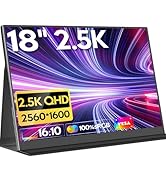
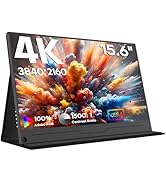
The HONGO Portable Monitor is a sleek 15.6-inch Full HD IPS display designed for professionals seeking enhanced multitasking. Featuring plug-and-play USB-C connectivity, built-in dual speakers, and a smart protective cover, it offers versatile display modes and wide device compatibility. Its ultra-slim, lightweight design and eye-care technology make it the perfect travel companion to boost productivity and entertainment on the go.




| ASIN | B0DKDYTS52 |
| Best Sellers Rank | 4,430 in Climate Pledge Friendly ( See Top 100 in Climate Pledge Friendly ) 4,431 in Climate Pledge Friendly: Shop All |
| Brand | HONGO |
| Colour | Black |
| Customer Reviews | 4.4 4.4 out of 5 stars (653) |
| Date First Available | 21 Oct. 2024 |
| Guaranteed software updates until | unknown |
| Item Weight | 572 g |
| Item model number | P156A06 |
| Manufacturer | HONGO |
| Number of HDMI Ports | 1 |
| Number of USB 3.0 Ports | 1 |
| Product Dimensions | 0.5 x 35.4 x 22 cm; 571.53 g |
| Resolution | 1920 x 1080 Pixels |
| Screen Resolution | 1920x1080 |
| Series | portable monitor |
| Standing screen display size | 15.6 Inches |
A**P
Not Bad Dual Screen Display
Dual Screen Monitor Review This is a relatively decent product. I purchased this dual-screen monitor because working from home (WFH) made me realise I needed three screens for better productivity. Setup Process The setup is straightforward, but you will need a **USB-C hub** to get both screens working. I’m using a standard corporate laptop (Lenovo ThinkPad T14), and I can confirm that no additional drivers are required. Your Windows laptop should have **at least two USB-C ports**. **Edited** Regarding the setup instructions below, I have since found out and can confirm you truly do only need one cable!! Which is great!! Laptop (USB-C) → **Plug into** → Dual Screen Monitor I wanted an A → B → C screen arrangement, and here’s the setup that worked for me: 1. Hub (USB-C cable) → **Plug into** → Laptop (USB-C port) 2. Laptop charger (USB-C) → **Plug into** → Hub (Look for the USB-C PD port on the hub, often marked with a lightning icon for power delivery.) 3. Laptop (USB-C cable) → **Plug into** → Dual Screen Monitor (Use the bottom USB-C port on the lower display.) 4. Hub (USB-C cable)** → **Plug into** → Dual Screen Monitor (Use the top USB-C port on the lower display.) **Note:** The dual-screen monitor has an additional USB-C port at the top of the lower display. This seems to be for power because when you try to increase the brightness on the top display, it prompts you to connect power. The lower display brightness can be adjusted freely. Display Settings Once connected, you may need to adjust your display settings in Windows: * Go to **Display Settings** and click **Detect Display** if the screens don’t appear automatically. * You should see **three boxes** representing your monitors. Drag and position them so that monitor 3 sits below monitor 2 for the correct layout. This completes the setup. Performance The screens are functional and well-suited for work tasks such as: * Microsoft Teams * Email * Remote desktops * Coding environments For productivity, it does the job well. However, if you’re considering this for gaming, you’ll likely be disappointed—it’s not designed for that. That said, it might be acceptable for retro gaming. *Pros * Easy setup (with a hub) * No drivers required * Good for multitasking and productivity Cons * Requires multiple USB-C ports and a hub * Limited brightness on the top display without extra power * Not suitable for modern gaming I still give it 5 starts because it fulfils my requirements. Most importantly not needing drivers.
D**N
Good monitor - turnd HDR on in the menu - has Freesnyc
I ordered this largely to play on an Xbox Seires S and Firestick whilst away from home and also my Steam Deck. I will also use it as an extra monitor for my work laptop. The product is pretty slim and the cover is of good quality for the price. It comes with 3 cables - USB C to USB C, USB A to USB C (for charging only), HDMI to Mini HDMI. There are 2 USB C sockets. I've managed to run the display directly from some devices directly without an extra power supply - eg my laptop or my Steamdeck. I assume the steam deck wont last too long on battery doing this, but haven't checked. However, the USB slots can act as a passthrough, so I can run power in a the USB C on the display and carry the power through the other UBC socket in to my Steam Deck and it powers both. Initially the display looked a little washed out, however there is a setting in the display's own menue to turn on HDR. It can be set to 'Auto' and 'Always ON'. Turning it to Auto brightened up the display massively and coloured popped out so much better. If you dont do this, you may be a little underwhelmed with the colour and contrast. The display did occasionally come on as non-HDR and needed resetting, so I've set it to 'always on' and that seems to keep it on all the time. My laptop and the OG Steamdeck both to output to HDR, so I dont know if this setting would work with non-HDR devices (I dont know if it is real HDR or just a built-in setting that makes the display far more vivid). To my surprise, the display also supports Freesync through a toggle in the display menu. I dont know what refresh rates this supports down to (but the max is 60fps). The menu toggle is a little tricky to use, and sometimes scrolling it changes volume and sometimes brightness. I've not read the instructions properly, so it is probably user error. The display case is pretty rigid when supporting the screen, more so than many others I have seen. As you would expect, the sound is tinny, but there is a 3.5mm audio jack on the side. If you are using with the Steamdeck, to get 1080p you need to ensure that the game properties are set to 1080p in the steam menu and also in the game menu. A couple of games stayed at 800p, but most upgraded and the deck ran them fine, usually after a slight drop in quality settings. The deck will default back to 800p if playing without the screen. Viewing angles are good, there is some drop off at wide angles, but not as much as many screens. Brightness is good, especially with the HDR on, although I've not tried it outside. This is possibly a good solution to watch the likes of Netflix etc on a 16" screen away from home without taking a full laptop. If you have a Firestick you will need to get an HDMI to Mini HDMI converter (female HDMI to male Mini HDMI) - ideally with a short cable rather than a solid item. If you want to pass through the power rather than have 2 seperate power plugs, you would also need a Micro USB to USC C converter/cable (both male ends). These converters cost around £3-4 each. Plug the power in to the display and use the other cable to pass power through to the Firestick. I think both USB C sockets on the device can be used to pass power through, but I tend to input power to the bottom one and pass through from the upper one - no idea why or if it makes a difference. If you are running a device with a USB A scoket (standard olde worlde USB), the included cable can be used to powere the screen. The cable is clearly marked "power only". The USB C sockets can be used for peripherals such as keyboards and mice to pass back to your device (I've only tried this for USB C to USB C, not the USB A to USB C cable. I suspect the USB A cable wont do this, but you could maybe use another cable ? I used a cheap USB multiport to add a keyboard and mouse to the Steamdeck and my Surface Go. This was set up with power going in to the multiport USBC power slot, which passed through to the display via USB C. The periferals were plugged in to the multiport and worked the signal back to the deck. I guess I could have plugged in further displays in to my multi-port for the Surface Go, but didnt try this. Overall I am very happy with this screen, especially once the HDR toggle is enabled.
E**B
Great 2nd monitor
Works great as a 2nd screen for my laptop! Nice and portable, and the case works very well as a stand. As others have said, with default settings the colours are a bit washed out. I've changed the settings to those listed below and now I'm very happy with the display: - HDR Mode: 2084 - Brightness: 7 - Contrast: 2 It seems you have to modify contrast last, and you have to modify contrast every time you use the monitor which is a little frustrating and the reason why I've knocked a star off.
N**K
Lightweight, good quality resolution and easy to connect
This screen came well packaged, with full instructions and all the necessary wires for any connection you may require. It looks sturdy, is good quality and incredibly easy to set up. The quality of the screen and display resolution is good, colours look as good as any decent laptop screen and it is lightweight. It is easy to carry due to it's size and weight and quick to plug in and use as a second screen on a laptop or PC.
O**E
Great product
Wonderful product. I really love it. It serves the purpose and real value for money. I introduced the product to my colleague at work and they love it and also got one too. After sales service was wonderful.
L**.
OK, die knallbunten, leuchtenden Präsentationsbilder aus den Verkaufsangeboten dieser Artikelgruppe, wo auch immer ihr sie seht, müsst ihr euch mal wegdenken. Im Gegensatz zu den "großen" Standmonitoren hat hier eher der Graue Star Pate gestanden. Dafür ist jegliche Schrift gestochen scharf lesbar, auch wenn einem das OS eine hohe Bildschirmauflösung aufzwingt. Ich hatte im Vorfeld noch Zweifel, ob ich nicht besser zu einem 17er Modell greifen sollte... -hat sich als unbegründet erwiesen. Schnittstellen beidseitig verbaut, das hatten bei meiner Recherche auch nicht alle Modelle. Früher hatten neue Geräte noch ihre Stromversorgung (Netz-)anschlußfertig mit dabei. Heute muß jeder selber zusehen... Meine Schukoleiste mit USB-Ladebuchsen scheint Brummspannung für die Moni-Lautsprecher mitzu- bringen. Daran arbeite ich noch. ...ein paar Tage später... Der Vemfay-Lader mindert das Brummen von der Rückseite des Monis. Das I-net blieb aber stumm. Ich wechselte noch den HDMI, an der Quelle, weil doch der große Moni Ton hat (!?)-trotzdem stumm. Das Handheft hilft auch nicht weiter, denn das Gerät verfügt nur eingeschränkt über die dortigen OSD-Einstellmöglichkeiten. Ich konnte jetzt nurnoch den Kopfhörerausgang ausprobieren: Funktioniert!(Häh?) Jetzt kommt's: Falls noch jemand ohne Ton ist... +++Kopfhörerstecker wieder herausziehen+++ Nun ist der Umschaltkontakt "intern/extern" aktiviert und der Ton funktioniert wie er soll. Ich hoffe jetzt, daß der Effekt längere Zeit anhält.
D**E
Qualità prezzo ottimo. L unica pecca è che non puoi aumentare la luminosità, ma va bene quella di default e per quel prezzo non si può chiedere di più. È leggerissimo e puoi portarlo insieme al tuo pc nello stesso zainetto. Lo consiglio vivamente.
G**N
Really easy to use and great size!
A**N
J’ai acheté ce moniteur portable HONGO 15,6" pour l’utiliser en deuxième écran, et je dois dire que je suis vraiment satisfait. L’écran est léger, fin et facile à transporter, ce qui le rend idéal aussi bien pour travailler en déplacement que pour jouer ou regarder des vidéos. La qualité d’image en 1080P IPS est très bonne, avec des couleurs vives et un bon angle de vision. Le branchement est simple et rapide via USB-C ou HDMI, et les haut-parleurs intégrés sont pratiques quand on ne veut pas forcément utiliser un casque. Le rapport qualité/prix est excellent : pour ce budget, je ne m’attendais pas à un écran aussi polyvalent. Il fonctionne parfaitement avec mon ordinateur portable, ma console et même mon smartphone. Seul petit point d’amélioration : j’aurais aimé un peu plus de flexibilité dans la disposition de l’écran (par exemple un socle permettant de l’élever ou de le mettre facilement à la verticale). Mais cela reste un détail par rapport à la qualité globale. En résumé, je recommande vivement ce moniteur à tous ceux qui cherchent un écran portable fiable, pratique et abordable.
J**A
¡Monitor que cumple! Lo compré para complementar mi laptop en viajes y home office, y responde muy bien. La pantalla de 15.6 pulgadas con resolución Full HD ofrece buenos colores y contrste, perfecto para editar documentos. Es súper ligero y delgado, lo que lo hace ideal para llevar en la mochila sin esfuerzo. Soporta USB-C y HDMI, y se configura muy fácil. El tiempo de respuesta es rápido, sin ghosting notable, y el ángulo de visión es amplio gracias al panel IPS. Se enciende directamente al conectarlo al portatil Echo en falta un soporte más versátil, y mejor audio que es muy mejora le pero por el precio, no me quejo.
Trustpilot
3 weeks ago
2 months ago