
DOWNLOAD THE APP


Customer Services
Copyright © 2025 Desertcart Holdings Limited
DOWNLOAD THE APP
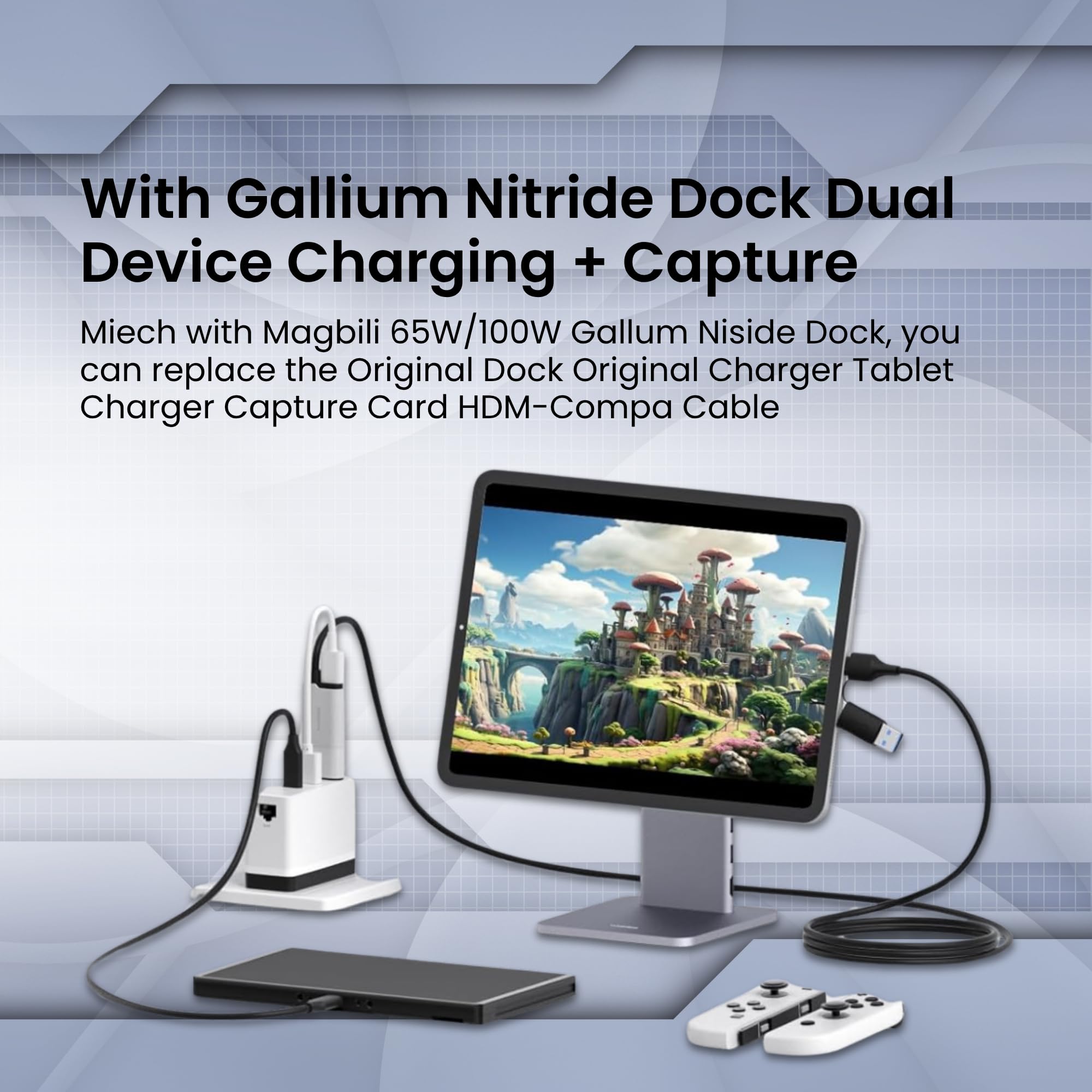
🚀 Stream Like a Pro, Power Up Nonstop!
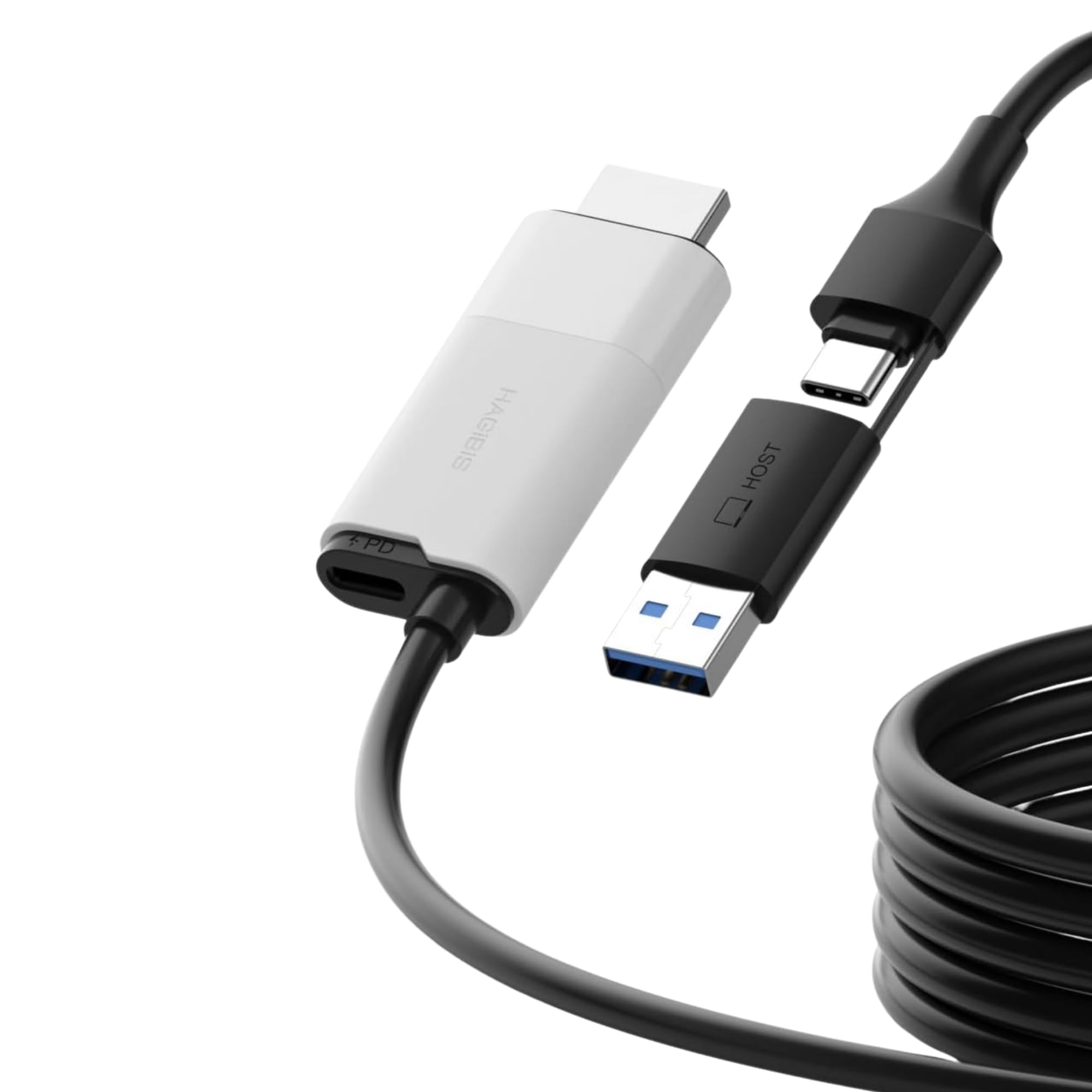
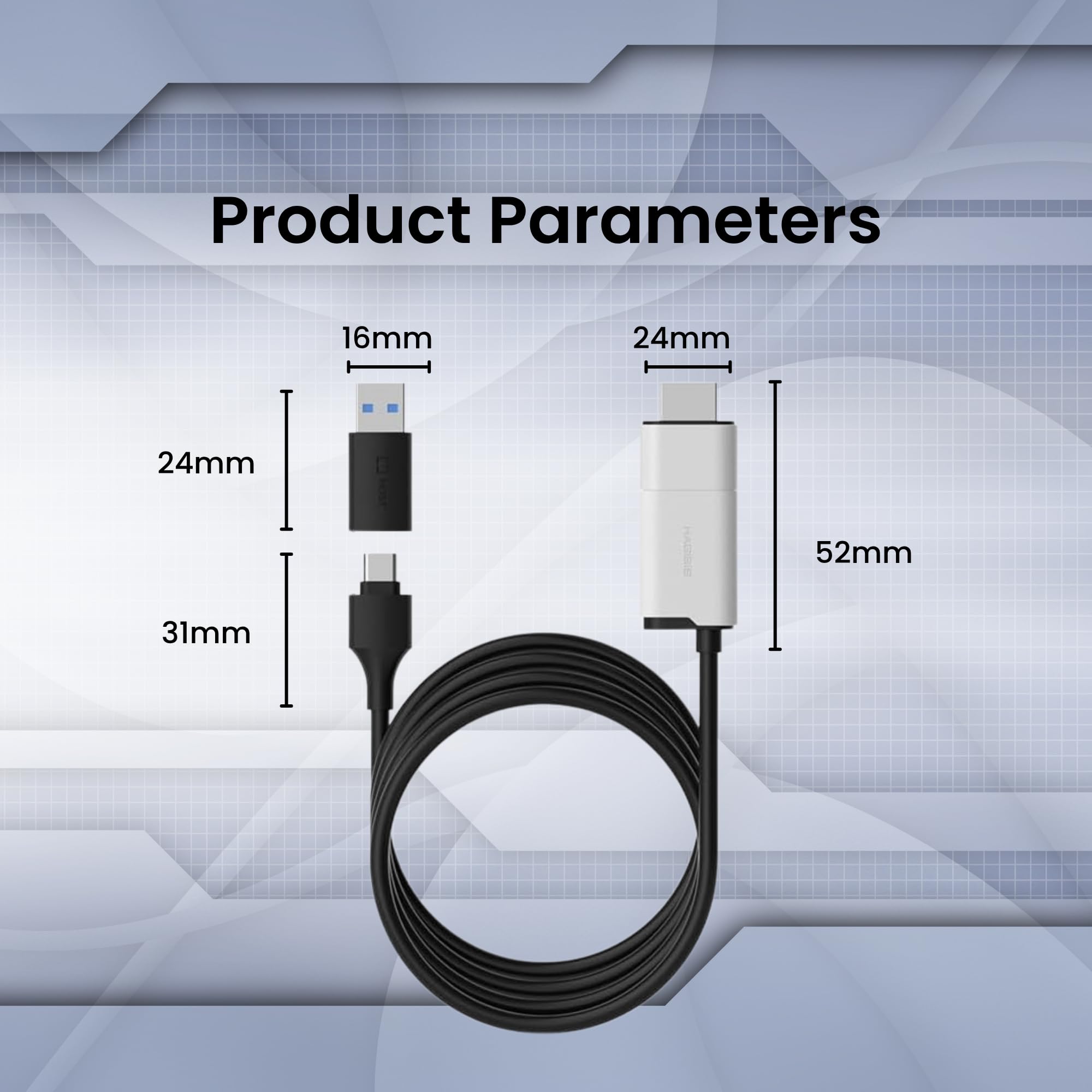
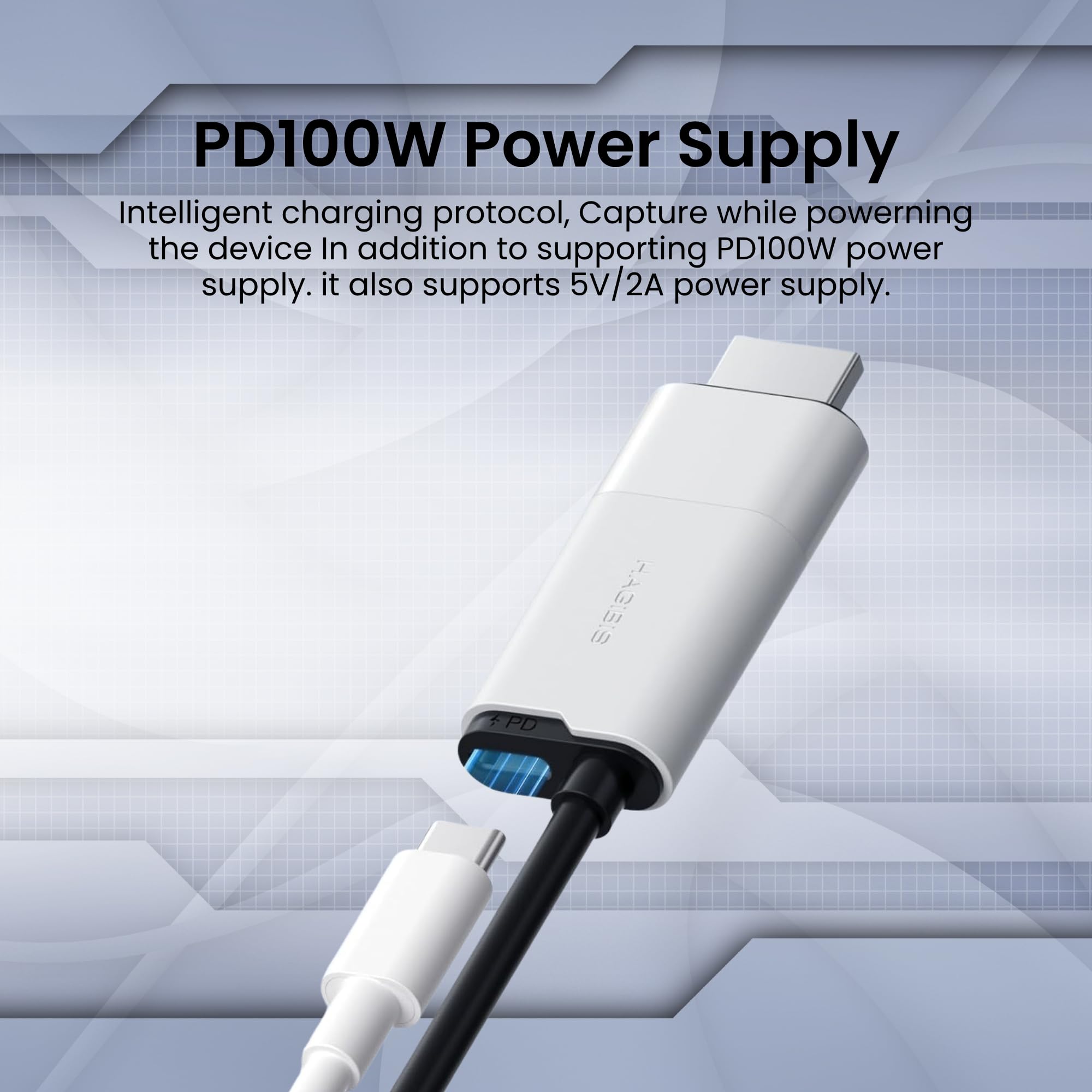
The Hagibis USB3.0 Video Capture Card delivers crisp 1080P@60fps HDMI-to-USB capture with broad compatibility across gaming consoles and VR devices. Featuring dual USB-A and USB-C outputs with 100W power delivery passthrough, it enables simultaneous charging and streaming. Its plug-and-play design requires no drivers, powered by a high-performance MS2130 chipset for stable, high-quality video encoding—perfect for content creators, streamers, and professionals seeking hassle-free, premium live broadcast solutions.


| ASIN | B0DFM1HSNX |
| Best Sellers Rank | 9,705 in Computers & Accessories ( See Top 100 in Computers & Accessories ) 15 in External TV Tuners & Video Capture Cards |
| Box Contents | Charging Cable *1, Video Capture Cable *1 |
| Brand | Hagibis |
| Brand Name | Hagibis |
| Colour | UHC10 |
| Compatible Devices | Gaming Console, Personal Computer, Quest 3 2 Pro, Smartphone, Tablet |
| Compatible devices | Gaming Console, Personal Computer, Quest 3 2 Pro, Smartphone, Tablet |
| Connector Type | USB Type-A, USB Type-C |
| Connector type | USB Type-A, USB Type-C |
| Country of Origin | China |
| Customer Reviews | 4.3 out of 5 stars 757 Reviews |
| Finish type | Matte |
| Item Weight | 3.7 Ounces |
| Manufacturer | Shanghai Xinxie Industrial Co., Ltd. |
| Model Number | UHC10 |
| Number of Items | 1 |
| Number of Ports | 2 |
| Package Quantity | 1 |
| Power Plug Type | No Plug |
| Product Finish Type | Matte |
| Specific Uses For Product | VR Glass, Gaming Console, Live Broadcasting, Streaming |
| Specific uses for product | VR Glass, Gaming Console, Live Broadcasting, Streaming |
| Unit Count | 1.0 count |
| Warranty Type | Limited |
A**R
Brilliant and well worth it!!! - TL/DR tips on how to connect below
Works brilliantly. Have not had it long and already tried it with my Nintendo Switch and PS5 on my Quest 3. For Switch: just plug into the quest and the Switch dock and play. The link app will open on the quest 3, just choose your settings then begin streaming. For PS5: Before you try connecting this adapter, go to settings and switch off HDCP. Then, plug directly into the console HDMI port and connect to the Meta quest. An app called HDMI link app should open (if it doesn't you may need to download the app from the store) again, choose your settings then begin streaming. Hopefully this will save you an hour of trying to find a solution for PS5. For Xbox: Fiddly to say the least as you cannot turn off HDC as a setting. I spent many hours google-ing and YouTube-ing to resolve the problem. Many videos and threads on Reddit and so on were very out of date as Xbox has been long updated since many of the posts were published. I have managed to get it to work but really had to mess about and can't specify what I did. However, from what I remember, I changed my power setting to the full setting, NOT Eco. And my output settings to reset and lowest possible resolution. I think it was after a reset and a shutdown, I got it to work. Good luuuuckninbgettingbitnto work for yourself. PC was simple but to use, just plug and play as it were, using the pc link app. Or you can just go wireless for this. Beware that to use any VR programmes, you'll need high spec video/graphics card. Overall, Great video and sound quality and well worth the money. You'll not be able to stream netflix or use any of the video apps on a PS5 but you will already be able to do this without a need for connecting to console. So far, well worth the price tag, no need to spend £100+. Edit: after a couple of weeks, still very happy with the device. Only draw back is that if you quest is not fully charged 1st, your battery will drain even with the charge cable put into the device. I had many hours of fun with it this way but yesterday, only had 30% battery and it then did after about 25 mins. This would be my only gripe
2**E
Works great with Xbox and quest 3
Bought this to plug my Xbox directly into my meta quest 3. Works like a charm, zero faff, download hdmi link app then plug it in and choose the settings. Limited to 1080p but worth it for the ability to play my entire game catalogue on a massive vr screen. Added bonus of being able to charge the quest 3 at the same time.
C**M
Perfect for Meta quest HDMI link
Just set it up for Xbox series s, plug and play, accept permissions and away you go, working flawlessly as a hdmi link for meta quest 3 no issues at all, will update if encounter any future issues very pleased for the price.
A**R
Use for console games on quest 3
Use this to connect the Xbox to the quest 3. Picture quality is limited to 1080p but only because of the limitations set by quest 3. Allows power delivery to the quest 3 too. Best capture card I've tried, as there was 0 issues. Couldn't get some other capture cards to show video.
S**K
Great Capture Card for the Price!
Bought the Hagibis USB 3.0 Video Capture Card to use alongside my Meta Quest 3 VR setup, and it works brilliantly. Setup was simple, and it performs exactly as expected. It allows streaming from a phone, iPad, or even a PS5, making it a versatile option for capturing and sharing gameplay. The video quality is solid, with minimal lag, and it’s a great budget-friendly alternative to pricier capture cards. Really pleased with this purchase!
A**B
Works well with MacBook and quest 3
I use this to connect my MacBook Pro to my quest 3. No issues works well.
M**D
We'll made but ultimately had to return it.
Looked like a well made product, but unfortunately I ended up having to return it because it didn't work with the Xreal one pro glasses. This might be because although the product page suggested it was suitable for glasses up to 144Hz, the product box stated it would only support 60 Hz refresh.
M**B
Works for PS5 / Meta Quest 3 Gaming
Works great to connect my PS5 to my Meta Quest 3 (using the HDMI Link app). The cable is about 4ft long. One downside is it does not physically fit into the HDMI port of my PS4 slim due to the width of the dongle. But for PS5 it is fine!
M**P
Fungerar som jag hade hoppats. Får tillgång till både skärm och snabb laddning samtidigt.
G**E
Positiv 1. Gute Funktionalität (“Power & Play”) Der Adapter ermöglicht es, eine AR-Brille anzuschließen und gleichzeitig das Quellgerät (z. B. Smartphone, Steam Deck, etc.) zu laden. Damit entfällt das Problem, dass bei Nutzung der Brille der Akku ausgeht. 2. Hohe Übertragungsraten und Auflösungen Nach Herstellerangabe unterstützt der Adapter bis zu 8 K @ 60 Hz und für manche Setups 4 K @ 144 Hz. Das ist ein starkes Leistungsversprechen, insbesondere für hochwertige AR-/VR-Setups. 3. Kompatibilität Der Adapter soll mit vielen AR-/XR-Brillen kompatibel sein (z. B. XREAL, Viture, Rokid) und mit Geräten wie Switch, Steam Deck, etc. Das macht ihn vielseitig einsetzbar. 4. Robuste Materialwahl Er ist laut Beschreibung aus Aluminiumlegierung gefertigt, was ihm eine solide Haptik und Langlebigkeit verleihen dürfte. --- Negativ / zu beachten 1. Abhängigkeit von externer Stromversorgung Damit das „Charge & Play“ funktioniert, benötigt der Adapter eine ausreichende Stromquelle (z. B. Netzteil oder Powerbank). Falls das Quellgerät nicht genug Strom liefert, könnte eine zusätzliche Energiequelle nötig sein. 2. Theoretische Werte vs. Realität Die angegebenen hohen Auflösungen und Bildwiederholraten (8K @ 60 Hz, 4K @ 144 Hz) sind beeindruckend, aber es bleibt die Frage, ob sie unter realen Bedingungen (Kabelqualität, Gerät, Länge, Kompatibilität) immer erreicht werden. Solche Herstellerangaben werden oft unter idealen Bedingungen gemessen. 3. Preis-/Leistung im Blick behalten Für Nutzer mit einfacheren Anforderungen (z. B. 1080p) könnte dieser Adapter überdimensioniert sein. Wenn man hauptsächlich Standardauflösungen nutzt, zahlt man eventuell für Funktionen, die man gar nicht nutzt. 4. Kompatibilitätsrisiken Auch wenn viele Geräte genannt werden, kann es sein, dass manche Kombinationen (Brille + Quellgerät) nicht ideal zusammenarbeiten oder dass Firmwareupdates nötig sind, damit alles reibungslos läuft. --- Gesamturteil Der Hagibis AR Glasses Adapter (ASIN B0DDPYT6V7) macht einen vielversprechenden Eindruck, insbesondere für Nutzer, die hohe Auflösungen und gleichzeitiges Laden benötigen. Wenn du ein hochwertiges AR-Setup hast und fortgeschrittene Funktionen nutzen willst, könnte er eine sehr gute Lösung sein.
D**N
Works great! This works well for getting screen grabs of login screens, or bios / post screens that you can record on the local device. Works on my Quest headset as well. On the Quest 2 headset it has just enough input lag to not be great for making a big screen gaming display. Picture quality looks good though.
G**G
Picked this up mainly to stream and record gameplay from my Meta Quest 3, and it works exactly as advertised. The Hagibis USB 3.0 Capture Card is simple, reliable, and super easy to set up — literally plug-and-play with OBS or any standard streaming software. The 1080p at 60fps capture is smooth with no noticeable lag or frame drops. I’ve tested both YUY2 and MJPEG modes, and the quality is excellent — crisp visuals and responsive performance, even during fast motion gameplay. Makes it perfect for streaming VR content, which can be demanding on gear. What really sets it apart for me is the built-in 100W PD passthrough. That means I can power my laptop or device while recording, which is huge when I’m on longer sessions. The USB-A and USB-C compatibility is also a nice touch — works with basically any machine I throw at it.
J**.
Works perfectly. Lets me use my xreal glasses with my devices while charging.
Trustpilot
2 months ago
1 week ago