🚀 Elevate your telemetry game—never miss a beat in the sky!
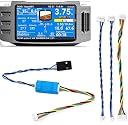
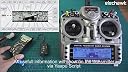
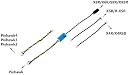
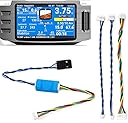
The FrSky Yaapu Telemetry Converter Cable is a 20cm adapter that connects Pixhawk flight controllers (versions 1-4) to a broad range of FrSky receivers, enabling real-time telemetry data display on popular transmitters like Taranis X9D Plus and Jumper T16. Compatible with Yaapu and other Lua scripts, it offers a plug-and-play solution for professional drone pilots seeking reliable, seamless flight data integration.
| ASIN | B07KJFWTCB |
| Are batteries included? | No |
| Brand | elechawk |
| Cable Interface | Proprietary |
| Customer Reviews | 4.4 4.4 out of 5 stars (100) |
| Date First Available | 28 March 2022 |
| Item Dimensions LxWxH | 10 x 8 x 1 Centimeters |
| Item Height | 1 Centimeters |
| Item Weight | 6 g |
| Item Width | 8 Centimeters |
| Item dimensions L x W x H | 10 x 8 x 1 Centimeters |
| Item model number | C12_1 |
| Manufacturer | elechawk |
| Material | Copper (core), Polyvinyl Chloride (PVC) (insulation) |
| Model number | C12_1 |
| Number of Channels | 4 |
| Product Dimensions | 10 x 8 x 1 cm; 6 g |
| UPC | 704888327449 |
A**R
Excellent product. The default cable is perfect for the SpeedyBee F405 Wing Mini telemetry connector. Using Frsky X8R receiver connected to Sbus and in ArduPlane I configured Serial 4 to Frsky OpenTx telemetry passthrough (10) and Yaapu lua script on my Taranis QX7. For second screen I set up to display Nums - GPS from Telemetry. I will buy more of this for the rest of my Smartport enabled Frsky receivers.
P**A
Tutto perfetto, come da descrizione spedizione velocissima .Grazie LUCA
D**N
I just set this up on a plane with an F35 or Wing 10dof flight controller and an R-XSR. It seems to be doing everything that it's supposed to, but I hit some snags setting it up. First, I found that it only works when the RX is flashed with SPort firmware. It wouldn't work with FPort. Next I had to set the serial protocol to 4 in Mission Planner. Then go to the telemetry set up in the TX radio and discover sensors. Once the sensors are detected, go back into Mission Planner and set the Serial Protocol to 10. That will allow the data to flow though to the Yaapu script. I hope that helps somebody!
G**L
Il n’y a pas le connecteur dupont comme sur la photo
M**N
I followed the ardupilot documentation, youtube video, and the wiki for how to hook this up to my frsky receiver and Pixracer flight controller. I also followed the youtube video from Painless360 to install the scripts on my Radiomaster TX16s. The cable worked perfectly in this application and I now have telemetry on the main display of my transmitter.
Trustpilot
1 month ago
5 days ago