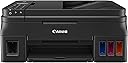
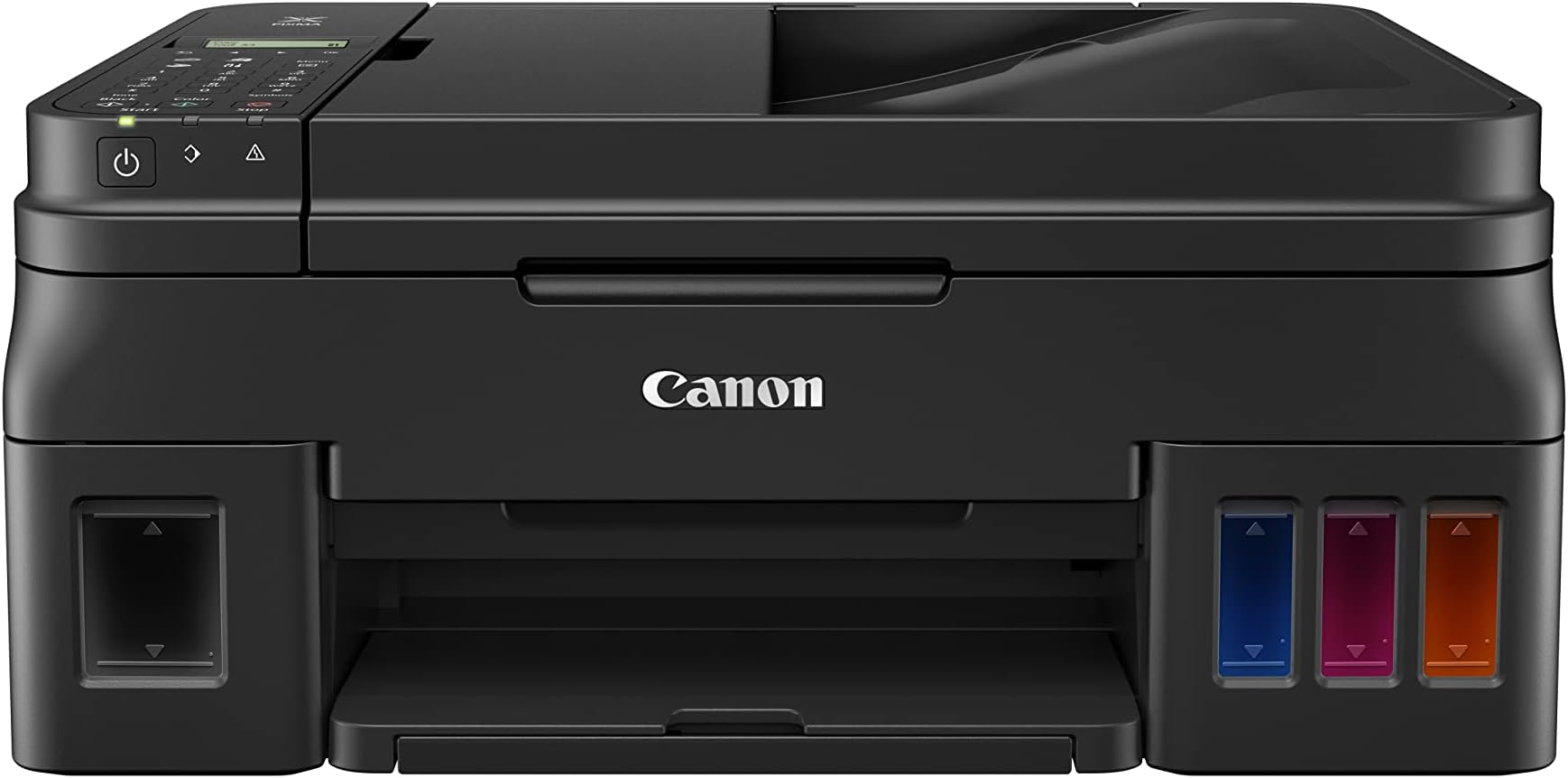
🖤 Print smart, save big, and never run dry with Canon PIXMA G4210!
The Canon PIXMA G4210 is a wireless all-in-one MegaTank printer delivering ultra-high 4800x1200 dpi print quality with integrated refillable ink tanks that last over 18 months. It supports mobile printing via AirPrint and Canon apps, features an auto document feeder for multi-page scanning, copying, and faxing, and offers energy-efficient operation with voice control compatibility. Ideal for professionals seeking premium photo quality and cost-effective bulk printing in a sleek, compact design.


| ASIN | B078Z65VQY |
| Additional Printer Functions | All In One |
| B&W Pages per Minute | 8.8 |
| Best Sellers Rank | #404,196 in Office Products ( See Top 100 in Office Products ) #248 in Ink Tank Printers |
| Brand | Canon |
| Built-In Media | Pixma G4210 Wireless MegaTank All-In-Printer |
| Color | Black |
| Color Depth | 48 bpp |
| Color Pages per Minute | 5 |
| Compatible Devices | Printer |
| Connectivity Technology | USB, Wireless |
| Control Method | Voice |
| Controller Type | Amazon Alexa |
| Customer Reviews | 3.8 out of 5 stars 1,275 Reviews |
| Dual-sided printing | Yes |
| Duplex | Automatic |
| Global Trade Identification Number | 00013803292527 |
| Hardware Interface | USB |
| Ink Color | Black |
| Item Dimensions D x W x H | 13"D x 17.6"W x 7.8"H |
| Item Type Name | Canon PIXMA G4210 Wireless MegaTank All-In-One Printer with Scanner, Copier and Mobile Printing, Black |
| Item Weight | 16 Pounds |
| Manufacturer | Canon USA Inc. |
| Maximum Copies Per Run | 2.5 (estimated, assuming 60-second minute) |
| Maximum Copy Resolution Black and White | 1200 dpi |
| Maximum Copy Resolution Color | 4800 x 1200 dpi |
| Maximum Media Size | Photo - 4" x 6", Legal - 8.50" x 14", Letter - 8.50" x 11", A4 - 8.30" x 11.70", 5" x 5", 5" x 7", 8" x 10", Envelope No. 10 |
| Maximum Print Resolution Black and White | 4800 x 1200 dpi |
| Maximum Sheet Capacity | 100 |
| Maximum print Resolution Color | 4800 x 1200 dpi |
| Model Name | Canon PIXMA G4210 Wireless MegaTank All-In-One Printer with Scanner, Copier |
| Model Number | 2316C002 |
| Model Series | PIXMA |
| Number of Drivers | 2 |
| Number of Trays | 1 |
| Other Special Features of the Product | Wireless |
| Output sheet capacity | 100 |
| Paper Size | 4 x 6, 8.50 x 14, 8.50 x 11, 8.30 x 11.70, 5 x 5, 5 x 7, 8 x 10 |
| Print media | Paper (plain) |
| Printer Connectivity Type | USB, Wireless |
| Printer Output Type | Color |
| Printer Type | Inkjet |
| Printing Technology | Inkjet |
| Processor Count | 1 |
| Resolution | 4800 x 1200 |
| Scanner Type | Flatbed |
| Special Feature | Wireless |
| Total USB 2.0 Ports | 1 |
| Total Usb Ports | 1 |
| UPC | 013803292527 |
| Warranty Description | 1-Year Limited Warranty with InstantExchange Program. |
| Warranty Type | limited warranty |
P**K
Good quality for the value, going strong even after 18 months
UPDATED Jan. 2022: I've now had this Canon Pixma 4210 printer for over 18 months. It has worked well overall for my purposes. It does a nice job of printing color photos on glossy photo paper, and does it so inexpensively when compared to ink-jet printers and their relatively expensive cartridges. I also use the Pixma 4210 when I print or copy stuff with lots of color graphics. While it does NOT print on both sides (no auto-duplex), and the LCD panel is hard to read without good light (we use a small flashlight kept next to the printer), I have yet to replace ANY of the inks (tanks are still over half full after 18 months). If I need fast color laser printing with auto-duplex, I print to my HP Color LaserJet Pro M252. But it costs over $400 each time I need to replace the 4 cartridges (with HP brand), and I've done that several times in the past 5 years! The HP is NOT a bargain--costing me about $1,300 more so far for a $200 printer, way less than the Canon which cost me about $300 new and still using the original ink in the 4 megatanks. Not only is the HP a lot more expensive to use, the PHOTO quality on the M252 is poor and unacceptable. Yes, the Canon uses more paper (because it prints only on one side), but paper is way cheaper than HP laser cartridges. As for reliability, the Canon needs a little more attention occasionally. The biggest issue I've found is that if it has not been used in a while (several weeks or more), the inkjet nozzles can dry out and clog, and eventually one of the colors stops working. However, using the Canon firmware that does printhead cleaning has solved the problem each time (though sometimes it takes several iterations). I've also had that same problem with ink-jet cartridge printers in the past, where the only solution was to replace the expensive cartridges or even buy new printheads (even more expensive). The HP Color LaserJet M252 has been super reliable, but very expensive to use for that convenience and speed. I'm considering replacement of the HP with a fast, black-and-white laser printer with duplexing, even though it has grayscale graphics. -------------------------------------------------------------------------- ORIGINAL REVIEW: I have a 10+ year old HP AiO printer that is no longer supported, and it is increasingly difficult and more expensive to get cartridge replacements. I also have a very good laser printer that is fast and prints on both sides of the paper, which I use for professional writing and proofing. However, the laser color photo quality is not satisfactory for making good quality prints on glossy photo paper. I was attracted to the Canon Pixma G4210 because of the Consumer Reports review, and bought it for the better photo quality when compared with most of the other inkjets reviewed, and especially for economy of use for refilling ink tanks. The real cost of inkjets is, of course, the long-term expense of replacing ink cartridges; and replacing the plastic cartridge housings every time is wasteful. I knew that the 4210 would print on one side only, and the LCD display was hard to read in poor lighting, but this printer is for light use and occasional photo printing where quality matters, and also for copying and scanning. That it does not do auto duplex was a trade off for better photo quality and low maintenance costs. I almost cancelled my order after reading many of the Amazon negative reviews, but I am giving the G4210 a try based on the Consumer Reports review. I have a variety of devices in the wi-fi network that I print from, including MacOS, Windows 10, Linux, iOS, and iPadOS. For me, the setup went very smoothly. I followed the job-aid, and it worked as it should right out of the box. I did not have any wi-fi issues, as some reviewers report. The only thing unexpected with the default settings was that the printer turned itself off after a few hours of non-use, and was no longer connected to my wi-fi network. I used the web interface to the printer, with the serial number for the admin password, which I changed to something different. Then I changed the energy settings so that auto power off was disabled, and auto power on enabled. You must click the OK button to save the changed settings. I would agree with Consumer Reports that photo print quality is very good on glossy photo paper, and sharpness of text printed is also excellent. Speed is so-so, but that was less important to me than quality and inexpensive ink replacement. To deal with the LCD display issue I've put a cheap LED flashlight next to the printer, since the area lighting is poor where the printer sits. I have had decades of experience with many different kinds of printers. With any mechanical device, it needs to be treated properly and maintained. Otherwise, trouble will eventually occur, whether it is cars, lawn mowers, dishwashers or printers. Only time will tell if the Pixma G4210 is a good value, and I'm willing to see how it goes in the long run. If this one lasts 10+ years as has my HP8500, then it will be an even better investment. This is my first foray with a Canon, but they have been around for many years and have a good reputation for quality for their better products. The G4210 was designed for economy overall. Lack of auto duplex and poor LCD are a good trade-off in my view. Most of the time, I do print jobs from apps on my devices and just go pick up the output, seldom using the buttons and display on the printer. If I want fast auto-duplex for text and fair quality graphics, I use a laser printer for economy.
M**S
Awesome as long as you know what this is for
Awesome as long as you know what this is for I used to hate printers. I've had numerous HP printers in the past, but the ink was always so expensive, I could never print out everything I wanted to, which defeats the whole point of having a printer. I used to buy #62 HP cartridges and for the most part, they give you maybe 30 pages of color then they go dry? And they're $40 dollars! Total ripoff. Helloooooooo Canon PIXMA G4210. First of all, I want to get the main complaints about this printer out of the way. - Yeah okay, it doesn't do Duplex printing - Yes, it's not the fastest printer in the world My response to both of those complaints would be ...so what. Canon advertises this as a home or small office bulk printer and at that job it excels. So far, I've printed out around 200 color pages and the ink level has barely moved. Let me write that again; around 200 pages. If I still had my HP printer that would have been about 6 + ink cartridges I would have went through. Six HP cartridges x $40 a cartridge = OH what do you know? About the price of this printer. The savings from using this printer is outstanding. It's not just this particular canon that I think is great. It's this type of printer. These mega tank printers are awesome. Epson makes an EcoTank Supertank printer and that's awesome too and I'm pretty sure some of them have duplex printing, which I don't care about. The G4210 can hook up to your wireless network so you can print wirelessly from your computer, laptop, tablet, phone, toaster, or whatever else you want to print from. I've read some complaints about printing from mobile phones not working properly. What I've discovered is if you are printing from your phone there are two apps that you have to download to make it work properly. One is the "Canon Print Service" app and the other is the "PRINT" app. It's not explained all that well when you're setting it up, but that's not a biggie in my book. Another problem I've noticed is people trying to print when they're behind a VPN. To make things simple, just shut off your VPN when you want to print something. There is a way to setup secure printing, but do you really want to get into that right now? Trust me you don't. There are other features about this printer that you can read from the box. It scans, it faxes, it copies. One thing that does kinda suck, is that when you scan, you can't scan to a jump drive or a usb drive. You can save to your computer, but that's not a biggie either. That's just a little inconvenience thing. The manual is 500+ pages and that's kinda scary, but for the most part, no one reads it until they need to. The quality of the print is awesome too. You can read about the print quality if you want, but it's more then I'll ever need. I mostly use this to print out PDF's, manuals I want hard copies for, calendars, the kids' homework, blah stuff like that. So I love this printer. The main selling point for me is the money you save with the ink. You get a massive amount of ink when you buy the printer and it lasts a long time. I will never buy another HP again. And if you think HP's Instant Ink program that they have to "save" you money is good, you should read up on it. I don't have anything against HP, I just think their products aren't worth what they charge...at all. And when I think of all the money I've spent on HP ink cartridges, it makes me wish this printer was around a long time ago. If you're somebody that wants to print out a lot of material and you don't want to shell out hundreds of dollars every month on ink, this is your baby. 5 stars, I love it.
P**Y
Great printer but...
First, it is wonderful to have a printer that doesn't force you to constantly buy new ink cartridges. That alone is worth the investment. And it is an investment, because the company is apparently trying to recover revenue they won't make on cartridges by making the printer artificially expensive. So, that's a real downside. However, I think in a year or two, those costs will be compensated by what I save on ink. Hoping it's going to live long, the net result will be cost saving. Second, while it overall works quite well, it does not communicate with the Apple AirPort router. So, we are using the direct wireless to the printer, which is a bit slower that via router and Ethernet. That, too, is tolerable, though not optimal. Third, print quality is fine but not spectacular. It's reasonably fast, though not like a laser printer. It's good for everyday use, but I would not use it to print photos, for instance. The colors are a bit on the dull and lusterless side. So, all in all, a good printer for home office use, but it has some areas of compromise. Hence, only 4 stars.
D**E
Intended for home applications under Windows or Mac. Linux support is limited.
Set up and ink loading were fast and easy following a QuickStart guide. Black print quality is slightly sharper than the printer it replaced and more water resistant owing to a piezo head for black carbon pigment ink. Color print quality is washed out on plain paper unless you select a high quality mode, then its only mediocre. Overall, it is very sparing with ink. The tiny, nonilluminated LCD display is a joke so keep a flashlight at hand. If you are a Linux user, you'll need it since the printer administrative tools are Windows and Mac only. The LCD's menu organization makes no sense whatsoever; you will need trial-and-error to find the function you need. In case of an error, you will receive only a numeric code that requires a reference to Canon's web site to interpret. As with the admin tools, Linux support is limited to basic print modes. I found that out from the Canon website after purchasing it through. A CUPS printer driver and installer can be downloaded as .deb and .rpm packages that quickly identifiy the printer and load a "Pixma G4010" driver that supports only basic printing modes. A job often passes through the print queue then vanishes without actually printing, though repeating the print request will often work on the second or third try. The scanner fails to report it's automatic document feeder correctly, so Linux native graphics applications don't recognize that it has one. A scan to PDF tool can be downloaded from Canon's website that will scan multiple page documents, but at the inconvenience of having to load that file into a graphics application for editing. The document feeder tends to pull letter size documents unevenly so a scan or copy comes out slightly rotated. The rear paper tray tends to misfeed a standard envelope and jam Printing envelopes requires a very large left margin for the return address. The scans don't cover the entire glass so a canceled check placed against the top and side guides will print missing the first few characters of the payor's name and address. This lack of attention to detail is not what I expected after previous experience with Canon. I have replaced it with an Epson Ecotank printer and plan to recycle the Canon.
K**S
So far, so good!
My wife and I bought the Canon Pixma G4210 Wireless MegaTank All-In-One Printer about a month ago, and so far we're having good luck with it. I read all the negative comments and was concerned, but the printer is highly rated by Consumer Reports and I have experience with computers and printers so I decided to give it a try. So far, so good. After unboxing, there is a bit of physical setup, which includes removing packing materials and tape, installing the print cartridges and pouring in the ink. For software and network setup, I used the provided link (ij.start.canon) on a laptop connected to the same wireless router as the printer would be. I pretty much just stepped through the setup pages. Setup found my printer by asking for permission to pass through the Windows firewall (which I gave it), and then asking me to identify my router (from a list that included my router and the routers of all of my neighbors) and after that it was able to reach out to the printer and complete the wireless setup without much involvement by me. So far, we have not seen a loss of wifi connection. We did find, however, that the printer puts itself to sleep after a while. My eco-conscious wife likes this feature, but if she tried to print while the printer was asleep the document would get stuck in the print queue and not print out. Maybe some people think this is a loss of wifi connection, but it's different. It turns out there is a setting that controls how quickly the printer goes to sleep, and another setting called "Auto Power On" that allows the printer to automatically turn itself back on when a document is sent to the printer. I turned that feature on and we haven't had any problems since. Google "Canon pixma g4210 power management" and you will find some links that help explain how to use this feature. Print quality seems good to me, which I expected because Consumer Reports rated it well in that regard. A month in, ink levels are still high. A complete set of inks is provided, along with extra black ink. Consumer Reports estimates that the lower ink cost will balance the higher printer cost in a little over 2 years. We keep our stuff a long time, so I expect this printer will be cheaper to use over the long haul. I would have preferred that the printer had an auto-duplexing feature, but it doesn't. I knew that going in, though. Again, so far so good, and I'll post back if I have anything to add.
R**T
Print quality exceptional. Ink usage and supplies cost minimal. Device expensive and plasticay.
PRO + Print quality is exceptional, both for documents and photos. + Print speed is good. + Ink usage from large tanks, supplies cost is minimal. Sure beats replaceable Canon ink cartridge prices. + Software seems to work better than older models and set-up is a breeze. + Includes a good scanner with reliable, usable software support from Canon and others, including a sheet feeder for the scanner/copier paper originals. Also FAXes!!!??? CON - Device is expensive (about three times the price of my previous PIXMA printer) - Device looks cheap, all flimsy and nasty plastic. - Everything is black or grey, which means you need a powerful lamp close by, to even see what you are doing. - The very-small 2-line green/black LCD display is horrible to use, not even lit! - Controls on the printer itself are microscopic and clumsy. - If you move the device from a stable and horizontal position, there are all kinds of Canon warnings about ink leaking from the tanks! How are you ever going to safely change location or even return it??? - Previous PIXMA printer looked flashy, but had decent size color screen, was easier to use, and had a better human interface, with automatic two-sided printing, etc, NOT on this device. - The older PIXMA device hardware was not expensive, until you started buying CANON ink cartridges. Any other 3rd party cartridges quickly broke the printer, or at least deteriorated the print quality greatly.
B**N
Great so far!
I replaced my old HP inkjet printer which recently began having problems with 3rd party cartridges and ink refilling kits. Originally planned to go with a multifunction black laser printer. Don't do lots of color printing and wanted to keep printing costs down. The black multifunction units usually scan in color. As I researched options, I found that there are many "tank" style inkjet printers out there now which allow inexpensive refill by just loading in more ink rather than changing out the entire print cartridge. Much cheaper per page, but initial printer cost is higher. By comparison, a complete set of HP cartridges at Costco for my old HP cost about $150 and may get me through a year. With the Canon printer, I can buy a set of ink refill bottles for about $40 and be good for 2 years or more. Installation was easy. Set the printer up according to instructions. My computer is connected via wire to my DSL router and everything else is on my Netgear wireless device. Had to connect the printer to wireless manually (no WPS on my router). The printer does not have wired ethernet. Downloaded the current installer from Canon and followed the directions. Worked fine. Printer has a smaller footprint than my old one, which is nice. Print quality seems very good. Have not printed a photo on glossy paper yet. First page out and general print speed seems fine. Not the fastest in the price range, but I think the print quality is a little better from what I read. There are direct print apps for iOS and Android. Will try those soon. Lots of helpful reviews out there for the tank type inkjets. If you want good color printing (better than laser) and want to cut supply costs, take a look at this type of printer.
R**.
Avoid this printer
I've used the printer for a year and half. After a few months it refused to print because of a claimed problem with the printing system, despite still being to be able to make copies. To get over this, I was eventually able to figure out how to do a factory reset, but after that it never behaved like a 4210, just a 4200. Plain paper print quality is quite mediocre and faded, although the photos on glossy paper are good. Having large print tanks is nice and cheap, but not as good as it seems since you will probably have to replace printheads to resolve problems. These printheads, remanufactured, cost a third as much as the printer. It is a pain to use, because they don't provide a backlight for the LED on the controls, so you have to get out a flashlight whenever you want to change settings. Normal room light won't be at the right angle or brightness to read the panel. The procedures for maintenance are clunky, and the controls only work like described some of the time. If you do get this printer, you have to use routinely or it clogs up.
Trustpilot
2 months ago
5 days ago