Desert Online General Trading LLC
Dubai, United Arab Emirates
Desert Online General Trading LLC
Dubai, United Arab Emirates






🖱️ Keep your workflow alive—without lifting a finger!
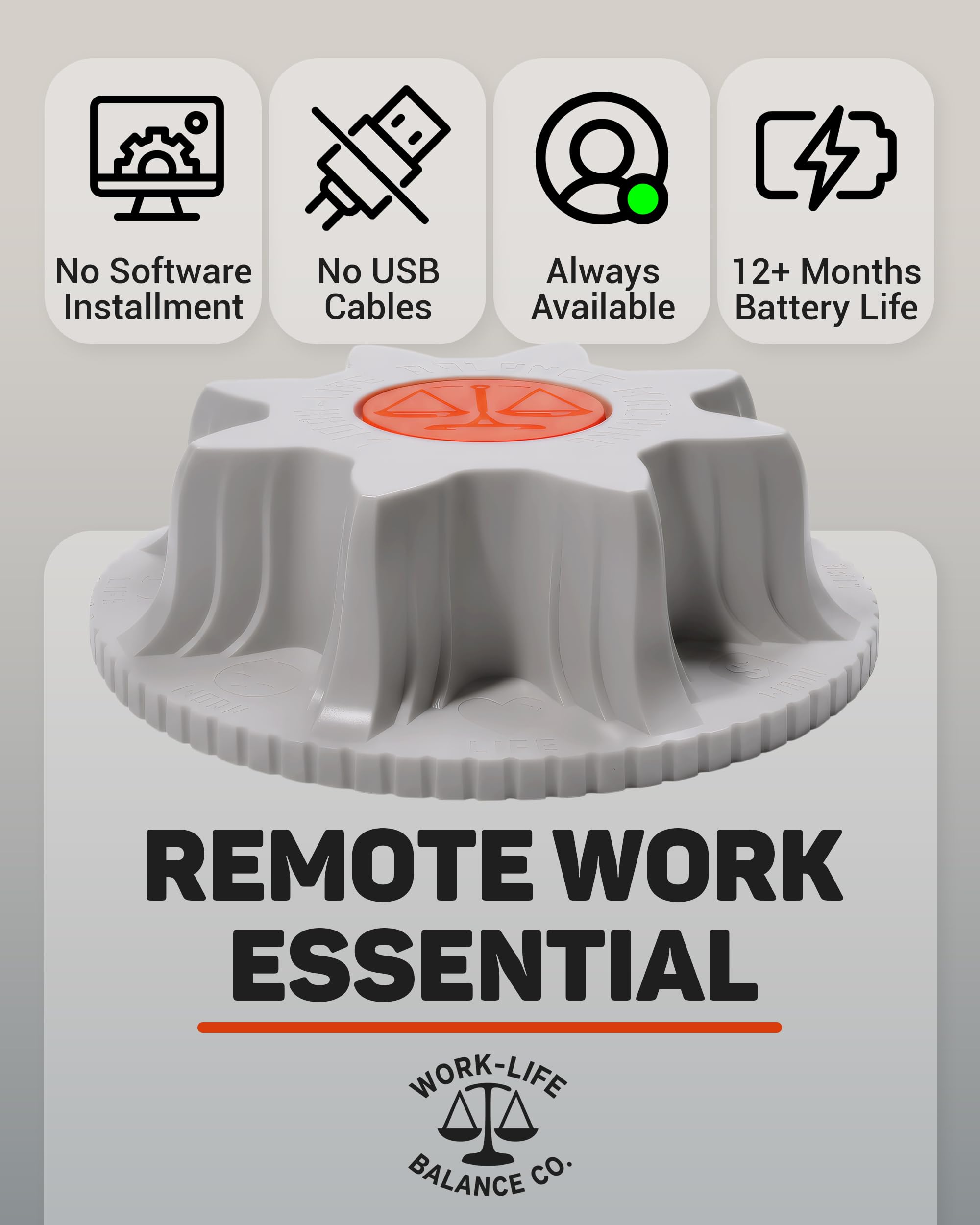
This Mechanical Mouse Jiggler is a cordless, wireless device that simulates physical mouse movement to keep your computer awake. It requires no USB connection or software installation, making it 100% undetectable by IT monitoring tools. Powered by a single AA battery, it can operate continuously for 12 to 24 months. Ideal for professionals working remotely, gamers, or anyone needing to maintain active computer status effortlessly.


| Style | Modern |
| Theme | [TECHNOLOGY] |
| Color | Sunshine |
| Battery Average Life | 1.5 years |
| Range | 3.0 meters |
| Number of Batteries | 1 AA batteries required. (included) |
| Power Source | Battery Powered |
| Compatible Devices | Optical mouse |
| Operating System | Linux |
| Connectivity Technology | no connectivity |
| Special Features | Portable |
| Movement Detection | Optical |
| Item Dimensions L x W | 4.75"L x 4.75"W |
| Unit Count | 1.0 Count |
A**P
Works Perfectly! Keeps Microsoft Teams Active
I purchased this device because I was really annoyed at the constant need to keep moving my mouse to prevent Microsoft Teams from showing my status as "Idle" all the time. While I'm always at my desk, I don't always need to be scrolling around the computer every single minute.I didn't want to go with a USB mouse jiggler because I'm not super techy and everyone was saying that those can be detected by your IT dept. And while I don't believe my IT team is maliciously scouring all the computers to try and get people in trouble, it seemed kinda foolish to go that route when there were other options. And my tech team seems really on top of the ball so I thought they might not appreciate if I tried to use a jiggler program/extension/command/etc.I did see one reviewer who claimed this jiggler didn't keep their Teams active. I'm not really sure what they mean because my Teams status is staying active when I use this jiggler and normally it goes Idle after 5min. You do have to be mindful of the placement of your mouse. The light under the mouse needs to be over the spinning part of the jiggler, of course, and I kinda adjust it a bit til it seems to be moving the pointer around at a decent speed on my screen.Anyway, the device was very reasonably price, arrive in very nice packaging, seems to be a good quality product, and set up was super easy (take out of box, remove paper piece from battery compartment, shove battery in). Ta da!I honestly do like that the device doesn't have an on/off switch. I was initially weirded out by that BUT think of it like battery watch: you don't turn your watch on and off every day right? And yet it still works for a year or two! Same thing here. Plus you don't have to worry about whether or not you turned the switch On when you leave to go play lawn darts or something during your meeting. :)
O**T
Awesome product, quick worry-free service
I bought three of these, the first a while ago (over 6 months now) from Amazon US and am still very happy with it. The battery is still going strong, and I use it daily whenever I am not actively working. I am at a point where my hands automatically put the mouse on the jiggler when I get up from my chair. Found it again in Amazon Canada with free Prime one-day delivery and in more colors, instantly bought one more for my computer downstairs and one more as a Christmas gift for a team mate at work. I rarely use my computer downstairs for work, but that's where my work-life balance lives (music studio) so if I want to play my drums and be present at work it's perfect.Highly recommend.
A**A
Such a simple device bringing so much joy! Extremely happy with this product & highly recommend!
Great investment & super easy to use. Love it!
G**H
Wireless - but NO On/Off switch
An advantage it has is that its wireless and battery operated.Other than that, it looks and feels clunky on a modern desktop.It does not have an on/off button. Therefore I found it so frustrating having to pull the battery out each time I needed to stop/start the device.
J**D
Simple functioning jiggler
I got this mouse jiggles because it was battery operated and ease of portability. The one downfall is you have to remove the battery for it to stop. I wish it had a simple on/off switch.
Trustpilot
1 month ago
2 weeks ago
1 month ago
1 day ago