
DOWNLOAD THE APP


Customer Services
Copyright © 2025 Desertcart Holdings Limited
DOWNLOAD THE APP

🔥 Upgrade your speed and storage game with FireCuda!
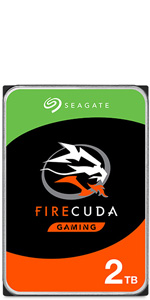
The Seagate FireCuda ST1000LX015 is a 1 TB 2.5-inch hybrid hard drive that merges SSD-like speed with HDD capacity. Featuring a 64 MB cache and SATA 6 Gb/s interface, it boots up to 5 times faster than traditional 7200 RPM drives. Its smart caching technology accelerates access to frequently used files, while maintaining quiet operation and easy installation without additional software.




| ASIN | B01LXNUKKW |
| Are Batteries Included | No |
| Best Sellers Rank | 35,518 in Computers & Accessories ( See Top 100 in Computers & Accessories ) 124 in Internal Hard Drives |
| Brand | Seagate |
| Colour | Brown box. |
| Customer Reviews | 4.4 4.4 out of 5 stars (9,953) |
| Date First Available | 11 Oct. 2016 |
| Form Factor | 2.5-inch |
| Guaranteed software updates until | unknown |
| Hard Disk Description | Hybrid Drive |
| Hard Disk Rotational Speed | 5400 RPM |
| Hard Drive Interface | Serial ATA-600 |
| Hard Drive Size | 1000 GB |
| Hardware Platform | PC |
| Item Weight | 92 g |
| Item model number | ST1000LX015 |
| Manufacturer | SEAGATE |
| Product Dimensions | 6.9 x 10 x 0.7 cm; 92 g |
| Series | 2754018 |
| Wattage | 4 |
J**Y
A Great Alternative To SSD
Well it came time to upgrade my aging PC hard drive and I was originally going to get an SSD but after a lot of research I decided to opt for an SSHD instead....but why? The reason is that in theory at least the SSHD provides the sweet spot in cost versus speed versus volume. The right solution for you will depend on how you use your PC. I am primarily a gamer with a large library who tends to play a few games for a long time and this means that all I really need is a large drive capable of loading a few programs quickly and this is exactly what this SSHD provides. The relatively small amount (8GB) of NAND memory is enough to store and quickly load my Windows 8.1 OS and my favorite games. The SSHD uses built in algorithms to identify which files are used most often and stores them in the NAND for quick retrieval. So to get the most out of your SSHD as quickly as possible it's a good idea to reboot your computer and your favorite programs often during the first few days of use. This is what I have been doing for the past few days(about a dozen reboots) and I'm noticing a marked reduction in PC boot and game launch times already. So far my average PC boot time (power on to desktop) has went from 45 seconds to 36 which is fantastic and better than I could have hoped for and game launch times are also down although this is difficult to measure precisely but I'd guess about 5-10 seconds on average. Another benefit of this SSHD is the ease of installation. I purchased this to replace my stock 1 TB Toshiba HDD that has served me well these last two years and has a lot valuable data on it. The plan was to clone it and replace it with the SSHD keeping the original as a backup. Everything went smoothly and after cloning it was very easy just to unplug and remove the old HDD from the PC and slide in the SSHD without the drama of caddies or adapters. All I had to do was plug in the SATA power and data cables and reboot the PC. To my relief the SSHD was instantly recognised by the BIOS and OS( windows 8.1) and booted as normal and all my precious files were there and working perfectly too! In summary this is a great SSHD at a very reasonable price and would highly recommend it to others IF they use their PC in the same way I do. So remember there is no one size fits all solution. The best product for you depends on how you use your PC, what speed you want/need and how much you are willing to pay. I hope this helps anyone planning to upgrade their HDD to make an informed decision. Good luck.
W**6
Quiet and good performance
Nicely impressed with this. Used as part of a PC upgrade to replace an existing barracuda hard drive. This drive is extremely quiet and is an excellent compliment to the relatively small SSD used to boot windows 10 with documents and games installed on this drive. Computer runs very smoothly and games are still pretty quick to load. Supposedly the software from Seagate is very good at choosing which files to put on the SSD bit (using latency as well as usage). Initial benchmark tests looked very good: ----------------------------------------------------------------------- CrystalDiskMark 6.0.0 x64 (UWP) (C) 2007-2017 ----------------------------------------------------------------------- * MB/s = 1,000,000 bytes/s [SATA/600 = 600,000,000 bytes/s] * KB = 1000 bytes, KiB = 1024 bytes Sequential Read (Q= 32,T= 1) : 233.968 MB/s Sequential Write (Q= 32,T= 1) : 178.375 MB/s Random Read 4KiB (Q= 32,T=12) : 5.972 MB/s [ 1458.0 IOPS] Random Write 4KiB (Q= 32,T=12) : 4.873 MB/s [ 1189.7 IOPS] Random Read 4KiB (Q= 32,T= 6) : 9.859 MB/s [ 2407.0 IOPS] Random Write 4KiB (Q= 32,T= 6) : 4.892 MB/s [ 1194.3 IOPS] Random Read 4KiB (Q= 32,T= 1) : 14.274 MB/s [ 3484.9 IOPS] Random Write 4KiB (Q= 32,T= 1) : 4.789 MB/s [ 1169.2 IOPS] Test : 50 MiB [E: 0.0% (0.2/931.4 GiB)] (x5) [Interval=5 sec] Date : 2018/01/08 21:02:15 OS : Windows 10 Professional [10.0 Build 16299] (x64) Compared to the SSD: ----------------------------------------------------------------------- CrystalDiskMark 6.0.0 x64 (UWP) (C) 2007-2017 ----------------------------------------------------------------------- * MB/s = 1,000,000 bytes/s [SATA/600 = 600,000,000 bytes/s] * KB = 1000 bytes, KiB = 1024 bytes Sequential Read (Q= 32,T= 1) : 533.603 MB/s Sequential Write (Q= 32,T= 1) : 459.438 MB/s Random Read 4KiB (Q= 32,T=12) : 252.598 MB/s [ 61669.4 IOPS] Random Write 4KiB (Q= 32,T=12) : 318.523 MB/s [ 77764.4 IOPS] Random Read 4KiB (Q= 32,T= 6) : 253.375 MB/s [ 61859.1 IOPS] Random Write 4KiB (Q= 32,T= 6) : 323.097 MB/s [ 78881.1 IOPS] Random Read 4KiB (Q= 32,T= 1) : 247.609 MB/s [ 60451.4 IOPS] Random Write 4KiB (Q= 32,T= 1) : 176.876 MB/s [ 43182.6 IOPS] Test : 50 MiB [C: 38.2% (85.2/223.1 GiB)] (x5) [Interval=5 sec] Date : 2018/01/08 20:44:04 OS : Windows 10 Professional [10.0 Build 16299] (x64) And the old barracuda: ----------------------------------------------------------------------- CrystalDiskMark 6.0.0 x64 (UWP) (C) 2007-2017 ----------------------------------------------------------------------- * MB/s = 1,000,000 bytes/s [SATA/600 = 600,000,000 bytes/s] * KB = 1000 bytes, KiB = 1024 bytes Sequential Read (Q= 32,T= 1) : 59.011 MB/s Sequential Write (Q= 32,T= 1) : 58.581 MB/s Random Read 4KiB (Q= 32,T=12) : 1.507 MB/s [ 367.9 IOPS] Random Write 4KiB (Q= 32,T=12) : 1.439 MB/s [ 351.3 IOPS] Random Read 4KiB (Q= 32,T= 6) : 1.522 MB/s [ 371.6 IOPS] Random Write 4KiB (Q= 32,T= 6) : 1.375 MB/s [ 335.7 IOPS] Random Read 4KiB (Q= 32,T= 1) : 1.547 MB/s [ 377.7 IOPS] Random Write 4KiB (Q= 32,T= 1) : 1.399 MB/s [ 341.6 IOPS] Test : 50 MiB [E: 0.1% (0.1/74.5 GiB)] (x5) [Interval=5 sec] Date : 2018/01/08 20:32:31 OS : Windows 10 Professional [10.0 Build 16299] (x64)
K**W
Excellent Upgrade (Fast)
My 2TB Hybrid Firecuda arrived yesterday, and installed it as a secondary drive in my asus rog replacing my 7200rpm 1TB drive. I have a 500gb SSD primary and I was a bit worried the new drive would make no difference ‘or’ even perform worse being that it is 5400 rpm. I am so glad I researched and took advice from one of the reviewers and purchased this drive. As a secondary drive it launches applications and games faster than the 7200, I have a few games, as ell as Microsoft office on my secondary, and they are very fast in loading and data transfer is unbelievable. I am a very happy bunny at the moment, I have increased the capacity of my storage and gained a very noticeable increase in loading times of both apps and games. The drive is silent, and so far, the ROG is running a degree or so cooler than normal, around 28 C, (this is with an Opolar clamped on the side of the laptop, was running at around 30-32C before drive swap with the Opolar (Temp outside today in UK 24C at time of writing. Therefore this drive “may” help in very slight temp reduction, but more time is needed before I can be sure. I did not bother cloning, I just initialised the new drive using windows (10), un-hid all the files on my 1TB secondary drive that windows restricts, and did a straight copy to the new drive, and installed the new drive (remembering to change the Drive letter to the original drive I had just replaced). To sum up, It is fast, (cooler*)and silent, I just wish Seagate still did the 32gb Hybrid Nand version, as that thing is a stonker, and is still powering my daughters laptop lighting fast. Good quality, I like them, and would recommend to anyone who wants to upgrade a primary OR secondary drive in a laptop.
C**E
Great for PS4, easy install! Needed an actual amout of storage space on my hardware & this did the trick... well worth it if you plan on keeping your system- runs smoother too :)
T**T
I purchased it in 2020 and It is still running smooth
大**久
容量が2TB迄しかないので、HDとしての価値が価格的に厳しいですが、SSDの価格が下がった以上敢えて購入は進めませんのと、アマゾンで購入すると、手数料が高すぎる為、近くにパソコンショップ(パソコン工房等)で購入された方が、良いです。
A**R
The seller did his best to get a 24-36 hour turnaround on this item. This is what i was expecting. Thanks
J**I
Bought this to replace a failing WD2003FZEX 2TB Black drive. Figured I'd try something a little different this time, and the benchmarks and reviews swayed me to this drive. I use it as a dedicated Game Installs drive and also do a lot of work with large amounts of small files. Modding and compiling my own projects with some particularly throughput heavy workflows. All the benchmarks I've run put this drive nearly in line with the(now failing) WD Black drive for raw performance. Never quite there but always at its heels. Of course the WD Black was more consistent and had higher overall throughput. But in practical usage, the Seagate FireCuda has been surprising. Level loads are much faster. Warping around in MMOs is so quick I can't read the loading screens. Initial loading of my 94GB Skyrim build is noticeably faster, and moving throughout Skyrim's world is more consistent. Streaming assets load more smoothly, and the loadscreens between areas are much shorter. Especially if you've been playing the game for a few hours. I wouldn't say there was a difference if it wasn't immediately noticeable. Raw performance might not be quite up to par with Barracuda Pros and WD Blacks, but practical usage definitely shows a different animal. Further, the FireCuda is MUCH MUCH quieter than the 2TB Black drive, has a roughly similar spinup time, and much better seek times. Accessing huge amounts of small texture files is at least as good in a worse case scenario, and much snappier than the Black drive when the FireCuda is in its stride. I imagine over the next few months it will build a thorough map of my usage patterns, and be a very consistent drive for me. This is my first Seagate for personal use in over a decade, and I must say I am impressed. Especially because it's a Hybrid drive. Long term longevity will be my real tell, but so far it does exactly what it says on the box. In my own real world usage this is every bit the drive the 2TB Black ever was, and CHEAPER. Great drive, at a GREAT price.
Trustpilot
2 months ago
2 weeks ago