We remain fully operational. Our teams are working around the clock to ensure your deliveries continue safely.

DOWNLOAD THE APP


Customer Services
Copyright © 2025 Desertcart Holdings Limited
DOWNLOAD THE APP

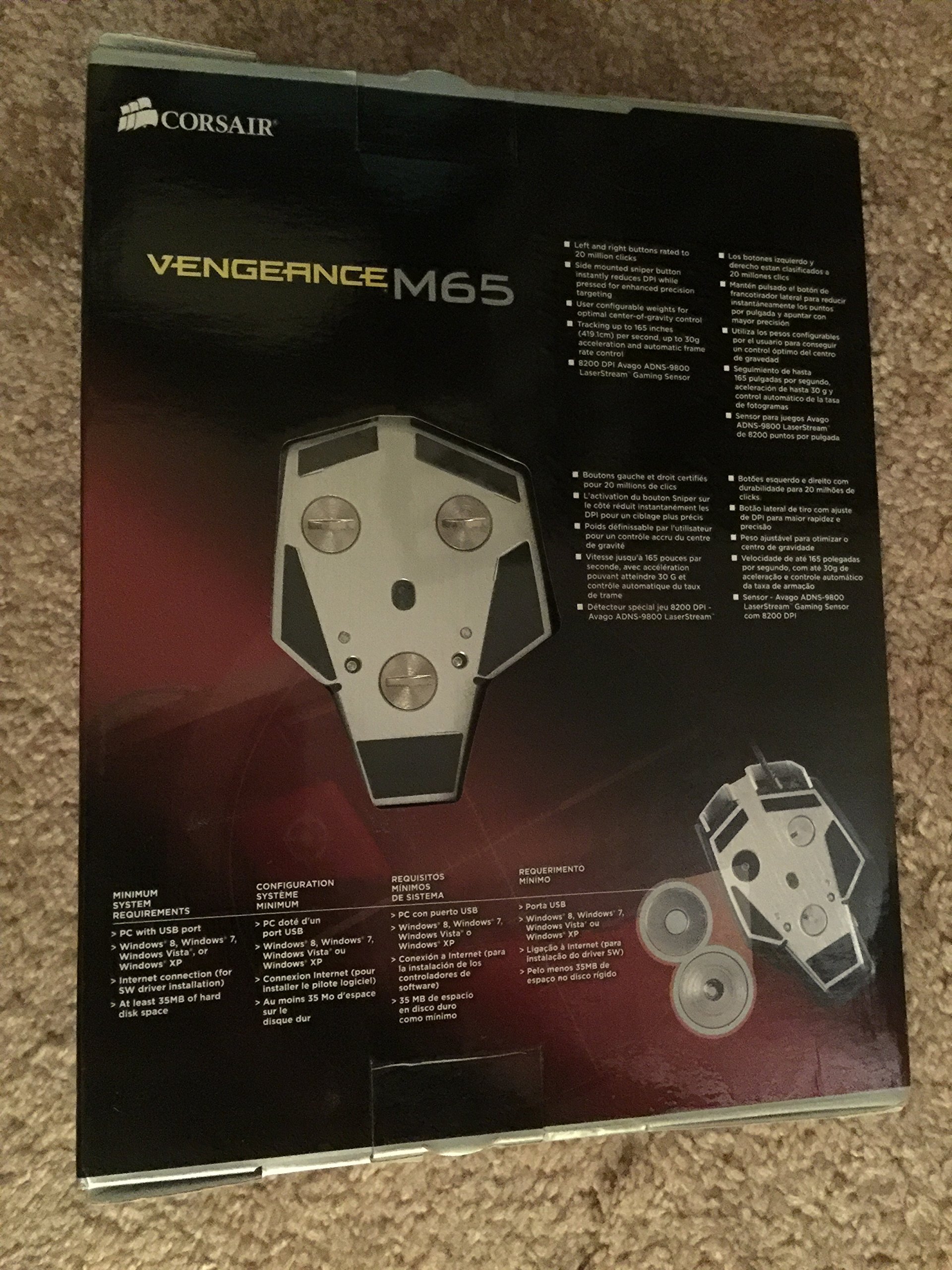
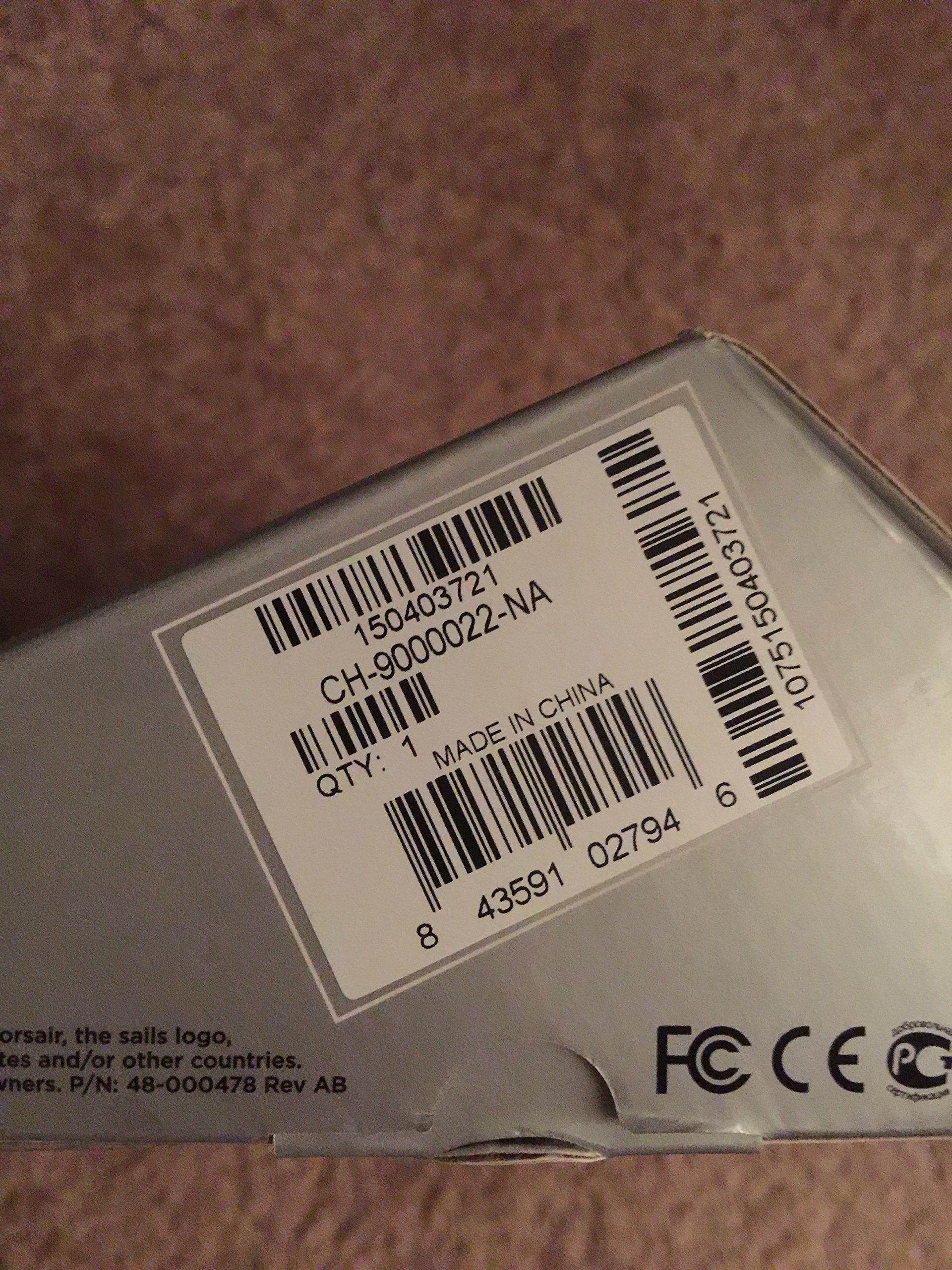
🎮 Elevate your FPS game with precision, power, and pro-level customization!
The Corsair Vengeance M65 is a high-performance FPS gaming mouse featuring an 8200 DPI laser sensor for exceptional accuracy, a dedicated sniper button for instant DPI adjustment, and a robust aluminum unibody design. Its adjustable weight system and onboard profile storage provide personalized comfort and portability, while selectable response times ensure optimal responsiveness. Engineered for serious gamers, the M65 blends durability, precision, and advanced customization to give you a competitive edge.
| ASIN | B00ARD5410 |
| Antenna Location | Gaming |
| Are Batteries Included | No |
| Are Batteries Required | No |
| Brand | Corsair |
| Button Quantity | 7 |
| Color | Black |
| Compatible Devices | Personal Computer |
| Customer Reviews | 4.2 out of 5 stars 1,171 Reviews |
| Enclosure Material | Aluminum |
| Global Trade Identification Number | 00843591027946 |
| Hand Orientation | Ambidextrous |
| Hardware Platform | PC |
| Item Height | 12.4 inches |
| Item Weight | 0.7 Pounds |
| Manufacturer | Corsair |
| Model Number | CH-9000022-NA |
| Movement Detection | Laser |
| Range | feet |
| Style Name | Vengeance |
| UPC | 843591027946 |
D**G
Excellent Entry Level Mouse + Room to Grow: Corsair Vengeance M65 FPS Gaming Mouse, Gunmetal Black (CH-9000022-NA)
This wired, 8 button, “gaming mouse” was purchased December 2014. I have been using it daily for the usual range of desk top computer activities and an on-line FPS. I like the flexibility it offers, especially in weight control and software customization. The design is sharp and it seems very well built. This is not your generic plastic mouse; it has a rigid aluminum frame, connects via a tangle-free braided USB 3.0 chord, and feels solid in the hand. You will notice the difference right away. First a few listed basic features I am using on the M65. I just started gaming on-line on a regular basis about 2 years ago so this is not a review for the seasoned gamers amongst us. It is my first 'gaming' mouse. :: Vengeance M65 Gaming Mouse Features :: :: :: :: :: :: :: :: :: :: :: :: :: :: :: :: ~ 50-82oo DPI laser sensor; with on the fly DPI adjustment. ~ Dedicated sniper button; programmable DPI ~ Selectable Response Time (aka Polling Rate): 1ms, 2ms, 4ms or 8ms ~ Lift Height Adjustment ~ Adjustable Weight Tuning: 3 weights ~ Scroll Wheel; metal with rubber wrapping. [It clicks down but does not tilt.] ~ OS Support: Win7, Win8, Win Vista, Win XP [I’ve had no problems on Win10] What I do use, mostly, is the ‘Manage Performance’ section. This is where you can customize the DPI of four mouse settings for on-the-fly use. The DPI settings mean how sensitive the mouse is. The higher a mouse DPI the further the cursor on the screen will move across the mouse pad. Three of your pre-set DPI settings are controlled by 2 small buttons on top of the mouse, just behind the Scroll Wheel. I find this handy for switching between regular computer use and gaming. The fourth DPI setting is for the Sniper Button located on the left side of the mouse. For instance, to use the Sniper button most people would want very little movement for a more precise solid feel; so the setting is lower, starting at 50 DPI. For a mouse that will zoom across the pad you can set the mouse as high as 8200 DPI. Those are the two extremes and with a wide spectrum of DPI settings you can adjust to your own wants and needs. You can even set separate X/Y axis DPI settings if you desire. Also in the ‘Manage Performance’ section of the software I have set my Report Rate, aka Polling Rate, at 1ms. The higher the Report Rate the more often and accurately the mouse sends it position to the computer. A higher Report Rate (1ms) will use more CPU resources because it has to query the mouse for its position more often. So there is flexibility up to 8ms if you need to be nice to a slower computer. The Lift Height, on the same tab, means your mouse will still sense the pad surface even when lifted off the pad. You can choose from High, Mid-High, Middle, Mid-Low and Low. When a mouse is lifted from the tracking surface, it will not stop tracking for a small height range; this can cause an unexpected extra move. If a player wishes to stop movement as soon as the mouse is lifted from the tracking surface, the lift-off function can be applied to force the mouse sensor to stop tracking. There is also a Surface Quality test which is very easy to do. The measurements depend upon DPI, surface type and movement speed. Certainly if your pad has been exposed to food, dirt, greasy fingers and, then daily dust on top of all that, your dirty surface is going to retard the sensitivity no matter what the DPI and movement speed. If you are going to spend this amount of money on a mouse you should also get a new very good quality, clean, mouse pad as well. To “Tune” the weight and balance of your M65, access to those weights are simple. There are 3 large ½ inch slotted “screw” covers on the bottom; you can’t miss them. You can use a coin or screwdriver to unscrew those covers and then just dump out the weight enclosed. This is all personal preference, as well, so just experiment with each weight out of the enclosure. By the way, you can use a simple ‘switch’ to turn Off the blue light emanating from the front of the mouse if you don’t like it. It is located in the ‘Assigned Buttons’ software, the first tab after the software opens. Just ‘flip’ the switch with your mouse. It’s the only mod I use on that particular page. I do not utilize all its software capabilities, like Macros, multiple Profiles and Button Assignments; those options are used for multiple set-ups for different types of games with different performance requirements and come in very handy when you want to easily change from one game to another. Well, there are the basics of what I use on the M65 whether writing reviews, e-mails, ‘Shopping’ photos, or playing an on-line FPS game about 3 days a week now (It was 4-5 days a week). This mouse has the flexibility to conform to your computer wants and needs. What’s nice is the M65 can grow with you when you feel the need to move into Macros, Button Assignments or Profiles. I would, based on my basic experience of this mouse, give it 5 stars; solid well-made, no problems, feels good in the hand with custom flexibility, even for the novice gamer /computer user.
U**4
Excellent mouse. Look past the mishaps. I hope this helps you!
I want to start this review by admitting that this mouse is NOT perfect. However, the minor flaws I encountered were nothing after I fixed the underlying issue, and now this mouse is unbelievable. PROS: - Beautiful! Absolutely beautiful! - The smoothness while moving the mouse around is by far the best I have ever encountered while using a gaming mouse/regular mouse. - The size is perfect (that's what she said! but seriously, it is.). I have rather large hands. I definitely feel more at home on this than most mice. - The lighting is unlimited. I bought this mouse specifically for the customization in lighting, as I wanted it to match my PC. - The scroll wheel (as most have said) is to die for. Literally. It makes me think to myself, "Great googomooga this feels good." Ever. Single. Time. I scroll. -The weights are perfect for me with my large hands and ability to push mice around easier. CONS: - While this mouse boasts *16.7 million colors* that is not quite true. For instance, if you wish to use grey you will see a slight purple hue to it. If you wish to use an off color gold, you will see more yellow. This isn't a huge setback, but one to prepare for. I am fine with the other millions of colors I have found that it *can* correctly display. - The sniper button is literally right under my thumb. Sometimes I feel like I will push it on accident. - The scroll wheel is a tad loud (I say a tad loud, but you have to compare noise to the virtual silence you don't? hear when scrolling down) when scrolling up. Hardly noticeable, but worth noting. OTHER (CON): So here is my beef with this mouse. I am currently running an Intel Core i7-4790k processor, Asus Z-97 Deluxe (NFC & WIFI) motherboard, DDR3 2133 Memory (4x4GB), GTX 980, Samsung 850 Evo SSD, and a Corsair 750D case with an EVGA SuperNova 1200W P2 power supply to run it all. Why am I mentioning this? Simple: My motherboard comes with a TON of USB 3 ports. It has very few 2.0. Every one of my parts function perfectly. Upon a firmware update, and a restart of my PC, this mouse did not work (I just got it out of the box about six hours ago). It was in a USB 3.0 port. The mouse moved, but the lighting would not work. At all. I called Corsair support. They were less than helpful. I typically find that I fix their defects (most PC manufacturers are like this) and they don't pay me. There were NO issues like mine online at all (well, within three hours of reasonable searching). So I did the next best thing. I got rid of every driver, re-installed the software, and left the firmware update in place. No luck. I checked my BIOS. No settings were off. Long story short, as a last resort, I updated my BIOS and found a setting that was labeled something like "USB Enumeration" or something. It was set to partial. I set it to full. This basically forces the BIOS to load all USB devices during POST and I assume (maybe, I don't know a lot about BIOS settings like that one, just enough to fix issues) output the full voltages or something. After flipping that switch AND putting the mouse in a 2.0 port (mind you, it was in a 2.0 port before this as I was testing to see what the problem was), it works! The moral of the story? Become your own tech support. I almost called Amazon to get a replacement. I found a few other stories like mine after knowing what to search for. I do not believe this is a BIOS issue. I believe it is a Corsair driver issue or USB config issue with their device and the way it works. After all, I did not have this issue with ANY other mouse. I did find, however, a few stories like mine about a few other devices from them (such as keyboards).
C**N
This mouse is great. It's wonderful except for a few problems.
This mouse is great. It's wonderful. It's fantastic. The mouse driver software is not terribly robust, but nothing to complain about. The mouse fits nicely in the hand and is quite solidly made, with excellent tracking and precision. "Then why does it have a 3 star rating?" Because this: The weights. I can't say whether or not it is due to this mouse itself, or perhaps a fault of my own, but one of the weights which screws in on the bottom of my mouse BROKE OFF. ~UPDATE~ It's now June 3rd, 2015. Yesterday, one of my thumb buttons "broke" as well. The plastic button you would push in, well, it's for of long. I can now pull it out about a quarter of an inch. It remains attached to the mouse, but it can get stuck behind the frontal thumb mouse button. It still presses whatever sensor it is inside the mouse, but I have to be very careful how I press it, other it won't register anything. Other than that, occasionally the left mouse button will stop responding after alt-tabbing. May be unlrelated. The entire screw and casing, as well as the magnet, are all perfectly intact. In fact, they're so intact that they refuse to become unstuck from each other. To clarify, on the bottom of the mouse, if you were to unscrew the weight, you would be left with two parts. A single large threaded screw, and the weight itself. On the inside of the mouse where you would've screwed the magnet in is a small threaded tube (which houses the screw, obviously), which is glued onto the mouse. The entirety of one of those screw casings has come OUT of my mouse. I believe this is either due to over tightening (the weights really don't require very much force to tighten, you can do it with your fingernail), or just a fault in production. Certainly, with the rest of the body of the mouse being so sturdy, you would've hoped that they would've built the screw casing into the frame directly, but alas, they have not. Because of the way it's become stuck, I had to use an adjustable wrench head (or pliers) to grab a hold of the weight while I unscrewed it. All that's left now is to re-glue it. A simple fix to a simple problem, but one that I don't know much about in terms of being a common occurrence. Other than that, the only thing detracting from the rating is that the sniper button is completely useless (It changes the DPI on-the-fly to anything you set it to while held down, but really, when are you ever going to need that?), and that's it really. I've applied E-6000 industrial strength adhesive to remount the screw, so all that's left now is for it to dry out.
T**N
Best Mice for the Best Price
Disclaimer: Previously I was using an Anker 2000 dpi mouse. I have also used a Logitech G500s. I have been using the Corsair M65 RGB FPS for 2 months now. All of my examples are about CS:GO, I'm sorry in advance. TL;DR: Very high-quality mouse. Would highly recommend it. I love it. Pros: The weight of this mouse is excellent. I use all three weights, but even without weights the mouse only feels slightly too light. The RGB lighting has excellent color. Probably my favorite part about the mouse is its surface material. The entire mouse is covered in anti-sweat material that actually works. The top of the mouse is covered in a fine layer, whereas the sides of the mouse are a slightly thicker gauge. The Anker I was using before would make my thumb and pinkie sweat profusely due to its gloss plastic sides, but the Corsair hasn't produced any gross sweat stains or markings anywhere, all the while keeping my hands cool and dry. The look of this mouse is superb, whether you're a minimalist or a flashy character, this mouse will please your eyes. It's sleek and tasteful, and even the logo doesn't look bad. The feel of this mouse in my hand is very comfortable. So comfortable that it almost feels custom. Maybe I just got lucky. Finally, the cord has a material covering which is nice. Cons: I praised the anti-sweat material on this mouse, but Corsair forgot to put it on their Sniper button, so there are said gross sweat stains around the edges of the Sniper button. Woe is me. I wish the scroll wheel had less clicking resistance. The click is very satisfying, but it takes a little too much pressure. That being said, the scroll wheel is otherwise high-quality. Unfortunately, the cord material feels slightly cheap as though it could fray easily if your desk were too rough and the cord rubbed on the corner. Mine is still in very good condition though, and I have a wooden desk. The Sniper button is well-placed if your thumb is flat against the mouse, but when I AWP in CS:GO I have may hand in a small claw, holding further back on the mouse which puts the tip of my thumb directly on the Sniper button. In tense situations I tend to put a lot of pressure on my thumb and pinkie and a few times now I have accidentally clicked the Sniper button while turning left or right and under-shot my targets. The obvious solution here is to set your Sniper button dpi to match that of your main dpi. But what's the point of a button that does nothing other than annoy you when you change your dpi? An FPS game worth its salt will give you the option to have a default sensitivity and a scoped/zoomed sensitivity, so the Sniper button is never really that useful*. If they released a model without the Sniper button I think it would be better. Finally, the lighting options given to you in the mouse software leave something to be desired. Don't get me wrong, there is some variety, but when you compare it to the custom lighting profiles you can make for their keyboards, it leaves your mouse feeling a little left out. Conclusion: This mouse is near perfect. Sure, I have lots of writing in my Cons section, but most of those gripes are small, and are really just minor inconveniences. You're left with a fantastic mouse that feels wonderful to hold, slides well, and has a solid feeling. The buttons work great (for the most part), and everything looks cool as hell. This is definitely one of the best mice for the best price. *The Sniper button proved useful when I decided to start going for 360 noscopes. My in-game sensitivity in CS:GO is very low, and I can barely get 180 degress off of an entire mouse pad sweep. However, I could assign a high sensitivity to the Sniper button, and then hold it when I did my 360's. It can also be used as a convenient turn bind for anyone who is into surfing/bhopping.
J**N
Not bad
It's a pretty decent mouse. The width is good, and I like the textured material on the grip. I mainly got it because of the good reviews I'd read and because I was tired of wireless mice. I've been using this for about a month and already prefer it to the Logitech wireless mice I've used in the past. There's a "sniper button" near where the thumb rests. This decreases the DPI and allows for accurate aiming in FPS games. I've only used it a few times, but each time it's worked like it should. The only issue is that the placement of the button is just a bit out of my reach, so I need to move my hand up the mouse to click on the button. Again, though, I rarely use it, so it's not a big deal for me. But for those with smaller hands you might want to keep that in mind. The main left and right click buttons work well and are responsive. Actually, they're a little too responsive. I tend to rest my hand on the mouse when browsing, which means my middle or ring finger rests on the right-click button. If you're not careful, you end up accidentally clicking the button as it barely takes any effort to press down. That might be great for people that want a fast response in games (and it does give you that), but that also means there are a lot of accidental clicks that could potentially mess up a game. That's pretty much why I've rated it as 4/5 stars. Other than that, it's a good mouse. There are weights on the bottom that you can remove to make it lighter, but I haven't felt the need to remove them. The two buttons below the scroll wheel change the DPI (there are three settings), which can be modified in the software that comes with the mouse. I've only tinkered with it a bit, but haven't felt the need to change the options much. Same with the macros; I'm sure if I were playing more games I'd mess with the button settings more often. There are a lot of options for tailoring the mouse to your own specs, but that does take some trial and error to figure out what feels right. Overall, I like this mouse. Again, for those looking to purchase this, be aware that the right-click button is quite sensitive and can result in a lot of accidental clicks. I've learned to rest my hand further back on the mouse rather than right at the top, which I tended to do with other mice. Despite that, I'd still recommend this mouse.
B**P
As close to perfect as is currently available
Let me preface this by saying I'm extremely picky about what mice I use. I've been using the same Logitech MX-518 since they first came out. I've had to take it apart several times to repair or clean it, so I've been looking for a replacement mouse for many years now. I am a heavy computer user doing everything from programming to graphic design to gaming up to 16 hours a day. I need something precise and comfortable. I was skeptical at first with this mouse, the weird shape and edges look uncomfortable compared to the sleek lines of the MX-518 that's served me so well. On a whim while at a computer store I put my hand on one of these M65's and I could tell right away the mouse is far more comfortable than it looks. The shape fits my claw grip and my palm grip, and the sniper button doesn't interfere at all (it requires more force to press than a normal mouse button so you won't accidentally hit it while using a claw grip). The material that coats the mouse is pleasant to hold on to, it's not glass slippery nor is it sandpaper rough. The mouse glides over my desk very smoothly, way better than my trusty Logitech did. The braided cords stays out of my way much better than other mice as well. The DPI adjustments have way more adjustability than I need. The weight system is pretty neat but it's not something you'll change once you set it up. I ended up using only one weight and it feels slightly heavier than my old mouse. All the buttons have a nice tactile feel, not too difficult or too easy to press, and the forward/backward buttons are well placed. The laser tracks extremely well on my wooden desk, I dislike using mouse pads. A couple nit picks: I tried the M65 non-RGB at the store, and it had a nice hefty metal scroll wheel. I really liked the feel of that, but my RGB version has a lighter feeling wheel which isn't as satisfying. That said, both feel infinitely better than most mice scroll wheels. They are notchy and precise, perfect for quickly getting around large documents or zooming in/out. I really like the notchy feel. It's something you have to experience to appreciate. The lighting feels like a gimmick. I own a Corsair K95 RGB keyboard, and the lighting on it is great, it serves a purpose and you can see it whether you're using it or not. The mouse however only lights up in the front (which you can't see unless you are in front or above the mouse), and in the back (which you can only see when you aren't using the mouse). This mouse really needs more lighting under or on it's sides to stand out (but I'd still buy the RGB version again for those late night coding sessions) This mouse definitely surprised me. It's worth checking out to see if it will work for you too!
E**S
Fantastic mouse, still a Razer guy though.
This is a great alternative to Razer mice, honestly. PROS: CONS: I've owned this mouse for a year now and have decided to update my review, make it a little more in depth. This is a fantastic mouse, and I would recommend it to absolutely anybody. Now, does that mean it would be my first recommendation? No, I would tell them to get a deathadder, but that doesn't mean this isn't a bangin' mouse. It really looks great, has a simple mechanical look to it almost, and glides across surfaces like a dream. The scrollwheel is smooth and works great, all the extra buttons function exactly as they should, the red sniper button on the side is an interesting addition, but honestly I never use it. I might use it more if i were to reprogram it to do something else, but I'm really just too lazy. The laser is extremely accurate, never had any trouble with it, you'll be able to game efficiently with this baby. Now, you've gotten this far and I've given nothing but rave reviews for this thing, so I'm sure you're wondering why I still say "OMG DEATHADDER ALWDFJBNAFGOLUJ". Well, honestly I just think the shape and layout of the deathadder is the most prime one possible. It feels like it was perfectly molded to fit my hand. This one, the curve is a bit more towards the back, while the deathadder has it more towards the front. Moving from that to this really was a hard change, I STILL haven't gotten used to it. I guess this is all opinion, I'm sure there are plenty that would say this has a better form factor, but really, you can't shoot down how popular razer is. The only real complaint I could have about razer mice is that some people say they don't last as long as they should. I don't agree with this because both of mine lasted 4 years of HEAVY gaming each. Whatever, to each their own. If you choose this over the deathadder, more power too you friend you made a fantstic choice.
N**S
Really wanted to like it
I've got an old Logitech G7. I don't know how old it is but it's been around for a while and I've loved it. Got the itch to replace my mouse and looked at all of them. Wanted to try something other than Logitech so I went with this corsair. Read all the reviews, pro and con, across the web. Turns out they were generally all correct. I generally use a palm grip. It strays towards claw more than a standard palm grip but I would classify it as palm. I wear a size L men's glove, Not big hands but not small either. Generally average for an adult male. Everything about this mouse is awesome. Looks great. Works great. Light weight (even with weights in). Just the right number of buttons. Sniper button is an awesome addition to the mouse for FPS. The software seems to be updated from various reviews because it was nicely finished and easy to use. I love the wheel, nicest mouse wheel I've ever used. The glides were great, much better than my old G7 and the G7 was no slouch. The big problem and it's a huge one...it's not made to fit your hand. In order to have my hand feel even close to right on the mouse it rides very high on the mouse. Puts the sniper button right under my thumb where it should be and also puts the left edge of the back, pretty much mid height of the logo, right into the palm of my hand. If I position my hand further back/down on the mouse so it doesn't dig into my palm, I can't reach the sniper button and the mouse flairs out in the wrong spot to fit my hand properly. I only used it for about 30min and I can tell that any longer and I would have started building a bruise in the meaty part of my palm, between the base of my thumb and wrist. I don't know how everyone that likes it have their hands positioned but I couldn't find one that was comfortable or that fit the mouse at all. I would say it's made for larger hands but I'm pretty sure that if my fingers were any longer I'd have problems with them dragging off the front of the mouse. Any smaller and there's no way I could ever hope to use the sniper button. I'm hoping that they come out with another mouse in the near future. Everything the exact same but a body that is shaped for the human hand... I'd order a couple of those. All they need to do is fill that gap on the rear left side with plastic...
Trustpilot
1 month ago
2 months ago