💧 Cool your rig, light your vibe — the Kraken 120 rules the liquid cooling game!
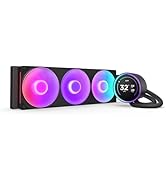
The NZXT Kraken 120 is a premium 120mm all-in-one liquid CPU cooler featuring an updated pump chamber and Aer P radiator for superior thermal performance. It boasts individually addressable RGB LEDs with an infinity mirror design, reinforced nylon tubing for durability, and operates quietly at 33 dB. Compatible with modern CPU sockets and powered by NZXT CAM software, it offers both aesthetic flair and reliable cooling efficiency for high-performance desktop builds.






| ASIN | B09GKQ4KYP |
| Air Flow Capacity | 73.11 Cubic Feet Per Minute |
| Best Sellers Rank | #5 in Water Cooling Systems |
| Brand | NZXT |
| Compatible Devices | Desktop |
| Cooling Method | Water |
| Date First Available | September 24, 2021 |
| Item Weight | 2.2 pounds |
| Item model number | RL-KR120-B1 |
| Manufacturer | NZXT |
| Material | Copper |
| Maximum Rotational Speed | 1800 RPM |
| Noise Level | 33 Decibels |
| Number of Items | 1 |
| Power Connector Type | 4-Pin |
| Product Dimensions | 10.51"L x 5.39"W x 8.46"H |
| UPC | 815671019400 |
| Voltage | 5 Volts |
| Wattage | 3.84 watts |
V**M
Not only works better than the original, has some amazing bells and whistles too!
You really need to hear this story. Read it in a Morgan Freeman voice, I promise it will be enjoyable. After all, I wrote it in a Morgan Freeman voice. I had a computer which was actually pretty great, I just needed one with more power. Nothing wrong with it, it was only a couple years old, but it was time for an upgrade. Both computers had liquid cooling systems, because that's just me. After I got the new computer, I stored the prior computer hoping to gift it to a friend, any friend. I laid it in the box that the new computer came in, on its side. Now, this may be common knowledge to people other than me, but apparently you shouldn't store liquid-cooled computers on their side for over a year. This is how I found that out. I gifted the computer to a friend of mine. Well, they got it home and set up. Then they reached out to me: "Hey, Visa, looks great but after a few moments, an overheating warning comes up and the computer shuts down." Well, I just had to guess that the problem was the liquid cooler, which had been horizontal for over a year. Now, I know this was a free PC for my friend (my friend's daughter, actually, but the daughter of my friend is my friend and all), and maybe I could have told them they were on their own, but I felt a bit bad about that. Well, I insisted (and believe me, I had to insist) on getting a replacement cooler. Their price? They'd have to install it. And I found this one. And, welllll, because I like to over-do things, I got them some pretty nice thermal paste (unnecessary for this item, I must say). Well, from what I understand, this new pump allows the same amount of cooling as the old pump. Yes, it's pretty. But it's also powerful enough to keep the CPU cool. Cable length wasn't a problem. Well, this little gadget by default shows you the temperature of your CPU. And apparently, there's a way to make it display things from YouTube like Jellyfish, I'm told. I was hoping for a picture of that, but, well, the way the PC is set up (digital face of the pump facing a wall) won't allow that. That's all right. Well, it's been 8 months now child, and this pump is still going strong. It is definitely a durable replacement. They're happy they have an amazing PC. I'm happy that amazing PC found a great home. In the end, everybody wins, and it's especially nice that all it took was a reasonably priced pump with some optional extras (that I admittedly can't tell you how to do).
T**K
Great cooler, looks outstanding.
I've only had mine up for a short time now, installed on a B650 Gigabyte Aorus Elite AX motherboard with a 7800x3D in an NZXT H6 Flow case, but it's been perfect for what I wanted. The AIO itself is probably overkill for a 7800x3D, so if you're strictly looking to cool your fancy shmancy new processor you don't have to spend this much to do it. Go for a Thermalright Phantom Spirit or something inexpensive; this is only really necessary if you want the aesthetic that it provides. Since I live in an old house with no AC, an AIO can be a nice help in the hot summer months and the ease of airflow in and out of the case makes keeping the entire system relatively cool a lot easier, but still... it's a premium price for the look you want more than the functionality. This AIO does include brackets for AM4, AM5, and for Intel LGA1700 installs, and it's deceptively easy to install; the instructions aren't particularly clear, and I've normally just stuck with air cooling in the past so this was a new one for me. Since I installed it on AM5, it was just a matter of removing the plastic CPU brackets on the motherboard and then screwing in the dual-post screws (long side toward motherboard, instructions are unclear on this) with the AIO's included plastic brackets for each facing in the indicated way for AM5. The metal bracket on the CPU cooler twists off easily, and you can then just replace it with the version you need if the pre-installed bracket wasn't what you wanted. Thermal paste is pre-applied to the cooler, and the pipes from the cooler to the radiator are flexible enough to be adjusted to however you need them to be. And that's pretty much it, just screw it on with the provided thumb screws and you're done. Watching an install video can help if you're a first timer or uncomfortable with the process, but it's much easier than it appears at first glance and was much more simple than dealing with some of the annoying backplate support designs that some air coolers have. The NZXT CAM software has been easy to use and has plenty of useful information on it, you can rotate and customize the display of the CPU cooler to show what you want (I use GPU/CPU temp information on mine, looks nice and functionally useful). No complaints about the software at all, sometimes that sort of thing can be futzy to deal with but this was very simple to set up and understand how to use. Overall, it's outstanding. The install was easy, the fans aren't silent but aren't any louder than my case fans, it keeps everything very cool even on a warm day.... couldn't ask for much more. If something like this looks cool to you for the build you're doing and you can afford the price difference over air cooling, I can't imagine anyone being unhappy with this one.
M**N
Great AIO
Nice black look for any predominantly black builds. Lcd is clear and bright. cpu hasn't went above 50 C°, so works great. Easy to mount and fit my asus tuf gaming z590 gaming plus wifi great. Pushes air like crazy. I did switch out the fans to aftermarket lian li lcd fans.
J**T
Works well, but common issues with fan splitter
This is a great CPU cooler. It keeps my CPU much cooler than the air cooler I had before. It also fits in my mini-itx case, which is a huge win. The set up was pretty simple and the paper instructions ensured that I didn't make any mistakes. However, the fan connectors do not work on my system, after researching, I found to be a common problem. What I mean is that there is a cable that can fit three fans included in this AIO, but with the two fans included, when plugged into my sys_fan plug on my GIGABYTE Z590I AORUS motherboard, the connector cable does not power the fans enough. The fix to this was to not use this cable and instead plug in the fans separately. This works, but I had to buy a separate fan splitter for my other fans. A little annoying, but not the end of the world.
S**M
Perfect upgrade from my 7-year-old Kraken X62
Excellent product. I had been using the old Kraken X62 for 7 years until the pump suddenly died. I purchased this 280mm version as a replacement for my Ryzen 9 5900X. Shipping to Argentina was incredibly fast: I ordered it on Sunday and it arrived at my door by Friday. Setup was very easy; the instructions and hardware were all included. In terms of performance, it keeps my 5900X at around 45-53°C (113-127°F) while idling, which is great for this CPU. The built-in display is a fantastic feature. I'm currently using it to track the live BTC price! Highly recommended.
K**A
Le NZXT Kraken 360 RGB est un refroidisseur liquide de processeur AIO (tout-en-un) qui offre une excellente performance tout en ajoutant un style unique à ton PC. Le radiateur de 360 mm et les trois ventilateurs F120 RVB assurent une circulation d'air optimale pour maintenir des températures basses, même lors de sessions de jeu intenses ou de montées en puissance. Ce qui le distingue, c’est son écran LCD personnalisable de 1,54" qui te permet d'afficher des images ou des mesures de performance en temps réel. La pompe haute performance garantit une efficacité maximale. Un excellent choix pour les passionnés de hardware qui veulent allier puissance et esthétique dans leur setup !
J**O
Muy recomendado
A**ー
パッケージはデザイン・梱包ともにこなれています。 水冷CPUクーラーも質感が高く、デザインは無骨さや安っぽいギラつきはなく、とてもスタイリッシュで洗練されています。ライトも暖色寄りで、適度にポップな印象もあります。 私はATX対応PCケースのNZXT H6 Flowで使うことにしました。 天板の元々付いていた汎用ファンを取り除き、本製品のファン部分を取り付けることになりました。私の場合は大掃除も兼ねたので半分くらい解体しましたが、最短ルートだと簡単に取り付けできるのではないかと思います。 水冷CPUクーラーはなかなかの存在感があるので、最初はケース内部がぐちゃぐちゃになるかと思っていましたが、逆にCPU周りがすっきり見えるようになった気がします。 CPU温度(アプリ計測)は、想像以上の効果があったと思います。 設置前、通常時は35〜45℃でしたが、設置後は28〜35℃くらいに。 高負荷をかけたときは、90℃台で高止まりすることも多かったですが、設置後は60〜70℃で止まるようになりました。 ケース内部の熱を排出するファンがなくなって、ケース内部に熱がこもらないかが少し心配でしたが、実際に計測してみると、むしろ下がるようでした。 ケース内の温度は、設置前と設置後で、通常時は20℃台でほぼ変わらず。 高負荷をかけたときは、設置前は30℃前半まで上がるのが普通でしたが、設置後は26〜29℃で止まって、30℃に上がったことは今のところ見たことがないです(1月上旬、室温は20℃弱での話です)。 仕組みはよく分かりませんが、そもそもCPU周りで熱が上がらないからかもしれません。 ファンの音は、ファンの大きさを考えれば、かなり静かだと思います。 負荷をかけていない通常時は、普通のオフィスパソコンやNZXT H6 Flowの汎用ファンと比べるとわずかに音は大きいですが、気になるレベルではないと思います。 高負荷をかけたときは、通常のPCのゴーーーというファン音とは少し違い、サーキュレーターを近くで回したときのような、フーーーーという低めの音がします。音自体は小さくはないですが、私はそこまで気にならないです。動画を普通に見ることもできます。 ゲームに限らず、PCに負荷をかける作業を多くするのであれば、十分すぎるほどの効果はあるなーと感じました。率直に驚きました。 たぶんデメリットは、厳密には普通のファンより音は少しする点(音のタイプが少し違う)と、設置できるケースを選ぶ点、設置が面倒な点、そもそも高価である点かなと思います。 あと、これは検証できていませんが、水冷クーラーの寿命はそれほど長くないようなので、その点は注意が必要かなと思います。 なお、ピカピカ光るライトは光らせない設定にもできます。
G**H
This is the first time I have installed a 360mm AIO. The installation was quite easy. It keeps the CPU temperature around 60 degrees under full load, which is quite good. I am very satisfied with the product, but it is quite expensive.
M**D
KOOP DIT NIET ALS JE EEN GROOT LCD SCHERM VERWACHT. Walgelijk hoe ze het zo adverteren alsof het een rond scherm is dat de hele cooler vult. Het ziet er verschrikkelijk uit en niemand hoort dit te kopen. Bespaar je geld!!
Trustpilot
1 month ago
1 month ago