

🚀 Elevate your workspace, power your productivity!
The Dell UltraSharp U2722DE is a 27-inch QHD monitor featuring ComfortView Plus for eye comfort, a wide 178° IPS panel for consistent color, and extensive connectivity including USB-C with 90W power delivery. Designed for professionals seeking a clutter-free, productive workspace with advanced multitasking capabilities and sleek cable management.


| ASIN | B0954SXN6R |
| Adaptive Sync | FreeSync |
| Additional Features | USB Hub |
| Aspect Ratio | 16:9 |
| Best Sellers Rank | #107,325 in Electronics ( See Top 100 in Electronics ) #2,277 in Computer Monitors |
| Brand | Dell |
| Brightness | 350 cd/m2 |
| Built-In Media | LCD Monitor |
| Color | Black, silver |
| Color Gamut | 100 |
| Compatible Devices | Dell |
| Connectivity Technology | USB |
| Contrast Ratio | 1000:1 |
| Customer Reviews | 3.6 out of 5 stars 66 Reviews |
| Display Resolution Maximum | 2560 x 1440 |
| Display Technology | LCD |
| Display Type | LED |
| Hardware Connectivity | DisplayPort, Ethernet, HDMI, USB 3.2 Gen 2, USB Type C |
| Has Color Screen | Yes |
| Image Contrast Ratio | 1000:1 |
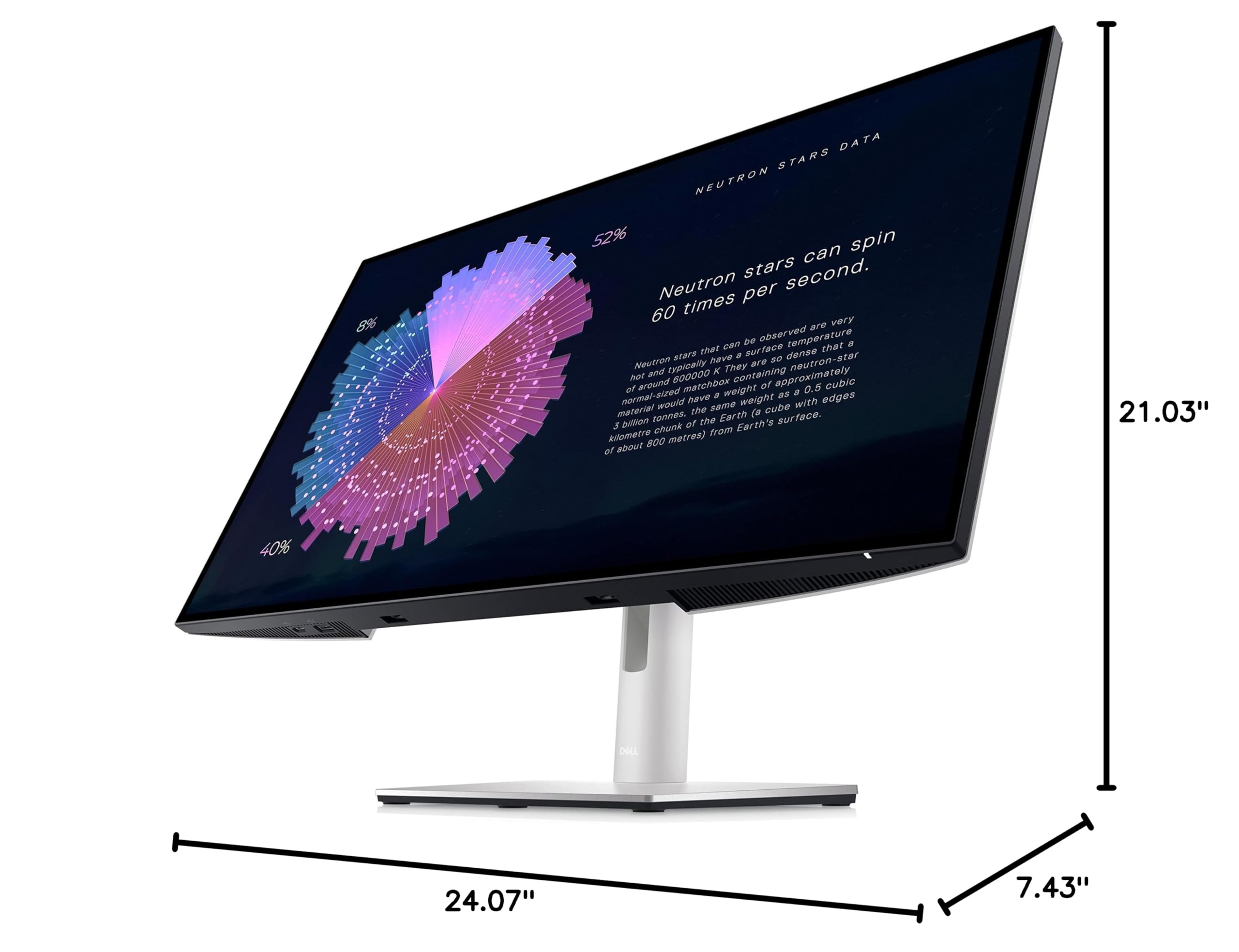
| Item Dimensions D x W x H | 7.43"D x 24.07"W x 21.03"H |
| Item Height | 24.1 inches |
| Item Type Name | LCD Monitor |
| Item Weight | 10.5 Pounds |
| Manufacturer | Dell Technologies |
| Model Name | UltraSharp |
| Model Number | U2722DE |
| Mounting Type | Wall Mount |
| Native Resolution | 2560x1440 |
| Number of Component Outputs | 3 |
| Picture Quality Enhancement Technology | In-Plane Switching Technology |
| Pixel Pitch | 0.233 |
| Power Consumption | 15 Watts |
| Refresh Rate | 60 |
| Resolution | FHD 1080p , QHD Wide 1440p |
| Response Time | 5 Milliseconds |
| Screen Finish | Glossy |
| Screen Size | 27 Inches |
| Screen Surface Description | Glossy |
| Series Number | 22 |
| Shape | Rectangular |
| Specific Uses For Product | Personal |
| Total Number of HDMI Ports | 1 |
| Total USB 3.0 Ports | 3 |
| Total Usb Ports | 7 |
| UPC | 884116390787 |
| Unit Count | 1.0 Count |
| Viewing Angle | 178 Degrees |
| Voltage | 240 Volts (AC) |
| Warranty Description | 1 year manufacturer |
P**V
Perfect Solution for 2 computers
I really wanted a simple solution to having both a work laptop and home Mac Mini attached to the same peripherals. I was struggling with my older Dell 27" monitor, which was great for a laptop with USB-C connectivity, which then automatically connected to my microphone, speakers, and webcam. But I had to switch it manually each time to use the other computer. This monitor has KVM functionality, basically. I have my laptop connected via the main powered USB-C connector, and my Mac Mini connected with two cables, HDMI and the secondary USB-C connection. I aligned the Mini via the menu options to that secondary USB-C so now my monitor switches the peripherals to that machine automatically when it's connected to the display. And since the display automatically detects which input is active, it's seamless. And with my bluetooth keyboard and mouse (Logitech MX), those switch with a press of a button. I can move between the two computers easily now, without taking up enormous amounts of space on my desk. Fantastic color, resolution, KVM functionality, ports, and physical flexibility for height and angle. All around great monitor, and Dell customer service is fantastic even with purchases through Amazon.
C**S
Don't Buy, Flickers with dark colors
I had two replacement monitors sent to me because of a flickering issue and it was never fully resolved. It seemed to happen primarily with dark colors. It was intermittent enough that I just lived with it. However after just over two years the flickering is back and permanent. I wish I had pushed more to get a non-faulty monitor and gotten additional replacements sent from Dell. Dell customer service was great but the monitor design itself was faulty. I regret buying this.
J**T
Best Price in Town - While It Lasted
I bought two of these monitors for photo editing. I did a lot of research about photo monitors and learned a lot about the technical specification of monitors. Set up was easy and the picture quality is amazing. The other amazing thing about these monitors is that they cost me just $409 each and were shipped PRIME. By the time I received the monitors (6 days later) , the seller had increased their price to $490 each and no Prime shipping.
R**A
Perfect for my dual monitor setup
I have a dual monitor setup in my home office that I use for both work and personal use. For personal use, I often have a browser open on one screen and video playing on the other. For work, it's Office 365 apps as well as some light photo and video editing. I need monitors that can perform well in both functions and this Dell has been nothing but perfect for me. I wanted to cut down on all of the wires on my desk due to the Thunderbolt dock that I needed with my old monitors. I chose this monitor because it has the dock/hub built right in! I keep my Logitech Bolt adapter plugged in, ethernet, and a speaker plugged in, with one USB-C cable going to the computer and a single display port cable going to the second display (gotta love daisy chaining!). Both of my laptops are Dell's and they work seamlessly with these monitors, they wake and sleep as they should and I never have to change inputs on the displays. If you're looking for a clean, professional setup, this is the monitor for you.
A**R
Monitor flicking and white screen
This is a horrible product! Do not waste your time or money purchasing it. Second time using it the screen began to flicker and the screen went white with rainbow lines going through the screen. Thankfully; it happened during the return window unlike other unfortunate buyers on here. Also, the seller did not process my refund like they are supposed to when they received it. 48 hours passed after I reached out to them on my refund status and never got a response. Amazon decided to issue the refund to me back to my original payment method. First time ever leaving a review on Amazon, but hopefully this saves other buyers from buying this item and dealing with this seller.
J**Z
Great Value
I have these monitors at my home office. Great Size and perfect for business.
J**S
Great looking display with all the connectivity that cleans up my desk.
Love the design and style...picture quality is outstanding and with USBc and RJ45 connectivity, as it removes my need for a clunky docking station and laptop charger. Desk is cleaner now. Love it.
R**B
Great Color, Connection and Price, but not the Resolution
I really love this monitor, except for one issue for me at least. First some history, I have been running a two monitor setup for several years now. Both DELL monitors, one 27" 4K and one 24" QHD. For the most part I really enjoyed this setup, except I thought photographs on the QHD monitor appeared a little soft, which I should have expected compared to a 4K. However, upon recently upgrading my computer, I thought I would upgrade the 24" monitor to a 27" monitor, the same as my 4K monitor. After scouring the internet reading various opinions and reviews about screen size and resolution, it appeared a majority of opinions thought a 27" QHD (2560x1440) resolution monitor was good for reviewing photographs and that a 27" 4K monitor was overkill at this size. Therefore, I went with the DELL U2722DE monitor because of the 100% sRGB color space, as well as the superb ability to be used as a USB-C Hub and the price. Now that I have been using the monitor for several weeks, I can offer my opinion. First off I really like this monitor, for the most part. However, photographs on the monitor still appear soft at my typical viewing distance, and that is where a little more investigation on my part may have swayed my decision. It makes sense that a lower QHD resolution monitor would appear softer than a 4K monitor at the same distance. Upon further investigation, the appropriate viewing distance for a QHD monitor is a little over 30" where as the appropriate viewing distance for a 4K monitor is a little over 20". As it turns out I set about 20" away from both of my monitors, split between the two, so the QHD monitor will appear softer. If I move more in front of the 4K monitor and away from the QHD monitor, they both appear to have about the same sharpness. For me, now I am displaying Adobe Lightroom/Photoshop on the 4K monitor to make all my adjustments and then using the QHD monitor to display a full size photograph to get the color correct. What I Like: - Great color reproduction - Great connectivity - Almost borderless bezel - Easy setup - Price What I don't like: - Resolution at a closer viewing distance
Trustpilot
1 month ago
3 weeks ago