
DOWNLOAD THE APP


Customer Services
Copyright © 2025 Desertcart Holdings Limited
DOWNLOAD THE APP
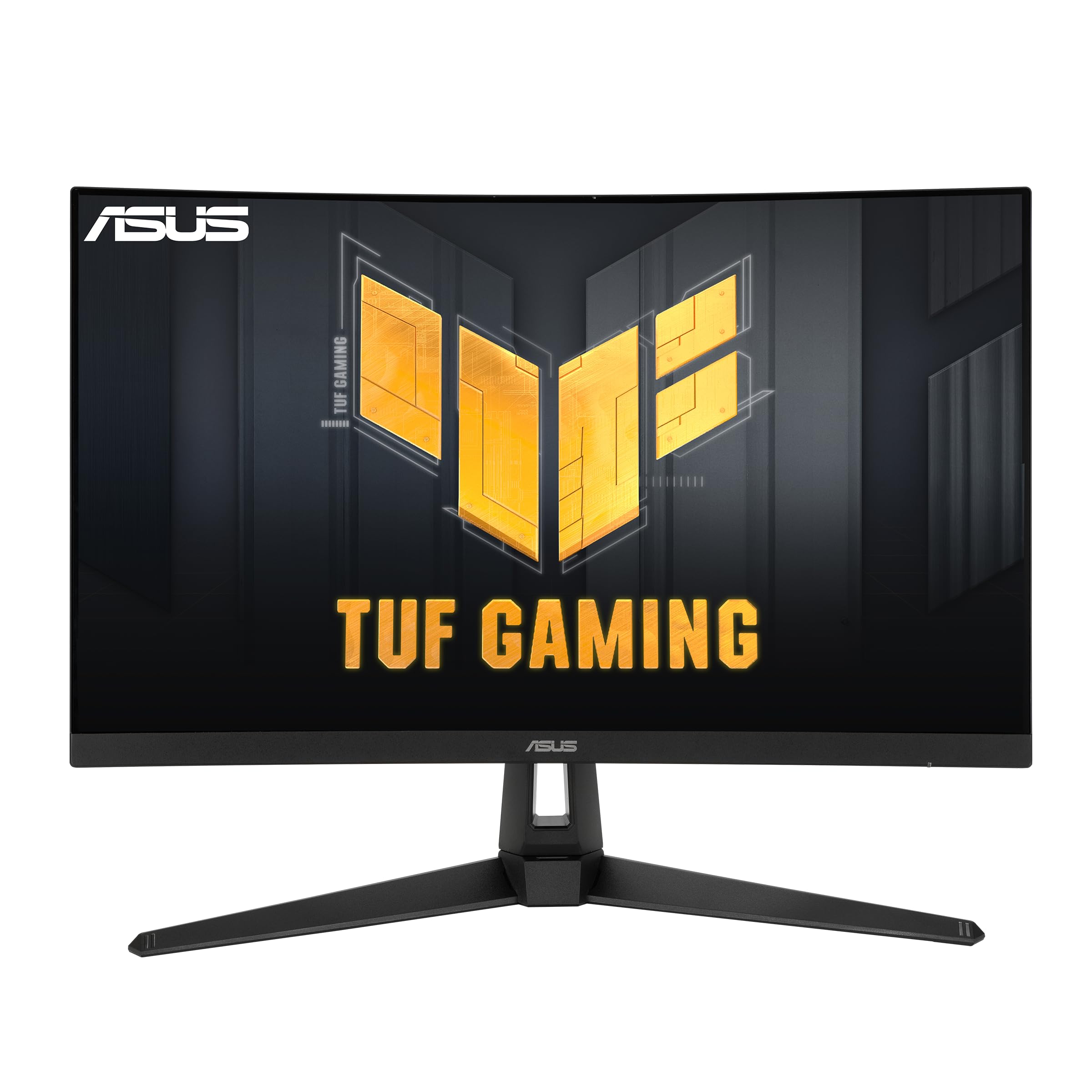


🔥 Level up your game with ASUS TUF VG27WQ1B — where speed meets stunning curved immersion!
The ASUS TUF Gaming VG27WQ1B is a 27-inch curved WQHD (2560x1440) monitor designed for pro-level gaming and immersive experiences. Featuring an ultrafast 165Hz refresh rate, 1ms response time with Extreme Low Motion Blur technology, and FreeSync Premium support, it delivers smooth, tear-free visuals. Robust connectivity options include dual HDMI 2.0 and DisplayPort 1.2. Eye Care features and HDR10 support make it ideal for extended use and vibrant image quality. Perfect for gamers and creative professionals seeking high performance without breaking the bank.



























| ASIN | B088MKHW7M |
| Best Sellers Rank | #5,621 in Electronics ( See Top 100 in Electronics ) #205 in Computer Monitors |
| Brand | ASUS |
| Color | BLACK |
| Customer Reviews | 4.5 4.5 out of 5 stars (6,547) |
| Date First Available | September 13, 2020 |
| Item Dimensions LxWxH | 18.71 x 24.03 x 8.42 inches |
| Item Weight | 12.13 pounds |
| Item model number | VG27WQ1B |
| Manufacturer | ASUS |
| Max Screen Resolution | 2560 x 1440 |
| Product Dimensions | 18.71 x 24.03 x 8.42 inches |
| Screen Resolution | 2560x1440 |
| Series | VG27WQ1B |
| Standing screen display size | 27 Inches |
| Voltage | 100240 Volts |
M**E
Good 1440p monitor for the price. "Issue with flickering/white flashing - refresh rate issue fixed"
You get what you pay for. This is a lower price point monitor for upgrading from 1080p to 1440p and higher refresh rate. Overall, it's a good monitor for the price point if you're looking to get into the 2K 1440p game experience with a decent and noticeable improvement when gaming with the higher refresh rate. The packaging was great, it's a nice-looking monitor, but with time and use I started noticing a subtle white flickering and it was quite annoying. I immediately recognized the flashing was most likely in reference to a refresh rate issue or adaptive frame syncing. It would consistently flash white, and it was not too noticeable, but yet still annoying. I looked into the issue and found some old forums and other complaints about the same issue going back 4 years. With some troubleshooting I was able fix the issue. I'm using an AMD card so in order to correct the issue you have to go into the AMD Adrenaline software>click on settings>Display and disable the AMD Freesync Premium which enables AMDs software driving refresh rate which obviously does not align with this monitor. I have attached a screenshot for reference for future possible buyers. If you are running an Invidia card I would look for any settings in reference to v-sync, adaptive refresh and anything pertaining to refresh rate syncing. Since correcting the issue I'm very happy with the quality and performance of the monitor. The higher refresh rate at 165hz is a world of difference and gives you an edge of response when playing any game. Even with consideration to a little tweaking of the settings this is a great monitor for the price and would suggest it if you looking to spend less but still get the 1440p experience with the higher refresh rate.
I**N
Highly Recommend It!
This is my very first monitor and it’s surprisingly good. I make music, commentaries and i game a lot, so I was in need of a monitor. It takes up a lot of space on my desk, my desk is about 5ft to 6 ft wide. I did a lot of research before I bought it (4 months before I bought it). I was very hesitant because of the price and not a lot videos on YouTube gone in depth about the monitor other than showing gameplay. I wasn’t expecting it to be so big let alone run this well either. Finding a gaming monitor at the moment is hard just because finding a well made monitor that plays and runs most games is somewhat rare. It took no more then 12 hours for it to come in after i purchased it (I have Amazon prime) and the box itself was actually pretty big. Setting everything up was easy and simple. Using it for gaming: There’s a bit of settings and you can play it at native 4k 60hz on the Xbox one x and there’s a major difference with some games like Cod MW (2019) Halo MCC & Halo 5, and any game that plays at 60fps. It may not be a noticeable difference with games that are locked to 30fps, but there is a major difference when playing games at 60. Some games looked better but ran somewhat worse compared to 1080p or 1440p. With the One X you can play some games in HDR and there’s a major difference with HDR and some games looked better with HDR. I’ve seen HDR on 4k tv’s and looked amazing, but being able to use it on a monitor like this was also really surprising. Again not all games on the One X have HDR, but the games that do have HDR ran somewhat better but frames did drop considerably when things picked up in combat. Cyberpunk 2077 while looked better on the One X, ran a lot worse at native 4k and with HDR on. Some parts of cyberpunk were steady and nice, as soon as combat picked up, the games frames would drop. So again it just depends on your settings and what games you play the monitor on. Using it for my Music & commentaries: For the last few weeks I’ve been making music & commentaries on this monitor and my workload had jumped up considerably. I can finally see everything and mix the way I need too. It’s a lot easier for me to see my mixes, I had to get a new keyboard, mouse, and desk mat just for this monitor. My work flow has improved and the monitor goes well with the lights around my studio. I’m getting a gaming computer soon to see how it truly runs, I have laptop at the moment so it runs well but I’m in need of upgrade for a new computer. Final Thoughts: Buy at your own cost. The settings are customizable and it looks good on my Xbox one X, I plan on getting a gaming computer to see how it truly runs. It’s worth the price and ships really fast (if you have Amazon prime). Picture quality is amazing, the brightness is adjustable and it’s really good for gaming. Worth the price! If you have the money, get it, if you game a lot, get it, if you’re in need of good monitor, get it. You can’t go wrong with it. Even after a month, I haven’t had any problems with it. I’ve been using it everyday since I’ve bought it.
J**S
Good quality, high value play
Just installed. Replaced a much older Asus 32" monitor, hoping this one gets a similar long term use cycle. So far looks great. Probably need to adjust some settings... it's brighter than the old monitor; could be settings related. In any event, sits nicely on the desk-the stand is definitely improved. Desk footprint is similar, but different in ways that likely make the space more usable around it. That said, I wouldn't expect this to be life changing. Get a wall mount if it concerns you that much. My previous monitor was around $360-$400. This is the same size with a MUCH higher refresh rate; otherwise pretty similar... for $270. Great value. I only need one 'cuz my desk is small, but could easily see doing multi screen set up with these.
C**Z
funciona perfectamente y muy buena calidad de imagen 10/10
L**S
Excelente qualidade de imagem
S**M
It lasted only a few years before it breaks down.
J**A
I recently purchased this ASUS gaming monitor, and it has been a great upgrade for my setup. Here’s my honest take after using it for a while: Pros: ✅ Smooth & Responsive Gameplay – With a high refresh rate ([e.g., 144Hz, 165Hz, or 240Hz]), gaming feels incredibly smooth. There’s no noticeable lag, and fast-paced action looks crisp. ✅ Vibrant Colors & Sharp Image – The display offers great color accuracy and deep contrast, making both gaming and content consumption more immersive. The [IPS, VA, or TN] panel really makes a difference in quality. ✅ Low Input Lag – The response time is excellent ([e.g., 1ms]), reducing motion blur and ghosting during intense gaming sessions. ✅ Adaptive Sync Support – Works well with [G-Sync / FreeSync], preventing screen tearing and stuttering, which is a huge plus for competitive gaming. ✅ Solid Build & Design – The monitor feels well-built, and the stand is sturdy. It also has a sleek, modern design that fits well in any gaming or productivity setup. ✅ Good Connectivity Options – Multiple ports ([HDMI, DisplayPort, USB, etc.]) make it easy to hook up to different devices. Cons: ⚠ HDR is Just Okay (If applicable) – While it supports HDR, it’s not as bright or impactful as premium HDR displays. Don't expect an OLED-level experience. ⚠ Built-in Speakers (If applicable) – The sound quality is average at best. If you're serious about audio, external speakers or headphones are a must. ⚠ Stand Adjustability (If applicable) – While the stand is sturdy, it could have better height, tilt, or swivel options for ergonomic comfort. Final Verdict This ASUS gaming monitor delivers an excellent balance of performance, speed, and visuals at a competitive price. Whether you’re gaming, editing, or just watching videos, it provides a fantastic experience. If you need an ultra-premium HDR experience or high-end built-in audio, you might need to look elsewhere, but for gaming, it's a top-tier choice. Highly recommended!
N**F
الشاشة جميلة وممتازة جداً وتناسب استخدامي الوانها جميلة ووضوحها ممتاز سواءً اذا اتابع فلم او اللعب الشاشة va يمكن ما تناسب بعض الاشخاص لكن بالنسبة لاستخدامي الي هو كونسل اعتبرها ممتازة جداً دائم شوف وش استخدامك والي يناسبك والسعر الي يناسبك قبل تشتري شيء
Trustpilot
1 month ago
2 months ago