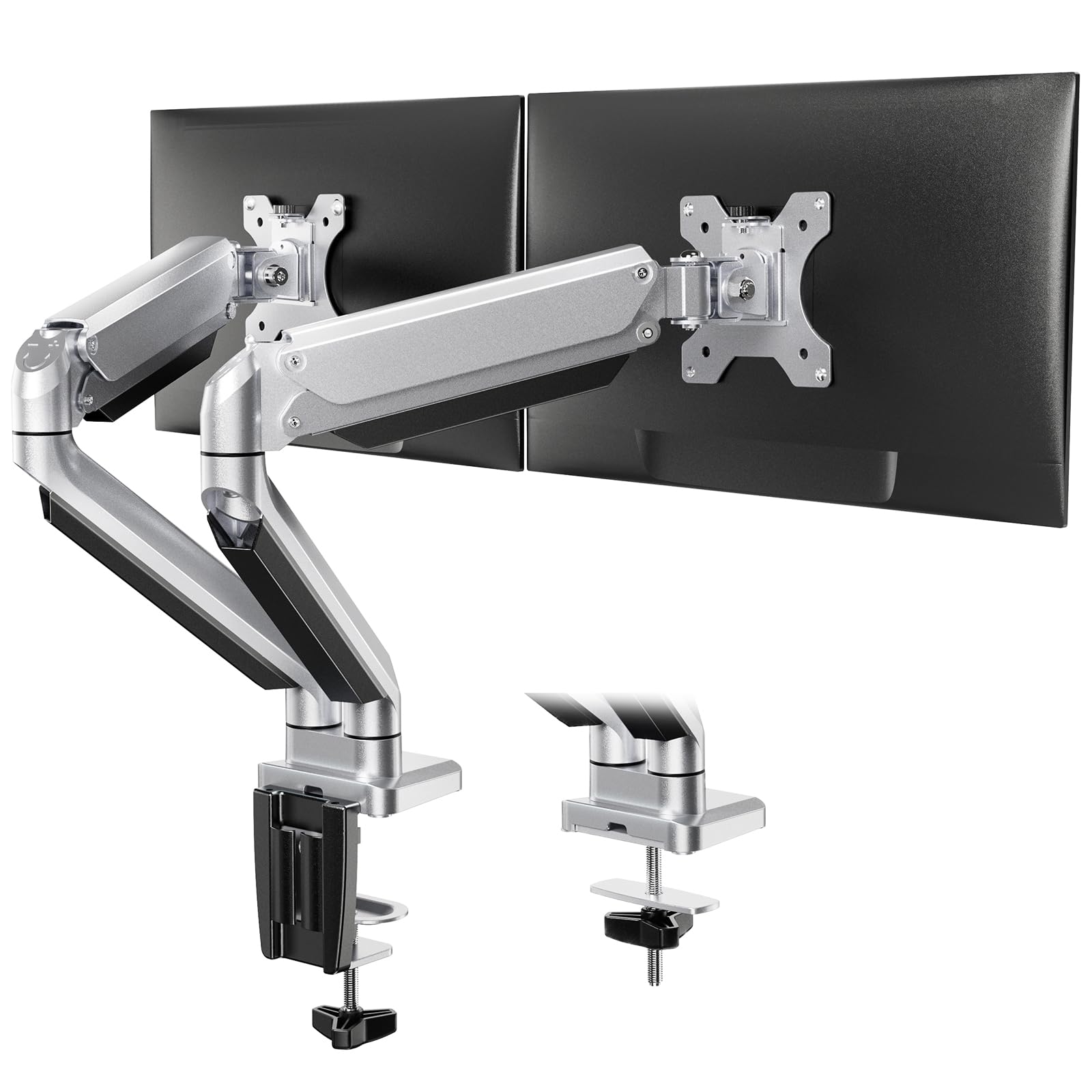


🖥️ Elevate your workspace, dominate your day.
The ErGear Dual Monitor Arm supports 13-32 inch monitors with a robust aluminum frame that resists corrosion and wear. Featuring gas spring technology for smooth height and angle adjustments, it offers ±45° tilt, 180° swivel, and 360° rotation. With a load capacity of 8kg per arm and integrated cable management, it maximizes desk space and ensures a secure, customizable setup for enhanced productivity.


| Manufacturer | ErGear |
| Brand | ErGear |
| Model Number | EGDS8-E |
| Product Dimensions | 14.9 x 29.2 x 38.29 cm; 4.93 kg |
| Colour | Silver |
| Shape | Rectangular |
| Material Type | Aluminium |
| Size | Dual monitor arm |
| Manufacturer Part Number | EGDS8-E |
| Item Weight | 4.93 kg |
L**N
Excellent product!
Back in august I bought a new gaming/creators pc, and decided I needed some new monitors to compliment it, after great consideration, i ended up taking a punt on very under rated monitors in my opinion and bought a Philips EVNIA 27M1N5500ZA, i was so happy with it and impressed I bought a second monitor exactly the same.I had wanted a dual screen gas lift stand for some time, however as anything decent they were expensive, priced from £80 plus, I just couldn't justify the purchase, especially as the stands my monitors arrived with were highly adjustable in all directions, however my better half saw this ErGear dual stand had been reduced to such a great price - just over £30 at the time he bought it, and it magically appeared on my desk the following day.I have grommet mounted the stand to my desk, which meant that I had to drill a hole ( I used a 10mm wood bit, rather than the 12mm suggested in the instructions, however I believe an 8mm may have worked also) through my desk, I was slightly concerned, but I needn't have been, the wood on top of my desk is 2cm thick, and the grommet mount has fitted tightly without the need for any packing or modification, and it isn't going anywhere. The hardest part of the installation was getting both of my 27inch monitors centred and lining up, but the instructions are very clear and concise. Therefore once you get your head around the instructions, its really easy to pull a monitor towards you if needed, or to swivel a screen, each time I move it I manage to centre and line them back up again faster each time.The stand has really freed up alot of space on my desk, and being able to lift them right up out of the way, makes the space far more versatile.I couldn't be without this now, should something happen I would have to replace it asap, even at full cost its good value, not that I anticipate the need as its solid.
R**E
Decent quality
I avoided the cheaper options and went for this mid priced one and don't regret it. Clamped to my 2cm thick Ikea desk this sturdy stand is supporting 21 and 24 inch monitors side by side, angled in towards each other slightly.This has cleared up loads of desk space. Had to adjust the tension of one slightly at the start but other than that I haven't had to touch them since. Convenient that you can attach the back plates to the monitors separately, then drop the monitors into position. It is sturdy with no noticeable wobble.The silvery finish looks good, from what little you can see of them under the monitor.The cable tidies work well.What else can I say? Despite the typical Chinese anonymous branding that is omnipresent on Amazon these days, it is good quality, does the job!p.s. read the warning leaflet before you snip the cable ties or the arms will spring open and could be quite painful if they punch you in the chest, drop on your toes or worse!
M**T
Decent kit for the price
I picked this up on the Prime Day sale along with two 32-inch 4k monitors. So I was looking for a dual monitor stand to cope with these larger screens (both just over 6kg).When it came it was in a small box (HWD 6'x14x10' approx) and neatly packaged with the arm folded up and all various parts in bags (fixing to drill through a desk or use a clamp).It even came with two alum keys (still need a screw-driver) and various VESA standoffs and screws for mounting two screens.Instructions were okay and I was able to set it up and get the screens attached in under 30 minutes and on my own. It has built in trunking for cables (hadn't done this when I took the picture). Bear in mind that you may need some clearance behind your desk, for the arms, depending on how you want to position the screens. Hardest part was getting the cable trunking done with the monitors and desk in situ.The gas springs work as intended giving you finger-tip control of the position and can be adjusted with the alum keys depending on the weight of the monitors.They fit the 32 inch screens and have now been sititng on my desk for a number of weeks without moving or any other issues.Build-quality is fine, it's not going to blow you away, but it seems sturdy and sits fine. Took a few attempts to get the monitors sitting in the position and height I wanted.Would recommend over my old arm which was a cheaper non-gass model and was a nightmare to position and setup.
N**K
really well thought out stand
I would consider this really good value for money - its well designed and finished, simple assembly with plenty of provision for fixing different monitors to the stand - different size mounting screws, lengths and different spacers provided to suit all monitors. It also includes neat cable management.It fixes to the desk either via clamp (requires about 7cm under the desk), or via a hole through the table itself.The base pivot's hex screw is blocked by the clamp once assembled, its worth loosening them off a little before final assembly - The joints themselves come very tight from the factory but the rest can be adjusted once its up. hex keys plus a "bar" are handy for the larger screws as they are very tight. One of the arms can be removed if two monitors arent immediately required.
C**S
Solid, heavy duty arms
These are very heavy duty arms.Bought on the recommendation of our IT supplier, a few years ago, we now have 8 sets of them. I am no DIYer but have managed to fit and adjust them all - there is a knack to it.It probably takes 20-30 minutes to install them. There are plenty of fittings supplied, to suit most desk arrangements.Stand well back when snipping the plastic tie holding the arms together in the box, as the hydraulics will spring the arms open and could cause a bruise.I used the clamp arrangement as I didn't want to drill holes in our new desks. The clamp setup is probably for a thicker desk that ours, so I had to plug the gap of around 1 inch under each desk with old books.Once in place, these bad boys are going nowhere.Overall I am very happy with these - great value for money.
Trustpilot
3 days ago
1 month ago