Some deliveries may take a little longer than usual due to regional shipping conditions.

DOWNLOAD THE APP


Customer Services
Copyright © 2025 Desertcart Holdings Limited
DOWNLOAD THE APP


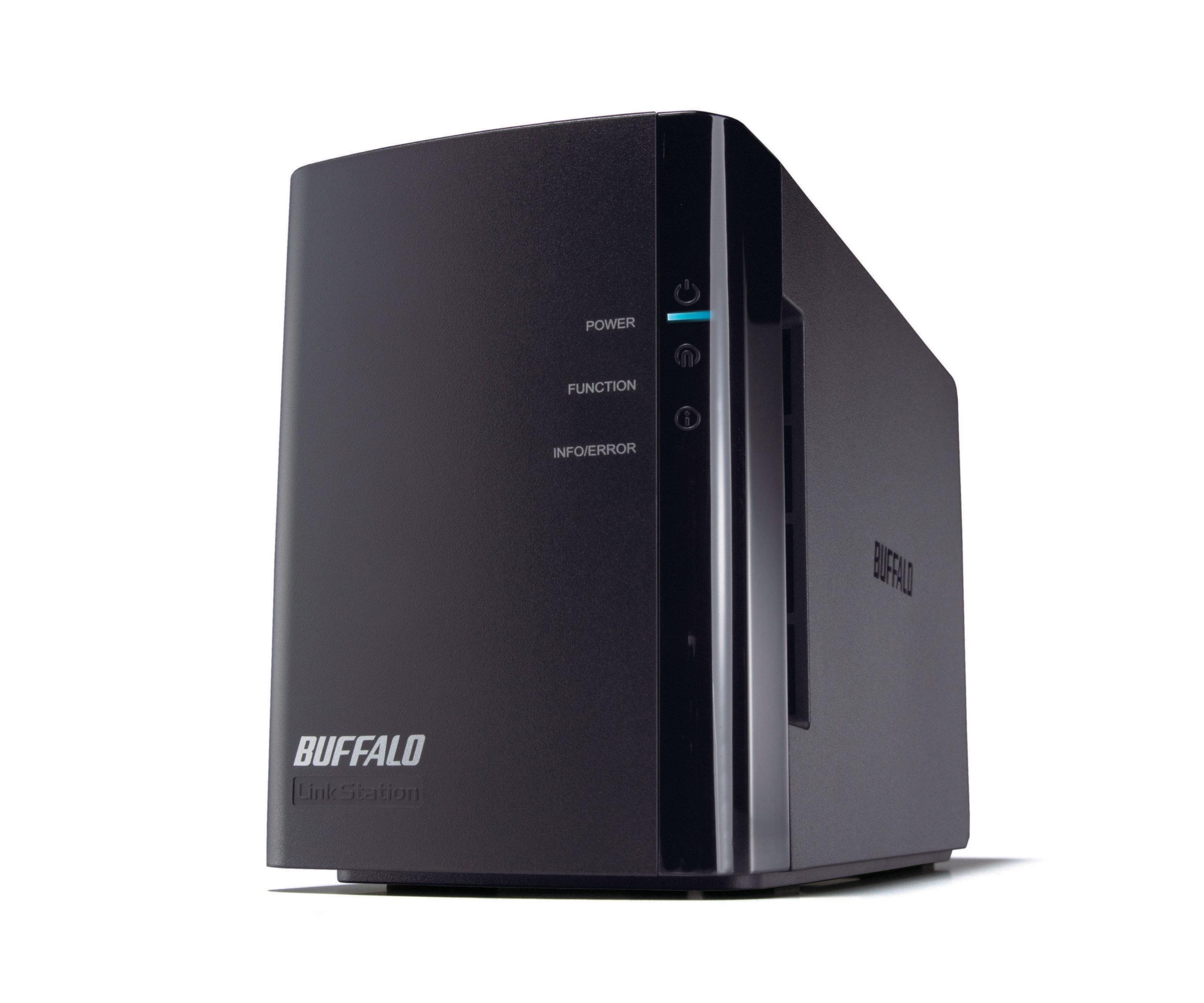
🚀 Elevate Your Storage Game!
The Buffalo LinkStation Duo is a robust 2-bay RAID Network Attached Storage solution featuring 1 TB of scalable storage, designed for seamless media streaming, efficient file sharing, and enhanced data protection.
S**E
Not bad for the money, but not great either
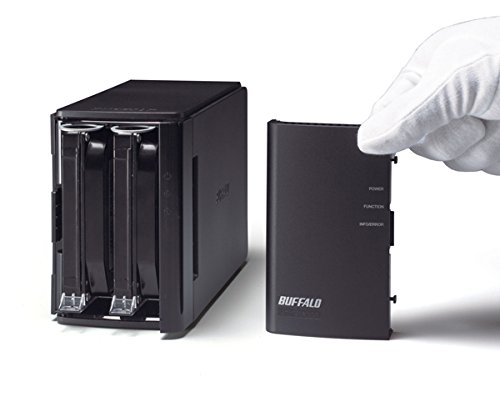
I've had this NAS for about 5 months now. Overall, it generally performs fine. My uses are primarily storing & streaming music from the NAS to my AVR and I use it as a repository for documents. I only have 1 video saved on it that I used to try out & make sure it could stream video...it worked fine but the video was just an old SD camcorder video and not HD video or anything. I use it on a network with a Buffalo Gigabit router so YMMV if using a 10/100 router.The shortcomings are that it really isn't a very sturdy device. Not that you should be playing catch with it but you should be forewarned to be even more careful with this device if you ever need to take the front cover off and remove/replace hard drives.Speaking of which...one of the biggest reasons this device gets a 3 star and not a higher rating is Buffalo's RMA policy as well as availability of customer help. One of my hard drives stopped working after the 1st month and after some troubleshooting determined we probably needed to RMA it but I would try 1 last thing with it & then call back to get an RMA #. Hold time for this call was a bit extended (15-20 minutes) but generally understandable for a device like this(best to use a phone w/ speaker phone so you can just let it sit until you get a rep).I then tried back an hour or so later after trying 1 last troubleshooting attempt on the NAS (if you're wondering...cust support doesn't like to sit around waiting for you & WILL let you know they don't have time to wait for a consumer to figure out how to do things on what is supposed to be a consumer device). I sat on hold for 45 minutes and decided I simply had to move on with my life that day(Saturday). I called back the following day (Sunday) twice. Each time I sat on hold 35+ minutes with no answer & simply could not wait any longer. I finally tried back the following Friday night and was able to get a rep & an RMA #. The agent was brief & made it clear she did not have time for "idiots" (not her words...but you can tell pretty quickly when you get somebody like that). She was ultimately helpful & knowledgeable but I really had to question how somebody of lesser technical aptitude would have fared(not that I am a genius but I am an engineer in my day job). Probably indicative of an overburdened support staff.But the real kicker to me was that I had to actually PAY to RMA a defective hard drive to them. No, they don't accept that the hard drive is crap and send you a new one...they want a deposit (more than the HDD is even worth) and essentially charge you a fee for the privilege of swapping a bad product. This is (obviously) bad company policy.Overall, the NAS works & performs well enough for most people's home storage/streaming needs. GUI could be more intuitive for the novice networking/admin consumers out there who would presumably be the target base. If you have advanced needs, you likely aren't (or shouldn't) be looking at this NAS so all the more reason the cust support & RMA process/policy was even more disappointing. So if you are a niovice, look elsewhere as this will frustrate you. If you basically know what you need & want to do...and can troubleshoot a little...this NAS might work for you if looking for a budget solution.
N**Z
Solid NAS device for the price
I've been using the Linkstation Duo for about six years now and I'm happy with it. I bought it to use as a backup destination for the computers on my home network, and as a general purpose network share. I specifically wanted RAID 1, for full redundancy and the ability to recover easily from disk failures.I purchased the 2 x 1TB bundle and configured a RAID 1 array with 1TB capacity. I configured a weekly RAID scan and configured the device to send email reports for any fan or disk errors. After three years of use, I received a SMART check failure email from the device. I promptly purchased a new hard disk, swapped out the bad one, and rebuilt the RAID array. The process was straightforward and totally painless. Minimal down time and no data loss. This was exactly what I bought it for, so I rate it highly.Pros:1. Inexpensive RAID/NAS device.2. Decent transfer rates.3. Easy to recover from hard disk failure without losing data (with RAID 1).4. Easy to root (thanks to ACP Commander).5. Working reliably for six years and counting.Cons:1. Web interface is slow, really slow.2. Upgrading to larger disks with RAID is a convoluted process.When one of the 1TB stock hard disks went bad, I replaced it with a larger sized disk (2TB). I knew I wouldn't be able to use the extra space in the array since the other disk was 1TB. But my plan was to eventually replace the second 1TB drive with a larger one also (2TB or larger), and increase the size of the array at that point. I just recently tried this -- I purchased a 3TB disk to replace the 1TB disk (so now I have a 2TB disk and a 3TB disk in the LinkStation), then rebuilt the RAID 1 array.To my disappointment the total capacity was still only 1TB. After doing a lot of Google searches, apparently the only recommended way to increase the size is to wipe all the data and recreate the RAID 1 array from scratch. To avoid losing your data, you're supposed to back everything up beforehand, then copy all your data back after rebuilding the array. I didn't like this solution and continued looking for another way. Here's what worked for me...[DISCLAIMER -- These steps may not work for you; if you get any step wrong, at best you may get an error, and at worst lose all your data or brick your device if you really don't know what you're doing]Behind the LinkStation's web interface it uses the Linux 'mdadm' utility to manage the RAID configuration. I was able to resize the array without losing any data with just a couple of commands (after using ACP Commander to open an SSH connection):1. First, check if the hard disk partitions are large enough (in my case they were, but if they aren't you'll need to use fdisk to resize them): $ fdisk -l2. Next, to find out the device name of the array: $ cat /proc/mdstat3. In my case it's /dev/md2. To resize the array: $ mdadm --grow /dev/md2 --size=max4. The resync from the above command will take a few hours. You can watch the progress from the command line with: $ watch -n 15 "cat /proc/mdstat"5. Lastly, (assuming XFS file system) the file system needs to be grown as well: $ xfs_growfs /dev/md2After this, the LinkStation showed 2TB capacity.
Trustpilot
2 weeks ago
3 weeks ago