We remain fully operational. Our teams are working around the clock to ensure your deliveries continue safely.

DOWNLOAD THE APP


Customer Services
Copyright © 2025 Desertcart Holdings Limited
DOWNLOAD THE APP
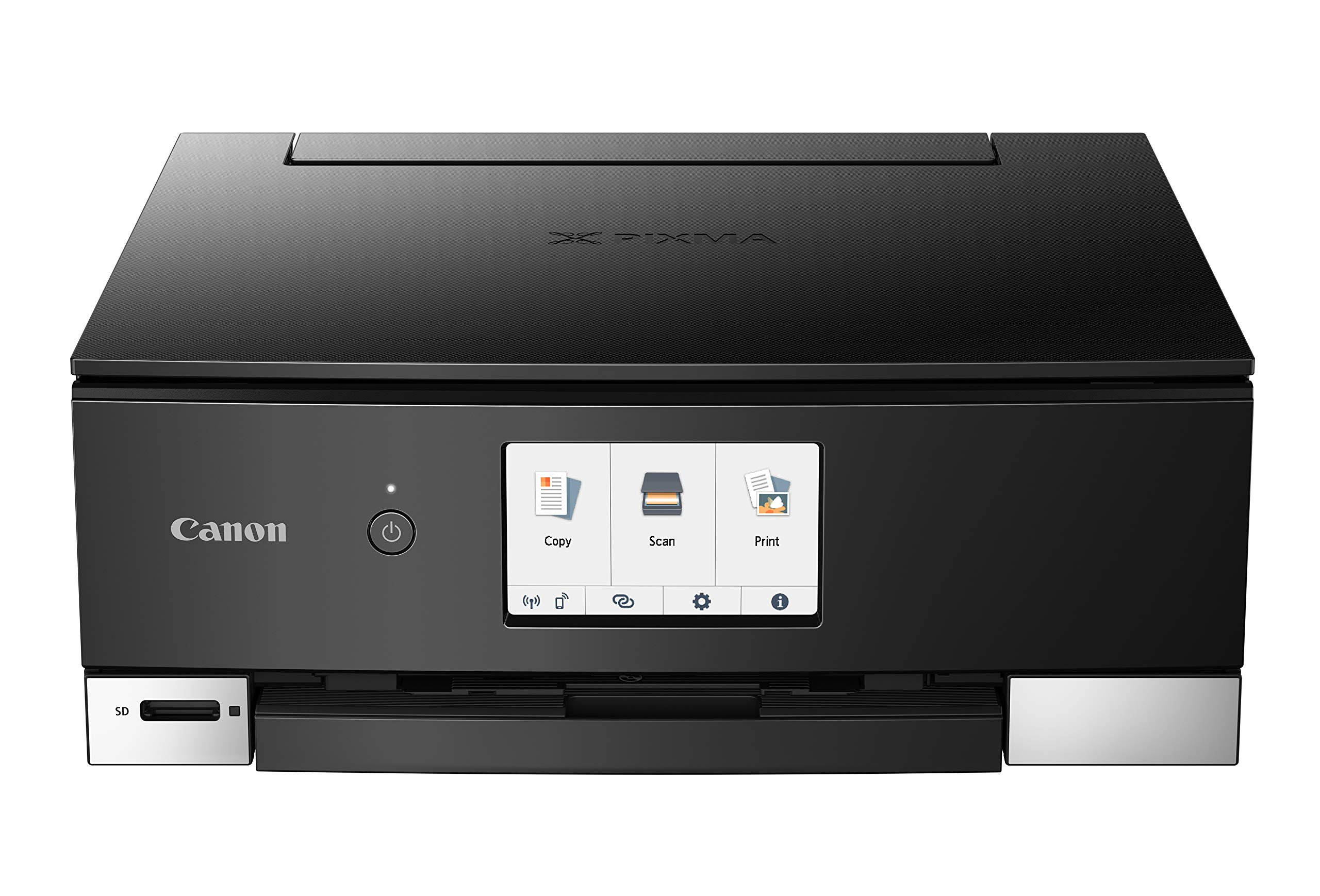


Print Your World with Ease! 🖨️
The Canon TS8320 is an all-in-one wireless color printer designed for home use, featuring a user-friendly 4.3” LCD touchscreen, dual band Wi-Fi connectivity, and a six ink system for exceptional print quality. It supports a wide range of paper sizes and offers mobile printing capabilities, making it perfect for tech-savvy users.


L**B
SEcond review after one year. Quality scanning and printing. Economical to use. Worth the price.
I've been using this for a year with a MAC, for photo printing, photo scanning, OCR, etc. I've been more than happy.1. Photo printing: I use high quality aftermarket inks and high quality photo papers. This model (TS8320) produces vibrant prints with very good match to screen image.2. Registering paper type: This is important for high quality prints. Different types/brands of papers print differently. This applies both across and within brands. The TS8320 has a touch screen function that allows you to register the paper type to the printer (eg: Canon Photo Paper Plus Glossy-II, etc. ) to make best use of the paper type.3. Scan software: The provided Canon IJ Scan Utility Lite software allows you to produce Jpg's, PDF's and OCR docuyments. It is OK but a bit clunky. I prefer VueScan, which provides more functionality. But if you don't want to invest in aftermarket software the provided utility works fine.4. Scan quality: The scanner provides reliable copies that match the originals quite well. You may want to tweak the output using a photo editor, but overall, the results are good.5. Ink: The ink that ships with the printer is not labeled "high capacity", but it lasted longer than I expected. When they ran out I ordered OSIR XXL high capacity cartridges, which produce high quality prints and a lot more bang for the buck than the OEM versions.6. OCR: The provided software does a decent job of recognizing text, but if you do a lot of OCR it's best to invest in after market OCR software such as FineReader, etc.Conclusion: For the price, its hard to beat this combo printer/scanner.
L**Y
Smitten, Over The Moon & Back!
And so, my seemingly doomed quest for the perfect printer to replace my old workhorse HP all-in-one has *finally* met its end. What a journey it has been. A new and quite beautiful relationship has started to bloom betwixt myself and this Canon TS8320. (Psst....Scroll down to the TL;DR note at the bottom if you’ve got better things to do/would prefer a brief summary)First, this printer is an absolute unit. A magnificent blessing that provides unconventional design elements and photo prints that initially moved me to tears—in contrast to what I’d grown accustomed to over my two year relationship with my old HP (RIP). That being said...Set up was not as easy as an HP—and that was more than okay. Because this printer has so much magic to give, taking my time during setup was not a hassle.This Canon (I did christen her with a name, but will keep that to myself) She prints perfectly for my needs, which is primarily photo and label printing. I have never been so in love with a printer, people. That being said—what’s the deal with the low/average print-quality rating? I am baffled by this, as the prints this babe has crafted for me are simply stunning. I’m still scratching my head over that one, and wonder how such beauty could be dismissed with such a low print quality rating.Below are the “Pros and Cons” from my experience and relationship with this Canon powerhouse; for good measure.PROS:•Top scanner cover allows extra height for scans of items thicker than a simple piece of paper.•Aesthetically Pleasing! When closed up, the square concept and sharp lines are truly gorgeous.•Touch screen: The size of the sharp and clean screen...and its responsiveness!..are phenomenal. I don’t feel like a giant using a tiny humans computer, smashing buttons inaccurately, etc. It is quite comfortable and quick!•”Paper Type” selection is quite expansive and impressive.• Photo Tray/Feed Sensors are SMART and save 28+ steps I was used to enduring when using the old HP. I am still amazed at how quickly it registers the paper and size (and moreover, even the type.)•The amount of print settings AND specific cleaning options well exceed the basic clean “Page smear” and “print heads” options I am used to. I will need to do additional research into the use of each available feature and its function as it correlates to printer maintenance.“CONS”•Set up...Not extremely friendly to the impatient nor those who are just starting out with tech set up stuff. Also, the total time you will spend ensuring proper set up is an investment—but your patience will pay off, it is worth it, this I promise you.•Mechanical Things: the printing tray that slides out (and back in upon shutting down) is a bit of a novelty. I dig it, it’s kind of futuristic and neat, but I worry that it is a function that might deteriorate over time/without proper care. Also there weren’t clear instructions that detailed how to properly close the front cover or the fancy protruding tray—I pushed the tray closed initially...which is NOT really advised, now that I understand it closes upon shutoff (my heart still hurts from discovering that) also...I am still not entirely sure if pushing it closed is proper, though I’d genuinely prefer it to be. I don’t want to rely on mechanics for this function (as they could be better utilized elsewhere) but I would rather be able to do it myself, independent from the unit.All in all, it took me a long while to finally pull the trigger on this one. I did so much research and compared countless printer types/brands/their corresponding reviews/etc. I bought another one prior to this one that I returned almost immediately. Thank goodness, too. This Canon printer and I will be very, very happy together.TL;DRIf you’re looking for a super versatile workhorse printer that meets all of your needs and demands this might not be for you—I’d recommend a different “all-in-one” option. If you’re looking to mainly print photos that will do your digital images the justice they deserve (if not more!) this just might be the droid you’ve been looking for.Thanks for reading my printer ranting saga; you the real MVP, Amazon smart-shopper!
M**.
Seems flimsy but does the job
Bought this to replace the previous Canon MX series which developed the infamous Canon paper jam error that occurs on almost every one of their inkjet printers and can't be cleared by any means, which basically means you have to throw the printer away. On this printer, the paper trays are flimsy and too automated, would prefer a more static printer without so many moving parts and better paper capacity, hence why I took a star off the review. Printer driver was easy, it used the previous MX series universal drivers, so setup was smooth. So the setup disk was a redundant step. It doesn't let you know that the driver is already installed. The scanner app and other stuff that is in the software did not change so it makes the learning curve much easier, print quality is great, typical good Canon photo prints, but inks are more expensive than ever. Very small and boxy design, doesn't take much desk space, but I would sacrifice desk space for a more robust design that I felt would hold up longer and if Canon could work on that infamous paper jam error that ruins the entire printer, we would be grateful. We'd like to get more than just a few years out of a printer, instead, it seems like we have to replace the printer every two or three years, which is wasteful. Also, you;re left with a bunch of ink cartridges that can't be used with any new printer you buy, Canon sure knows how to screw you out of your money. But we continue to buy them because nobody else seems to have as good of photo paper print quality as Canon does for our sales presentations at a good price, else you are spending way more for the printer and inks with other brands. Which would be fine if someone could assure me that a printer could last about 5 to 10 years and have the same excellent print quality, then we might spend a bit more, but so far, the" magic pixie" printer isn't to be found anywhere in the marketplace. The closest I've found is my Epson RX series at home, it's lasted for over ten years with occasional use but you can't get original cartridges for it anymore, so I use generics, which doesn't render good photo prints, which forced me to buy a large format Epson just for photos, which has been excellent so far. The old RX series from Epson just keeps going on my desk at home. But for constant office use at work, the Canons have worked well, even though we have to replace them too often. We recommend buying the highest capacity genuine cartridges from Canon you can, these printers do have standard, large and extra large capacity cartridges for the black tanks. They cost more initially, but what you save on ink in the long run makes up for it.
Trustpilot
2 months ago
2 months ago