Desertcart purchases this item on your behalf and handles shipping, customs, and support to South Africa.
⚡ Upgrade your rig with Sonnet Allegro — where speed meets power and reliability!
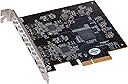
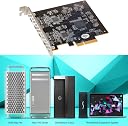
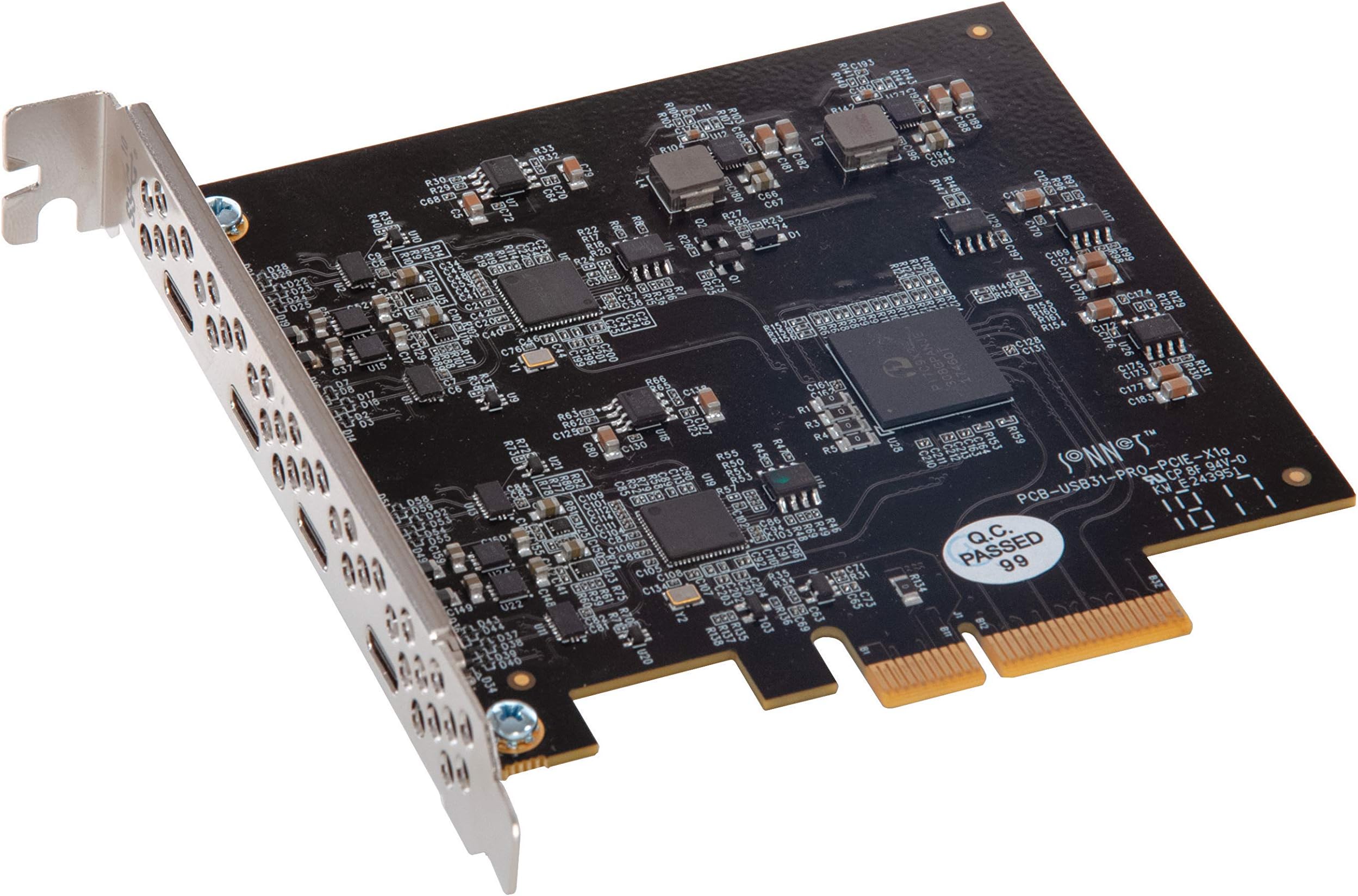
The Sonnet Allegro USB-C 4-Port PCIe Card equips your Mac Pro or Windows PC with four ultra-fast 10Gbps USB-C ports powered by dual USB 3.2 Gen2 controllers. Each port supports up to 7.5W power delivery with independent regulation to prevent disconnects, ensuring stable connections for bus-powered SSDs and peripherals. Compatible across macOS, Windows 11+, and Linux, this PCIe x4 card is a premium, plug-and-play solution to modernize legacy workstations with high-speed USB-C connectivity.


| ASIN | B07L8KCQPT |
| Best Sellers Rank | #47 in Internal USB Port Cards |
| Brand | Sonnet |
| Built-In Media | Sonnet Allegro USB-C 4-Port USB 3.1 Gen 2 PCIe Card, Thunderbolt Compatible |
| Compatible Devices | Personal Computer |
| Customer Reviews | 4.0 out of 5 stars 159 Reviews |
| Global Trade Identification Number | 00732311012648 |
| Hardware Interface | PCI Express x4 |
| Item Highlight | 20Gbps combined throughput; up to 7.5W per port; independent power regulation; charge-and-sync support |
| Item Weight | 68 g |
| Manufacturer | SONNETTECH |
| Mfr Part Number | USB3C-4PM-E |
| Model Number | USB3C-4PM-E |
| Number of Items | 1 |
| Number of Packs | 1 |
| Operating System | Windows 11 |
| Style | Classic |
| Style Name | Classic |
| UPC | 732311012648 |
| Unit Count | 1 Count |
| Warranty Description | 1 Year Limited Warranty |
A**N
Works great
I'm using it on PC and it's been working flawlessly for months now. It's expensive but worth it if you want a high quality, reliable card. The cheap cards are cheap for a reason. Buy this one.
D**N
Great way to modernize any desktop
I plugged this card into a 5 year old desktop (MSI X99 SLI PLUS with Intel Core i7-5960X) and it works flawlessly, using both Ubuntu and Windows 10. Main downside: The card is pretty expensive. $130 seems like too much for a few ports. However, there is a lot to like: - The USB ports are actually faster than my old onboard Type-A. Oculus Link works perfectly. Using a Samsung T5 external SSD I am seeing read rates of 554 MB/s (which is probably limited by the SSD). - I was a bit worried about the ports being so far to the side (as opposed to centered). This is an odd design choice, but luckily it hasn't been a problem for any of the cables I have. They all fit well. - A nice surprise: The description claims "up to 7.5W power per port". I have actually measured 5V/3A on a single port, so the card over-delivers here. - This card embraces modern ports and instead of adding more legacy ports (which I have more than enough of anyway, especially given that all of my peripherals have been Type-C for years now). Given how even brand-new motherboards usually just come with just a single Type-C (but plenty of Type-A), that is really nice.
G**M
This card only works on a PCIE Gen 3 slot, check first before purchasing
This card only works on a PCIE Gen 3 slot. Anything lower like Gen 2 or Gen 1 just does not have enough power to effectively run this PCIE card. I spent three hours troubleshooting my computer BIOS util I realized the root cause. Where Sonnet really failed in their design was to not include a power plug you can run off your PCU to supply power needed to run this PCIE card. Huge design flaw. The Startech counterpart comes with a plug and splitter cable so power or Gen 2 vs. Gen 3 slots will not be an issue. Be careful before you purchase or try to add USB C to your computer. I hope this review helps people avoid the issue I ran into. After hours of research and troubleshooting the most elegant solution you have if you don't have a spare PCIE Gen 3 port available are the following products: https://www.amazon.com/dp/B08T6FCF9S?ref=ppx_yo2ov_dt_b_fed_asin_title https://www.amazon.com/dp/B0B7KM1RKV?ref=ppx_yo2ov_dt_b_fed_asin_title The Startech runs on a gen 2 PCIE port and avoids the need to play with your PCU. Just plug and play and you have a working USB c port. The Startech Hub plugs into an external power source and gives you four working USB C ports that work flawlessly. I hope this helps and enjoy a very simple solution if you don't have a spare PCIE Gen 3 port to work with.
J**.
I wanted to like this card, though.....
Sonnet Allegro USB-C 4-Port PCIe Card Review I really wanted to like this card, but a few issues kept it from being the upgrade I was hoping for. Installation was refreshingly simple. I installed it in my MSI Infinite RS (Intel Core i9-13900KF) running Windows 11, and the system recognized it immediately. No drivers, no firmware updates, and no troubleshooting required. Data transfer speeds with external USB-C SSDs were excellent and met my expectations. Where things started to unravel was when I began connecting multiple USB-C cameras. The card proved to be surprisingly finicky, and the USB-C ports did not grip high-speed cables very securely. Even the slightest movement of a cable was enough to trigger a disconnect, which is less than ideal when you're trying to maintain reliable camera connections. After more trial and error than I'd like to admit, along with a generous supply of Velcro cable ties to keep everything perfectly still, I eventually got the cameras working. However, I had to uninstall and reinstall each camera individually before the system would recognize them reliably. One thing prospective buyers should also consider is the cost of quality cables. Plan on spending around $45 per cable for certified 10 Gbps USB-C cables. You'll find 20 Gbps cables that cost nearly twice as much, but they're unnecessary since this card is limited to 10 Gbps anyway. I was especially disappointed that my Anker USB-C to USB-C cables would not stay firmly seated in the ports. I've had consistently good experiences with Anker products over the years, so this was unexpected. Overall, this card delivers solid transfer speeds and installs effortlessly. However, if your application involves multiple USB-C cameras or equipment that requires absolutely stable physical connections, be prepared for some frustration... and perhaps keep a roll of Velcro cable ties nearby. They may become the unsung hero of your installation.
K**.
USB-C added to 2010 Mac Pro!!!
A very easy installation in the PCIe slot upon installing in a 2010 Mac Pro 5,1 dual 3.46GHz Intel 6-core. The quality is excellent with its functionality and connectivity recognizable upon starting up the computer and no driver support needed because it’s not required if the Mac is operating macOS 10.13 High Sierra or above. A little pricey for its value, but the overall design is well built and sturdy.
S**O
Necessary addition for any desktop or tower pc
This card was so easy to install. I returned it for replacement due to not fully connecting, the replacement is allowing me to add additional USB attached devices.
M**2
Solid card
I put this in a Gigabyte x570 Xtreme motherboard running Windows 11 Pro. No issues. Charges my phone pretty quick, transfers data with high speeds from from my phone and external M.2 SSD.
S**K
I can't recommend this for the 2019 Mac Pro 7,1
I can't recommend this for the 2019 Mac Pro 7,1 I have a lot of stuff from Sonnet. I think they're a great company with excellent technical support. This is my first disappointment with Sonnet. Electrically, this card is fine. The problem is the ports are too close to the edge. I tried 6 different USB-C cable's including one from Apple, they all had trouble plugging in because of the tight fit. I found that if I angled the card slightly I could use two of the four ports. See the included image. If the ports were just 0.05" further from the edge, this product would be perfect for the 2019 Mac Pro. The product is made in China.
R**C
Good quality
Solid card. A bit pricy as opposed to others but flawless in a Mac Pro 2019. 4 ports but really dual lane (dual bus) as it’s spitting out 10 MB/s twice, so total of 20 MB/s. You will not get 4 x 10MB/s, but you will however get 2 x full 10 MB/s.
C**H
Totally transformed my 2009 Mac Pro Tower - a totally must-have item.
Over the past few years I have completely customised my beloved old Mac Pro Tower by adding a faster CPU, more RAM, a PCI SSD and this little beauty from Sonnet. To be condemned to USB 2 ports in this day and age is pure torture. Luckily the good people at Sonnet have come to the rescue with this 4-port USB 3.1 gen2 PCIe card. Installing it was literally plug and play. Now I can attach any modern, high-speed, peripherals like an external USB-C (3.1 gen2) M.2 SSD drive and get very decent speeds. The screen grabs below are from a Sabrent 1TB M.2 NVMe inside a Sabrent enclosure. This PCIe card by Sonnet has completely transformed my computer's abilities. Very impressed.
S**I
I'm happy to bought it
Very good. 2 separated parts (good for 2 separated devices). If a device needs 5.1v then this card can't provide that and it switches off the full computer (for example with SB X5). Don't connect new device to it if the computer is switched on (so switch the computer off before connect new device). Otherwise it works well.
J**E
Plug and Play
Vraiment Plug en Play. Aucuns drivers à installer. Reconnu dès le premier démarrage.Installé sur un hackinstosh AMD Ryzen. (SMBios MacPro 2019) Fonctionne à merveille sous Big Sur et Monterey. J'ai branché notamment deux adapteurs USBC / Ethernet reconnus immédiatement et évidemment des SSD USB qui fonctionnement à pleine vitesse.
C**N
SEMPRE PERFETTE
Montata su mac pro 5.1 12 core, funziona senza alcun problema. Velocissima e molto stabile. Sonnet ancora una volta non delude.
Trustpilot
3 weeks ago
1 month ago