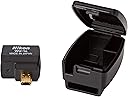
Desertcart purchases this item on your behalf and handles shipping, customs, and support to South Africa.
📸 Snap, share, and control your Nikon like a pro—wireless freedom in your palm!
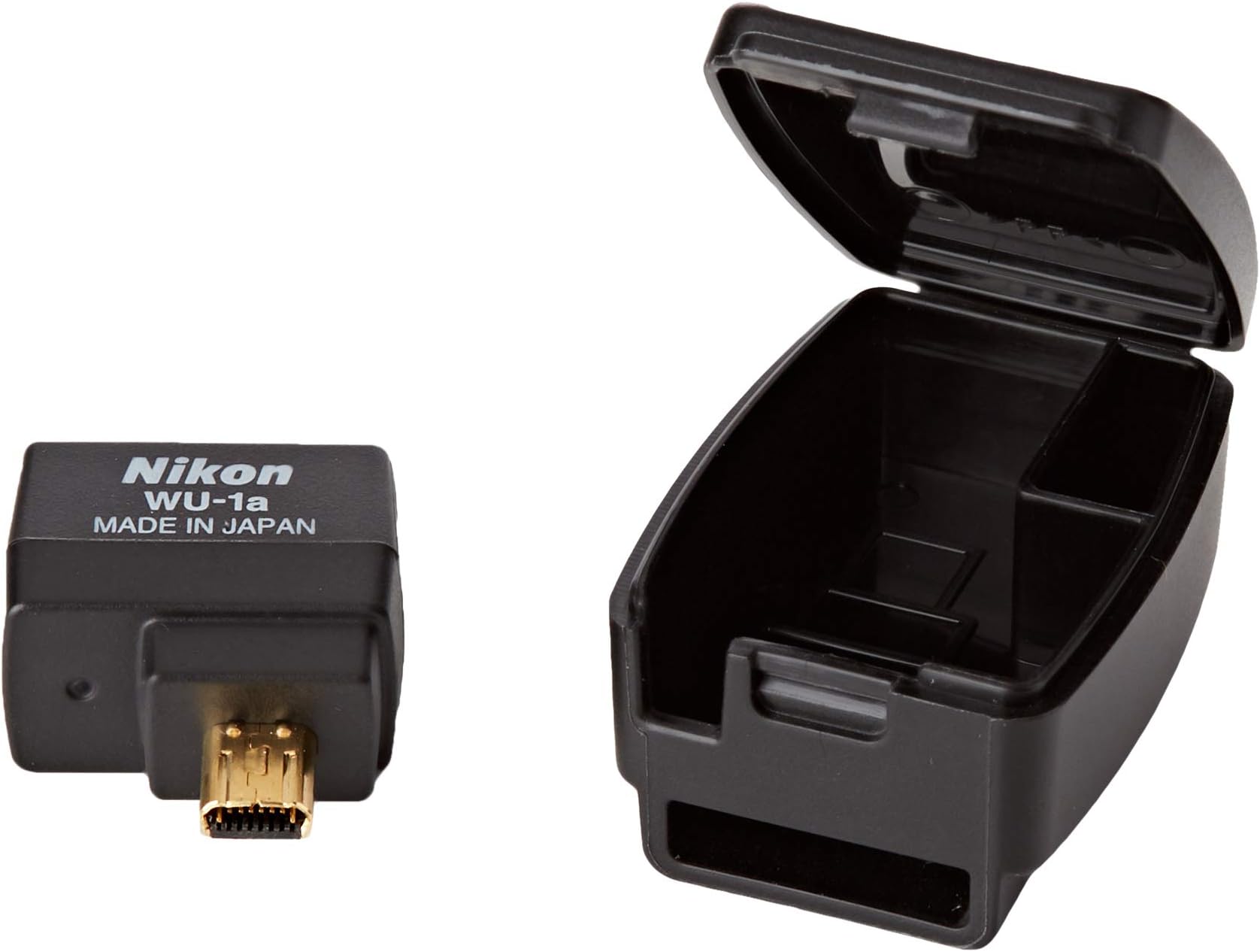
The Nikon WU-1a Wireless Mobile Adapter enables fast, reliable Wi-Fi transfer of photos from compatible Nikon cameras to smartphones, tablets, and PCs. Compact and energy-efficient, it supports remote live view and shutter control via the dedicated app, enhancing your photography workflow with seamless connectivity and minimal battery impact.


| ASIN | B007VGGIB6 |
| Best Sellers Rank | #274 in Camera Power Adapters |
| Brand | Nikon |
| Color | black |
| Compatible Devices | Smartphone, Tablet |
| Connector Type | wireless |
| Current Rating | 1 A |
| Customer Reviews | 4.1 out of 5 stars 5,333 Reviews |
| Global Trade Identification Number | 00018208270811 |
| Input Voltage | 24 volts |
| Item Dimensions | 3.54 x 3.93 x 1.96 inches |
| Item Weight | 0.04 kg |
| Item dimensions L x W x H | 3.54 x 3.93 x 1.96 inches |
| Manufacturer | Nikon |
| Mfr Part Number | 27081 |
| Model Number | WU-1a |
| Nominal Power | 24 watts |
| Number of Items | 1 |
| Number of Ports | 1 |
| Package Quantity | 1 |
| Power Plug Type | No Plug |
| UPC | 018208270811 |
| Unit Count | 1 Count |
| Warranty Type | Limited |
L**Y
Exactly what I wanted
I ordered this WU-1a to use with my shiny new D3300. I'm a total novice to DSLRs, but I wanted to be able to snap a photo and then be able to view and edit it on my iPad, since my laptop is currently thrashed. iPads notoriously have no ports for memory cards, hence the need for the wireless adapter. -How big is it? It's a little bit bigger than my thumbnail at the base. It's really not very big. Since it's so small, it doesn't really add weight or bulk to the camera, which is nice. -Does it drain my battery? I don't leave mine attached for extended periods of time. Instead, it comes with a nifty little carrying case that attaches right to your camera strap. I plug it in when I want to transmit photos, and unplug it otherwise. Since it's not constantly transmitting, the battery drain is minimal enough that I don't notice a difference between regular use and use with the wireless unit. -Is it easy to install? Yep! The instruction manual is ginormous. Most likely because it's written in several languages. I didn't even unfold it all the way (oops!) and instead, I plugged it in and looked at the instructions for attaching the included carrying case to the camera strap. After that, it was just installing the app and then connecting. If I had to pick a step that was the hardest, I would say connecting was it. It was still a snap, since I followed the advice of previous reviewers and put my phone/iPad in airplane mode and then enabled only the device's wifi network. -Does it work? YES! Within 5 minutes of the mailman handing me my Amazon package, I had wirelessly transferred 120 photos to my iPad. It's that easy. I've seen other reviewers complain about long transfer times, but I was able to transfer my photos in seconds. 50 photos takes about 15 seconds. As far as I was able to tell (novice, remember?) the photos didn't lose any of their sharpness or contrast, and the file sizes were the same as they were on the camera. -Would you recommend this? Absolutely. It works exactly how I want it to, and reliably. I got exactly what I was looking for, and would recommend this product to a friend.
A**I
Useful
Update 6/24/12 WMAU review After waiting for 2 months on Amazon I finally got the WU wireless module from somewhere else by paying an extra $25 and cancelling my order on Amazon. The module is pretty useful. Super small and comes with a cool case that attaches to your camera strap. Connects via WiFi to your phone (Android for now) and the associated wmau App (Wireless Mobile Adapter Utility) gives you the following 4 functionalities once you are connected Remotely: 1. Use the Camera to take pictures that will be downloaded and to your phone instantly. Take about a sec per pic. 2. Use the phone to take the pictures. can see the camera view live. Only provides the shutter options but it could come handy for taking family pictures on a tripod. 2. Downloads the pictures (temporary memory) for viewing on your phone in seconds. I had about 200 pics that were downloaded in about three seconds. From there you view and select the files that you actually want to download to your phone. Every time you close the app the temp pics will go away. You can select a picture or multiple pictures to download permanently to your phone. 4. You can "share" the downloaded photos. The share option gives you all the usual suspects, Facebook, Gmail, etc. I like the last two option as I am betting all my techie friends on Facebook are wondering how I posted a family picture via mobile with this quality! :) Little secret iphone10! Also, overall now that I have taken over 2000 pictures and 20 videos with D3200 all I can say to convey the quality of pictures, ease of use, speed, and other utilities made available in this camera are WOW and Love it! Money well spent and kudos to Nikon.
A**N
Quirky little widget that has greatly improved my workflow for fast uploading
I bought this along with a Nikon D7100 about six months ago, right before my son was born. It's not perfect technology, but it solves my problem of letting me use a DSLR to take good quality photos and post them to social media without having to download the pictures to the computer. I am very happy to be taking that step out of the process as it slowed me down a lot. I no longer have to sacrifice quality for speed of sharing, and the grandparents reap the benefits. I set up my shots, take my pictures while my son is in a good mood, and then I can scroll through the pictures on my iPhone 5 while I am feeding him later, processing them if I want and uploading them. A few notes: the widget does not transfer videos, but it DOES transfer RAW files. Not that I have an app that will adjust RAW settings on my iPhone, but I like to have the RAW files for posterity and I could save space on my camera by not using the RAW+FINE setting, if I wanted. The widget offers multiple options for transfer of an image, but only if you download one image at a time. And the widget also prefers to connect on wi-fi while my phone is in Airplane mode; otherwise, it drops the connection a lot. The app is also a little clunky, but oh well. I would prefer if I could download multiple full-quality images to my phone at the same time, rather than individually, but they do take up a lot of storage. I generally use Camera+ for processing the images on my phone, but I'm not 100% thrilled with the results. Often I end up just uploading the image SOOC. I used to process every single image so this is a big change for me, but I'm glad to get the images up quickly because babies don't give you a lot of time to process images. Nope, it's not perfect technology, but this is much better than my old workflow and I'm quite pleased with it! Would definitely buy again!
S**.
So easy to use! Best purchase ever for my Nikon D7100
This little gadget is amazing! Totally transformed how we get photos to out to friends. We take pictures on the go all the time and love our D7100 Nikon. However without wireless, getting pics to the phone to text out was impossible and the pics would sit on the canera forever while we got around to downloading them from the SD card to a PC. This is so immediate, so easy and I just love it! Now when we are out taking pics of kitten adoption days when we volunteeer, we can text the adoption photo to the family right then! Then straight to facebook, Without buying another camera, just for wireless. So far the app is easy and the majority of work is my teenge daughter and see has no problem getting this on her iphone and using right away. She loves the remote feature also. She can snap the shutter from her phone from a few feet away (haven't tested range). The only problem (if its really a problem) was we didn't realize that this tethered to the case, and the little case slides on to the camera strap to keep it in place. So once it's in place the way it's meant to be, it can't get lost, as I misplaced my first one, and bought a second. (I then found the first LOL) this isn't a problem as I have another camera and am so happy to have 2 now, both securely in place! I included pics, because when I was looking around I couldn't find much reference info on size, how it tethered, how it fit etc... Happy wireless photographing!
C**T
I should have read the reviews.
Around the same time I ordered this I also ordered an SD card reader that I could plug into my iPhone. If all you want is an easier way to download your photos, do that and save yourself the headache. The device itself is fine, I guess. It’s hard to say where the issues with the device end and the app you have to use it with begin since it’s only a little box with lights on it. When you go to download the app (as of today) you’ll notice it has less than 2 stars in the App Store. This is because, as many have said, it does not work. It’s slow before you even connect to the camera (and this is on iOS devices from 2019-2023), and once you do you’ll find you can’t actually download anything off of the camera. I selected a single photo, and every time I tried, no matter which device I tried from, being only a few inches from the dongle, the camera would disconnect. Of course, it didn’t really. It was still connected to the app. But for the purposes of transfer, it wouldn’t stay consistently connected long enough to send a single image. I tried over and over and then gave up. I assume it’s just a case of outdated tech no longer being supported by Nikon, which is a shame. It’s a better idea than fussing with your SD card (potentially losing it or corrupting data), but only if it works.
D**S
Great for friends and family... A total waste for Professionals.
This device itself is rather good. Small, lightweight, and well made. It performs well, and has a decent wi-fi range. Unfortunately, the device is completely dependent upon Nikon's WMU software which is, quite simply, AWFUL. I was hoping to use this transmitter to wirelessly tether my camera to my computer so that clients could see the photos I am taking as I shoot them. This is a relatively simple task and a common practice for professionals. The Nikon WMU app however, does not support this. You can NOT display images as they are being shot. It will download them as you shoot, but in order to view them the user must back out of the view mode, go back to the camera roll, let it refresh, and then go back into the view mode, and then select the new image to see it. New photos will not stream in a slideshow-type format unless you back out several screens to refresh EVERY SINGLE TIME. As for camera control... it's a trigger remote with live view. That's it. No functionality at all. I really wish this device had more usability, as the capability is there. Nikon is just not utilizing it's full potential. This device is strictly for sending your photos to a smart device so that you can share them with friends at your leisure, in a lax, non-professional setting. In that regard, the device is quite useful.
A**N
Simple!
This works amazingly well, both allowing a radio signal remote (vs the IR remote that is built into the camera) and allowing easy sharing of photos to your phone or other device. Would like to be able to link directly to computer but haven't found a way to do that yet. Need to spend more time with it. This is definitely a 5 star device if I can do that one extra thing. A 4+ if I can't. The case that comes with it is unobtrusive and attaches right to camera strap. My biggest problem was identifying which port on the camera to plug it in to. But it goes right into the USB port! DUH! My visual inspection of the port and the shape of the male connector end of the device had me convinced it needed a different port. USB is the correct port. You do then have to turn it on in the camera settings. Once set up with the App on your device it works very very well!
A**E
Un buen accesorio
Lo escribí para tener una opción de descarga de fotos de mí Nikon D3200, sin necesidad de conectarla a una computadora. En ese sentido, cumplió mis expectativas. Lo probé con un Moto g13 y una A9+ y funciona para poder bajar las fotos y compartirlas en redes con más practicidad. La función Liveview depende mucho del dispositivo que se conecte. Con el Motorola no tuve problema (latencia en la vista en vivo pero el control remoto dispara sin problema). Con la Samsung no conseguí sincronizar la vista en vivo directamente. Me parece una buena compra para darle una extensión de vida útil a mí cámara réflex DSLR, sobre todo para usar en viajes sin cargar tanto dispositivo.
A**R
Works great
This adds that little bit of versatility I wanted for my camera with out jumping up to the next level with a built in one. Works great Nikkon part.
T**S
Taugt nicht viel, getestet mit der Nikon D3200 und D5200
Hallo Liebe Leser, ich habe mir die Nikon D3200 eigentlich nur aufgrund dieses Features gekauft. Bilder direkt auf dem Display des Smartphones oder Tablets anschauen. Die Idee ist gut die Umsetzung schlecht. Vor allem große Bilder RAW (NEF Dateien), sollte man ganz deaktivieren. Die Bilder im Bildschirm Display ruckeln leicht weshalb man das ganze am besten nur mit Stativ nutzt. Die Bilder werden mit Wlan übertragen, leider nur mit 54 MBit/s, was bei größeren Bildern einfach einen Flaschenhals darstellt. Ich hatte mir den Adapter gekauft ohne mir dem Problem vorher bewusst zu sein. Trotzdem wird er zum Einsatz kommen, vor allem in Innenräumen für UWW Aufnahmen wo es auf jeden cm ankommt, sehe ich noch potential. Hier kann man die Kamera direkt an die Wand platzieren und bekommt nochmal 20-25cm Platz. Dort wo kein Platz ist, kann man mit dem passenden Objektiv und dem Adapter Bilder machen. Eine Kabelgebundene Lösung wäre wünschenswert. Vor allem für normale Aufnahmen oder eben schnelleres Lan. Für Schnappschüsse ist es momentan unbrauchbar. Was hätte man noch besser machen können? Vieles! und zwar hätte man verschiedene Belichtungen einbauen können, für HDR Aufnahmen oder Langzeitbelichtungen. Ich hatte mir Szenarien ausgemalt die Kamera am Okular eines Teleskops zu montieren. Macht so im leider wenig Sinn. Der Adapter bietet noch mehr Features, z.b. kann man die Bilder auch veröffentlichen oder hochladen. Das geschieht dann über die Android App. Ganz nützlich im Hotel oder unterwegs, genau das wollte ich haben. Bin beruflich viel Unterwegs und mache daher ab und an auch tolle Fotos. Diese kann ich dann übers Handy verbreiten. Pro: ==== +Sehr kompakt +Schöne aufbewahrung für den Kameragurt Negativ: ========= -nur 54 MBit/s, das ist zu langsam für Schnappschüsse -Im Bildschirm sehen wir nichts in Echtzeit wegen stockender Übertragung -zuwenig Möglichkeiten, wo bleibt HDR oder Langzeitbelichtung Fazit: ======= Mehr Spielerei, es fehlen einfach Bedienmöglichkeiten. Insgesamt nur wenig Anwendungsmöglichkeiten da zu langsam. Besser wäre der Adapter mit USB Anschluss damit man Smartphone oder Tablet direkt an die Kamera per Kabel anschließen kann. Momentan nur für Landschaft oder Innenaufnahmen geeignet, praktisch für Weitwinkel wo kein Platz vorhanden ist. Hier muss Nikon noch einiges Nachbessern, nicht nur am Adapter auch der App fehlen viele wichtige realisierbare Funktionen. Die App registriert sich im Autostart des Smartphones, lässt sich in den Einstellungen des App deaktivieren. Sollten weitere Verbesserungen folgen, so folgen auch meinerseits weitere Sterne. Getestet mit dem Samsung Galaxy S3. Nachtrag: ========== So ich hab hier mal unzufrieden geschrieben, mittlerweile bin ich sehr zufrieden. Ich nutze die App "DSLR Dashboard", diese unterstützt mittlerweile auch den Adapter. Die Nikon Software ist immer noch unbrauchbar. Die Dashboard Software bietet alles was man braucht selbst die Bildübertragung klappt wunderbar, die Bilder werden vorher komprimiert. Jetzt gibt es wieder 5 Punkte.
B**N
Works as advertised.
Works exactly as advertised.
D**K
Check the compatibility list and then buy- works for older cameras.
Check the compatibility list. for my Nikon Df , it works with Nikon wireless mobile unit app on iOS but not with the newer snap bridge app. It is slow in transferring files and the LCD live view switches off as soon as you connect this.works quickest with manual focus on the app or using camera to focus. Surprisingly, it is most useful with another app called qDSLRdashboard. That software isa freeware available for Android, Windows and even Mac OS X but not iOS (as yet- at least in the Indian store) It is tiny and handy, I like it but I don't think I will use it much.
T**I
WU-1a: Great hardware, poor Nikon App but there is a better App available!
Bought this to use with a Nikon D7100 DSLR. I also downloaded the free Nikon App to run on an Ipad/Iphone. The little adapter is really small, it fits on a 2p coin without going over the edge of the coin anywhere. Managed to get a connection to my Ipad with no problems and connected the Nikon app also with no problems. I did notice that by default the WU-1a created an open un-secured link. You can create a password protected connection using the Nikon Ipad app (this feature seems poorly documented) but it would seem to be too easy for a new user to leave the link un secured and presumably anyone could connect to your camera if you have the WU-1a plugged in and you are not using it yourself! I noticed a few connection problems when I first used this (dropped connections) but an internet search provided a possible solution that seemed to work for me which was to turn off Bluetooth on the Ipad. Dont know if this would work for everyone. The Nikon App is VERY basic and only allows you to download pictures and also acts as a very basic shutter release although you can get live view on your ipad. I had a look around on the net and found an app called QDSLR Dashboard (google it) that works on ipads, Iphones, PCs etc. This is MUCH better and will connect to the WU-1a allowing full wireless control of the camera settings including aperture, shutter speed, ISO etc as well as having a lot of other features. The PC version was free but the Ipad app does have a small cost, but was worth it. QDSLR Dashboard makes the WU-1a much more useful for me. The WU-1a is now a great buy! I actually quite like the concept of physically "unplugging" the wifi capability on a camera. I was never entirely happy with built in WiFi on cameras as I could never be 100% sure that it was deactivated when I didn't want to use it, but that's just me and my slightly paranoid attitude to these things!
Trustpilot
1 month ago
1 month ago