Buy anything from 5,000+ international stores. One checkout price. No surprise fees. Join 2M+ shoppers on Desertcart.
Desertcart purchases this item on your behalf and handles shipping, customs, and support to South Africa.
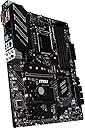
⚡ Elevate your build with MSI Z390-A PRO — where pro power meets unstoppable speed!
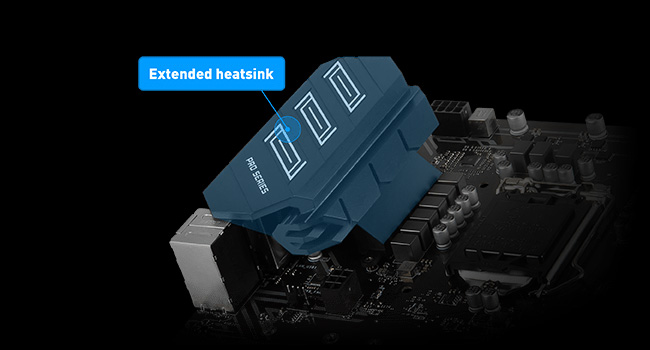
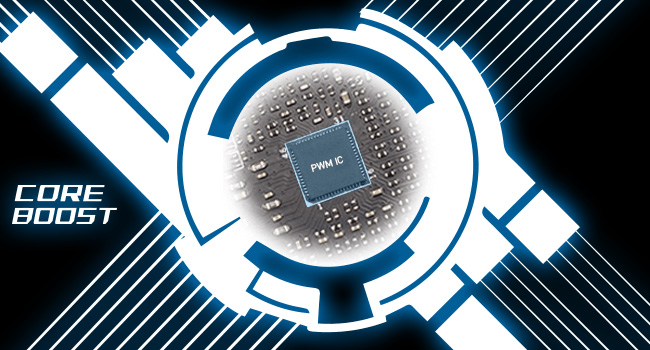
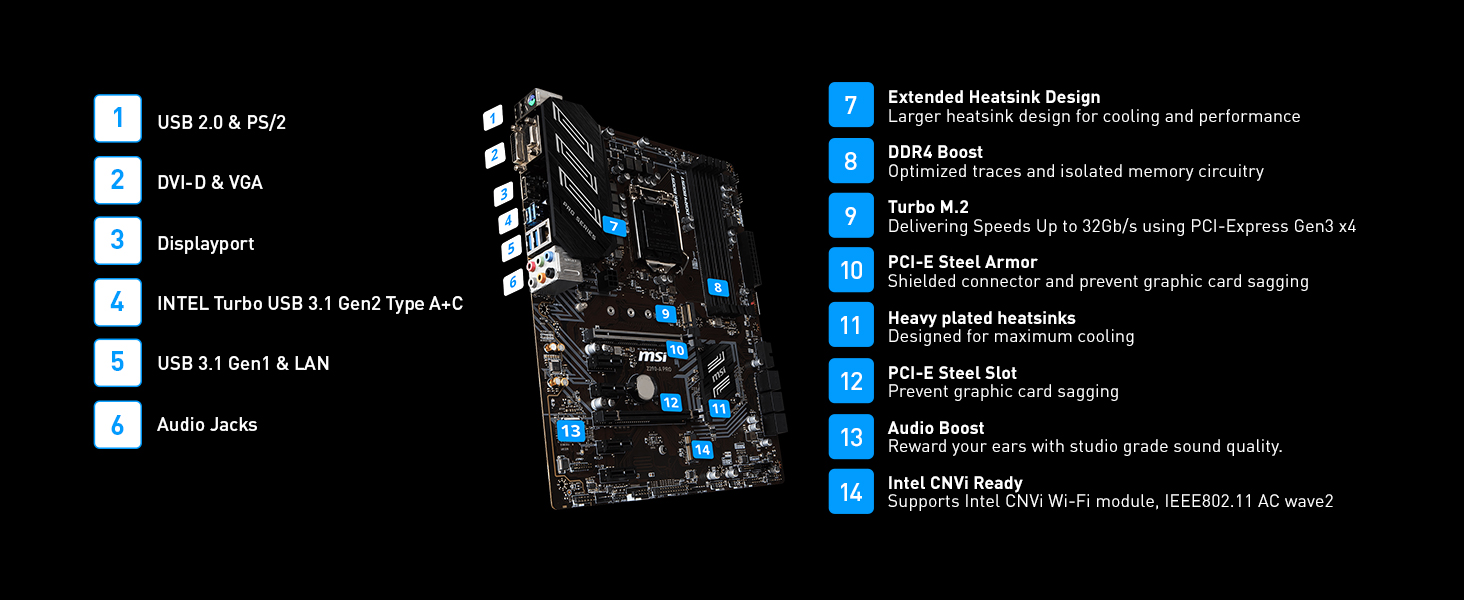
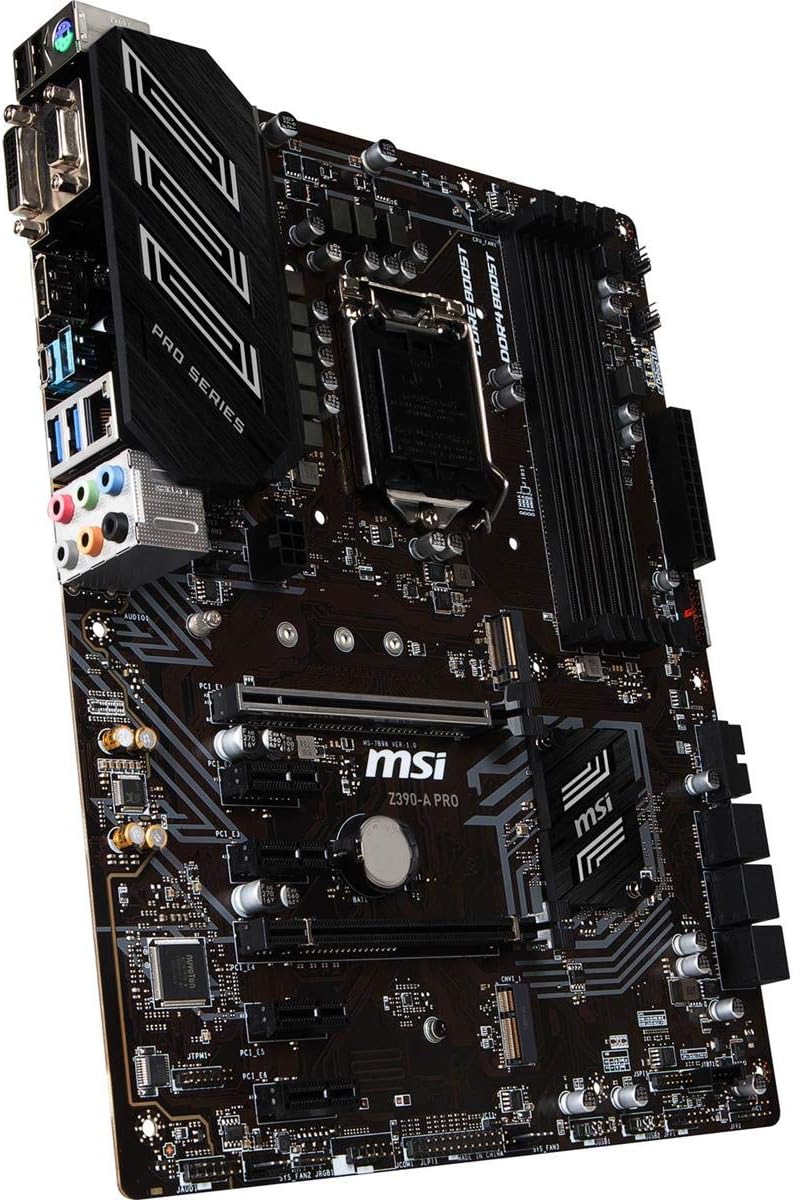
The MSI Z390-A PRO motherboard is a robust ATX platform designed for 8th and 9th Gen Intel processors, supporting high-speed DDR4 memory up to 4400MHz (OC) and featuring Turbo M.2 PCIe Gen3 x4 slots for ultra-fast NVMe SSDs. Built with enhanced cooling and Core Boost technology, it ensures stable performance for demanding professional and gaming setups. With Intel USB 3.1 Gen2 and dual Gigabit LAN, it offers cutting-edge connectivity, making it a reliable choice for productivity and multi-GPU configurations.


| ASIN | B07J6Z9KJ2 |
| Best Sellers Rank | #174 in Computer Motherboards |
| Brand | msi |
| Built-In Media | Gaming motherboard, cables and connectors, quick setup guide |
| CPU Model | Pentium |
| CPU Socket | LGA 1151 |
| Chipset Type | Intel Z390 |
| Compatible Devices | Gaming Console, Personal Computer |
| Compatible Processors | 8th Generation Intel Core , 9th Generation Intel Core, Intel Celeron, Intel Pentium Gold |
| Customer Reviews | 4.6 out of 5 stars 4,817 Reviews |
| Global Trade Identification Number | 00824142169544 |
| Graphics Card Interface | PCI Express |
| Item Dimensions L x W x H | 9.6"L x 2.5"W x 12"H |
| Item Type Name | Z390-A PRO |
| Item Weight | 100 Grams |
| Main Power Connector Type | ATX |
| Manufacturer | MSI Computer |
| Memory Clock Speed | 4400 MHz |
| Memory Slots Available | 4.0 |
| Memory Storage Capacity | 64 GB |
| Mfr Part Number | Z390-A PRO |
| Model Name | Z390-A PRO |
| Model Number | Z390-A PRO |
| Number of Ethernet Ports | 1 |
| Number of Ports | 17 |
| Platform | Windows 10 |
| Processor Socket | LGA 1151 |
| RAM Memory Technology | DDR4 |
| Ram Memory Maximum Size | 128 GB |
| S/PDIF Connector Type | Optical |
| System Bus Standard Supported | SATA 3 |
| Total Number of HDMI Ports | 1 |
| Total PCIe Ports | 5 |
| Total SATA Ports | 6 |
| Total Usb Ports | 12 |
| UPC | 824142169544 |
| USB 2.0 | 6 |
| Warranty Description | 3 Years |
W**F
Amazing product! DOES come with M.2 Screw!
MSI Hits it out of the park again! Keep in mind that the "PRO" part of this model, not everything is beginner friendly, although MSI's technical support will happily help you with your build. I would say this motherboard has so many OC features that it would be a waste to use this without an unlocked (K model) CPU. All the 1-3 star reviews are people who either won't read instructions or don't want to call MSI support when they don't know what they did wrong. I paired this with i7 9700K, G.Skill 3600MHz RAM, GTX 1080 Ti, Samsung M.2 SSD and an acer 144Hz monitor. Everything worked great with minimal setup! First boot I opened BIOS and clicked XMP and this MB auto detected a good 3600MHz profile for my RAM. I have adjusted some settings in "expert mode" to make the CPU turbo boost all cores and disabled clocking down for AVX instructions (heat warning!). In benchmarks it maintains 4.85GHz across all cores at once on air cooling (stock limits to 4.6GHz all cores and AVX safety can drag it down more). FireStrike 3D scores improved 15% with max temps reaching 70C so there is even more room to OC. Notes that may help others avoid issues: The M.2 Screw is incredibly tiny and is in a very tiny bag that is easy to miss, but it is there. I even called tech support before I looked more carefully and found it in the box. The M.2 slot when in SATA Mode will take over SATA Slot 1. It will literally replace the slot in the BIOS. If you can't find a drive, that is probably it. The extra 6 pin on the motherboard near the PCI Express lanes are for if you are using two high power draw GPUs (e.g dual 1080 ti or 2080). With one GPU it is not necessary and will not affect performance. If you don't install from an up to date version of Windows 10, the ethernet port likely won't be detected or usable until you install the network drivers from disk or USB. This does not affect wireless. Windows 7 of course is not supported but that has nothing to do with the motherboard, it's the fact that no 8th gen intel CPUs will run windows 7. Any complaints about this are completely misdirected and should be going at Intel. PROS: Designed for OC and high performance gaming Tons of features for beginners and experts Lightning fast USB C 3.1 port in the back plus headers Builtin POST Speaker Mystic RGB headers Lots of headers! Easy OC ranging from no skill to expert level. Has OC settings specific to Intel's 9th gen chips XMP just works M.2 storage and M.2 bluetooth slots RAID Controller It's a motherboard from MSI Con: The only thing remotely negative about this is the noticeable (or almost loud) pop/click when the motherboard powers on. This is not worth a lower rating and it's not much of a con unless you are overly sensitive to computer noises. It's the sound of a solid relay activating to power on your devices and is reminiscent of many years ago when electrical components were overbuilt and could last for decades.
A**T
The budget z490 series board gamers need!
If you want a great budget board for your new 10th gen Intel core cpu, this is the one for you! MSI has a great BIOS layout, quick BIOS flash options (so easy even I can update the BIOS), and rock solid build quality. All connections went well, two available M2 slots (once way down on the board away from heat sources), and plenty of system fan connectors (all can be smart controlled) make this board a nice and simple platform for any build. Sure, its not flashy, but it has all the features that the falshy-er MSI boards have at a lower cost (who really needs RGB on a mobo?). Zero problems on first boot, easily OCed my 10600k to 5GHz dynamic clock, 45 ring ratio, 1.29v w/ adjustable voltage and enabled XMP without issue. Running Valorant at 400+ fps average, no drops below 250 in-game. Core System: MSI z490 A-Pro i5-10600k Noctua NH-U12S cooler MSI 5700xt
C**.
Great price for a Good buy.
I had bought this motherboard to upgrade my current system, I find it perfect for beginners, as you can buy an Intel Core i3 9100F for 80 dollars and you can easily run this system. This motherboard can handle up to 32gb of ram, it has plenty of headers for fans so you don't have to buy a fan splitter to fit all those fans in your case without having to worry about power. I also enjoyed the fact that the case power plugin was displayed on the motherboard making it easier to install this setup, perfect for new gamers or anyone trying to build their own pc. 1 of the cheaper boards but works just as well as any other out there, I definitely recommend the MSI Z390 A-PRO, and for new gamers, this is the perfect motherboard for anyone with an eighth gen processor but wanna save up for an i9, this motherboard will support up to an Intel I9 9900K. So get this board today for the best experience ever.
R**N
Smoothest upgrade ever in 40 years of bulding computers
Upgraded from an early model Z370 series motherboard that didn't support series 9000 processors or ram faster than 2666 MHz. I was a little leery since I am running Windows 11 developer's preview version and didn't want to do a full clean install. But as it turned out, I had no reason to be concerned. The first boot into Windows went smooth as silk. My M.2 Intel SSD boot drive and the existing install were immediately recognized. Windows 11 found and installed all drivers without a hitch. I did have to update a couple of them but otherwise no issues. The next step was to see how easy it is to overclock. The documentation that comes in the box is limited to a graphic Quick Start sheet that is pretty much useless. But I located the manual on the website and gained enough info to get the job done. Novice builders beware. If you are new to building systems I would recommend a different board with better documentation. Also don't waste your time with Dragon Center, the manufacturer's Windows utility. That is about the most worthless piece of junk software I have ever seen. But I have turbo boost set to 4.8 GHz on my i5-8600K CPU. And I am only running 16 GB of 2666 MHz DDR4. But the benchmark scores are fantastic. And I haven't touched the CPU base clock yet. Price was great. Install smooth. Performance excellent. Next step, upgrade to 3200 MHz ram and eventually an i7-9700K. Update 3-7-2022 - Well, the prices on an i7-9700K are totally ridiculous but I found a sweet deal on a 9700KF so I grabbed it up. The only difference between the two CPUs is the KF doesn't have integrated graphics. I have a discrete card so that wasn't an issue. I am currently running OC'd at 5.0 GHz and my Passmark benchmarked over 35% higher than with the 8600K. Also have my memory running at 3060 Mhz instead of 2667. Temps don't exceed the mid 60s C running CPU-Z stress test. Not bad on an air cooler. Final note - I did switch back to Windows 10 Pro 64 bit. Still the way to go with Windows period.
A**X
A good motherboard for 10th Gen Intel Processors
I finally updated my PC with this motherboard and a Core i7 processor. I use this mostly for telecommuting, so it is more than I need, but I'll probably keep this configuration for 8 - 10 years - it gives me flexibility for technology changes that are sure to come. I did find that the CPU power cables are difficult to plug in if the CPU cooler is in place. I would have liked one more USB 2.0 header, but I was able to set it up with 4 front-panel USB ports. I'm not using the more modern (3.2) USB connector yet, so that gives me some room to expand in the future. I could have used a bit more space for the Power LED connector - the one for my old case takes the room for 3 pins, but this motherboard only provides space for 2 pins. A trip to my junk box and a few minutes with the soldering iron resulted in a cable that is working well. A newer case probably wouldn't have this issue. My biggest issue isn't MSI's fault - I wanted to use a motherboard video port for one monitor - I found in MSI's FAQ that the current Intel chipset doesn't permit the use of both a video card (or cards) and the use of the on-board video. I wish this was something I had seen in the Amazon description ... My current setup uses 2 MSI video cards, plus a USB adapter for my 3rd monitor. I can probably drive that monitor from another port on one of the video cards - I just need a few minutes to reconfigure things (again!). Overall, I'm glad I got this motherboard - it keeps things so cool that my fans are barely running, so the system is very quiet. Installation of Win-10 Pro was easy, as was the installation of MSI's drivers and utilities. I still need to copy over a bunch of software & data from my old system to the M.2 SSD, but it is up and running through my employer's VPN and I have an Internet radio station playing in the background. A very good motherboard for me.
C**E
Great product
It was sipped fast, it was nicely packaged and everything was right there, it’s a good motherboard and it’s great if you need something that fits a case
E**C
Great Motherboard for the Price
Great Motherboard for the price. It has a solid build and good features / functionality. It is by no means cheap, but it is affordable. Let's get the obvious out of the road... I had the same issue with the M2 screw missing as everyone else. I ordered an M2 screw kit off of Amazon for $8.52 which I should not have had to do but it can't hurt to have a few extra M2 screws. The mb came with the usual mounting screws, standoffs, mb backplate / IO shield and I believe it may have had 2 sata cables. As far as the motherboard goes, it was a very smooth install. During the install, I added an NVMe drive (Crucial P1 500GB 3D NAND NVMe PCIe M.2 SSD - CT500P1SSD8) with no issues (besides the missing M2 screw). I flashed the MB to the current firmware. I used a Corsair Power Supply (Corsair CX Series 650 Watt 80 Plus Bronze Certified Modular Power Supply (CP-9020103-NA)). Adding the CPU and memory were "put it in and go" processes (with the exception of spending time to find stable overclocks after the build was complete). Installed an AIO Liquid CPU Cooler (CORSAIR HYDRO Series H100i PRO) due to overclocking. Backplate and Cooler Fit the mb with no issues. This mb runs very well!
C**.
Does the job and is working fine with relatively new tech
I replaced an older version of this same motherboard, and part of me expected to have issues. I did not. It still works with an i9 processor, and though it won't work with the latest PCIe SSD cards, it does work with some. Additionally, the socket type is supported for some i9 processors, which means it is capable of running with the latest processors. I think my primary concerns with the board were how it would handle my 7 fans I have for my case, but, again, that was not an issue. Overall, price point and standardization of the board make it a decent purchase for someone looking to get a board that works with near-top of the current specs of gaming machines. It is affordable and allows you to spend that money on some of the pricier components such as graphics cards or processors.
A**S
Best MSI board I've used in a long time.
Honestly I'm not an MSI fan. I've had boards of theirs fail far too many times over the years. However at the price point, it was worth taking a chance and hoping that MSI had finally gotten something right. And they have. The Z590-A Pro is a great board, well designed with a solid layout and a simple black and grey color scheme. Component layout for SATA ports and the included 3 M.2 slots is excellent. Just keep in mind you cannot use the first M.2 without an 11th gen chip. The only complaint I have with the Z590-A Pro is the BIOS/UEFI is cluttered and not very friendly to overclockers. Lots of options are hidden in menu after menu and voltage adjustment options make very little sense. It's not the worst BIOS layout I've ever encountered, that crown goes to Gigabyte still, but it's not on the level of Asus' high end designs or EVGA. So overall, this motherboard is a success. A few small complaints here and there but they do not ruin the overall experience. Also works well with Windows 11, however the TPM is not turned on by default.
L**D
space between motherboard and tower case
Had some difficulties with space between motherboard and tower case, making it difficult to install video card, so I bought a GIGABYTE Z390 AORUS PRO Wi-Fi (Intel LGA1151/Z390/ATX/2xM.2 Thermal Guard/Onboard AC Wi-Fi/RGB Fusion/Gaming Motherboard) a better motherboard.
C**O
Muy buena
Todo está muy bien y si acaso estaría bien tener un poco de rgb en el chipset o un pequeño ventilador pero de allí en fuera es muy buena la calidad .
J**E
Does what it says on the Tin
Bought this a s replacement board for my 8th gen I7 as after 2 years my Gigabyte board decide to not work on PCIE x 16. As this was a maintenance replacement I wasn't expecting much but was surprised by the performance. The vendor was extremely friendly and customer oriented and gave great pre-sales advice on this product. 5 Stars to the seller for being honest and helpful.
G**E
No Wifi onboard
Amazon description is incorrect as this motherboard does not have onboard Wifi 6. Neither does it have the Key E m.2 slot needed to add an Intel Wifi 6 module - you'll need an adapter to fit it to one of the two Key M slots or to pcie. Otherwise a good mobo though.
Trustpilot
3 days ago
1 day ago