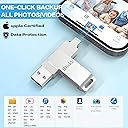
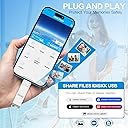
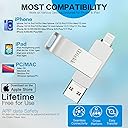
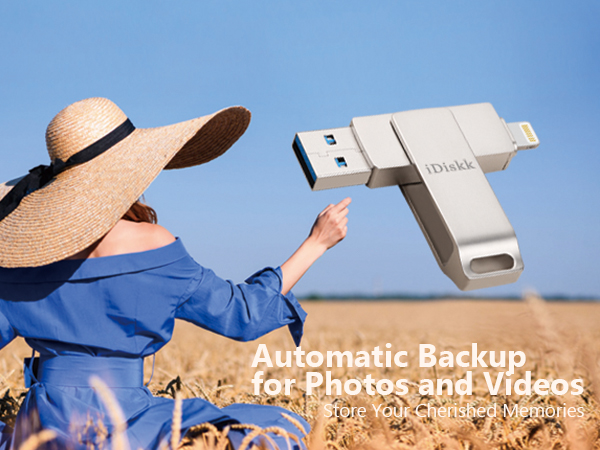
🚀 Unlock your iPhone’s full potential with storage that keeps up with your life!
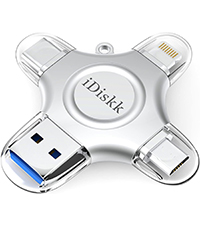
The iDiskk 256GB iPhone Photo Storage Stick is an MFi certified, ultra-compact flash drive designed for seamless, high-speed data transfer and backup across iPhone, iPad, Mac, and PC. With USB 3.0 technology, it delivers rapid 100MB/s read speeds, supports direct media playback, and offers encrypted privacy protection—all in a sleek, portable design that frees up your device storage instantly.

| Read Speed | 100 Megabytes Per Second |
| Connectivity Technology | USB |
| Model Name | iDiskk-U006 |
| Product Dimensions | 2.36"D x 0.55"W x 0.35"H |
| Flash Memory Type | USB |
| Manufacturer | iDiskk |
| Hardware Connectivity Technology | Lightning |
| Global Trade Identification Number | 06939277090268 |
| Item model number | iDiskk-U006-256GB |
| Hardware Platform | PC |
| Item Weight | 0.705 ounces |
| Item Dimensions LxWxH | 2.56 x 0.51 x 0.35 inches |
| Flash Memory Size | 250 GB |
| ASIN | B07GPB7YF3 |
| Is Discontinued By Manufacturer | No |
| Date First Available | August 21, 2018 |
J**Y
Free up space from “photo overload” on your cell !
This shiny silver device worked well once the user become familiar with the software. Photos load fast and transfer quickly to the drive; once transferred to the drive, they can be erased from one’s iPhone to free up space. The device is sleek and manipulates well after use, to protect the ports. The instructions are in English, are fairly understandable unlike others from overseas.
C**R
Nifty but not enough
Item works as advertised but didn't realize it's impossible to create a full backup of a phone with any of these drives. Was hoping to be able to backup phones on the fly as i work with many at once.
T**Y
Can't delete stuff when it transfers
Cons: 1. This doesn't have an option to automatically delete the stuff you are transferring over. Example: I needed more room on my phone, so I got this. But every time I move 100 videos to this external thumbdrive, I then need to go back and get those exact pictures off of my phone to delete them to create space. It's a nuisance. The workaround is that I've created an album on my iPhone and it is called "Videos to Computer". Every time I need to move a bunch, I first add them to that album. Then I copy and paste them to the thumbdrive. After they successfully transfer to my computer, I go back to that album and delete them (not just from the album but from all locations on my phone). 2. One side of the thumbdrive is always exposed due to the way that the thumbdrive flips over itself to cover one side at a time. It hasn't been an issue to me personally but I could see it bothering some people. Pros: 1. It is pretty quick and easy to use. More or less like any thumbdrive but with the app for the iPhone that makes copying and pasting easy. 2. It's compact so I keep it in my purse for whenever I need to create extra space on my phone. 3. The one I bought has quite a bit of storage so it's nice to free up a good amount of space at a time.
T**E
Works well for iPhone SE to MacBook Pro
Works with iPhone SE to MacBook Pro. I had to format the idiskk for it to work. This is easily done in the settings menu. Now I can have more free space on my phone by transferring pictures and videos.
T**E
Really Easy to Use, App downloads when you plug it in
As a photographer, I’m constantly managing large photo and video files—and this double-sided 1TB USB drive has been a game-changer. The lightning and USB-C combo makes it super easy to transfer files directly from my iPhone or iPad and then back them up to my computer or external drive. If you’re someone who takes a lot of photos or videos (especially in RAW or 4K), don’t wait until your iPhone is full. Regularly backing up to a drive like this keeps your phone running smooth and saves you from that dreaded “Storage Full” warning right when you’re about to capture something important. Just make sure to safely eject and organize files as you go so your backups stay clean. Pro tip: Back up once a week, and don’t use your iPhone as long-term storage—it’s a tool, not a vault. Highly recommend for creators and everyday users who want an easy, on-the-go solution to manage their content!
T**K
warning for PC owners editing iPhone video files imported via this flash drive to your PC
For the last few years, I have been editing video on my PC from shows I attend. Eventually, I arrived at the iPhone as a necessity as it can handle 'loud' concert audio with minimal to nonexistent clipping or distortion. The 'rub' is getting the files from the iPhone to my PC. More often than not, these files are HUGE as I often let the phone record the whole show. In order to get the video files off my phone, I had to use a cable to attach the phone to my PC USB, which often took a long time, sometimes hours because if the download failed, I would have to reboot both the iPhone and PC and start the download again. For a show, this sometimes took hours of rebooting and restarting the download. So I discovered this, a flash drive w/ an iPhone/USB jacks I bought the 265gb. Initially, out of the box, the instructions seemed pretty straight forward. You have to download an app, a pop up opens to go to the App store the first time you plug the flash to your phone. After download, I tried transferring one 1.3gb file. In the app, you chose the file you want to transfer, then 'copy' it. Moving it to my destination, my PC, I select the PC and paste it. It took a few minutes, but so far so good for the file to download. The issue came when I tried to run the file that I transferred over from the iPhone. Even though it still reads as a .MOV or MP4, it won't play the VIDEO in the microsoft video player or Windows media player, you just hear the audio, but it will play in the VLC player. From what I gathered, Microsoft removed the HEVC video extension from Windows 10. My PC's w/ older operating systems can play this file with the regular windows players but my newer PC w/ Windows 10 will not. Turns out you have to buy the codec from the Microsoft store for $0.99 to play the video on your PC w/ anything other than a VLC player. For video editing, I had to also shell out $5.99 to get the codec in order for my editing software to recognise the file :P. Again, the older version of my video editing software was able to play this file, but my upgraded newer software will not play it at all. So that's the warning. Even though moving the file from my iPhone to the drive was pretty straight forward after you install the app. Somewhere along the lines, the file gets changed to a different file requiring an HVEC video extension to play. My editing software can handle the files I download directly (by cable) from my iPhone to my PC, but the same file that I transferred using this flash drive has been converted and you will need to get the HVEC extension (unless you've downloaded the VLC player, which will play it) *** Extra Extra Warning, there's a limit to the size of file you can upload to the drive. I was able to move a 1.3gb file in my above review, but when I tried to upload larger video files to the flash drive, I got a warning that the file was too large. I haven't found anything to say what the max file you can upload, but it kind of defeats the purpose of getting the 256gb flash drive when you can't move large files (nowadays, files are HUGE) if you are limited by the file size you can upload. The video I was able to upload onto the flash was 23 minutes long. I was unable to upload a 30 minute file video :P Dropped my rating from 4 stars to 3 stars. It still works fairly well as a flash drive to pull smaller files off your iPhone (though the conversion of a video file is annoying), but now I have an over priced iPhone flash drive that won't do what I hoped it would do when I purchased it....back to the hours of trying to download from my iPhone via cable :(
D**2
Easy to use.
I was going to give it a bad review because my phone wouldn't read it. Darn thing sat on my desk for over a month. I decided to investigate gain before review. As it turned out the cover on the phone was keeping the flash drive from plugging in completely. So close it fooled me at first but worked immediately after removing phone cover. It really seemed plugged in but alas it was not. works great!!
T**A
POS!
This device did nothing it said it would do as it said it would do it! It is a piece of crap! I did however get a good email response from the company to respond to my request for help. I am disabled & the co. Tried to accommodate that at least. They. Even had someone call me to try and walk me through the set up or copying of my files. I had to wait awhile to use it because I was waiting on my new iPad to arrive. Apple technicians attempted to help me back up my material as well & couldn’t!!! If an apple technician can’t figure it out then I don’t know who can! . It does not read the same amount of photos that are on my iPad. It made duplicate copies randomly. It will not copy my contacts at all. This product is not as described & is extremely difficult to use! It is not iPad friendly and I wouldn’t recommend it with any apple product. The young lady who called me late at night when I was awake on my schedule was very kind and attempted to be helpful. I think she is going to have to contact China to get a technician to actually help me that knows what they’re doing. She was just following along on her iPad doing the same thing I was doing. I can’t say enough negative things about this product it has taken up hours of my life that I will never get back over three days and I’m still not finished. I hope I’m able to return it in the end , if it cannot be corrected. I am terrified it’s going to wipe the data off of my iPad because I can’t tell when it’s working from the Flash drive and when it’s on my tablet. Extremely difficult device to work with. Don’t waste your money! if I could give it a zero I would!
Trustpilot
2 weeks ago
2 weeks ago