Desertcart purchases this item on your behalf and handles shipping, customs, and support to South Africa.
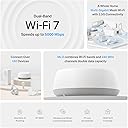
🚀 Elevate your home network to WiFi 7 — speed, coverage, and security that keeps you ahead.
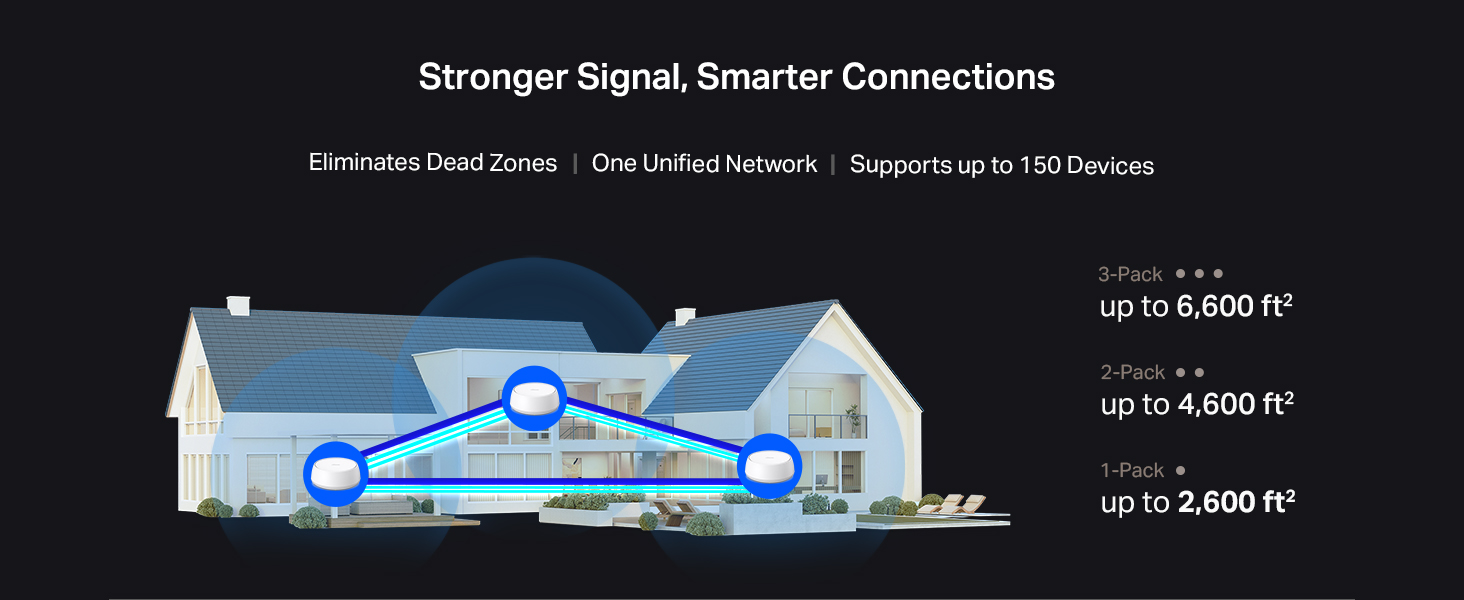
The TP-Link Deco BE5000 WiFi 7 Mesh Router delivers ultra-fast dual-band speeds up to 5Gbps, supports over 150 devices simultaneously, and covers up to 3,500 sq. ft. Its advanced Multi-Link Operation enhances connection stability, while 2.5Gbps Ethernet ports provide blazing wired speeds. With built-in HomeShield security and easy app/Alexa control, it’s designed for seamless, secure, and future-proof home networking.


| ASIN | B0DKVKLJX3 |
| Antenna Location | Home |
| Antenna Type | Internal |
| Best Sellers Rank | #27,647 in Computers & Accessories ( See Top 100 in Computers & Accessories ) #130 in Routers (Computers & Accessories) |
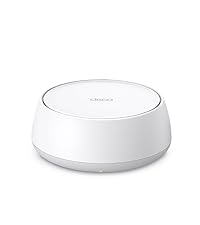
| Box Contents | 1 Deco BE25 unit, 1 Power adapter, 1 RJ45 Ethernet cable, Quick Installation Guide |
| Brand | TP-Link |
| Brand Name | TP-Link |
| Colour | White |
| Compatible Devices | Gaming Console, Personal Computer, Smart Television, Smartphone, Tablet |
| Connectivity Protocol | Wi-Fi, Ethernet |
| Connectivity Technology | Wi-Fi |
| Control Method | Voice |
| Controller Type | App Control |
| Coverage | 2600 square foot |
| Customer Reviews | 4.3 out of 5 stars 260 Reviews |
| Data Transfer Rate | 2882 Megabits Per Second |
| Frequency | 5 GHz |
| Frequency Band Class | Dual-Band |
| Is Modem Compatible | No |
| Item Weight Unit of Measure | 1.12 Pounds |
| LAN Port Bandwidth | 2.5G |
| Manufacturer | TP-Link |
| Manufacturer Part Number | Deco BE25(1-Pack) |
| Maximum Upstream Data Transfer Rate | 1441 Megabits Per Second |
| Model Name | Deco BE25(1-pack) |
| Model Number | Deco BE25(1-Pack) |
| Number of Antennas | 2 |
| Number of Ports | 2 |
| Operating System | RouterOS |
| Other Special Features of the Product | Access Point Mode, Alexa Compatible, Guest Mode |
| Security Protocol | WPA2-PSK |
| Special Feature | Access Point Mode, Alexa Compatible, Guest Mode |
| UPC | 810142820332 |
| Wi-Fi Generation | WiFi 7 |
| Wireless Communication Standard | 802.11.be, 802.11ac, 802.11ax, 802.11g, 802.11n |
| Wireless Compability | 802.11.be, 802.11ac, 802.11ax, 802.11g, 802.11n |
C**L
Straightforward installation
Easy to install, 2 level house no problem, strong signal all over
A**Z
Excelente
Lo compré para reemplazar un modelo M5. Fácil de configurar, un alcance excelente y la velocidad de wifi de mi laptop mejoró ya que usa WIFI7. El tamaño es mayor al modelo que tenía antes, pero se ve muy bien por su diseño. Cero desconexiones de equipos personales y IOT de casa que los separa en otra red para seguridad
U**E
Muy buen producto
Funciona muy bien, se mantiene la velocidad en toda la casa y no se perciben los cambios entre todos. Recomendable
C**W
Great router and even better app to go along with it
Works great and has improved our Wi-Fi throughout our house. I also appreciate the app as it allows me real time monitoring of who joins my network and has virus protection built-in on the app
M**L
Essential Upgrade for Bell Giga Hub Users! WiFi 7 Stability in Downtown Condos
I have a 3Gbps fiber plan with Bell in a 600 sq. ft. downtown Toronto condo. Even though I’m using Bell's latest Giga Hub 2.0 (WiFi 7), the signal struggled because the modem is tucked away in the laundry closet. After testing the TP-Link Deco BE25 (WiFi 7), the improvement in stability and speed—especially upload—is staggering. The "Battle of WiFi 7" (Real-World Benchmarks): I ran side-by-side tests from my living room, and the results speak for themselves: * Bell Giga Hub 2.0 (WiFi 7): 1133 Mbps Down / 220 Mbps Up. * TP-Link Deco BE25 (WiFi 7): 1490 Mbps Down / 1451 Mbps Up. * Wired via uGreen 2.5G Switch: 2279 Mbps Down / 2358 Mbps Up. The most shocking part? The Deco delivered over 6 times the upload speed compared to the Giga Hub 2.0. In a condo environment with lots of interference, having a symmetrical 1.4Gbps connection over WiFi is incredible for my NAS backups and trading sessions. Pro Setup Tip: To maximize performance, I set the Deco to Access Point mode and disabled the WiFi radios on the Bell Giga Hub. This prevents signal "noise" and lets the Deco’s WiFi 7 tech handle the traffic efficiently. * Pros: * Incredible Upload Speeds: Solves the common "slow upload" issue on ISP routers. * WiFi 7 & 2.5G Ports: Perfectly matches high-tier fiber plans (3Gbps+). * Condo Friendly: Overcomes the "modem in a closet" problem common in Toronto. * Stability: No more quality drops during 4K streaming or video calls. Cons: * Requires Permanent Wired Connection: Unlike some simple extenders, the main Deco unit must be physically connected to your modem via Ethernet at all times. This can be a limitation if your modem is in a tight spot (like a laundry closet). * Port Limitation: Since one of the ports is dedicated to the modem, you are left with only one extra 2.5Gbps port for your other devices (I solved this by adding a uGreen 2.5G switch). Final Verdict: If you are on a high-speed Bell plan, the Giga Hub 2.0’s placement is likely limiting your potential. Adding a Deco BE25 isn't just an "extra"; it's how you actually get the speeds you’re paying for. An absolute must-have for power users.
Trustpilot
4 days ago
1 month ago