Desertcart purchases this item on your behalf and handles shipping, customs, and support to South Africa.
๐ Elevate your home network to WiFi 7 speed and security โ because buffering is so last decade!
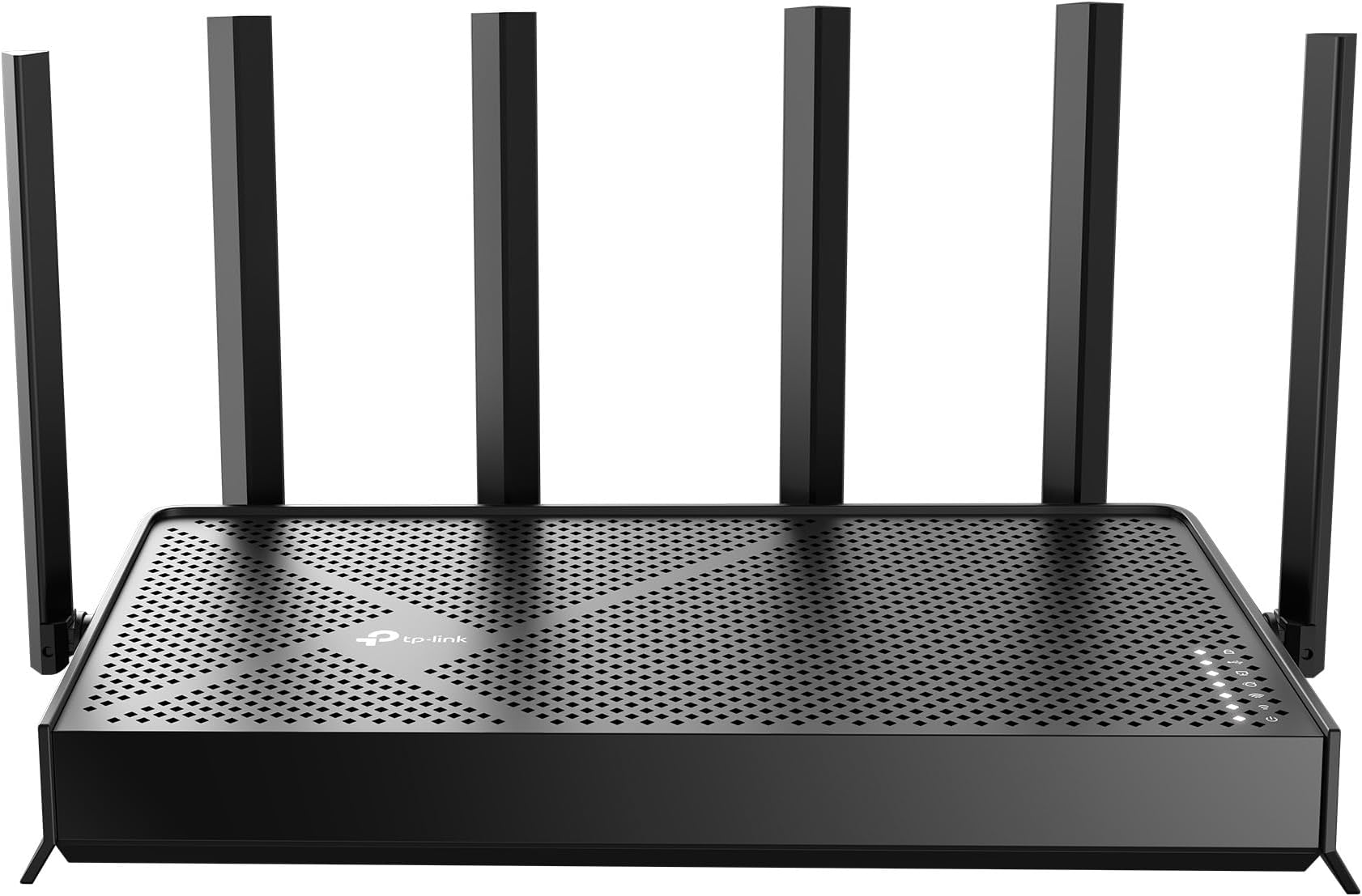
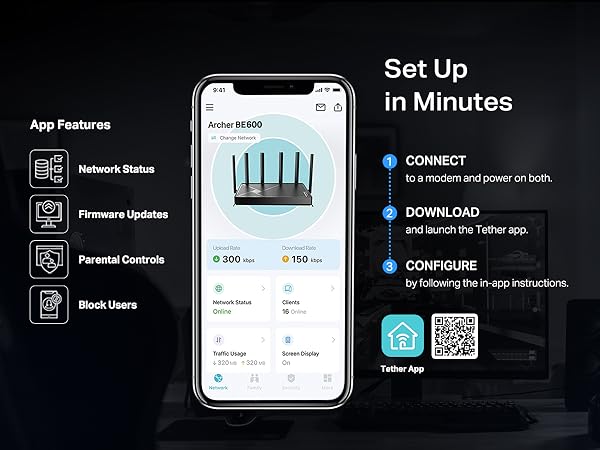
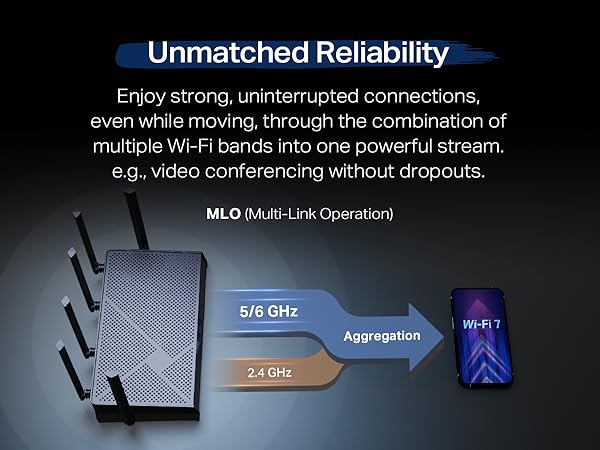
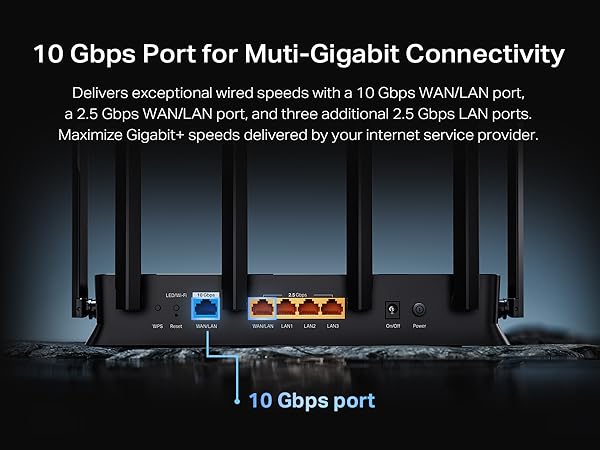
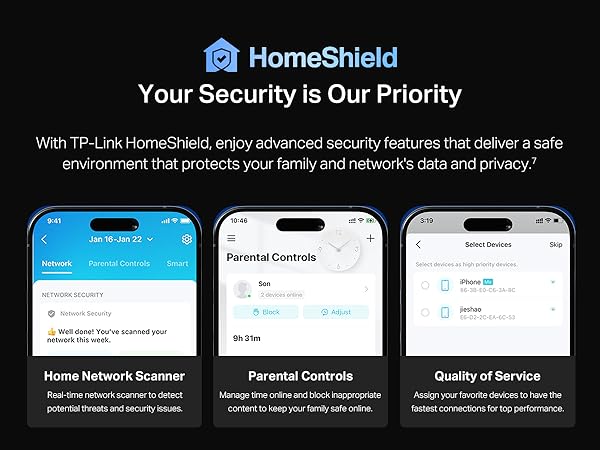
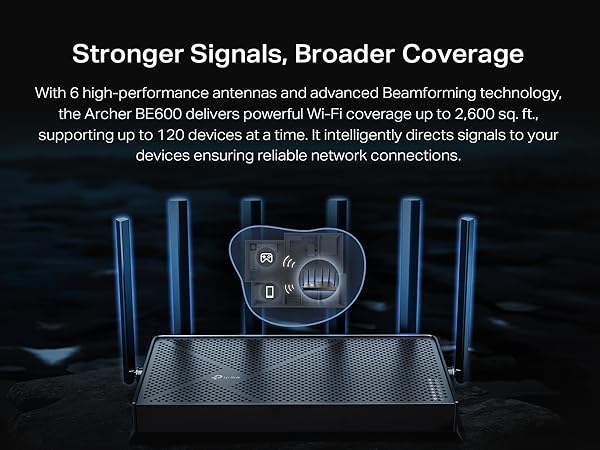
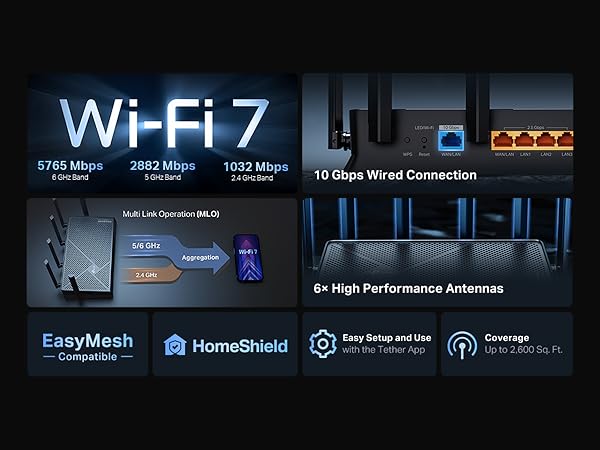
The TP-Link Archer BE600 is a cutting-edge Tri-Band WiFi 7 router delivering a combined wireless speed of 9.7 Gbps across 6 GHz, 5 GHz, and 2.4 GHz bands. Equipped with a 10 Gbps WAN/LAN port and multiple 2.5 Gbps LAN ports, it supports multi-gigabit wired connections. Its six internal antennas and beamforming technology provide expansive coverage up to 2,600 sq. ft., handling up to 120 devices simultaneously. Advanced security features include TP-Link HomeShield with real-time threat detection, parental controls, and WPA3 encryption. Compatible with Alexa and Google Assistant, it offers easy setup and management via the Tether app, making it ideal for high-demand smart homes and professional environments.


| ASIN | B0F76PQ2T8 |
| Antenna Location | Gaming, Home |
| Antenna Type | Internal |
| Best Sellers Rank | #18 in Computers & Accessories ( See Top 100 in Computers & Accessories ) #2 in Computer Routers |
| Brand | TP-Link |
| Built-In Media | 1 x Power Adapter, 1 x Quick Installation Guide, 1 x RJ45 Ethernet Cable, 1 x Wi-Fi 7 Router Archer BE600 |
| Color | Black |
| Compatible Devices | Gaming Console, Personal Computer, Smart Television, Smartphone, Tablet |
| Connectivity Protocol | Wi-Fi, Ethernet, USB |
| Connectivity Range | 2600 Square Feet |
| Connectivity Technology | Ethernet, USB, Wi-Fi |
| Control Method | App, Remote, Voice |
| Controller Type | App Control, Voice Control |
| Coverage | 2600sqft |
| Customer Reviews | 4.3 out of 5 stars 439 Reviews |
| Data Transfer Rate | 9.7 Gigabits Per Second |
| Frequency | 6 GHz |
| Frequency Band Class | Tri-Band |
| Has Internet Connectivity | Yes |
| Has Security Updates | Yes |
| Is Modem Compatible | Yes |
| Item Weight | 1.7 Pounds |
| LAN Port Bandwidth | 10G/2.5G |
| Manufacturer | TP-Link |
| Maximum Upstream Data Transfer Rate | 5765 Megabits Per Second |
| Mfr Part Number | Archer BE600 |
| Model Name | Archer BE600 |
| Model Number | Archer BE600 |
| Number of Antennas | 6 |
| Number of Ports | 5 |
| Operating System | Windows |
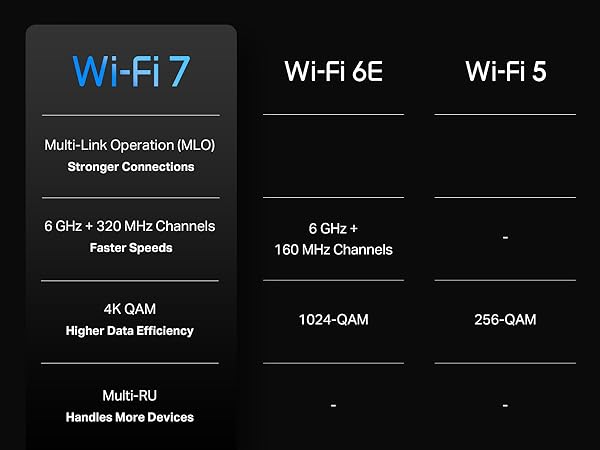
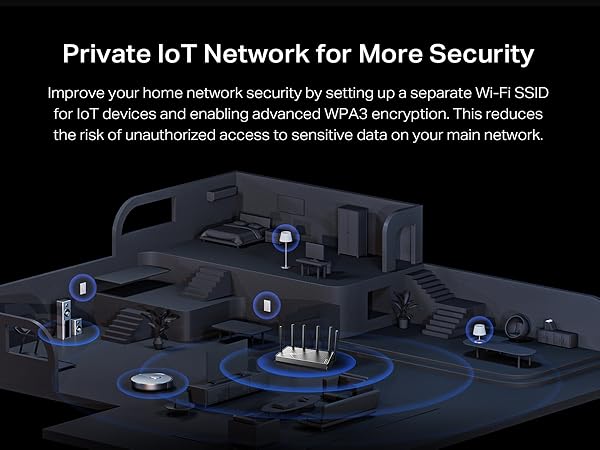
| Other Special Features of the Product | Access Point Mode, Alexa Compatible, Parental Control, Private IOT Network, Support New 320Mhz channel in the 6Ghz |
| RAM Memory Installed | 1 GB |
| Router Firewall Security Level | True |
| Router Network Type | Tri-Band |
| Security Protocol | WPA3, WPS, WPS2 |
| Smart Home Compatibility | Smart Home Compatible |
| Special Feature | Access Point Mode, Alexa Compatible, Parental Control, Private IOT Network, Support New 320Mhz channel in the 6Ghz Special Feature Access Point Mode, Alexa Compatible, Parental Control, Private IOT Network, Support New 320Mhz channel in the 6Ghz See more |
| UPC | 840460603188 |
| Unit Count | 1.0 Count |
| Warranty Description | 2 Year Manufacturer |
| Wi-Fi Generation | Wi-Fi 7 |
| Wireless Communication Standard | 802.11.be, 802.11ac, 802.11ax, 802.11g, 802.11n |
| Wireless Compability | 802.11.be, 802.11ac, 802.11ax, 802.11g, 802.11n |
B**M
Completely Changed My Home Wi-Fi
This router changed the Wi-Fi performance in my whole house. Absolutely worth it. My house is older, and getting a strong, reliable signal throughout the place has been a pain. I had been fighting weak connections, inconsistent speeds, and the usual frustration that comes with trying to make modern internet work through an older structure. After setting up this TP-Link WiFi 7 router, the difference was immediate. Speeds are much better, the connection is more stable, and coverage across the house is noticeably improved. Devices connect cleanly, streaming and downloads are smoother, and the whole network feels faster and more reliable. It is one of those upgrades where you can tell right away that it was money well spent. Setup was straightforward, and the features are solid without making the router feel overly complicated. The 10G and 2.5G ports are also nice to have for future-proofing and wired devices. If you are tired of fighting bad Wi-Fi, especially in an older home, this is a serious upgrade. It changed the way my whole house connects, and I would buy it again without hesitation.
G**I
TP-Link
The TP-Link Archer BE600 delivers excellent WiFi performance with fast speeds, strong coverage, and a stable connection throughout my home. Setup was simple using the TP-Link app, and the router handled multiple devices without any slowdowns.
G**T
Great Modern Router (High Processing Power)
Yay. I love my new router. I have a lot of smarthome devices, and I host a home web/game server for work. I was very afraid that my port forwarding/dynamic DNS and smarthome would be a pain to migrate to a new router. I was wrong. I used the same network name and password as my old router, and all of my devices reconnected fine (except one chinese security camera which i fixed after). The range is as decent as my old Netgear Nighthawk R7000. The lower frequencies (2.4ghz) have higher range and are better for that. But for processing power of a router, this is it baby. This thing increased my network speed by ~100mbps down and also decreased my latency, pretty impressive. This thing will easily be able to handle all of my smart home devices, server needs and gaming/streaming needs. I think it was a worthy upgrade from my 13yr old router. Quick setup tip: make sure to power down your modem and router first, because your modem is expecting the previous routers MAC address, so you might have to call your ISP and have them send a reboot signal from their end to get your modem to accept the new router MAC address. Other than that, setup was a breeze. Dynamic DNS works well, port forwarding was easy, and there are SO many features I haven't even looked into yet. I also have a TP-LINK network switch, and the router and switch are playing nicely together. All and all, I had netgear routers for like 20 years and they were great, i'm pleased to say that TP-LINK is also great, time will tell though.
C**R
Web interface needs work
Generally good router. Good speed, good range. My biggest complaint is the user interface served through a web browser. The top half of the window is taken up with large, airy graphical icons, and the bottom third is taken up with an advertisement for Tether that will no go away. What a waste of work space! I am in there to do work, not gaze at pretty icons.
D**B
Gaming speeds that's affordable
This router brought the fiber speeds back into this house that we've been missing. The range is excellent however I did buy a TP range extender to have another device share the bandwidth load and to keep home devices operating to their full potentials. Speed and ping is low and when it's not it's typically the isp bottling up and nothing a good restart doesn't immediately fix. The TP app is very functional and easy to navigate. I actually subscribed to thier anti-virus and canceled my more expensive one that didn't didn't cover as much.. Their security covers your entire network the other just the device.
M**E
Bad performance, awful app: avoid this product
I don't know how this is rated as one of, if not the top router of this year. Let's start with the app. It's trash. You have extremely limited options and basic services like various protections - that many other companies offer for free - are all behind paywall subscriptions. There's a constant log in and out whenever you exit for even a second and would often just not detect the router. Awful, infuriating at times. Now for the performance itself. I had constant slow downs from the wifi 7 band. To the point where things would just not load. Hardwired PlayStation would always be fine, but anything on the wifi would just lag and stop working occasionally. Speed and range were often worse than my Asus router, so I went back to that. Would never recommend this product. I don't know if I'd ever go back to TP Link because of their awful app ecosystem.
A**E
BE9700 is a Game-Changer for Home Networks!
I recently upgraded my home network with the TP-Link Tri-Band BE9700 WiFi 7 router, and I am absolutely thrilled with the results. This router deserves a solid 5/5 rating for its exceptional performance, ease of setup, and impressive speed improvements. Setting up the BE9700 was a breeze. The intuitive TP-Link tether app guided me through the process step-by-step, and I had my new network up and running in a matter of minutes. It seamlessly integrated with my existing modem, and I encountered no hitches or complications. The most noticeable improvement has been the incredible boost in speed. I replaced an older WiFi 5 router, and the difference is truly remarkable. Even with my current devices, which are only compatible with WiFi 6, I am routinely experiencing 2x to 3x faster speeds in the same locations throughout my house. Downloads are quicker, streaming is smoother, and online gaming is virtually lag-free. It's clear that the BE9700 is optimized to deliver superior performance even to older generation devices, making it a worthwhile upgrade even if you don't yet have WiFi 7 compatible clients. I haven't had the chance to test it with a true WiFi 7 client yet, but based on its current performance, I have no doubt that it will deliver even more impressive speeds and a truly next-generation wireless experience. The tri-band technology ensures that there's plenty of bandwidth for all my devices, preventing congestion and maintaining consistent, high-speed connections. If you're looking to future-proof your home network and experience a significant leap in wireless performance, the TP-Link Tri-Band BE9700 WiFi 7 router is an outstanding choice.
P**G
Wireless is great. Firewall lacks functionality.
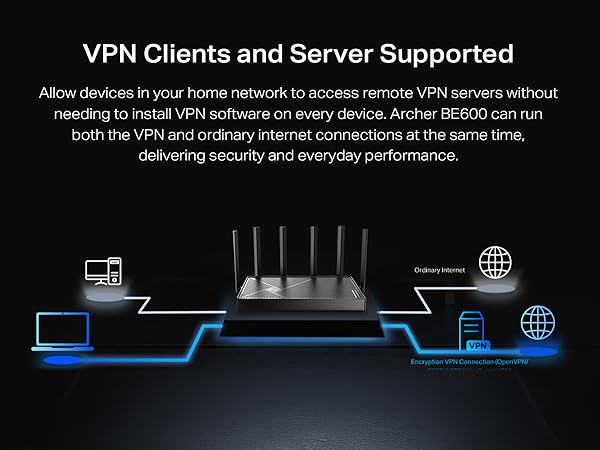
Wireless functions work great. Firewall lacking features compared to Asus. The wireless works great. I struggled with which TP Link extenders to use in order to get EasyMesh working properly, but finally figured it out. Beware - the TP Link Extenders have ethernet jacks, but they're not for EasyMesh. The extenders work great via wireless, just not via ethernet. If you need an extender at the other end of an ethernet cable you'll need to get a TP Link router. I now have a collection of unneeded TP Link wireless extenders. Firewall features are basic. Port forward... DHCP reservations, etc. But not like an Asus. Asus has lots of other goodies, like OpenVPN server, vpn clients, static routes, much better logging, etc. I ended up using the TP Link stuff for wireless, and getting a separate Mikrotik 10G firewall. The Mikrotik has a bazillion features for really geeking out on this stuff. Way more than your average residential user, but if you want point to point Wireguard vpn, etc, that's the way to go.
M**B
Good quality, little issue with having third party.
It is good quality, and wifi 6 can reach as far as 25 meters inside concrete building. drawbacks for me, i have to control it through a third party, and multiple of subscription options. It realy did not feel private at all.
T**S
Great wifi7 router at a great price - note US plug
Good signal with optional IoT network, well made, good value. Easy to use. Integrates with TPlink app which works well. Highly recommended for WiFi 7 on a budget. Note comes with US plug, so needs a UK plug separately
Trustpilot
2 months ago
1 month ago