Buy anything from 5,000+ international stores. One checkout price. No surprise fees. Join 2M+ shoppers on Desertcart.
Desertcart purchases this item on your behalf and handles shipping, customs, and support to South Africa.
📸 Capture. Print. Impress. Your memories deserve the spotlight.
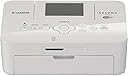
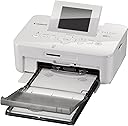
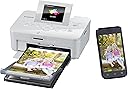
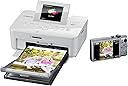
The Canon SELPHY CP910 WH is a compact, wireless photo printer designed for professionals and enthusiasts seeking high-quality postcard-sized prints. Featuring 4800x1200 dpi resolution, Wi-Fi and AirPrint support, and a user-friendly 2.7-inch LCD interface, it delivers lab-quality photos with ease. Its lightweight design and dedicated photo paper cassette make it an ideal choice for stylish, on-demand photo printing at home or in the office.


| ASIN | B00HK8V4PK |
| Amazon Bestseller | #99,485 in Computers ( See Top 100 in Computers ) #2 in Desktop Photo Printers |
| Are Batteries Included | No |
| Batteries | 1 Lithium Ion batteries required. |
| Compatible Devices | Smartphones |
| Connectivity Type | Wi-Fi |
| Customer Reviews | 3.0 3.0 out of 5 stars (517) |
| Date First Available | January 8, 2014 |
| Dual-sided printing | No |
| Is Discontinued By Manufacturer | No |
| Item Weight | 816 g |
| Item dimensions W x H | 22.1 x 24.9 x 12.7 cm |
| Item model number | CP910 WH |
| Lithium Battery Energy Content | 4.9 Watt Hours |
| Lithium Battery Packaging | Batteries contained in equipment |
| Lithium Battery Weight | 0.85 Grams |
| Manufacturer | キヤノン |
| Max Input Sheet Capacity | 54 |
| Maximum Color Print Resolution | 4800 multiplier_x 1200 dpi |
| Maximum Media Size | A6 |
| Number Of Lithium Ion Cells | 2 |
| Number of USB 2.0 Ports | 2 |
| Operating System | not_machine_specific |
| Print media | Labels, Paper (plain) |
| Product Dimensions | 22.1 x 24.89 x 12.7 cm; 816.47 g |
| Scanner Type | Photo |
| Sheet Size | A6・ハガキ |
| Standing screen display size | 2.7 |
| Wireless Type | 802.11bgn |
A**ー
不良品であった。スイッチは入ったが、それ以上動かなく、電源も落ちない。返品はしていない。
さ**輩
フォトプリンターを使うのは初めてなのですが、実際にプリントしてみて思ったのは、 写真屋さんで撮ってもらったようなクオリティでびっくりしました。 趣味的なことですが以前に観賞用の、はがきサイズのプリントを何百枚もプリント していました。インクジェットとバブルジェットです。カラーレーザーも そこそこ使っていましたが、観賞用としてはやはりカラーレーザーは劣ります。 最初に書いたように本商品は、まさにフォトクオリティ。 特殊な印刷方法、フィルム転写でCMY(Kはない)を転写した後、透明なコートをするようです。 デジタルの写真屋さんや、写真BOXと多分同じ仕組みなんじゃないかと思います。 証明写真には使えるよなという思いもあったのですが、実際使えるクオリティ。 アニメチックな画像はどうかなと思ったのですが、本の表紙くらいのクオリティ。 そんなこんなで大変気に入りました。 敢えて弱点を見出すとしたら、専用紙(+フィルム)の価格が高いことでしょうか。 ランニングコストを考えると、1枚当たり約33円(2016/02/18調べ)は、 やはり高いです。
A**ー
思ってたより画質は良かったし、簡単にプリント出来ました。撮りためた写真をイッキにプリントでき、メモリが空けれます。残念なのはレイアウト(シャッフル)がスマホやタブレット対応してないこと。簡単手軽で あれこれ多くを求めなければ 良品です。
N**I
SDカードから画像を取り込んでの印刷は、皆さんのレビュー通り非常に綺麗です。 但し、本機種の売りの一つであるWifi経由のダイレクト印刷を使うと、 急に画像の画素が荒くなり、お世辞にも綺麗とは言えない出来になる。 恐らくスマホのアプリ側の問題のようで、旧アプリの「Easy-PhotoPrint」では 問題はなかったようだが、新アプリ「Print Inkjet/SELPHY」では通信時に勝手に 画像が圧縮される模様。しかも、旧アプリを起動すると強制的に新アプリを 使えと指示が出て、旧アプリは使用できない。 Canonに問い合わせをしたが、今のところ回答はなく、上記原因はあくまでも 想像です。iphoneは試していないので分かりません。androidユーザーで、 スマホ画像の印刷をメインで購入を検討されている方はご注意を。 <<10/7 訂正>> 旧アプリの「Easy-PhotoPrint」は使用できないと書きましたが、すみません、 使用は可能です。但し、今後は新アプリを使えという指示が毎回出てきます。 同じ画像を新旧アプリでそれぞれ印刷し、比較したところ、やはり旧アプリで 印刷した方が断然綺麗です。新アプリへの移行を促しているところを見ると、 旧アプリは今後アップデート等は行わないということなのだと思います。 メーカーには、新アプリの画質改善を早急に行って頂きたいです。 <<10/19 再訂正>> Canonから回答がありました。 結論から言うと、新アプリ「Print Inkjet/SELPHY」でも元の画像の画素数で 綺麗に印刷が出来ました。但し、旧アプリの「Easy-PhotoPrint」では デフォルトで元の画像で印刷が出来たのに、新アプリでは元画像が保存されている フォルダを辿って指定しなければならず、その手順も細かく説明を受けないと わからなかった。これはスマホの機種及びOS依存なのかはわかりません。 これ、機械音痴の人にはちょっと厳しいんじゃないかな。アプリの設計、 というか説明が不親切だなと思いました。但し、結果として綺麗に印刷が出来たので、 星一個プラスしました。
A**ー
手軽にwifi経由の印刷がしたくて購入しましたが、何度試しても印刷できず。。。サポートに電話すると、MacのOS10.10には非対応との回答で、今後もサポート予定は無いとのことでした。せっかく買った意味が感じられず、心底ガッカリです。非対応のOSがある旨は、Amazonでももっとしっかり書いて欲しかったです。
リ**ー
外出時に持っていくために購入したのですが、バッテリーだけでなくバッテリーをつなぐチャージャーも別売りでした。 しかもバッテリーとバッテリーチャージャーの合わせた値段がAmazonで購入しても、本体をもう一台購入してもお釣りが来る値段。 しかもバッテリーは本体内蔵型ではないので持ち運びもとても不便。 これなら据え置きにして使えばいいのでは? それならキャノンのもっと性能のいいプリンター使ったほうが良いです。 良い所は一世代前よりもプリントスピードが早いこと、プリント仕上がりが綺麗なことぐらいですが持ち運ばない据え置きで使うなら普通のプリンター使ったほうが良いレベルです。 外で写真を撮り、その場でプリントアウトして楽しみたい方は一世代前のバッテリー内蔵型を買いましょう。 あと、スマホアプリから連動してスマホ内部の写真をプリントアウトしようとしても現在アプリが絶賛不具合起こし中で、使い物になりません。 買う場合は出先でコンセントがある場所でのプリントアウトには適してます。 プリントアウトが予想よりも綺麗だったこと、プリントアウト速度がまぁまぁなことから星一つ追加の二つ星です。 正直一世代前のバッテリー内蔵型買ったほうが良かったなと後悔してます。
ア**マ
とても便利だと思います。画質は店なみです。とてもおすすめです。
A**ー
梱包を解いたのが遅く返品可能期間が過ぎてしまっていたのが残念。
A**R
Wish I had known it's not compatible with my MacBook. Canon doesn't make a driver that supports the latest version of iOS. Also didn't work well with my iPhone; couldn't get it to print 2x3
P**1
First off I have to say I'm SUPER impressed with prime 1-day shipping avail for this product (plus paper packs)! I ordered maybe 9am and it was delivered by 5pm . I watched a few you tube videos on using/review before I went ahead and ordered. Set up was just as simple i didn't even bother reading the guide (usually it just makes it more confusing). I was printing within minutes of unboxing!! For its small size, the print was fast and fun to see the layer of yellow-mengenta-pink then the clear coating. The lcd is not touch navigation though so it's awkward because all my devices use touch even my big printer. Minor detail though. Though having to browse through the images on an SD card gets aggravating using this > old school method. Connecting to my iPhone 6 was easy... but connecting my computer gave me a little road block ---i was not clear on what's the access point was. Nothing that a quick google search didn't come up with the answer: search "selphy access point manual" (PS using a macbook air, no CD slot). Once I found the manual it was easy from there. I think the photo I print from my computer is absolutely BETTER than the one i print from direct from the SD card. I printed from my phone too and it was great as well. I'm loving the CONVENIENCE of printing what i want! I love sending postcard during my trip. I use to make sure to get some photos printed on-site and then make postcards out of it but finding photo printer in a foreign country is not always easy. So this little gem will be so awesome for the personalized postcard route. Love the crafting possibility! <3 I gave it a 4 star (because I expected crisp vivid photo) but i've changed that! I understand the compact size has its limit, its portability is awesome spec, and the pictures are very very good! Can't ask for better quality at such convenience. Have fun with it!
D**E
We previously had a Kodak EasyShare 500 photo printer, that was far superior in quality to this Canon printer. The only reason we're not still using the Kodak is that Kodak doesn't have 64 bit drivers for the printer: forced obsolescence. I will briefly list why this product gets a poor review: 1. Documentation: practically non-existent. 2. Software: totally non-existent. Canon provides only a driver, and nothing else. The bare minimum to make the product salable. Want to print 2-up from your PC? Forget it. Want to adjust any printing parameters from a PC? Forget it. Want a color profile so colors match what's on your screen? Forget it. 3. Setup: WiFi access doesn't work with Windows firewall enabled. You must manually create firewall rules, which are not documented in the pamphlet that comes with the printer, nor on Canon's web site. You'll have to scour the web to find the ports you need to open, and then learn how to create the rules. I won't share the information here, because it will only encourage Canon's bad behavior. There is zero troubleshooting info on Canon's web site or in their so-called "documentation." 3. No USB cable: When you can't get the WiFi to work, you'll want to use USB. But you can't, because Canon doesn't include a USB cable. It is quite obvious that the Canon Selphy CP910 and Kodak Easyshare 500 were made by the same OEM. The cartridges, physical layout, internal layout, and form factor are identical except for minor details. Canon's has a 64 bit driver, and Kodak's doesn't it. Overall, I'm pretty disgusted that a company with the reputation of Canon would do such a half baked job of a product.
J**N
After downloading the Canon App, I quickly and easily set up for wireless printing. The ink cartridge that comes with the printer is limited just 5 prints. The prints I made with my iPad and Android phone were near perfect., The photo paper that is included is a non-standard 7"x3 15/16" - Canon calls it "postcard" size. It produces a print with 1/2" blank borders on each end of the print. You cannot use the standard 4"x6" photo paper in the paper cassette included with the printer. I even tried trimming 1/16" from a 4"x6" print but the printer issued a "wrong paper size" when I tried to print with it. You will have to buy the Canon PPC-CP400 cassette if you want to use standard 4"x6" paper. I bought this printer for a special project and it nicely meets my needs. Another plus is that one can purchase a special battery and charger that will allow using the printer where a power outlet is not available, which I need for this project.
R**Y
Having moved to a Macbook Pro recently I was surprised to learn that my older model Selphy 780 wold not work with the new Mac OS. However, I learned from Canon's web site that their new printer #910 was brought out to resolve this issue for photo printing with the iOS 10.9. Unfortunately not quite - while the new printer will work out of the box with the IOS, it has minimal functionality. Nothing like previous versions of the Selphy software - rather a stripped down version. Actually it's just a driver - nothing else. Doesn't make any sense - did Canon have any explanation why this was the case, only that there will not be any software beyond the driver! Whether this is a Canon issue or an Apple IOS issue is unclear. My point here is to let you know that it doesn't run the way you your previous Selphy's did. Beware the new #910 is only partially effective on iOS 10.9. The seller deserves 5 stars for his shipping and return policy's . RJGuy
Trustpilot
1 month ago
3 weeks ago