


Desertcart purchases this item on your behalf and handles shipping, customs, and support to South Africa.
๐ฅ Elevate your entertainment game with Toshibaโs 43โ 4K Fire TV โ where clarity meets convenience!
The Toshiba 43" Class C350 Series LED 4K UHD Smart Fire TV combines advanced REGZA Engine ZR technology and AI 4K Upscaling to deliver stunning picture quality. Featuring Dolby Vision HDR and Dolby Atmos sound, it offers an immersive viewing experience. With built-in Fire TV, voice remote with Alexa, and gaming enhancements like ALLM and VRR, this TV is designed for seamless smart entertainment and smooth gameplay. Its 43-inch LED display supports multiple viewing modes including Sports Mode and Super Contrast Booster, making it a versatile choice for modern living rooms.
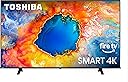


| ASIN | B0DZ85VYD5 |
| Additional Features | Apple AirPlay |
| Annual Energy Consumption | 160 kwh |
| Aspect Ratio | 16:9 |
| Audio Input | 3.5mm, HDMI |
| Best Sellers Rank | #157 in Amazon Devices & Accessories ( See Top 100 in Amazon Devices & Accessories ) #13 in LED & LCD TVs #13 in Smart TVs |
| Brand | TOSHIBA |
| Built-In Media | Power Cable |
| Connectivity Technology | Wi-Fi |
| Contrast Ratio | High |
| Control Method | Remote, Voice |
| Customer Reviews | 4.3 out of 5 stars 4,493 Reviews |
| Display Backlight Technology | LED |
| Display Refresh Rate in Hertz | 60 |
| Display Size Class | 43 inches |
| Display Technology | LED 4K UHD |
| EU Spare Part Availability Duration | 3 years |
| HDR Format Supported | Dolby Vision, HDR 10 Plus, HLG |
| Hardware Interface | HDMI, USB |
| Integrated Surround Sound Format | Dolby Digital |
| Internet Applications | Fire TV |
| Item Dimensions D x W x H | 8.9"D x 37.9"W x 23.9"H |
| Manufacturer | Insigniaโข |
| Model Name | 43C350NU |
| Model Number | 43C350NU |
| Model Series | C350 |
| Model Year | 2025 |
| Motion Enhancement Technology | Motion Rate 120 |
| Mounting Type | Table Mount, Wall Mount |
| Number of Audio Channels | 5.1 |
| Number of Items | 1 |
| Operating System | FireOS |
| Picture Quality Enhancement Technology | REGZA Engine ZR, AI 4K Upscaler, Super Contrast Booster |
| Refresh Rate | 60 hertz |
| Resolution | 4K |
| Screen Size | 43 inches |
| Signal Format | ATSC |
| Size | 43-inch |
| Software Update Supported to Date | unknown |
| Speaker Description | 14 watts Dolby Atmos |
| Special Feature | Apple AirPlay |
| Total Number of HDMI Ports | 3 |
| Total USB 3.0 Ports | 1 |
| Total Usb Ports | 2 |
| UPC | 888143020679 |
| Unit Count | 1 Count |
| VESA Mount Standard | 400 x 400 mm |
| Video Encoding | H.264, H.265 (HEVC) |
| Warranty Description | 1 Year |
| Warranty Type | Limited |
| Wireless Technology | Wi-Fi |
M**J
Excellent TV, Awesome Price, what a Value!
This was a deal I could not pass up! My 55โ tv is 13 yrs old and not a SmartTv. So many people have been telling me to get one since prices have gone way down. They were right! The picture is so clean! It was easy to set up by myself-Iโm 60 and have my 17 yr old son do anything electronic. This is a great TV!
E**N
Great TV at a great price.
I needed a TV that could operate solely on wifi. This TV works perfectly with a great picture and sound. The quality is as good or better then higher priced models.
O**P
Excellent Picture, Easy Setup, and Good Value**
The TV arrived very well packaged. It was easy to attach to my existing wall mount, set up, and connect to Wi-Fi. The picture is clear and vivid, and the built-in Fire TV is very convenient. One tip if you are replacing a wall-mounted TV: hopefully you saved the screws that came with your wall mountโthe ones used to attach the TV to the mounting bracket. I didnโt, so I ordered a package of replacement screws from Amazon. The mounting-bracket manufacturer may also send you a free set if you call. Overall, this TV is a very good value. Five stars
M**4
Budget Toshiba Fire TV is fine at 43" size. Does what you need it to do, but nothing more
This Toshiba 43" budget TV was purchased on sale for my elderly mom. She doesn't have a big enough room for a giant wall-mounted TV, so she needed something that would stand nicely and firmly on her 38" wide TV stand in one corner of her living room. This fits perfectly on the stand, with a couple of inches to spare on either side of the TV's "feet." This 43" size is an upgrade from her last TV, which was a 40" Vizio model. She had recently switched her fiber TV/internet provider to a different company where the text on the on-screen channel guide is now so small that it was getting difficult for her to read on the 40" Vizio. Increasing the size of the screen by 3" - which means it's 3" bigger exponentially, all around - has made a positive difference. Not a whopping big difference, but some. Mom may still need to call the new TV provider to ask about accessibility settings, to increase the size of the text in the channel guide. You have to sit directly across from this TV and look straight at the screen for it to display without distortion. If you're sitting off to one side, the picture looks distorted. Since this is a budget TV, that may be part of the display issues. Doing some research and spending more money would likely yield a higher resolution display and wider viewing angles. In my view, the default backlight setting on the LED screen is too light or too bright, giving the colors a slightly washed-out look, but my mom likes it the way it is, so we did not change that setting. The quality of the sound on this TV is just "OK," but again, you get what you pay for. We had bought her a sound-bar for the last TV, which was also a budget model; that was about three or four years ago. Apparently, even simple technology has changed so much that the connecting cables for the sound-bar, which attached to the older Vizio TV, do not fit anywhere on the new Toshiba TV! We were told we need to get an optical cable to connect the sound-bar to the new TV. This Toshiba is an Amazon Fire TV, which means it has all the apps and widgets already installed for various streaming services, including Amazon Prime Video of course, and a bunch of others, ranging from free streaming services to the biggies where you have to pay extra to subscribe. Set-up of this TV is quick, but the first time you turn on the TV, it may need to upgrade its software. The TV is compatible with Alexa, which is also built into it. My mom hasn't gotten used to the idea of talking to her TV or to any other gadget, so she isn't using that feature yet. When (or if) she gets comfortable with talking to Alexa, she may rely less on the on-screen channel guide. We purchased this TV in advance of all the Black Friday Week / Cyber Monday sales. We noticed two things about the price: During Black Friday Week, the price had dropped by $30.00!! Grrrrrrrh! But just after Thanksgiving when the Cyber Monday sales began, the 43" size of this TV was sold-out. By then, only sizes of 50" and upwards were available on Amazon via BestBuy. IMO, the display on this budget TV might not look all that great in a larger size. The larger the screen, the more you need a higher quality display. But at 43 inches, it's fine. Not great, but adequate. When you watch, say, a football game on this TV, you won't be "wow'd" by how amazingly real the players and the action appear, nor how vivid the colors are. But my mom is enjoying this TV, and since it comes from a brand-name manufacturer, we expect it to last. We had purchased the Asurion extended warranty, which also included first-time set-up tech support, but we ended up not needing it.
R**3
Cheap and Cheerful
Critics and self proclaimed experts always claim that cheap TVs do not last. I had this for a little over a year. So far, everything is working well. That proves that cherap is not always bad. I cannot tell any difference in resolution from a more expensive model. I suppose unless you compare them side by side, any picture quality difference is irrelevant.
K**S
85" Monster, Fantastic Picture, Vibrant Color & Brightness (and a few annoyances)
I am totally blown away by this 85" 4K monster. I remember when I got my first HDTV, feeling like the quality difference was so significant. I have that same feeling with this TV. The Good: -Picture: the picture quality is a massive step up from my 65" 1080p screen. The 4k is stunning, but even 1080p source material looks substantially better than it did on my old screen (must be the 4K upscaling). The difference is remarkable to me. I can walk right up to the screen, within 12 inches, and I can't see any pixels. Incredible for a screen of this size! -Brightness: the brightness and contrast are excellent. The picture is easy to see even in mid-afternoon daylight on a sunny day. Substantially better in this area than my 4k home theater projector. -Color: the color is vibrant. Watching a little Planet Earth, you can really enjoy the deep color range and the brilliance of the brights. -Size: although a 65" screen is big, this 85" screen feels noticeably larger. It has an immersive feel, even at 10-12' away. -Unboxing: I did have to upgrade my TV mount for this. Installing this TV is definitely a two person job. 112 lbs with packaging, 80 lbs without. Look for the detailed unpacking instructions inside the top flap and follow them carefully. These screens can break REALLY easily if mishandled. This is the first TV I've owned with dedicated sturdy handles on the back, one on each side (see photo), to make lifting secure. It does come with sturdy feet if you would rather not attach it to the wall. Once on the wall, everything connected easily as expected. -Ports: 4 HDMI, one with ARC (note one HDMI is on the back, 3 on the side), LAN, WiFi5, Bluetooth 5.0 (headphone ready), 2x USB 2.0 ports, Optical Audio Out, headphone/aux wired Out, Coax Antenna In -Software Setup: On first boot, the OS forced an update, which I was unsure was working after 10 minutes of waiting. There was no progress bar, and I found myself a bit annoyed not knowing how long the update would take. I wound up pulling the plug and restarting, unsure that it was working and on the second start it completed successfully after about 8 minutes. It seems some others were stumped by this issue, so if you get stuck just force a reboot and it should finish successfully. Once the update completed, the rest was as you would hope. I was easily able to connect my Amazon account, all my apps installed automatically and my FireStick watch history loaded perfectly. I connected my roof antenna via Coax and it found 60+ channels in a few minutes. Awesome that it downloads a user friendly channel guide with detailed programming for over-the-air (OTA) broadcasts at no extra cost. -Speed: The FireTV OS feels snappy and responds quickly when navigating around. No issues with lag. -Remote: Just a good old Amazon FireStick remote. Nothing fancy, easy to use, Alexa built in for easy voice searching. -Input Switching: While the remote doesn't have a traditional "source" button, it does have a "recent apps" button (two layered squares), and this allows for quick switching between sources. I was also pleased to discover that this TV pays attention to it's HDMI ports, and with certain signals (like power on or going to the home screen of the device) will trigger the TV to switch inputs to that device. Very happy to have found this feature. -Quick power up: The TV turns on from standby mode in about 3-4 seconds, which feels very fast to me. I changed a setting to resume the last input source, which I think is a great feature. -Resolution: At any time while watching any show, you can push the Settings button on the remote and choose Info (at the bottom), and it will tell you what resolution & refresh rate the TV is receiving and showing (i.e. 4K/1080p/720p, 30/24hz, HDR10+, etc). I love this feature, makes it so easy to verify that you're getting the resolution you expect. -Audio: I connected my TV to a soundbar using an RCA cable. The moment it was connected, the TV detected it, muted the TV speaker, and I was able to control the soundbar volume using the TV remote through the TV. Didn't even have to go into settings! Speaking of the TV speaker, it works, but as you'd expect it's not any good. Very tinny, no bass, just a normal cheapo TV speaker. Soundbar completed, I ran my optical cable from the TV to my amp. Worked just like you'd want, correctly processing Dolby audio in 5.1 without any additional configuration. Nice that it's Atmos ready if your amp is so equipped (maybe time for an amp upgrade!). -Refresh Rate (Hz): I'm not a gamer, so I can't speak to how well it handles games. At 60hz, it might not be first choice, and a serious gamer might want to pay more for 120hz+. I can say that my sports look pretty great, no glitches in fast action. -Value: There aren't many TVs that are 85" at this price point. The competitors seem to be cheap Walmart brands with not so great track records, miserable customer service. I was delighted to find a solid brand like Toshiba in this market. Comes with a one year warranty, good for a little peace of mind. You can always spring for the extended warranty if desired. -I was delighted to have this TV brough into my house in just two days. Since it's oversized it was handled by the local retailer, great communication. Downsides: -With my old TV I was able to switch sources during forced commercials on my Firestick. Since the FireTV OS is the backbone of this system, if I switch sources during commercials, it stops the commercials and I have to restart them when I come back, so no way to let them run in the background while watching content on another source. -Can't hide mute on-screen icon. If you have a soundbar connected through RCA, and also have an amp connected through optical, you may prefer to mute the soundbar when using the amp for watching movies. Unfortunately when you mute the soundbar using the TV control, the "mute" icon on the screen does not go away. You can always mute the soundbar itself rather than using the TV to mute the soundbar, so it's just a minor inconvenience. -Auto volume drop on Aux: Also an issue with using a soundbar through RCA, the FireTV OS has an unfortunate "feature" that drops the audio to 30% every so often, with a warning about listening at loud volumes. A little research uncovered that this is an issue with the underlying Unix platform that FireTV is built on. There is no way to disable it. It seems to happen about once a week. I am still trying to find a workaround to the problem, next attempt is an optical splitter so I can get off of the Aux out port entirely. If you are looking for an economical way to upgrade to an 85" screen, even with the minor annoyances I highly recommend this Toshiba!
G**D
Great picture, sound and ease of use. Highly recommended
Great picture, quick turn on, easy to use app, fire remote isn't complicated. Connecting to the internet was a breeze. The sound quality is great. Highly recommended.
J**.
A tv that's smarter than we are
I would give this tv 5 stars, except for a couple of reasons. First, we use an antenna, and the tv does well with it. I use Prime, and love the selection of movies for free. Some things I don't care for: When the tv turns on, it starts on the movie side. I would prefer that it start up on the TV side. On the TV side, after making a channel selection, it often goes to a different channel than what I chose. Sometimes, when I turn it off using the remote, it will turn off and then, for a second or two, will start playing the show again, before turning itself off. That's freaky, to me. The only other issue we have had, is that we've had to totally reprogram it twice, as it wouldn't receive any channels. All this said, to say that we haven't bought a tv for a number of years, and they have changed pretty drastically since the last model we had. This tv does get a great picture, and the sound is very nice.
Trustpilot
2 days ago
1 month ago