Desertcart purchases this item on your behalf and handles shipping, customs, and support to South Africa.
🚀 Elevate your workspace Wi-Fi game with pro-grade speed and sleek design!
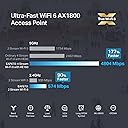
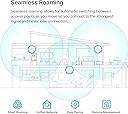
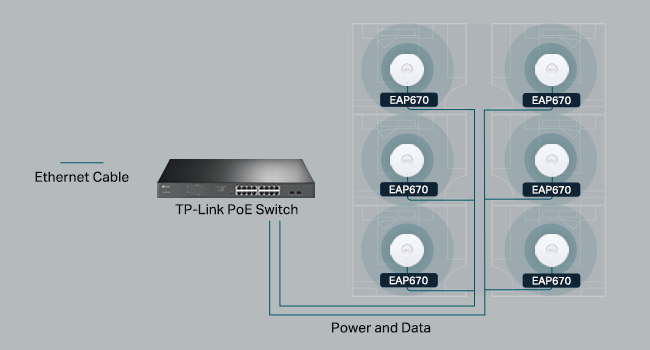
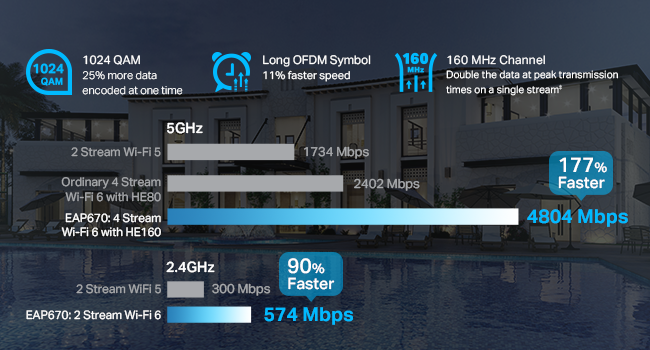
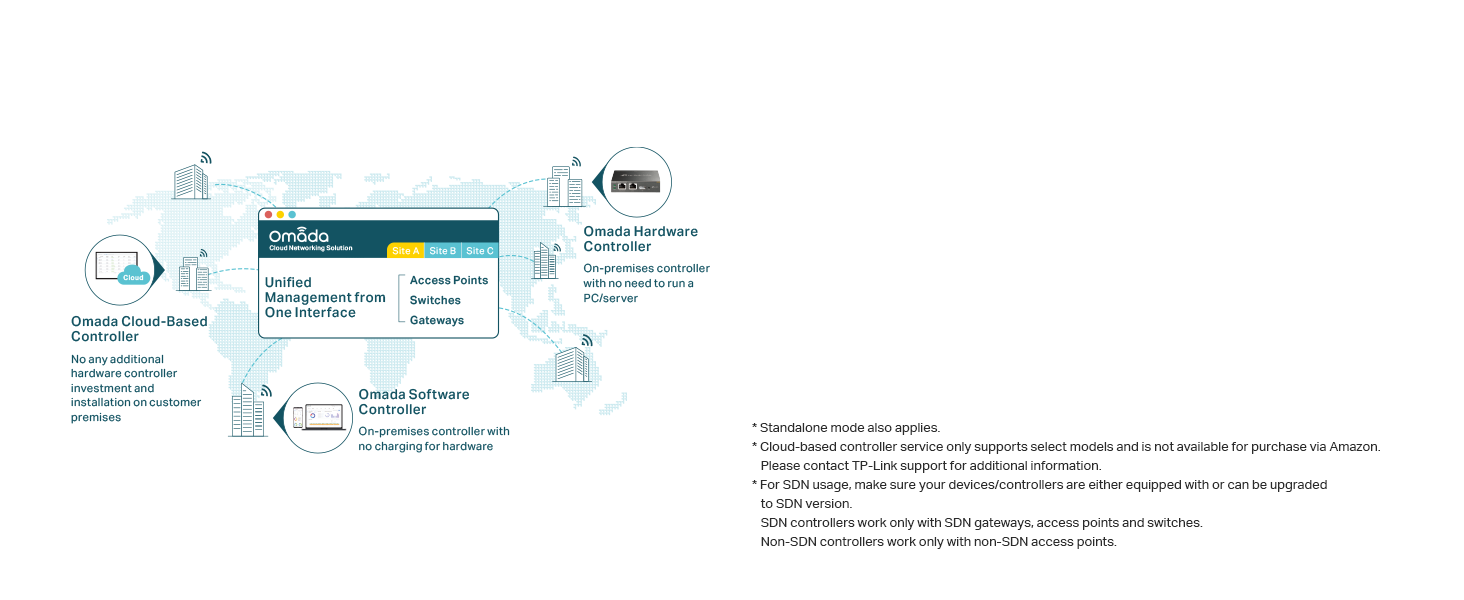
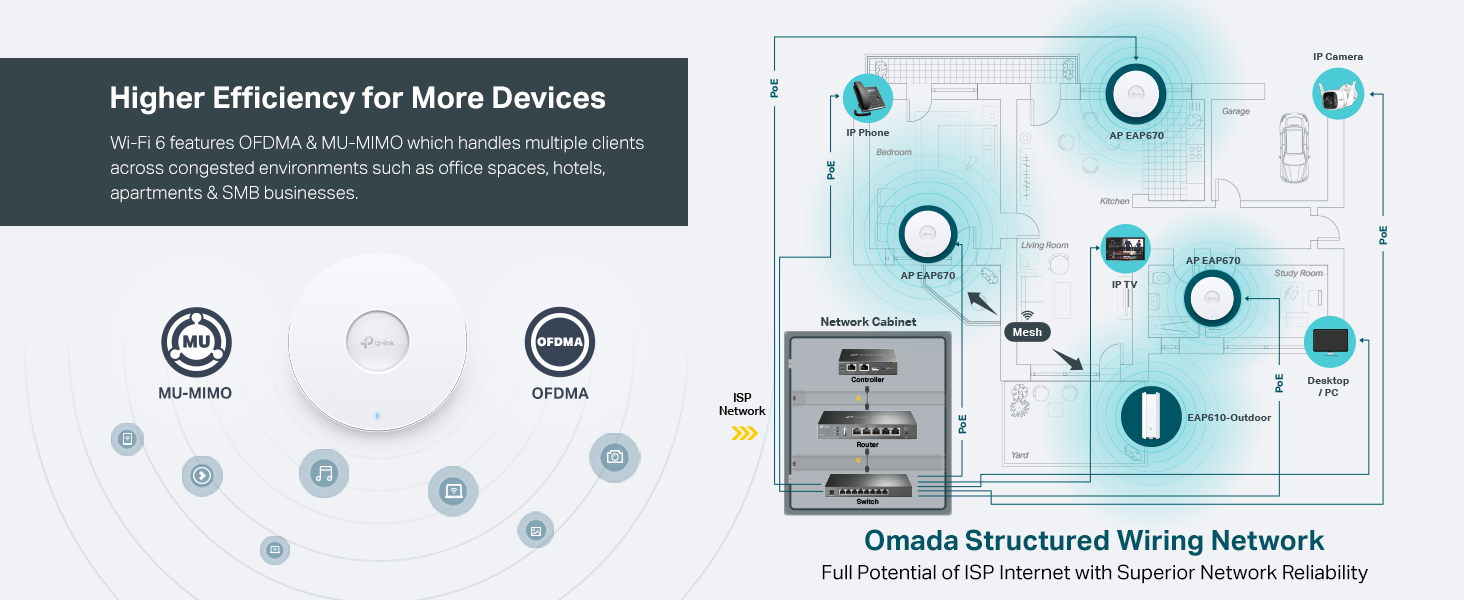
The TP-Link EAP670 V2 is a Wi-Fi 6 AX5400 dual-band ceiling mount access point designed for high-density professional environments. It features blazing-fast 5400 Mbps speeds, a 2.5G multi-gigabit PoE+ port for easy installation, and integrates seamlessly with TP-Link’s Omada SDN cloud platform for centralized network management. Its ultra-slim design fits discreetly into modern spaces while advanced technologies like mesh networking, seamless roaming, and MU-MIMO ensure robust, reliable coverage for up to 250+ clients. Backed by a 5-year warranty, it’s the ultimate solution for managers seeking effortless, high-performance wireless connectivity.


| ASIN | B0CRLYWHBL |
| Antenna Location | Business, Home |
| Antenna Type | Internal |
| Best Sellers Rank | #6,177 in Computers & Accessories ( See Top 100 in Computers & Accessories ) #1 in Wireless Access Points |
| Box Contents | Ceiling/Wall Mounting Kits, EAP670, Installation Guide, Power Adapter |
| Brand | TP-Link |
| Brand Name | TP-Link |
| Colour | White |
| Compatible Devices | Personal Computer |
| Connectivity Protocol | Wi-Fi, Ethernet |
| Connectivity Technology | Bluetooth, Ethernet |
| Control Method | App |
| Controller Type | Switch |
| Coverage | Extensive coverage, up to 250+ clients, with high-speed Wi-Fi on both 2.4 GHz and 5 GHz bands. |
| Customer Reviews | 4.5 out of 5 stars 328 Reviews |
| Data Transfer Rate | 5400 Megabits Per Second |
| EU Spare Part Availability Duration | 5 Years |
| Frequency | 5 Hz |
| Frequency Band Class | Dual-Band |
| Is Modem Compatible | No |
| Item Dimensions L x W x H | 22L x 22W x 3.3H Centimeters |
| Item Weight Unit of Measure | 1.52 Pounds |
| LAN Port Bandwidth | 2500 Mbps |
| Manufacturer | TP-Link |
| Manufacturer Part Number | EAP670 V2 |
| Maximum Upstream Data Transfer Rate | 5400 Megabits Per Second |
| Model Name | EAP670 V2 |
| Model Number | EAP670 V2 |
| Number of Ports | 2 |
| Operating System | RouterOS |
| Other Special Features of the Product | WPS |
| Security Protocol | WPA-Personal, WPA2-Personal, WPA3-Personal |
| Smart Home Compatibility | Not Smart Home Compatible |
| Special Feature | WPS |
| UPC | 840030711671 |
| Unit Count | 1 Count |
| Voltage | 12 Volts |
| Wi-Fi Generation | Wi-Fi 6 |
| Wireless Communication Standard | 802.11ac, 802.11ax, 802.11b, 802.11g, 802.11n |
| Wireless Compability | 802.11ac, 802.11ax, 802.11b, 802.11g, 802.11n |
S**E
The perfect solution!
I've messed around with trying to place my router in my house, moving it around, changing antenna, putting in boosters... everything to try to get a better signal. I had heard about these on a podcast and decided to give them a try and they work really well. I went with the Omada ones because I picked up the OC300 as well. It has been SOOOO easy to add new access points where needed. I have one on each floor and one outside and paired with the OC300 makes setting up a breeze. Pros: * Easy to set up - if you don't get an OC200 or OC300 (or use a Raspberry Pi or computer to run their software for free), you simply log in, set up your WiFi networks and you're on your way. With the OC200/300, you just "adopt" the device and it sets everything up. I now change my WiFi every time I have people over so I can personalize it to them and it keeps them off my primary network. * POE - Don't want to run power to where you want this? No problem! Just run an ethernet cable and power it over that. * Comes with everything you need for mounting * Great signal strength and covers a lot of area. * I've bought all of mine on sale but I would pay full price if needed one in a hurry. Extremely good value for what you get. * There are hidden solutions you can get but people have commented how it looks like I have "professional wireless" in my house. These look just like what you'll find in an office, if that is important to you. Cons: * None - I've been very happy. I've switch everyone in my family to these along with an OC200 to run them. Since they have asked me to help them with their networking stuff in the past, it has made my life really easy to be able to run these. I highly recommend them.
S**O
Ideal para oficinas medianas
Excelente calidad de transmisión de datos, alimentan 50 usuarios sin problema a velocidades de 800mb
T**S
Enterprise‑Level Performance at a Great Price — Rock‑Solid WiFi 6 Coverage
I installed the TP‑Link EAP670 as part of upgrading my home/office network, and it has been a huge step up in both speed and stability. This access point feels like something you’d normally only see in commercial environments, but it’s easy enough for anyone to set up. Coverage is excellent. One EAP670 easily blankets a large area with strong, consistent WiFi 6 speeds. Dead zones disappeared immediately, and devices roam smoothly without dropping connections. Even with dozens of devices connected, everything stays fast and responsive. The 2.5G Ethernet port is a big advantage. It removes the bottleneck you get with standard 1G ports, especially if you’re pushing high‑speed internet or transferring large files across your network. Setup through Omada Controller is straightforward. You get centralized management, real‑time monitoring, and the ability to tweak advanced settings if you want them. For people who like fine‑tuning their network, this is a dream. For everyone else, the default setup already works great. Build quality is solid, and the ceiling‑mount design keeps it out of the way while still providing excellent signal distribution. It runs cool and quiet, and the low‑profile look blends in nicely. If you want reliable, high‑performance WiFi 6 with enterprise features at a reasonable price, the EAP670 is an outstanding choice. I’d absolutely buy another if I expand the network.
H**.
Great for General Streaming, Poor for Latency-Sensitive Applications
It has three times the average latency to the router (3 ms) when used as wireless access point compared with my AX92U router directly via wifi(1 ms). Both devices were tested using the 802.11ax (Wi-Fi 6) protocol for connection, with OFDMA and MU-MIMO enabled, yet I could not get the average latency down to 1 ms for the TP-Link, both devices were tested via an AX211 client. I would strongly recommend considering alternatives for gaming such as the Archer AXE75, which has been tested to excel in latency-sensitive applications, including usage as a wireless VR link where latency is key and critical to the experience therefore tested, for the same price, but I had to buy the EAP670 v2 because I wanted POE and the devices aesthetics when mounted on a wall is better with a high WAF.
R**J
Reliable, stable, and a great balance for home or small business
I’m running a full Omada setup at home with a managed switch and controller, and this has been part of the system for about 3–4 months now. It integrated smoothly and adoption was quick. For everyday use — phones, laptops, streaming, and smart home devices — everything has been very stable. No random disconnects, and roaming between APs is seamless when moving around the house. The Omada ecosystem also feels very secure and easy to manage, which gives me peace of mind. One thing to keep in mind is that the unit is on the larger side. It looks clean once mounted, but if you’re looking for something very compact or low-profile, that’s worth considering. There are higher-end models available if you want top-tier performance and don’t mind paying more. But for most home users or small businesses, I think this model offers a really good balance between performance and price. Overall, very solid and dependable. I’m happy with it.
Trustpilot
2 weeks ago
2 weeks ago