Buy anything from 5,000+ international stores. One checkout price. No surprise fees. Join 2M+ shoppers on Desertcart.
Desertcart purchases this item on your behalf and handles shipping, customs, and support to South Africa.
📊 Elevate Your Setup with Style!
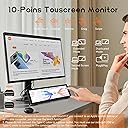
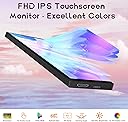
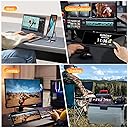
The Upgraded 8.8 Inch Small Touchscreen Monitor by AISHICHEN is a versatile and high-resolution display designed for tech enthusiasts. With a stunning 1920x480 resolution and a responsive touchscreen, it serves as an ideal companion for monitoring CPU, GPU, and RAM usage, as well as other vital system stats. Its customizable layout and compatibility with various operating systems make it a must-have for any modern workspace.


| Brand | AISHICHEN |
| Product Dimensions | 24.89 x 19.81 x 6.6 cm; 442 g |
| Item model number | 8.8-Bulit In Bracket |
| Manufacturer | AISHICHEN |
| Series | 8.8-Bulit In Bracket |
| Colour | Black |
| Standing screen display size | 8.8 Inches |
| Screen Resolution | 1920 x 480 |
| Resolution | 1920 x 480 |
| Number of HDMI Ports | 1 |
| Are Batteries Included | No |
| Item Weight | 442 g |
| Guaranteed software updates until | unknown |
M**.
Decia ser touch y es una farsa, pude comprar algo mas barato dado que no es touch, es muy ancho y corto, no lo recomiendo por el precio excesivo.
N**N
Not an actual small screen, it requires its own software which is buggy and the screen resets everytime i unplug the usb port and requires reinstall
L**E
I recently picked up the 8.8 Inch Small Touchscreen Monitor for my Raspberry Pi and overall, I'm quite satisfied. The display quality is fantastic, with crystal clear visuals at a high resolution of 1920 × 480. It's perfect for my PC temperature and sensor panel display needs. The touch screen is a convenient feature, though I did encounter some occasional issues with responsiveness, which was a bit frustrating. The included HDMI and USB cables made setup a breeze, and it connected seamlessly with my Windows setup. However, I find the brightness control a bit lacking, as it could be more intuitive. The build quality seems solid, but given some reviews about durability, I’m hoping it holds up over time. Despite some minor quirks, it’s been a great addition to my ARGB computer case setup and fits perfectly on my desk.
I**R
This little thing is pretty amazing. I used HWiNFO64 and a piece of software called Rainmeter to build a PC monitoring app. I'm still fiddling with it, but it works very well. I've only been using it about 3-4 months, so I can't speak on long term reliability. Tips: 1) For completely free software use HWiNFO64 and Rainmeter to make your user interface. Use the HWiNFO gadget that writes data to your registry and Rainmeter can read this information and display it. It's not as easy to use as AIDA64, but it's free! Aida64 will cost you $60 for the software and updates. After a year, Aida64 will still run, but if you want updates you'll have to fork over more $$$. The paid version of HWiNFO64 is over twice as expensive as Aida64 or you have to pay $30/year to use it on a subscription model. The paid version of HWiNFO64 is necessary if you want to use the shared memory feature and don't want to have to re-enable the feature every 12 hours). Shared memory is a bit easier to use when designing your user interface than their registry method. 2) Configure the touch screen to use this monitor go to Control Panel->Tablet PC Settings and you can set this monitor as the touchscreen. 3) Buy a 180° adapter for the USB-C and a 180° mini-HDMI adapter so that the cables can be tucked behind the monitor instead of shooting off to the side. The only real cons I've found are: 1) It's hard to find a tablet stand for this thing. I bought one, but found out the lip on the bottom was too small because the mfr assumed you'll only put a thin+flat tablet on it. I'll end up designing and printing a stand that makes this hover over my keyboard eventually. 2) DPI is very small and windows doesn't support different DPI settings on different monitors. The only place this has really affected me are the tooltips on some of my items on my user interface. You have to use a magnifying glass to read them because it's using the normal DPI from my main 2K monitor. 3) (total nitpick) No monitor driver that I've found. I like my monitors in device manager to say what the monitor is instead of "Generic PnP Monitor". I've attached a pic of the rainmeter user interface (still a work in progress as I learn how to do this)
A**K
Does not work tried everything in the instructions and it keeps saying not connected so I will be returning it
Trustpilot
3 days ago
4 days ago