Buy anything from 5,000+ international stores. One checkout price. No surprise fees. Join 2M+ shoppers on Desertcart.
Desertcart purchases this item on your behalf and handles shipping, customs, and support to South Africa.
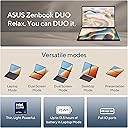
🚀 Double the screens, double the impact — Zenbook DUO powers your next-level hustle.
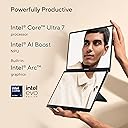
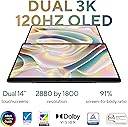
The ASUS Zenbook DUO UX8406CA-DS79T is a cutting-edge dual-screen laptop featuring two 14-inch OLED 3K displays with 120Hz refresh rate, powered by a 13th Gen Intel Core Ultra 7 255H processor and Intel Arc graphics. Equipped with 32GB LPDDR5x RAM and a 1TB PCIe 4.0 SSD, it offers exceptional multitasking and storage capacity. Weighing just 3.64 lbs with a detachable Bluetooth keyboard and MIL-STD 810H durability, it combines portability, performance, and reliability for professionals seeking a premium, versatile productivity machine running Windows 11.


| ASIN | B0DT83FKMQ |
| Battery Cell Type | Lithium Ion |
| Best Sellers Rank | #17,129 in Computers ( See Top 100 in Computers ) #671 in Traditional Laptops |
| Bluetooth support? | Yes |
| Brand | ASUS |
| Built-In Media | Powercord & Adapter, Sleeve, UX8406CA-DS79T, Userguide |
| CPU Model Generation | 13th Gen |
| CPU Model Number | INTEL ARL H Core™ Ultra 7 |
| CPU Model Speed Maximum | 5.1 GHz |
| Color | Gray |
| Compatible Devices | External keyboard, mouse, display, storage devices, etc. via standard ports and Bluetooth |
| Connectivity Technology | USB, Wi-Fi |
| Customer Reviews | 4.7 4.7 out of 5 stars (21) |
| Display Resolution Maximum | 2880x1800 |
| Display Technology | OLED |
| Display Type | OLED |
| Form Factor | Detachable |
| Graphics Description | Dedicated |
| Graphics Ram Type | DDR5 SDRAM |
| Hard Disk Description | SSD |
| Hard-Drive Size | 1 TB |
| Human-Interface Input | Touchscreen |
| Item Dimensions L x W x Thickness | 31.3L x 1.4W x 21.8Th centimeters |
| Item Weight | 3.64 Pounds |
| Keyboard Description | Backlit |
| Keyboard Layout | QWERTY |
| Lithium-Battery Energy Content | 75 Watt Hours |
| Manufacturer | ASUS |
| Memory Speed | 6400 MHz |
| Model Name | Zenbook DUO |
| Model Number | UX8406CA-DS79T |
| Model Year | 2025 |
| Native Resolution | 2880 x 1800 pixels |
| Number of Ports | 4 |
| Operating System | Windows 11 Home |
| Other Special Features of the Product | Dual Screen |
| Processor Brand | Intel |
| Processor Count | 16 |
| Processor Series | Intel Core Ultra 7 |
| Processor Speed | 4.5 GHz |
| RAM Memory Installed | 32 GB |
| RAM Memory Technology | Lpddr 5 |
| RAM Type | DDR5 SDRAM |
| Ram Memory Maximum Size | 32 GB |
| Refresh Rate | 120 Hz |
| Resolution | 2880 x 1800 |
| Screen Size | 14 Inches |
| Specific Uses For Product | personal |
| Total Usb Ports | 4 |
| Touch Screen Type | Capacitive |
| UPC | 197105765429 |
| Unit Count | 1.0 Count |
| Video Output | HDMI |
| Video Processor | Intel |
| Warranty Type | Limited |
| Webcam Capability | Yes |
| Wireless Compability | 802.11a/b/g/n/ac |
K**R
The Zenbook is light and easy to transport. The removable keyboard is remarkable, but the computer has a much shorter battery life when the manual keyboard is not attached. It is a bit expensive, but a great value once purchased. It is easy to use and very funtional.
A**V
Incredible laptop! Super performant, quiet, great battery life, premium build quality. Major upgrade from my previous laptop (a UX482 Zenbook duo, the one which has half display and half keyboard on the lower half) The screens are bright and pleasant to look at. OLED really is superb! Excellent refresh rate too. The detachable keyboard has been executed quite well here - it feels quite robust, incredibly solid when attached, yet detaches without *too much* of an issue. Connects via Bluetooth automatically, usage of the keyboard and trackpad are pretty seamless when detached. The built in kickstand is a thoughtful extra. That said, the screen's palm rejection isn't too good. I ended up using a drawing glove while using my stylus. Another thing to keep mind is that the contact pins underneath the keyboard can scrape against softer surfaces such as wood if you move it around a lot. Overall highly recommend. Update: turns out there's a windows setting to ignore touches while using pen which is turned off by default - switched it on, problem solved
J**T
This is everything it is advertised to be. It works well as a dual monitor device with external mouse. I can play Everquest on on screen and read emails or search the web on the second, or even "2-box" Everquest. It is very slim and fits well in my briefcase. One item to check for is that your USB will charge it. Connecting a USB-C cable from an iPhone cube does not work as they don't provide enough power. The power adapter it comes with works fine. My 3.1 amp adapter https://www.amazon.com/dp/B0D5GTP2Q7?ref_=ppx_hzsearch_conn_dt_b_fed_asin_title_5 works also has multiple outputs and saves space in my travel case. I don't know what the minimum power output is to have it show as charging or whether connecting to a "cube" at least reduces the discharge rate. Speed is fine even though I didn't have time to wait for the model with the faster processor. Being able to use Excel, Word, etc. and use applications that do not support iOS when traveling is a major upgrade from my iPad.
A**R
Unique design
C**S
The concept is awesome, but the execution is quite sub-par. Overall I am very disappointed and do not think that this laptop deserves the premium price. When the laptop is closed, the ability of the keyboard to move around is problematic in that small bumps or impact can cause the keyboard to flex or move resulting in cracking the screen. Mine is in the shop right now for this repair after it slipped from my hand while lifting from desk to place in bag. The unit fell about 5inches landing on the hinge side and the screen shattered as a result of the design flaw listed above. There are not really many third-party cases due to the size of the laptop and the case provided by the manufacturer is not really substantial so keep in mind if you plan to actually use the unit anywhere but permanently on the desk. A simple search of reddit or google will show similar complaints. Due to bloatware or or just poor components, none of the cool "tech" works together. As an example, the trackpad on the keyboard frequently tops working and will not come back to life without disabling and reinstalling a generic driver, until the same happens again in which case you disable that one and reinstall the other one. Again, if you are considering the purchase of this computer I suggest you do a quick search on this issue as there is quite a bit on Google or Reddit with regard to the issue. Plus, the speakers just plain suck. As I said before the concept is awesome, but, at the end of the day, you might be better served with just a simple Vivobook or Zenbook and an external or portable monitor. I regret not going down this route!
Trustpilot
1 month ago
2 weeks ago