Desertcart purchases this item on your behalf and handles shipping, customs, and support to South Africa.
✍️ Elevate your notes, sketches, and meetings with the ultimate paper-like digital notebook!
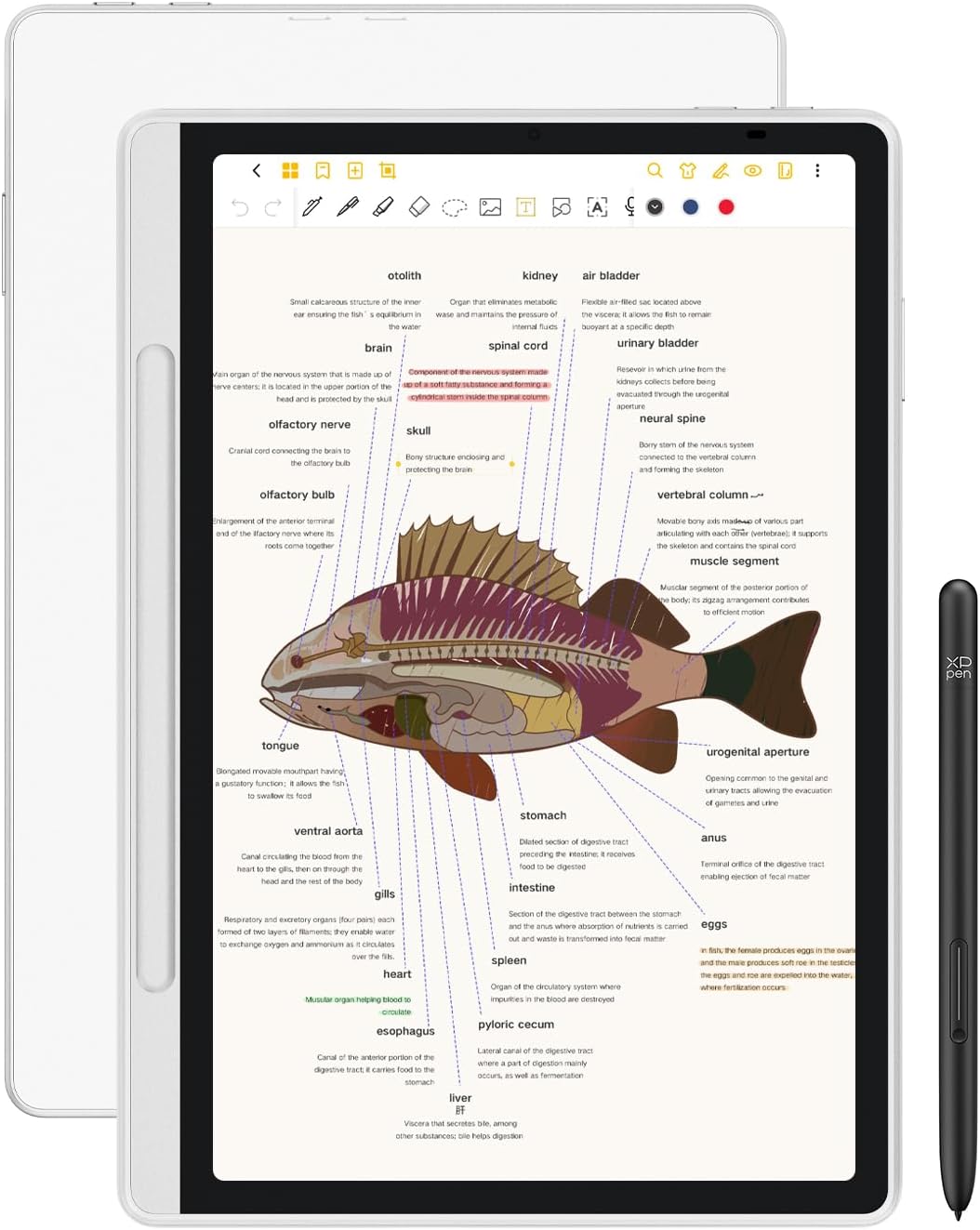
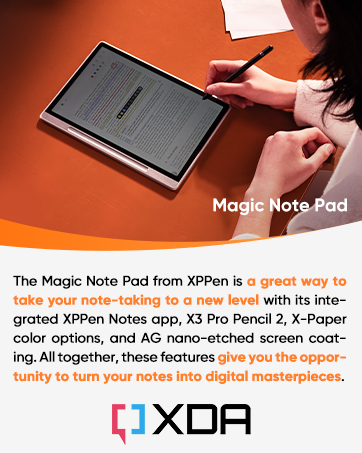
The XPPen Magic Note Pad is a 10.95-inch Android 14 tablet designed for professionals and creatives who demand a premium note-taking and drawing experience. Featuring an AG nano-etched LCD with TCL NXTpaper 3.0 technology, it reduces glare and blue light for eye comfort. The battery-free X3 Pro Pencil 2 offers 16,384 pressure levels for precise input. With 128GB storage, 6GB RAM, and a 90Hz refresh rate, it supports smooth performance and versatile 3-color display modes. Lightweight and equipped with a 13MP front camera, it’s optimized for productivity, study, and remote meetings.


| ASIN | B0DX234NWP |
| Aspect Ratio | 16:9 |
| Battery Average Life | 4 hours |
| Battery Capacity | 8000 milliamp_hours |
| Battery Cell Type | Lithium Ion |
| Battery Power | 8000 milliamp_hours |
| Best Sellers Rank | #11,133 in Electronics ( See Top 100 in Electronics ) #220 in Computer Tablets |
| Brand | XP-Pen |
| CPU Model Number | MT8781 |
| Camera Description | Front |
| Cellular Technology | Wifi |
| Compatible Devices | Stylus |
| Configuration | Magic Note Pad with X3 Pro Pencil 2 |
| Connectivity Technology | Bluetooth, WiFi |
| Customer Reviews | 4.2 out of 5 stars 334 Reviews |
| Display Refresh Rate in Hertz | 90 |
| Display Resolution Maximum | 1920*1200 |
| Display Type | LCD |
| Generation | 1st Generation |
| Graphics Description | Integrated |
| Hard-Drive Size | 128 GB |
| Hardware Interface | 802.11 b/g/n |
| Human-Interface Input | Touchscreen with Stylus Support |
| Included Components | X3 Pro Pencil 2 |
| Item Dimensions L x W x Thickness | 10"L x 7"W x 0.2"Th |
| Item Weight | 300 g |
| Lithium-Battery Energy Content | 7800 milliampere_hour |
| Manufacturer | XP-PEN |
| Memory Storage Capacity | 128 GB |
| Mfr Part Number | MNP1 |
| Model Name | Magic Note Pad |
| Model Number | B0dx234nwp |
| Model Series | Magic Note Pad |
| Model Year | 2025 |
| Native Resolution | 1920 x 1200 pixels |
| Number of Items | 1 |
| Operating System | Android 14 |
| Operating System Family | Android |
| Other Special Features of the Product | Extra-Slim |
| Processor Brand | MediaTek |
| Processor Description | MediaTek MT8781 |
| RAM Memory Installed | 6 GB |
| RAM Size | 6 GB |
| Screen Size | 10.95 inches |
| Set Name | Magic Note Pad |
| Size | 10.95 |
| Specific Uses For Product | Business, Student, Writing |
| Video Capture Resolution | HD 720p |
| Warranty Description | 1 Year Warranty |
| Warranty Type | Limited |
| Wireless Compability | 802.11g |
| Wireless Technology | Wi-Fi |
E**!
Fantastic all-in-one tablet for creatives
Just going to start by saying, if you're looking for some sort of high-performance, crazy high resolution, multi-tasking behemoth... this isn't it. The XPPen Notebook is EXACTLY as the name implies. This is for note-taking, is excellent for drawing on, and can even double as a pretty decent ebook reader. Granted, it's not an e-ink display, but it does come pretty close thanks in large part to software and hardware enhancements designed to mimic e-ink. As someone who IS sensitive to flicker and can wind up with a gnarly headache if I read on a traditional LCD screen for too long... I'm extremely happy and surprised over how effective their implementation has been here. Along with the decent refresh rate and uniquely versatile screen, I REALLY appreciate the matte finish. Again, this is a clear indication that this tablet is NOT made for high-end gaming or even general video watching (not in the casual sense, anyway). The display is designed to cut down on glare. As a result, viewing angles aren't going to be the best, nor is the brightness which, while listed as 400 nits, is noticeably dimmer than my ACTUAL 400 nits Lenovo Yoga. However, it still gets bright enough for outdoor reading, scribbling, and drawing because that finish really does a remarkable job of cutting down on glare. Frankly speaking, despite its lower brightness rating, because of how effective that finish is, I can still read the screen just fine outside, even though I have to crank my S24 Ultra all the way up to get around the same level of legibility. Build quality is also great. Yes, it's got thicker than normal bezels, but again... that makes perfect sense for what it is. In fact, it makes this tablet easier to use for its intended purpose. The thicker metal side where the pen magnetically attaches is an excellent hand holding spot when reading or scribbling notes. Overall, this is a solid tablet that feels great in my larger-than-normal hands and doesn't feel so thin that I'd fear about bending it as I do with more "high-end" models out there. Seriously... I'm personal tired of razor-thin bezels for handheld devices, ESPECIALLY tablets. Now granted, regularly priced, this may come across as being on the high-end given the tablet's specs. But specs only tell a piece of the story. The XPPen Notebook is a device clearly intended for a very specific market and, when that context is taken into consideration, the price starts to make much more sense. This tablet is significantly more pleasant to write and draw on than any other Samsung or Lenovo tablet on the market. The hardware and software tech used to make it's screen easier to read absolutely makes a difference... And the pen! If you're unfamiliar wit XPPen, there's a reason why "pen" is so prominently featured in the brand's name. This company KNOWS how to make a stylus. Hands down it is the best stylus on the market in its intended price range for writing and drawing, as far as I'm concerned. Yes Wacom might be the overall more premium brand, BUT... and it's a big one... you REALLY have to pay for it. XPPen in general tends to be more accessible while compromising shockingly little. So, should you get this tablet? If you are an artist on the go, a college student looking for a more lightweight note-taking alternative over lugging around your laptop, or an avid reader looking for a bit more versatility... I would encourage you to strongly consider the Notebook. For my purposes (avid reader, frequent notetaker, amateur cartoonist), the XPPen checks off all the necessary boxes and then some. My ONLY complaint?... I wish there were other 3rd party compatible covers on the market. Then again, this is a fairly new product, so hopefully that will change soon enough.
T**X
Great hybrid Android tablet for drawing, notes and reading
In my opinion, the XPPen Magic Note Pad is a fantastic hybrid device that pulls in the features that I wanted and more that I didn’t know I wanted but truly appreciate. I was looking for a new tablet with a focus on drawing since current tablet is from 2015 and the battery life on it lasts about an hour, so it has to be constantly plugged in. I saw a review on YouTube for the Magic Note Pad that had just recently been released so I went ahead and purchased it since I thought the price was more than fair. The 3 screen modes weren’t something I was shopping for, but I’m really stoked to have it. The full color mode is good, and I use that for web browsing and lite gaming. The second mode is colored paper, which is a washed-out version of full color, and it is easier on the eyes for drawing and note taking. And the third mode is a black and white like e-paper mode that is great for reading kindle books without causing eye strain. The screen has a soft matte finish that makes drawing on it a lot better than drawing on smooth glass. The drawback of this finish is that the viewing angle is narrower, so you must be directly in front of the screen to see it clearly. Being as it’s not a large screen I only plan on using it solo. The pen has 16k pressure sensitivity and is battery-less. Paired with the matte finish on the screen the drawing and note taking experience is really good. I use Clip Studio and Artflow for drawing and I use Noteshelf 3 for notes, and with the how light this tablet is it’s easy to take this along and use anywhere. The only con I have with the device is that it is on an Android OS and there is only a lite version MS Word available, so you don’t have all the editing features as you would on the full blown version in Windows OS.
G**O
Highly Recommended!!!
This tablet has made taking notes whether it is for school or meeting so much easier! Then it is also able to have apps downloaded etc. definitely getting a good value for money, battery life is good, charging is good, responsiveness is amazing as well, it doesn’t hurt the eyes and the screen quality is amazing in all 3 types of modes. Reading a book on it is amazing it’s wide and just right you actually feel like you are reading an actual book. Sometimes I caught myself trying to flip a page and had to remind myself that I’m reading on a tablet. In addition it comes with a magnetic case and replacement tips for the stylus. It’s nice and sleek so it fits anywhere and feels like an electronic notebook. I would definitely recommend for those who are wanting to draw, write notes for classes, need a business planner or for meeting notetaking. It’s easy to add PDF’s to its note taking app.
C**T
Better choice than Kindle scribe
Good color and options for different modes. Easier to use than the scribe with reasonable power on time. Still exploring its capability but so far the decision is keeping this instated of the kindle. Cover case allow storing the pen with the device is functional and nice to have, it very easy to carry around.
N**N
Great tablet for note taking!
This is a fabulous alternative for iPads! It is especially good for students and note taking. My daughter in high school is very studious and artistic. She absolutely loves using it to help with her studies. The writing on the screen has a very smooth feel but not like the hard glass feel when using an iPad. It's also nice that the included pen is battery free and so responsive. You can create such fine lines with the amazing levels of pressure sensitivity! The matte display is wonderful and usable in the sun. I also love the ability to change to color modes to light color and black and white. You can also multitask easily with the ability to use dual windows.
J**G
Forget any tech support.
Oh, how I wanted to love this tablet. Initially, I was impressed. The packaging was excellent. It is a very nice looking tablet, the size is perfect for taking notes. The pen location has been well thought out. It holds magnetically to the front left, not to the side or back as some tablets. It comes with a cover. Even with the cover on, the tablet still has a thin profile and for a tablet of its size it is light weight. I was able to use Smart Switch to sync my phone with the tablet. Now for the negative and the reason for the 1 star review. I bought it to take hand written notes in meetings. I liked the idea of being able to keep all of my notes in digital files that I can upload to One Drive. I also liked the feature of downloading PDFs which I could highlight and add notes. The fact that it could double as a tablet was a bonus. One of the most important features was the conversation of my handwriting to text. Unfortunately, it converts my handwriting to gibberish. I know it isn't my handwriting because that feature works perfectly on my Samsung Galaxy tablet, so the problem isn't with my handwriting. The XXPen tablet would convert my printing properly. Now, maybe the problem was the protective plastic they cover the screen with, but if you remove the protective plastic, you can't return the tablet. I emailed tech support explaining the issue and requesting assistance just in case I was doing something wrong. If they could have assured me that the problem lay with the plastic film, I would have kept the tablet. Four days later I still hadn't heard back from their tech support. As a result, I have returned the tablet. It is way too expensive to take the chance that it will work properly IF the plastic film were removed. BTW, several days later on and I still haven't heard back from tech support. Apparently, once you purchase a product from XPPen you are on your own.
T**R
Can search handwritten notes, lightweight. Pro/cons in this review.
Okay gonna do a pros/cons list. May update later. For my needs this almost completely covers it. ** indicates things most important to me. PROS: quick reaction time, mostly seamless and comfortable writing especially for not being an E-ink **Can search even handwritten terms Color is as advertised, very vivid, lighter, or paper. Size, standard and you can take lots of notes before having to switch to a new page **Weight: excellent. This is light, thin, and sleek. The case is excellent too. Access to other apps: great, runs on google/android **Split screen and Pdf editor UI: a little tricky but nothing that a Google search can't fix Build: sturdy compared to what I've read about the new Remarkable Pro. Still fun for doodling but no serious art. CONS: not as smooth as an e-ink. If you're someone who likes to draw, this isn't really for you. Stylus: doesn't do angled drawing/shading (again not for drawing) Stylus isn't great and doesn't have an eraser. You can assign a quick action to the stylus button but it erases entire sections, not just a letter. Annoying but XXpen has a Stylus I'm going to buy that has it:may update based on the pen. Drawing apps advertised as free on XXPen don't apply to this device. NOTE: JNote Pro does come free but not from the XPen website, go to the option in JNote to upgrade, put in the email you registered the device with and it will work. Hope this helps. (Other note: I was not compensated and paid real money for the device in this review).
B**T
A decent little tablet, a sub-par writing device
This is a decent little device for the price but its advertised features didn't meet my expectations during testing. It's essentially an android tablet, with an etched glass writing surface and some customisations that give it a neutral colour or peusdo-greyscale appearance that mimics an e-ink display. However, it looks nothing like an e-ink display and its features are fairly average. I found the writing surface to be too slippery for everyday use as a writing device. It's definitely rougher than say an iPad or Samsung Galaxy tablet but not as rough as a reMarkable. It's slightly less rough than the Wacom MoveinkPad (which is also an Android tablet with an etched glass display). It's easily portable and quite light. It has the thickness of a typical android tablet; slightly thicker than the Samsung Galaxy Tab S8 Ultra. The other major downside was the lag. It has the pen drawing latency of a low-quality e-ink drawing tablet (i.e. first generation BOOX devices) but as this is an Android tablet, one is not getting the benefit of a faster refresh rate and an LCD/OLED/IPS display. Hence I don't see the appeal. All other Android features worked fine. There was little changed in the Android system to remove daily distractions common to normal tablets. The experience was therefore akin to a small formfactor Android tablet with a matte display and a pastel colour scheme. If you don't already own an Android tablet or iPad and really need a cheap solution to take digital notes, this might work fine for your needs. Otherwise I'd recommend using those tablets as you won't get the "distraction free natural writing experience" that one often forks out additional money for when they already own a tablet.
S**H
Loving it 🤩
Excellent product. Easy to use. Very light. Absolutely value for money. And of course has much more use than just a digital note book. Awesome battery life and sound quality!
D**R
A good Notebook.
I think that some people might be slightly surprised to find that this Notebook is really just an Android tablet - but perhaps a very good one - which has all its special note-taking and sketching capabilities rolled into one specific app named XPPen Notes. As a thank-you for buying a tablet from them, the manufacturer gives its users VIP status within this app. As such, I found the setup to be very easy and familiar. What I decided to do with this tablet was just to start with a clean setup, after which it only showed that 13GB were used by its preinstalled software, so that 99GB were displayed as available to me, to do with as I choose. I think that maybe, if some users find that after an initialization, 50-60GB of storage are already taken, maybe those users mistakenly imported the online profile which they already had from an earlier device with Google? This Notebook offers that because all Google-backed tablets do. Also, where some users complain that the display isn't easy to read, with me, this just seemed to be an issue with the auto-brightness being too dim. I found that I could make the display brighter in manual brightness mode. Now, the tablet offers a special feature - named NXTVISION - which will make text and graphics sharper even at low brightness. And this technology could be a way to extend the battery life, so that entire books could be read. Yet, I cannot weigh in just yet on how many hours or days a full charge of this battery lasts, because I just received the Notebook this evening. And I was just lucky again, I guess, that I don't seem to have any stuck pixels. So far, I'd say that this has the potential to be an above-average general-purpose tablet. I'm not disappointed in any way. Dirk Mittler P.S. I finally understand the importance of the Notebook's Monochrome and Light Colour modes. The LCD is, essentially, a transflective display that actually works, which is easy to read in direct sunlight in either of these modes, where the sunlight passes in through the white parts of the document and gets reflected back by the backlight - rather than to rely totally on the backlight being active as some designs do. I appreciate that the display is easy to read with these settings, which it wouldn't be in Natural (Full) Colour mode.
A**D
Impressive Functionality at a Great Price
⸻ I had doubts at first, but after a month of daily use I’m impressed. Smooth Android software, great stylus (close to paper feel), and solid all-day battery. Price is unbeatable for the value. Downsides: a bit bulky and Android e-note apps aren’t as polished as iOS. Overall, very happy and highly recommend!
S**A
Satisfied, interesting item, big screen
Really happy with this purchase. The build quality is excellent and the stylus feels great to use, very precise and comfortable for drawing or writing. It arrived quickly and was well packaged. I also really like the paper-like screen texture, which makes reading and sketching feel natural. The different screen modes are handy too, it’s easy to switch between reading and note-taking. The companion app from the manufacturer works smoothly and adds useful features.
S**R
Value for money tablet
This tablet is fantastic for taking notes as it is amazing to write on. The three modes it offers are also really interesting and the ink paper mode is very easy on the eyes. The notes app it comes with is also quite easy to use and I like how they give you templates. Only problem is that battery drains a bit on the faster side but other than that this tablet is highly recommended :3. It’s also much cheaper than other tablets :)
Trustpilot
1 month ago
3 weeks ago