Desertcart purchases this item on your behalf and handles shipping, customs, and support to South Africa.
⚡ Future-proof your home network with Wi-Fi 7 power and security — don’t get left buffering!
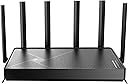
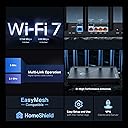
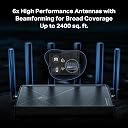
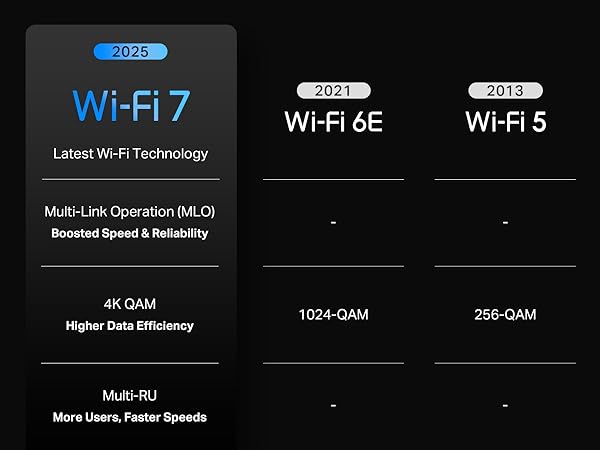
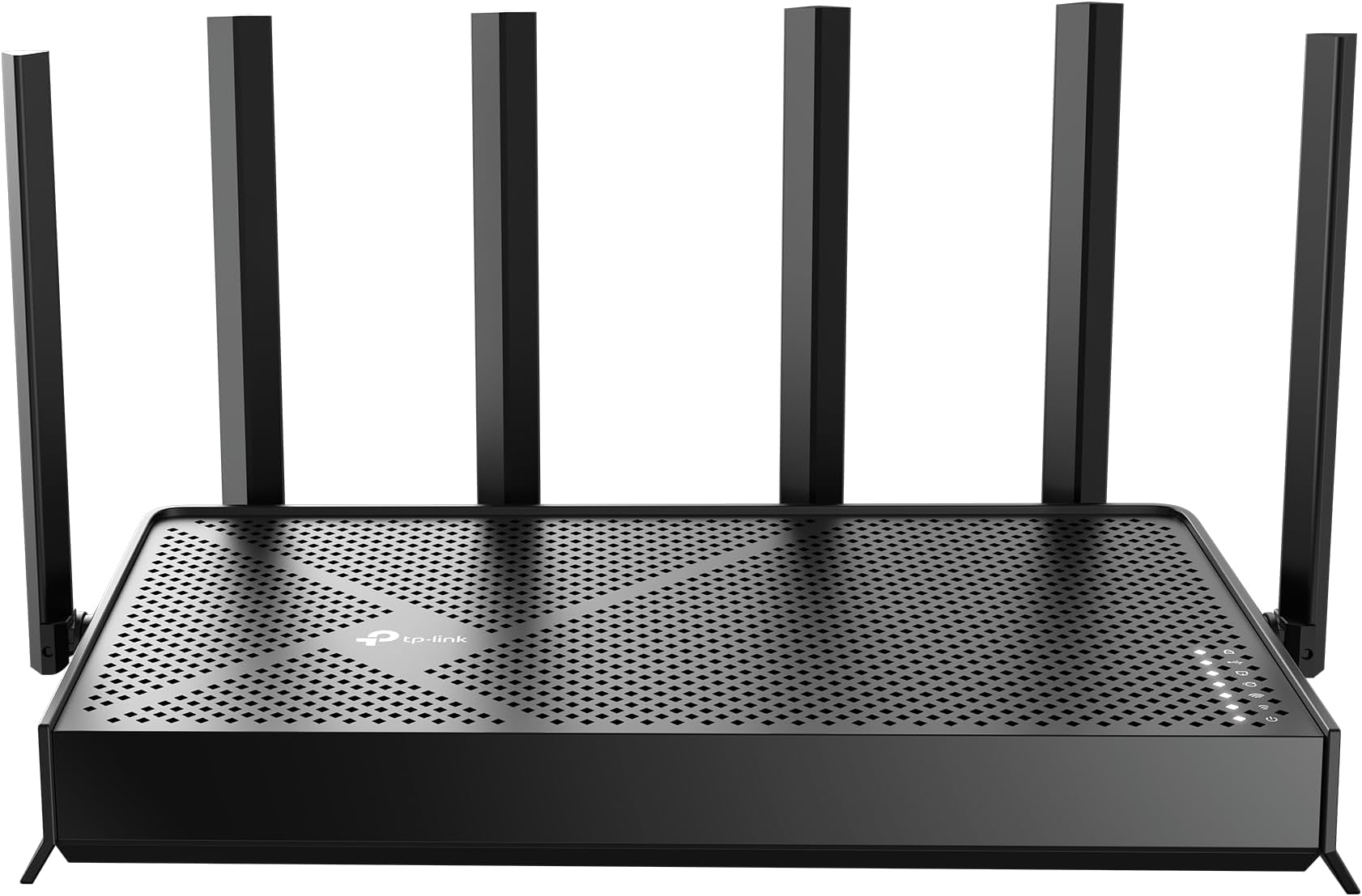
The TP-Link BE6500 Archer BE400 is a cutting-edge Wi-Fi 7 dual-band router delivering up to 6.5 Gbps total bandwidth, covering 2400 sq.ft. with support for 90+ devices. Featuring 6 antennas, 2.5 Gbps multi-gig wired ports, advanced WPA3 security, and TP-Link HomeShield protection, it ensures ultra-fast, reliable, and secure connectivity. Easy to set up and manage via the Tether app, it’s designed for modern smart homes and demanding users seeking future-ready performance.


| ASIN | B0DVBP5L6Y |
| Antenna Location | Home |
| Antenna Type | Fixed |
| Best Sellers Rank | #29 in Computers & Accessories ( See Top 100 in Computers & Accessories ) #2 in Computer Routers |
| Brand | TP-Link |
| Built-In Media | 1 * Power Adapter, 1 * QIG, 1 * RJ45 Ethernet Cable, Wi-Fi 7 Router Archer BE230 |
| Color | Black |
| Compatible Devices | Gaming Console, Personal Computer, Security Camera, Smart Television, Smartphone |
| Connectivity Protocol | Wi-Fi 7, Wi-Fi 6, Wi-Fi 5, Wi-Fi 4, Wi-Fi 3, Wi-Fi 2, Wi-Fi, Ethernet, USB |
| Connectivity Range | 2400 square_feet |
| Connectivity Technology | Ethernet, USB, Wi-Fi |
| Control Method | App, Remote, Voice |
| Controller Type | App Control, Voice Control |
| Coverage | 2400 Square Feet |
| Customer Reviews | 4.3 out of 5 stars 1,461 Reviews |
| Data Transfer Rate | 2.5 gigabits_per_second |
| Frequency | 5 GHz |
| Frequency Band Class | Dual-Band |
| Item Weight | 1.4 pounds |
| LAN Port Bandwidth | 2.5G/1G |
| Manufacturer | TP-Link |
| Maximum Upstream Data Transfer Rate | 6452 megabits_per_second |
| Mfr Part Number | Archer BE400 |
| Model Name | Archer BE400 |
| Model Number | Archer BE400 |
| Number of Antennas | 6 |
| Number of Ports | 5 |
| Operating System | Linux |
| Other Special Features of the Product | Access Point Mode, Guest Mode, Internet Security, Parental Control, QoS |
| RAM Memory Installed | 1 GB |
| Router Firewall Security Level | High |
| Router Network Type | dual-band |
| Security Protocol | WPA2-Enterprise, WPA2-PSK, WPA3 |
| Special Feature | Access Point Mode, Guest Mode , Internet Security, Parental Control, QoS |
| UPC | 810142822220 |
| Unit Count | 1 Count |
| Voltage | 110 volts_of_alternating_current |
| Warranty Description | 2 Year Manufacturer |
| Wi-Fi Generation | Wi-Fi 7 |
| Wireless Communication Standard | 802.11.be, 802.11ac, 802.11ax, 802.11g, 802.11n |
| Wireless Compability | 802.11.be, 802.11ac, 802.11ax, 802.11g, 802.11n |
B**K
Very reliable user friendly router with high speeds
I recently moved into a new apartment, and was having issues with an older router (model from 2013), which kept disconnecting from the internet. After doing some research, I saw this particular router had some of the highest reviews on Best Buy, but the price was cheaper on Amazon. Long story short, it's a great router. Fast speeds, no connectivity issues, can handle multiple devices in a household. It's not too big at all, the size is decent which is nice because I live in an apartment. It covers my entire 1500sq ft apartment easily. The router is located on one far end of the apartment because that was the only spot with an ethernet cable, and it easily reaches the other end of the apartment, so it's coverage is impressive. For the average household, this router is more than enough. I also like that this router chooses which bandwidth to add devices to between 2.4 GHz and 5 GHz. On some older routers you have to connect to either the 5G or the 2.4 yourself, whereas here it's just 1 network and the router assigns the frequency itself. Set up was really easy through the app, I had no issues at all and the instructions were very clear. Even if someone is not tech savvy they can easily navigate the set up. Through the app you can monitor the router's functioning. some people experienced issues with the router. I wonder if they got a lemon or if it’s more of a problem with their ethernet cable I do find that this router is very reliable so if somebody’s having Wi-Fi problems, it may not actually be the router it might actually be the modem or the ethernet cable supplying the Wi-Fi.
M**.
A Huge Upgrade for Gigabit Fiber! Excellent Speeds, Simple App, Amazing Value
I’ve been using the TP-Link BE6500 (BE400) for about a week in my new apartment with a 1 Gbps fiber internet connection, and I’ve been extremely impressed. Over Wi-Fi, I’m consistently seeing around 850 Mbps download and 275–300 Mbps upload, which is outstanding for a wireless connection. Setup was incredibly simple. The TP-Link app walks you through the entire process, and I had everything up and running in just a few minutes. The app itself is clean, intuitive, and makes it easy to manage your network, connected devices, and settings without having to dig through complicated menus. One feature I really appreciate is the ability to pair the router with VPN services directly through the router for added internet security. It’s a nice bonus that you don’t always find on routers in this price range. Coming from my previous router, this has been a significant upgrade in both performance and features, yet it wasn’t a significant increase in price. The improved speeds, better coverage, modern Wi-Fi 7 technology, and easy-to-use software make it feel like a much more expensive router. Overall, this is an outstanding value. If you have gigabit internet or are looking for an affordable way to upgrade to Wi-Fi 7, I don’t think you’ll find a better bang for your buck. It delivers excellent performance, is easy to set up, and offers features typically found on more expensive models. I highly recommend it.
D**L
Powerful WiFi 7 Router With Excellent Signal and Easy Management
I picked up this TP-Link BE6500 WiFi 7 router mainly to improve coverage and device management at home, and overall, it has performed very well. Setup and programming are straightforward through the app, and managing connected devices is simple once everything is configured. The signal strength is excellent, with very good coverage and stable speeds even with multiple devices connected simultaneously. Compatibility has also been very good with a mix of newer and older devices including smart TVs, phones, tablets, gaming systems, IoT devices, and laptops without major connection issues. The router does a good job automatically selecting the appropriate band for devices, helping maintain stronger and more efficient connections throughout the house. The build quality feels solid, and the router stays responsive even under heavier network usage. The overall appearance is modern and clean without looking overly bulky, making it easier to place in visible areas of the home. Heat management is also better than expected. Even after long periods of continuous use with many connected devices, the router only gets mildly warm and never excessively hot. The ventilation design seems to handle airflow well and helps maintain stable performance. One thing I noticed is that if placed too close to certain Bluetooth devices, there can be some interference, so placement matters for best performance. Once positioned properly, though, the connection stability is very strong. Compared to older WiFi systems, this router feels noticeably faster and more capable of handling multiple smart home and streaming devices. In terms of value for the money, it feels like a strong investment for larger or busier home networks. Overall, a powerful and reliable WiFi 7 router with strong signal coverage, excellent compatibility, good heat management, modern appearance, easy management tools, and very strong overall performance.
M**N
Easy Setup, Strong Coverage, and Even Better With a TP-Link Extender
I recently decided to upgrade my router and initially purchased a Netgear RS150. Unfortunately, it just wasn’t the right fit for my home. I have a single-story house of a little over 2,200 square feet, and the signal was too weak in several areas. After switching to this TP-Link router, the coverage improved considerably. It still wasn’t perfect on its own, but it was noticeably better throughout the house. Setup was also very easy. I took it out of the box, connected it at my media panel, and followed the instructions in the app. The entire process was straightforward and took about 10–15 minutes. The app is simple to use and makes it easy to manage the network. You can also log in through a laptop or desktop browser if you prefer controlling settings that way. Overall, I’m very happy with this router. I’ve used TP-Link products in the past and have had good experiences with them, so I decided to add a TP-Link Wi-Fi extender as well. That made a huge difference. My home’s media panel is toward the front of the house, while the primary bedroom is toward the rear on the opposite side, so there was a small coverage gap in that area. With the extender added, the signal is now excellent and the speeds in the primary bedroom are phenomenal. I would definitely recommend this router, especially if you pair it with a compatible TP-Link extender for larger or more spread-out homes.
D**D
Very pleased with this router!
I had been using only my cable provider’s modem for a long time, but recently decided I wanted more control over my home network and better security. My goal was to create separate networks for my personal devices, work devices, and entertainment devices such as my TVs and gaming consoles. After comparing several brands, I chose this router because of its features, security options, and overall value for the price. Setup was incredibly easy. The instructions were clear, concise, and easy to follow. I chose to use the web interface instead of the mobile app, and the entire process was straightforward. Creating multiple networks was simple, and I had no issues configuring separate networks for my personal devices, work equipment, and entertainment devices. From the time I opened the box to having all of my devices connected and online, the entire process took about 20 to 30 minutes. Everything connected immediately once the networks were created, and the router offers far more customization and features than I expected at this price point. The router itself is compact, although not tiny, so it does require a little space. That wasn’t an issue for me since I live in a studio apartment. As far as performance goes, I’ve been very impressed. The signal strength has been excellent, and my devices actually seem more responsive than they were when connected directly to my provider’s wireless modem. Streaming has been smooth, and I haven’t experienced any buffering issues. Even my PlayStation has maintained a strong, reliable connection. Overall, this router accomplished exactly what I wanted it to do. It gave me better network organization, improved security, excellent performance, and a surprisingly easy setup process, all at a very reasonable price. I would highly recommend it to anyone looking for an affordable router with strong features and enough flexibility to create a more secure home network.
A**R
Works like a champ, easy setup.
Hooked it up and works like a champ. Easy Setup. All devices reconnected without issue. Replaced an existing TP-Link (EA9500) that was no longer supported. Would love to have a bit more reporting/analysis but maybe it has it and I just haven't found it. Would give it a solid 4.5 stars.
P**O
LOL figured out why it was so cheap.
It works great setting up the various channels was super easy. The day after I bought I was reading thY Trump is banning this company there will be no security support after 2029. Yes outside the US it's fine and they will continue to receive regular updates. Pretty sure I can just manual update it but keep that in mind when you buy this. Overall I'm quite happy with the product and the range and speed. I like the way it looks as well but that's just my personal preference.
D**Y
VPN client is useless
This review is for the TP-Link BE6500 Dual-Band WiFi 7 Router (BE400) B0DVBP5L6Y With my previous TP-Link router, I relied on the built in VPN client. It worked well but this router has what's called a VPN merge. It is slow and disconnects constantly. It went from rock solid to useless. A firmware update helped it a little but no where near good enough. The rest of the router performs well. Good range and good speed. I only have one WiFi7 device (I thought I had more). I think if I'd realized I only had one device I would have stayed with the previous router. I will say there is some improved security with this model. When connected a message pops up on the PC congratulating you on having the most secure WiFi connection available. Where does this message come from I'm not sure if it's a Windows pop up or a router pop up. Works with all my devices so far including PC,s Android tablets and phones and an iPad. If the VPN client worked, I think I would have gone 4 stars. I don't like the fact I need an app to unlock more features of "Home Shield" or I have to opt out of sharing information with third parties. If this is the direction they're going, this is likely my last TP-Link router.
J**A
Compra excelente
Excelente! Nunca mais problema de falha na comunicação, downloads e uploads aproveitando toda a largura de banda, maior área de cobertura e agora pega em todos os cômodos da casa com sinal forte.
J**.
Excelente producto
Mejoro demasiado el internet, sobre todo si lo utilizas en Mesh en casas que tengan techos gruesos de concreto
D**T
Waste of money
The Wi-Fi coverage area is very poor; it's a waste of money. I should have bought a cheaper one instead—I made a mistake.
A**Z
gran cobertura
execelente cobertura, buena velocidad
J**R
Wifi 7
Produto funcionando bem até agora, melhorou o sinal da casa.
Trustpilot
2 weeks ago
1 month ago