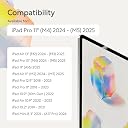
✍️ Elevate your iPad experience—write, draw, and create like never before!
Paperlike 2.1 is a premium transparent matte PET screen protector designed specifically for the iPad Pro 11 (M5/M4, 2025/24). Featuring advanced Nanodots technology, it delivers an authentic paper-like texture that enhances precision for note-taking and drawing. Ultra-thin at 0.095mm, it offers seamless Apple Pencil responsiveness while protecting your screen from scratches and smudges without sacrificing clarity or color vibrancy. The package includes two screen protectors and tools for a bubble-free installation, making it ideal for creative professionals seeking a natural writing experience on their tablet.


| ASIN | B0D4B2RDSC |
| Best Sellers Rank | #30,629 in Computers & Accessories ( See Top 100 in Computers & Accessories ) #751 in Touch Screen Tablet Screen Protectors |
| Colour | Clear |
| Customer Reviews | 3.7 3.7 out of 5 stars (344) |
| Date First Available | 24 July 2024 |
| Generic Name | Screen Protector |
| Importer | Paperlike India |
| Item Dimensions LxWxH | 24.6 x 17.7 x 1.3 Centimeters |
| Item Weight | 10 g |
| Item model number | iPad Pro 11" (2020) |
| Manufacturer | Paperlike Gmb, Paperlike Gmb |
| Net Quantity | 1 Pack |
| Other display features | Wireless |
| Packer | Paperlike Gmb |
| Product Dimensions | 24.6 x 17.7 x 1.27 cm; 10 g |
| Special features | Anti Glare, Anti-Bubble, High Definition Clarity, High Sensitivity Touch, Scratch Resistant |
| Whats in the box | 2 pcs Paperlike 2.1 for iPad Pro 11-inch (M4, 2024) & accessories |
K**L
Installation is a bit tricky but the product is class.
If you primarily use your iPad for writing, this is hands down the best screen protector you can get. Compared to similar offerings from Spigen and ESR, this one stands in a class of its own. It’s lightweight, preserves the screen’s clarity, and—most importantly—delivers a writing experience that’s remarkably close to writing on actual paper. However, if your priority is heavy-duty screen protection, this might not be the right choice for you. Overall, the matte finish provides excellent glare reduction and a satisfying texture that enhances precision and comfort while writing or sketching. A caveat: installation is quite tricky. For the price and reputation, Paperlike should really include a real installation kit to make the process easier and more foolproof.
J**I
Installation process is difficult
Difficult installation process. The video is of no help either
N**N
Awesome, but hiccups to install.
Good to use. Works awesome. The perfect friction to the Apple pencil. Installation is a chore. But the 1st release paper wont come out easily and Its pull tab tore on the 1st attempt. So while separating it manually lots of tiny dust particles got attached and the iPad screen looks like the surface of the moon. I had a similar experience with iPad pro 12.9 also, 1 year ago. Feedback given but seems no improvement. -1* for this. No hindrance to use, but visually vv bad.
B**Y
Worst Quality and Delayed Delivery
Worst quality of screen guard and while i paid premium for prime delivery but got delayed delivery
A**.
Writing on the iPad after installation is better than before. However, I still see my face on it, which I don’t like.
M**E
Super qualité de produit, on a la sensation d’écrire sur du papier et c’est vraiment ce que je recherchais! La pose était super facile grâce au tuto vidéo
D**A
Good, durable surface so far. The surface is clearly different from glass, but it's still slippery when writing; perhaps I was expecting a significant "friction" feeling like paper gives when I write with fountain pens and gel pens. It feels similar to writing with a ballpoint pen on paper, however, and some people might like that feeling. I expect the surface to wear out, and some reviews are saying a few months after heavy use. I might update this review if I remember to, when I need to replace the Paperlike to show how durable it is after heavy use. So far, a positive experience. It's easier to write and draw on an iPad and I appreciate the soft scratching sounds that come from a pencil when writing. The packaging is slick, and the directions are clear and easy to follow, and I'd even say they're foolproof. It comes with a wet wipe to clean the screen, a sticker to collect dust, stickers to align the screen protector on the iPad, and a cleaning cloth. Since Paperlike has little microdots, they collect skin oils and dirt moderately fast. The cleaning cloth, with a speck of soap and water, cleans it right off. Warning to iPad Pro users with the 11" model: ensure you purchase the right model! The new M4-chipped 11" model has the date 2024 beside it. The other version for the 11" also fits the iPad Air 10.9", and will cover your front camera, making it difficult for FaceID to see you!
A**.
One of the most difficult installations I’ve ever experienced. The video instruction wasn’t even helpful as they say make sure you are in a dust free area, but their product doesn’t have no guard or protection from dust like all modern day screen protectors. Don’t get me started on the bubbles. Unless you have a state of the art vacuum dust free facility, avoid at all costs.
S**B
Utilisé sur un iPad Pro principalement pour la prise de notes et quelques croquis, le film Paperlike apporte exactement ce qu’on attend de lui : une légère “tooth” (résistance) qui rapproche la sensation du papier, avec plus de contrôle et des gestes plus précis au Pencil qu’à même le verre. La texture mate réduit aussi l’éblouissement et les reflets, ce qui rend l’écran plus confortable en lumière ambiante, et masque mieux les traces de doigts au quotidien. L’installation est soignée avec un kit et un guide clairs, et le pack en comprend deux pour un second essai en cas de poussière récalcitrante. Points forts Sensation d’écriture plus contrôlée grâce à une friction légère, proche d’un papier fin, très appréciable pour la prise de notes et le dessin. Moins de reflets et de traces : lisibilité plus stable en environnement lumineux, écran moins “gras” visuellement. Kit d’installation bien pensé et pack de 2 protections pour sécuriser la pose. Points à connaître Perte de netteté et de luminosité perceptible : rendu plus “laiteux”/granuleux, surtout sur fonds clairs, avec un effet de diffusion propre aux films mats. Usure des pointes d’Apple Pencil accélérée par la texture mate ; prévoir un remplacement plus fréquent selon l’usage intensif. Le film finit par se rayer et capter de la poussière dans la micro‑texture ; remplacement plus régulier qu’un verre trempé. Pour qui c’est idéal Étudiants, preneurs de notes et illustrateurs qui privilégient le contrôle du trait et le confort d’écriture plutôt que la netteté maximale de l’écran. À éviter si La priorité est la meilleure qualité d’affichage (lecture, retouche photo/vidéo, contenus HDR) : l’effet granuleux et la baisse de piqué seront visibles. Alternatives et remarques Les films “paper‑feel” concurrents peuvent offrir une texture plus ou moins marquée ; certains préfèrent une surface plus rugueuse type “Bristol”, mais cela accentue souvent l’usure des pointes. Les protections mates en général partagent ces compromis (piqué, usure des pointes, remplacement régulier). Conclusion Excellent choix si l’objectif principal est d’améliorer la sensation d’écriture/dessin au Pencil et de réduire les reflets, avec une vraie différence de contrôle par rapport au verre nu. En contrepartie, accepter une baisse de netteté/éclat de l’écran et une usure plus rapide des pointes, ce qui le rend moins pertinent si l’usage majoritaire est la consommation de médias ou la retouche précise
Trustpilot
1 week ago
1 day ago