Buy anything from 5,000+ international stores. One checkout price. No surprise fees. Join 2M+ shoppers on Desertcart.
Desertcart purchases this item on your behalf and handles shipping, customs, and support to South Africa.
📞 Stay connected, block the noise, and never miss a beat!
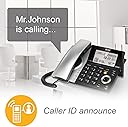
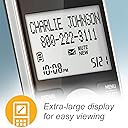
The AT&T CL84107 DECT 6.0 phone system combines robust long-range cordless technology with a smart call blocker that automatically filters robocalls and lets you blacklist numbers effortlessly. Featuring a digital answering system with 22 minutes of recording, a high-contrast backlit display, and expandable support for up to 12 handsets, it ensures seamless communication throughout your home or office. The corded base guarantees call reliability even during power outages, making it a dependable choice for professionals who demand clarity, control, and convenience.


| ASIN | B07D2BHBYR |
| Answering System Type | Digital |
| Best Sellers Rank | #8,561 in Office Products ( See Top 100 in Office Products ) #24 in Landline Phones |
| Brand | AT&T |
| Built-In Media | 2 handsets, base, charging cradle |
| Color | Silver/Black Corded /Cordless |
| Compatible Devices | AT&T cordless headsets and speakerphones |
| Conference Call Capability | basic |
| Customer Reviews | 4.3 out of 5 stars 34,202 Reviews |
| Dialer Type | Single Keypad |
| EU Spare Part Availability Duration | 7 Years |
| Enclosure Material | Metal, Plastic |
| Global Trade Identification Number | 00650530030369 |
| Is there Caller ID | Yes |
| Item Dimensions | 11.87 x 7.43 x 4.67 inches |
| Item Type Name | AT&T CL84107 DECT 6.0 Expandable Corded/Cordless Phone with Smart Call Blocker, Black/Silver with 2 Handsets |
| Item Weight | 1.5 Pounds |
| Manufacturer | Vtech |
| Material | Metal, Plastic |
| Mfr Part Number | CL84107 |
| Model Number | CL84107 |
| Multiline Operation | Multi-Line Operation |
| Number of Batteries | 1 AAA batteries required. (included) |
| Phone Standby Time | 1 hours |
| Power Source | Corded Electric |
| Recording Capacity | 22 Minutes |
| Telephone Type | Cordless |
| UPC | 650530030369 |
| Unit Count | 1.0 Count |
| Warranty Description | 1 Year Limited Warranty |
J**S
Ordered Used, & Seems Great!!
Prior to this phone, I had the Vtech version for a few years (& it's terrible!! Don't do it just to save a few bucks, buy anything else). So this AT&T one I settled on after looking at one by Panasonic, this one had better reviews. I ordered it from the Amazon Warehouse "Very Good" and it arrived in the box, with all the parts and plastic protectors. It works perfectly. Only small issues, the number 8 is a bit wonky, like it's got a small rock under the button, so just need to be deliberate when pressing it. The other issue was the handset battery cover occasionally fell off, but after really looking into it, if anything it's a design flaw. I made sure all the little hooks were aligned, and so far it's fine. There are lots of reviews that people mentioned the directions being complicated, I did not find that true. The machine walks you through setup (so you don't need the manuel, tho it does help clarify things if you want to know more detailed things about the phone). This phone works with out power, at least for in and out going calls (the Vtech version did not, only allowed outgoing). When power returns, this phone does start over with its tutorial setup. I thought it had erased everything, but if you have already set it up and the power goes out, even if it prompts you, you do not have to reset up everything. You can skip it, and your presets are all still saved. The main thing you need to do, if youre using the smart blocker, is to make sure to add anyone you actually want calling you without hassle, to the directory (basically save their number). You can manually enter them or if they call, you can add the number from caller ID. You can also block people who made it through from the directory or when they call. Anyways, add the people you want to just ring through like normal, and anyone else, when they are announced, you pick up and still get to choose if you want to talk, save, block, or send them to the machine, without them even knowing you are on the line. Each one of these options has an assigned number (1-4). So most important, add to the directory & remember the functions of numbers (tho the phone will tell u each time, it's faster if you just know: "1=answer 4=send to the machine"). Saving or blocking can be done afterwards, if you can't remember the other numbers. I say faster because the person on the line, after announcing themselves to the smart blocker, gets put on hold. They don't hear a ringing, they hear a long beep or buzzing (which if you didn't know what smart blocker is, you may think there's been an error on the connection). I'm making this sound more complicated than it is, it's really simple and the phone prompts you for everything. There's even different smart block options, where u "screen/block"everyone except directory numbers, or only unlisted numbers get the smart blocker, or everything comes through. There's a fair amount of customization. I have not figured out how to use the intercom from the base (not sure it's even an option), but the handheld has a button on the side and you have to pick the receiving device (ex. "Base" or if you have other wireless phones), and hit the "select" button, then the intercom goes through. The sound is clear, the volume is great. I haven't tried adjusting the tone. The setting screen is a bit weird, seems like it skips categories sometimes, but it all functions. I love the way the phone looks. The buttons are big and light up orange on the handheld. As long as the base is plugged in you can add several wireless sets to your home. You only need an electrical outlet for the wireless base, not a phone line, so you can put a wireless phone anywhere in your home, which is awesome. I don't think the phone has a customizable ring tone, the default one it has is classic ring, but still kinda digital sounding (not like an old school metal ringing). I like it, it's loud without being jarring or sharp. Only had the phone for a week, but I really like the look and the functions so far. The power went out, day after I put it up, so I did get to test it in that scenario (which is basically why I have a landline). It worked as expected. I do not regret buying a used version, though if I do buy used it's always "like new", but I took a gamble on this, and I'm glad I did! I would totally recommend this phone, and the discounted ones from the warehouse (I have gotten bad things from the warehouse, but 95% of the time the items are fantastic and don't look used at all). With "Very Good" I was expecting it to have scratches somewhere noticable, or missing manual, but nope! I am happy with this purchase. Paid as much as I did for the vTech nightmare phone, and this one is SOOOO much nicer!
O**L
Exactly as promised.
We chose the CL82307 as it was the best value, three sets of phones and the base, to replace a 17 year old AT&T cordless. The old three piece set that had batteries going out and those were $52.00 for EACH phone (ouch!). Time for a new cordless phone. The CL82307 batteries are currently $8.00 per phone. So yes, checked that! Speaking of batteries, this phone's talk time is measure in HOURS where the old phone was more like MINUTES. New stuff is way more efficient, and the frequency (~ 1.921-1.928 GGHz) for DECT 6.0 compliant phone has been moved to not intefere with wi-fi or have your micro-wave knoock off your phone call. The phone's OS was pretty much the same as the old phone, but with caller I.D. (annouinces very clearly) and a far superior directory (1,000 entries). The set-up for that was easy, as you just use the blue tooth connectivity to download your CELL phone address book with phone numbers. I down loaded mine, and my wife's CELL phone, and presto all our typical calls are available. But 1,000 entries seems like a lot to scroll through one at a time, yes? But it isn't too bad if you use the jump feature. Jump uses the number key to quickly jump to letters. If you press #3 once for example, you jump to "D" adddress book listing. Press #3 twice you jump tp "E" listings so on and so fourth for each number pads alphanumeric entry. You only need to then scross within that letter's entries. All the base phone's setting go to the satellite phone automatically, where the older phone had a hidden "broadcaste" feature to do that operation, this new phone does it automatically. So once and done as they say. Voice quality is really clear and crisp, so no complaints on that. The voice mail (at your provider's cloud) versus phone mail (in the phone's receiver station) was a problem, however, as the instructions are not proper to use BOTH at the same time. Here is the catch, you need to set the rings to be FEWER than the VOICE mail needs to answer in order for the PHONE mail to answer the call. For example, if I set the rings to six, only VOICE mail answers, If I set the rings to three, the PHONE mail and the VOICE mail both answer. Or, you can turn either or "off". I like PHONE mail as it is displayed in the satellite LED base with the number of missed calls and also allows a 1.5 second interval BEEP to be heard if you turn that feature on to audibly let you know a call was missed. VOICE mail does show a missed call in the handset display, but that's it, you need to go look at the phone's display, then dial the prvider's voice mail to retrieve missed calls. All in all this is a great phone in the initial use and set-up. Will it last seventeen years and going for the old phone? Not sure. It isn't built as well as the old phone but what is. For ~$65.00 for three phones I can't complain. It has the features I use and want and not the exotic satellite base we don't use. We opted for the basic feature set that is still a luxury compared to the old phone. The phone rates really well and so far I agree with the ratings. OK, it has fewer base features, but that's not going to bother me at all. I never use them. Maybe you won't need the exotic base features either, and if not check out this phone.
F**G
AT&T CL84107 phone set
UPDATE BELOW...I purchased this set because my local phone service offers me TEN (that's one zero) "blocks" on unwanted calls. That fills up in about 2 days - so, I have to delete my 'log' and start over. OMG. I looked into purchasing a plug in blocker box but this was actually less expensive - so I dived in. It was easy to hook up, but... it is a rather complicated and not very intuitive install on pretty much all the settings. It's a LOT of reading.. a lot of doing. But I have it set up. We shall see how it goes. I have high hopes. I did purchase one additional handset because we needed 2, but not 3 and it was still cheaper than purchasing the plug in boxes (that didn't have super great recent reviews). I believe you can purchase up to 12 (?) additional receivers if you need them with this unit - but I am not certain. The base unit is a corded phone - and the screen is large and easy to read. You can sit on a desk, or hang on a wall. The two cordless units have fairly large screens too - pretty easy to use with nice large numbers - however, they do NOT like to stay in their charging units - a slight nudge and the fall over. Eh. I am really just hoping for less spam calls. We rarely use the landline -but where we live it is necessary to get the DSL we need - so any calls coming to the landline are 99.9% spam. Says you can block up to 1000 numbers. That seems like a miracle after just 10. Fingers crossed. Having said all of this, I never hesitate to update my reviews should new info seem useful. UPDATE: 4/6/2021... So after a few weeks...I have to say that all of sudden - it' s the sweet sound of silence. I have literally not had a single call of any kind, let alone SPAM (which is actually the only calls I get on my landline) I did activate the option to have callers "announced" (caller must say their name and be announced before call goes through) - maybe that's it.. but whatever it is - I am very much appreciating the huge reduction of spam calls. I haven't had to push the "call block" button once. In all honesty, we keep the landline only because it's the only way we can get the DSL we do - as crappy as it is. In a very small rural area, we sadly have little choice. So a system like this - stopping the long lists of SPAM calls is real relief. I do wish the system was a bit easier to use - it's a bit complicated - thus I still stand on the 4 star review. If you have reasonable ability to read a bit of lengthy and boring instructions, you can get through it. And if you're overwhelmed with SPAM calls, I would definitely recommend it. I will continue to update if new info would be helpful.
N**N
Beautiful and simple to use
This is a great phone for those who need a landline and ability to move about their home. I originally got this set for my senior mother who needed a simple but effective phone and was not interested in a cell phone
W**N
No More Spam Calls! Really! UPDATED with my Quick Set-Up Guide
Mom has a landline and man-oh-man would we get lots of calls: early morning ones, middle of the day interrupting-whatever-you-were-doing ones, surveys, fundraisers, supposed service processors, etc. I worried because Mom would scramble for the phone and she uses a walker and is prone to falls. It really had become a health hazard. Installed this system two months ago. In all that time, I've had one spam call which I quickly blocked with the press of a button. I like that I can see the calls that never rang through because they got blocked. Reviewing the Caller ID list on the phone right now I see that in the last four days, there were 15 blocked calls that never disturbed our peace of mind. Amazing! It did take a few hours to set up using the three enclosed manuals/documents. UPDATE: SKIP TO THE QUICK-START SET UP INSTRUCTIONS I'VE ADDED BELOW IF YOU'RE READY TO SET YOURS UP. Pay attention to the one titled "Introducing Smart call blocker." The diagram on the first page shows the flow for how calls are blocked or let through. You want to make sure you understand the options. We chose the method of adding all of our family, neighbors, friends and businesses that contact us into the Directory. Anyone calling from a number that's in our directory, their calls ring through and they would never know their call was prescreened. Anyone not in the directory gets routed to a prompt that says, "Hello. Calls to (our family name recorded here) are being screened by Smart call blocker. If you're a family member, friend or invited caller, please press pound to be connected. If you're a solicitor, please hang up now." This works for us because we don't get a lot of unknown callers that are legit. We've had several friends that were not included in the directory and they've listened to the prompt, pressed pound and not only were they connected, but now their number is included in the directory as a safe number and they won't get blocked again. Robocalls tend not to respond to the prompt so their call is just dropped with this setup. The one spam caller that rang through this week was bold enough to press pound to be connected and so when I answered and realized it was spam, I pressed the Call Block button on the phone and she was forever blocked...after a few choice words from me advising her of the inadvisability of ever contacting our number again! To set it all up, I also spent time looking at videos and studying the big "Complete Users Manual" that came in the box to double check details. Search YouTube for "AT&T DECT 6.0 smart call blocker AT&T Telephones Tutorials" and pay attention to the short ones from the AT&T Telephones Tutorials channel. This is a powerful system with many, many options. Try settings out and test repeatedly. HOWEVER, if you want to start by setting it up just like ours, here's the QUICK-START SET UP INSTRUCTIONS 1. You'll need the annotated photo I've uploaded here from the Introducing Smart call blocker manual AND the Complete Users Manual that comes in the box. 2. Enter your callers into the system using the Create Directory Entries section in the manual (p. 51 in mine.) This takes time BUT remember the peace of mind this will give you with NO Unwanted Calls! Do NOT put your cell phone number in the Directory yet. 3. Look at the diagram from the manual that I've attached here. The green lines show your calls either get routed as Welcome calls or as Unknown calls that get screened. The top red arrow shows that the calls that you Welcome are now in your directory and they are going to ring through. (you can set up other options in the Welcome box later to refine your setup.) 4. The bottom arrow shows the types of unknown calls that you need to set up. See the Call Block Settings section on the manual (p. 76 in mine.) Follow the sequence of button presses to set up: * Control Calls without Numbers: Select Screening Without Caller Name *Control Uncategorized Calls: Screening w/o caller Name 5. See the Screening Announcements section to see how to Play Your Current Announcement W/O Caller Name (p. 93) and Record Your Name for Screening Announcements (p. 94) and record something like "Mike & Molly" or "The Smith family," etc.. TEST THE SYSTEM 6. Use your cell phone to call your AT&T phone system. Since your number is not in the Directory, you will get the screening prompt. Don't press # and see if the system will repeat the message (for your slow-witted friends!) Min repeats a total of three times and then hangs up on me if I do nothing. After the second message, press # and your AT&T phone should start ringing. VOILA! It works. If you don't hear the screening prompt when you call, see Set Smart Call Blocker On/Off (p. 76) to make sure it's on. And make sure your cell number is not in the Directory. Delete it if it is and test again. 7. Add your cell phone to the Directory. Add other Options later as needed. You might want to use the Star List if you get automated calls from schools, medical offices, pharmacies or any organizations that send you notifications/reminders. Instead of Star Listing we went through our old phone's caller ID log and entered notification numbers in our Directory on the new phone. But actually, we've switched to text message on our cell phone for most notifications anyway so our new phone set up is perfect for us. 15 blocked calls in the last 4 days for us, times 8 full weeks. You can understand why this product is a sanity saver. Happy Smart Blocking!
S**A
All 3 cordless phones have issues after a little over 2 years. :(
I bought these phones in 2022 and I already have to buy new ones. The base works fine, but 2 of the 3 cordless phones already don't work well. Both phones have the same issue....I can hear people, but they can hardly hear me. I will use the 3rd phone and they can hear me fine. Recently my 3rd and only good phone, now shuts off right in the middle of my call whenever I press the speaker button. The screen goes blank and drops my call. I like to use the speaker when I have to press numbers when entering numbers on automated calls. So much for that now. I've had it with the issues with these phones, so I'm looking for new ones. Pretty disappointed because these had such great reviews and I paid over $100 for the set. I will not get AT&T phones this next time...just not impressed with these. Oh...and often when I call my mom who only lives 2 miles away, we get wierd static and can't even hear each other. I dont talk on the house phone that much and they were always put on chargers....they weren't beat up by kids or trashed. That's what's most annoying is that they were taken care of. I can understand maybe ONE phone going to poop, but all 3?......
P**S
If you want to block robo calls, this is for you.
Just got the phone today and I'm serious, we were getting over 50 robo calls a day. We were even getting them weekends and up till 9 or later at night. My wife for some reason doesn't like to use her cell phone and even though I'm partially retired I still get a few calls on my landline. I wanted to keep my number as it was my parent's number from back in the mid 1960's. I was close to doing away with my landline. This phone is wonderful, no robo calls and it tells you who's called and it's already blocked over 10 in just a couple hours. Setting it up was a pain but once I figured it out it works just like it's susposed to. I highly recommend it to everyone if you want to stop robo calls.
K**3
Rocky start up but they're working now & they're very pretty & loaded with features
I bought this set (model #CL82257) to replace my old phones, AT&T model #82229, which I'd had for my VOIP phone system about a decade. The similarities between the two are striking, and that's a good thing as far as I'm concerned. I loved my old home phones. What led me to replace them was 2 things: 1, the replacement batteries in the handsets just weren't holding a charge anymore; and 2, the handsets stopped communicating with the bases. I did have a little bit of trouble setting these new phones up - but Mother Nature fixed everything! I received the phones over the weekend. I hooked them up, let the handsets charge overnight (they need at least 11 hours), then late Sunday morning, when I tried to finish setting them up, the bases were working but not the handsets. I tried resetting the modem, but that didn't help. Then the power went out for 47 hours because of the terrible weather, and when it came back on, everything was working perfectly. I have no idea why it wasn't working Sunday morning, but it's working now, so that makes me happy. My only problem is, if I have the same problem again, I don't really know how to fix it. But for now, it's working and that's exactly what I needed. One of the biggest reasons I wanted to stick with something like my previous phones is because of all of the features they have, at a great price. They have easily readable backlit screens; they announce the incoming Caller ID (and you can choose to only have the base, or the handsets, or all of them, do the announcements); you can program up to 100 phone numbers to block very easily so Spam & harassing callers can't get through to you anymore, and you can link your mobile phone via Bluetooth so it rings to your VOIP phones instead. You can save lots of numbers in your Directory, plus Speed Dial numbers. It can also record your calls if necessary, but make sure you know the law where you live! In my state, Pennsylvania, both parties must consent to any recording, and many states require that, also, so use that feature with the correct permission (you can easily search, "is my state a two-party phone recording consent state?" on your favorite search engine, just remember to tell it what state you're in & where you're calling if it's different)! I'm glad I found a great replacement phone for my VOIP line that has features I've come to rely on from my old phone plus some new ones that I think I'll find invaluable, for a very affordable price, in a nice style. It's a good buy over all.
A**O
Alternativa al Celular en Casa
Fue una buena compra, me tardé todo un día en entenderle, mi Papá (los compré por él) no creo que le entienda ni a la mitad de sus funciones. Es una muy buena alternativa que compite con mi celular cuando estoy en casa, a tal grado que compré otro juego para mi oficina. Como el instructivo no viene en español batallé todo ese día para configurarlo y que saliera la primer llamada, pues no me daba línea, creo que debería subir un video explicando todo para su instalación y funcionamiento, pero no alcanza el espacio que dan aquí para los videos.
S**M
Quality and Beauty in One
These phones are aesthetically pleasing, very easy to use, very easy to program and I am loving the call screening to avoid unwanted Robo calls! I also love the announcing feature, the size of the buttons and the screen!! So far- FAR from disappointed! I dreaded the thought of replacing phones and having to reprogram my directory etc. but it was really easy and took no time at all! The speaker phone is loud enough and certainly a vast improvement from my previous phone set! Also- I JUST discovered the intercom feature—- AMAZING- now I can call upstairs for refills! Haha I should’ve bought this year’s ago! Enjoy!!!
S**H
لابأس
لابأس
O**Z
Muy útil la funcionalidad de bloqueo de llamadas
Tras haberlo utilizado por 2 semanas no he tenido ningún inconveniente. La instalación fue muy fácil, pensé que iba a tener problemas para que la extensión de la recámara se conectara (no llega el internet del módem, por ejemplo) pero no tuve que hacer nada adicional y ha funcionado bien. La característica de bloqueo de llamadas y diferentes filtros para poder aceptar alguna llamada desconocida es super útil: recibíamos muchas llamadas buscando a personas desconocidas y ahora eso ya no es problema. PROS: * Bloqueo de llamadas con diferentes niveles para evitar las molestas llamadas de call centers. * Buena recepción * Tiene una contestadora, aunque en estos tiempos ya casi no se utiliza. * Es muy fácil bloquear o aceptar un número de teléfono. * Gran capacidad para la lista de números bloqueados. CONTRAS: * El mensaje de bloqueo de llamadas es en inglés y no puede cambiarse. Tal vez algunas llamadas que sí hubiéramos atendido no hayan sonado porque quien llamó no entendió.
A**O
Qualidade absoluta
excelente produto
Trustpilot
2 weeks ago
1 month ago