Desertcart purchases this item on your behalf and handles shipping, customs, and support to South Africa.
🚀 Future-Proof Your Home Network with Lightning-Fast Wi-Fi 7 Power!
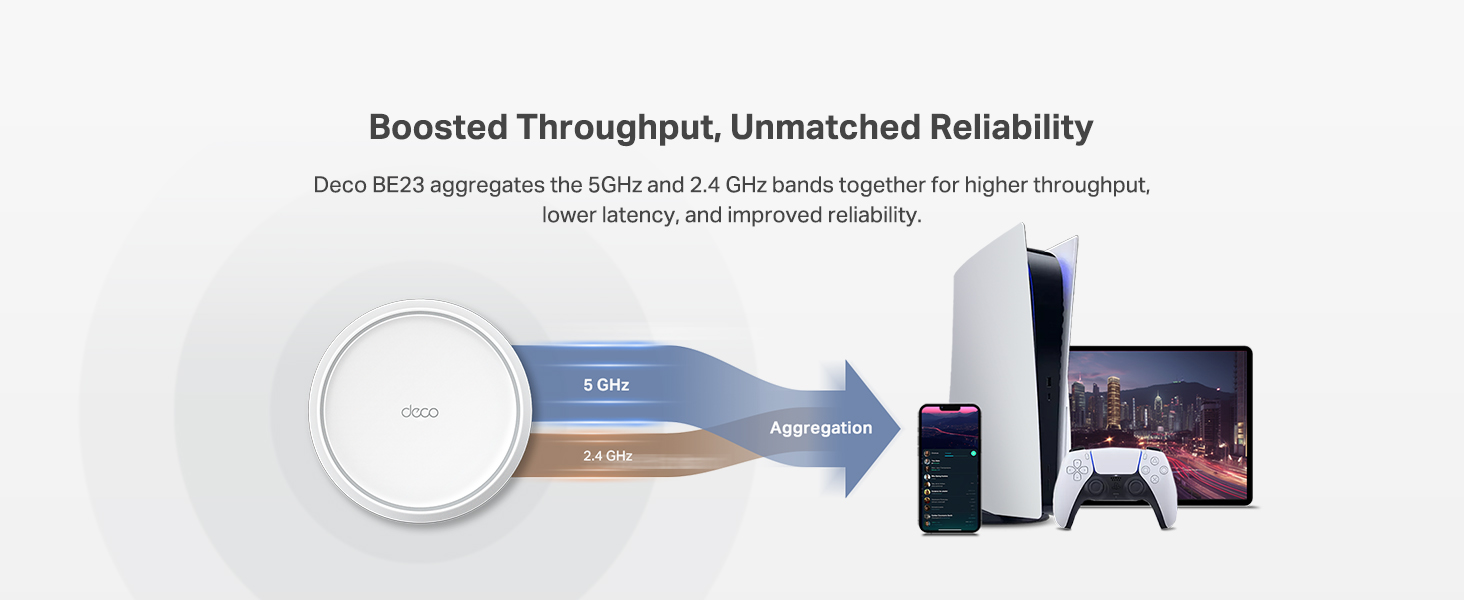
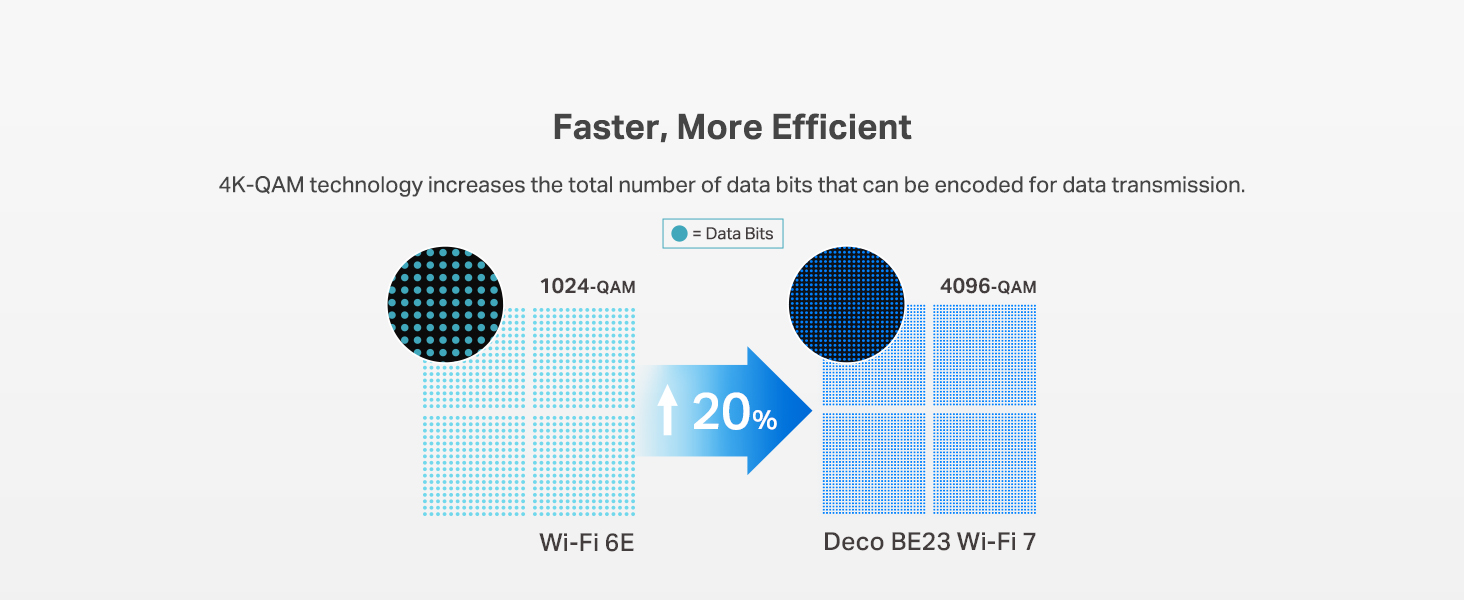
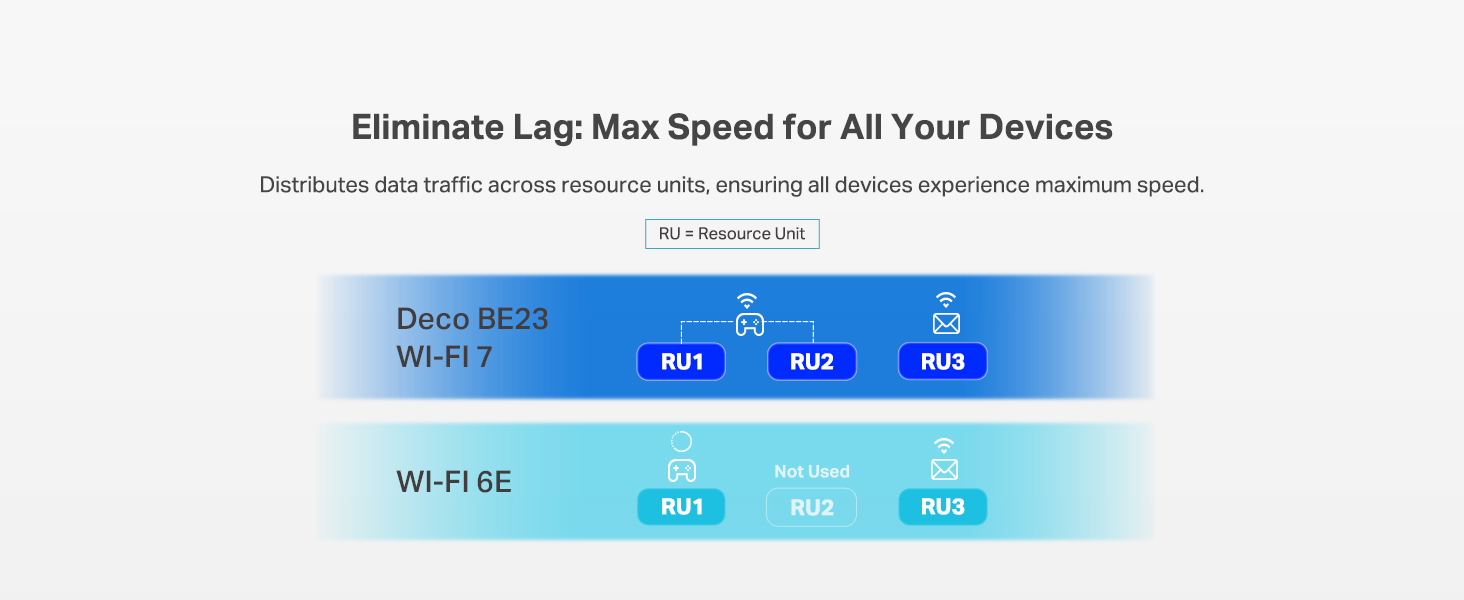
The TP-Link Deco 7 BE23 is a cutting-edge Wi-Fi 7 mesh system delivering ultra-fast 3.6 Gbps dual-band speeds and expansive coverage up to 6,500 sq.ft. Equipped with dual 2.5 Gbps wired backhaul ports, AI-driven seamless roaming, and robust HomeShield security, this 3-pack system supports over 150 devices simultaneously. Ideal for professionals and tech-savvy households, it ensures stable, secure, and future-ready connectivity for streaming, gaming, and smart home integration.


| ASIN | B0DQP4DNNJ |
| Antenna Location | Home |
| Antenna Type | Internal |
| Best Sellers Rank | #28 in Computers & Accessories ( See Top 100 in Computers & Accessories ) #5 in Whole Home & Mesh Wi-Fi Systems |
| Brand | TP-Link |
| Built-In Media | 1 RJ45 Ethernet cable, 3 Deco BE23 units, 3 Power adapters, Quick Installation Guide, WPA3-Personal |
| Color | White |
| Compatible Devices | Gaming Console, Personal Computer, Smart Television, Smartphone, Tablet |
| Connectivity Protocol | Wi-Fi, Ethernet |
| Connectivity Range | 6500 square_feet |
| Connectivity Technology | Ethernet, Wi-Fi |
| Control Method | App, Remote, Voice |
| Controller Type | App Control, Voice Control |
| Coverage | 6500 Square Feet |
| Customer Reviews | 4.4 out of 5 stars 668 Reviews |
| Data Transfer Rate | 3600 megabits_per_second |
| Frequency | 5 GHz |
| Frequency Band Class | Dual-Band |
| Item Weight | 5.6 pounds |
| LAN Port Bandwidth | 2.5 Gbps |
| Manufacturer | TP-Link |
| Maximum Upstream Data Transfer Rate | 2500 megabits_per_second |
| Mfr Part Number | Deco BE23(3-Pack) |
| Model Name | BE23 |
| Model Number | Deco BE23(3-Pack) |
| Number of Antennas | 2 |
| Number of Ports | 2 |
| Operating System | Omada |
| Other Special Features of the Product | Alexa Compatible, Guest Mode, Internet Security, Parental Control, Remote Access |
| RAM Memory Installed | 512 MB |
| Router Network Type | hybrid |
| Security Protocol | WPA-Personal, WPA2-Personal |
| Special Feature | Alexa Compatible, Guest Mode , Internet Security, Parental Control, Remote Access |
| UPC | 840030712494 |
| Unit Count | 3 Count |
| Voltage | 12 volts_of_direct_current |
| Warranty Description | 2 Year Manufacturer |
| Wi-Fi Generation | WiFi 7 |
| Wireless Communication Standard | 802.11.be, 802.11ac, 802.11ax, 802.11g, 802.11n |
| Wireless Compability | 802.11.be, 802.11ac, 802.11ax, 802.11g, 802.11n |
R**N
Good upgrade, fast, stable, and future‑proof
The Deco 7 BE23 system completely transformed my home network. The WiFi 7 speeds are no joke. the 4‑stream 3.6 Gbps performance is noticeably faster, especially with multiple devices streaming and gaming at the same time. Coverage is excellent; the 3‑pack easily blankets my entire home (around 6,000+ sq ft) with strong, consistent signal. The 2× 2.5G ports are perfect for wired backhaul, and setup through the Deco app was incredibly smooth. Features like AI‑Roaming, MLO, and HomeShield make this feel like a premium, future‑ready system. If you want rock‑solid WiFi with next‑gen performance, this is a fantastic choice
J**I
Fast, Reliable Coverage and Easy to Set Up
This mesh Wi-Fi system was simple to install, and the companion app made the setup process quick and straightforward. Once everything was connected, I noticed stronger, more consistent coverage throughout my home, with fewer dead spots than before. Speeds have been excellent for streaming, gaming, and working from home, even with multiple devices connected at the same time. The Deco units have a clean, modern design that blends in nicely with the room, and the network has remained stable since installation. Overall, this is an excellent mesh system for anyone looking to upgrade to fast, dependable whole-home Wi-Fi.
C**.
Huge difference, major upgrade. RECOMMEND
Super easy to set up, huge difference in speed and connectivity. Easy to use set up menu and app, and it takes you through the security to perso lise your passwords and usernames. I haven't had any issues whatsoever in the past 3 months. Definitely a huge upgrade from a spectrum router and ALOT more coverage. Highly recommend the mesh system for whole home wifi if you're having issues with dead spots. The wireless mesh works well as long as its not too far, but if you run your Cat6/ethernet between both mesh routers and bridge them, you can put it on the other side of the house and get full signal. WORTH IT!
L**S
Wifi 7 for Cheap
Overall, this might be the best router I've ever purchased. I have 2500Mb down and it seems like I'm getting the full speed. I have about 30 devices online throughout the day and I haven't seen any slow down so far. Almost all the functions I normally use are present. Renaming devices, address reservation, guest network with bandwidth control, detailed list of devices and other features are available to use. I can even set whether a device should use 2.4ghz or 5ghz or both or use the 1st deco or 2nd deco or auto which is pretty amazing. I have an upstairs and downstairs so I have a deco on each floor. It's works great so far. I have a room that's separated by 3 walls and the signal is ok. Unfortunately, there is something basic that is missing and it's per-device bandwidth control. The deco uses QOS (Quality of Service) which is very limited. I can only pick about 4 device to have bandwidth priority. This is ridiculously limited. I've had routers that were a quarter of the price and I was able to set a bandwidth limit for 30 devices. Hopefully, this will be added at some point (I'm not holding my breath). Almost all admin settings are only available on the app. The browser admin site doesn’t really have any router settings. If the WiFi goes out or gets wonky, this could be an issue. I don’t understand why they don’t make all the settings available via the browser. There are only 2 Ethernet ports on both routers. I like having physical connections if possible so this can be severely limiting. I had to get 2x 2.5Gb switches for each router so I could hard wire my devices. That cost me about $100 extra. I think deco is a good device. Time will tell if it's great. I recommend this if you want a decent level of control and features. Update: One year later and it’s still running great. I don’t notice any slowdowns that I feel are router related.
W**N
Easy to setup and works well. But some older devices may not be compatible.
I needed to update my very old WIFI system. The Deco was easy to set up, and it works very well. The three units provided good coverage throughout my 2600 sq ft house, plus the garage and patio. The only issue is that a few older nodes do not work on mesh systems. I resurrected one WIFI repeater to cover my solar system and garage door controller. The repeater connects to the Deco Mesh, and the devices connect to the repeater. I also had some WIFI "smart plugs that would not work with mesh networks and those I scrapped.) (This issue is not the fault of the Deco system but rather is caused by the older devices.)
D**E
Helped me get closer to what I am paying for. Easy set up and management.
This upgrade made a huge difference in my speed. I had upgraded to 2 gig speed through Comcast (I hate them) and was only seeing speeds in testing that were about 600/mbs. I had already upgraded my modem and while that helped, it didn't make the biggest impact. I decided to upgrade to the new WiFi 7 router and wanted to stick with TP Link/Deco as I trust their stuff. It took a few minutes to set everything up and a few more minutes to ensure that all of my devices were still seeing the correct networks, but I am now regularly getting speeds past 1 gig (still not quite getting what I am paying for but). Last night I needed to upload a bunch of photos to a google drive and decided to take my laptop home to do this. It was shockingly fast especially compared to how long it would have taken with my work's network (we are currently using ATT 5g at work). No issues with streaming devices or anything else. Management is simple and the coverage of just 1 of these mesh routers covers my 2 bedroom apartment just fine.
N**.
Game changer.
I’ve been testing the TP-Link Deco BE23 and it’s honestly a steal for a WiFi 7 setup. It isn't the fanciest system out there, but for the price, it’s hard to beat. The setup is dead simple. You just download the Deco app and it walks you through everything. I had three nodes running in about ten minutes without any headaches. Coverage is solid too. It’s rated for a huge area, and while it works great wirelessly, plugging the nodes into ethernet really unlocks the best speeds since this is a dual-band system. The IoT segregation is a huge win for me. You can set up a separate network just for your smart plugs and cameras. This keeps those cheaper devices away from your main gear and fixes those annoying connection drops older gadgets usually have. For the tech side, the VPN integration is actually useful. It supports WireGuard (NordVPN), which is fast, and you can pick exactly which devices use the VPN. I have my streaming box routed through it while the rest of the house stays on the normal connection. If you want future-proof tech without spending a grand, this is the one to get.
P**C
Not worth the frustration, especially if you are a streamer
This is a tale of 2 sides of a network. Bought this on Prime Day, because I wanted to go to Wifi7, and the price was too good to pass on. I learned why. Bought this to replace an aging Netgear Orbi Wifi5 mesh setup (router and one satellite). Setup was quick and easy, though I did find myself wanting more when it came to the app. Via the Netgear app, or better yet, direct router access via the web interface, I could do SO much more than with the Deco app. Probably fine for most folks, but as a lifelong techie, I found myself handcuffed with what I could change. Promises of 4500 sq ft of coverage are a pipe dream, unless you have no walls or floors in your house. With my Netgear setup, I had the main router at one end of the house, and the satellite @ 75-100 ft away, and up one story. That setup was stable and gave full coverage to both floors of my 2000 sq ft house. Putting these TP-Link devices in the same locations failed - satellite refused to connect reliably. When it did, speed for devices connected to it were miserable. I ended up putting the satellite on the same floor, mostly within a direct line of sight of the router. Now they connect, and they serve a signal upstairs, but it's not great. Probably reliably covering 1000 sq feet of open space in my house.... 4500 sq ft of "Whole Home" coverage did not happen. Once that was figured out, early speed results were promising. I have a gigabit connection through my ISP, yet I was topping out at @ 350 Mbps on the Wifi5 setup. With this Wifi7 in place, I was almost immediately getting about 850 Mbps. (Again, downstairs only.) Marked difference. And that was great... for devices that just need periodic connections. You wouldn't notice anything wrong if you were browsing the web, playing some mobile games... things that weren't "demanding." For other devices that need a good connection, forget it. I use a Playstation Portal that connects to my PS5 (wired directly into the router via a CAT6 cable). For months, on my Netgear, I never had an issue. Immediately with the TP-Link, it was unplayable. When/if the game remained open, it would blur/pixelate and stutter to the point of being unplayable. But more often than not, the connection would just break. Average over a week of testing was that the Portal would drop the connection @ every 5 minutes. We stream a lot to the TV in my living room via Roku. That device is located literally 9 inches from the router, so signal strength is not an issue. With TP-Link in place, we were no longer able to stream. Tested Disney, Netflix, Hulu, and more. Basically the same symptoms as the Playstations - video, which should be 4K, was blurry. After a few minutes, we'd either go into endless buffering loops, or get kickout out of the app entirely. My son is first-string on an eSports team. He had to withdraw from his last few matches, because his high-end gaming rig, which hadn't dropped a frame all season, was instantly unplayable online. It would freeze, stutter, and drop his connection. Finally got fed up, took the TP-Link out of commission, and put the Netgear back in place. Every one of the issues above went away, instantly. I used the Portal for an hour last night, never dropped a frame. At the same time, we streamed a movie via Disney+, played without a single buffer. Son played 4 practice matches of Marvel Rivals, finished at the top. Problem is not my modem, or ISP. It's this Deco system. Said system is now factory reset, boxed up, and will be getting returned today.
Trustpilot
3 weeks ago
2 months ago