Desertcart purchases this item on your behalf and handles shipping, customs, and support to South Africa.
๐ Future-Proof Your Home Network with Lightning-Fast WiFi 7!
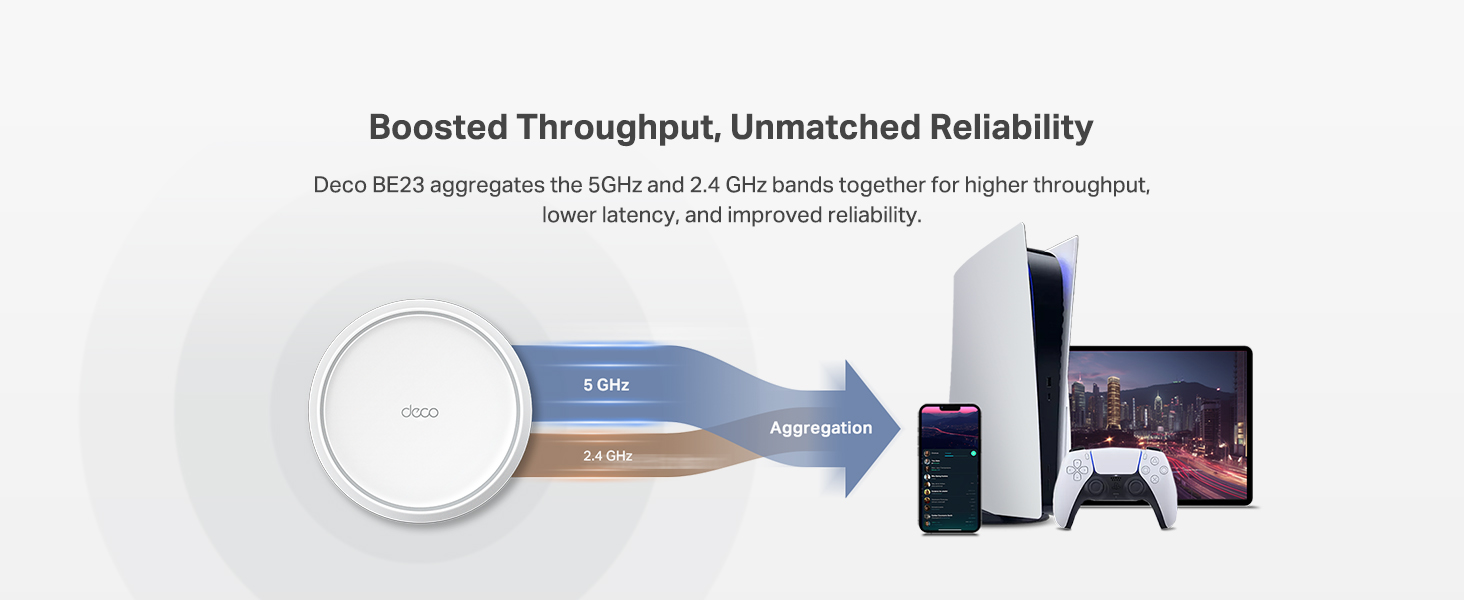
The TP-Link Deco 7 BE23 is a cutting-edge WiFi 7 mesh system delivering ultra-fast 3.6 Gbps dual-band speeds and expansive coverage up to 6,500 sq.ft. Equipped with 4-stream technology, dual 2.5 Gbps wired backhaul ports, and AI-driven seamless roaming, it supports over 150 devices with rock-solid security features including VPN and HomeShield protection. Ideal for professionals and smart homes craving future-ready, reliable connectivity.


| ASIN | B0DQP4DNNJ |
| Antenna Location | Home |
| Antenna Type | Internal |
| Best Sellers Rank | #48 in Computers & Accessories ( See Top 100 in Computers & Accessories ) #8 in Whole Home & Mesh Wi-Fi Systems |
| Brand | TP-Link |
| Built-In Media | 1 RJ45 Ethernet cable, 3 Deco BE23 units, 3 Power adapters, Quick Installation Guide, WPA3-Personal |
| Color | White |
| Compatible Devices | Gaming Console, Personal Computer, Smart Television, Smartphone, Tablet |
| Connectivity Protocol | Wi-Fi, Ethernet |
| Connectivity Range | 6500 square_feet |
| Connectivity Technology | Ethernet, Wi-Fi |
| Control Method | App, Remote, Voice |
| Controller Type | App Control, Voice Control |
| Coverage | 6500 Square Feet |
| Customer Reviews | 4.4 out of 5 stars 779 Reviews |
| Data Transfer Rate | 3600 megabits_per_second |
| Frequency | 5 GHz |
| Frequency Band Class | Dual-Band |
| Item Highlight | 4-Stream 3.6 Gbps, 160 Mhz | Covers up to 6,500 Sq.Ft | 2ร 2.5G Ports Wired Backhaul | VPN,MLO,AI-Roaming, HomeShield |
| LAN Port Bandwidth | 2.5 Gbps |
| Manufacturer | TP-Link |
| Maximum Upstream Data Transfer Rate | 2500 megabits_per_second |
| Mfr Part Number | Deco BE23(3-Pack) |
| Model Name | BE23 |
| Model Number | Deco BE23(3-Pack) |
| Number of Antennas | 2 |
| Number of Items | 1 |
| Number of Packs | 3 |
| Number of Ports | 2 |
| Operating System | Omada |
| Other Special Features of the Product | Alexa Compatible, Guest Mode, Internet Security, Parental Control, Remote Access |
| RAM Memory Installed | 512 MB |
| Router Network Type | hybrid |
| Security Protocol | WPA-Personal, WPA2-Personal |
| Special Feature | Alexa Compatible, Guest Mode , Internet Security, Parental Control, Remote Access |
| UPC | 840030712494 |
| Unit Count | 3 Count |
| Voltage | 12 volts_of_direct_current |
| Warranty Description | 2 Year Manufacturer |
| Wi-Fi Generation | WiFi 7 |
| Wireless Communication Standard | 802.11.be, 802.11ac, 802.11ax, 802.11g, 802.11n |
| Wireless Compability | 802.11.be, 802.11ac, 802.11ax, 802.11g, 802.11n |
J**Y
Very satisfied with my purchase.
Iโm very happy with the Dual WiFi system. The setup was easy, the connection is reliable, and it provides strong coverage throughout the house. Iโve noticed a big improvement in the speed and stability of my internet, especially in areas where the signal used to be weak. Overall, itโs a great system and definitely worth it. I would highly recommend it to anyone looking for better and more reliable WiFi coverage.
K**N
Fast speeds, great price.
Router works great for the price. Using in a 1 story 2000sf house and the coverage is great inside and out. Product was easy to set up and the app is very intuitive. We stream 4k, with from home and game with no WiFi problems. Highly recommend.
B**N
Nice router system
Very nice network router system. First of all, this is my first mesh router. My previous router was a tp link as well. This was so unbelievably easy to install. It honestly did everything itself. The security is great. The installation easy. The coverage is awesome. The wifi speeds are terrific. Yes, if you have a lot of Alexa devices they do require some effort to get up and fight again. Especially if they are third party devices. Phillips smart lighting needed to be uninstalled and reinstalled. Overall Iโm very thrilled with this.
R**A
Works as advertised
Set ip was easy. Connection was a little more difficult, but no more so than any new internet device. The big benefit is reliability. It just works, unlike the Netgear junk it replaced. I upgraded after Netgear really gave me the runaround on a product that was still under warranty. Not much else to say. Stable connection. Good WiFi throughout my house. Glad I bought it.
S**T
Been working great so far
I bought this a few months ago to replace the not-so-old competitor's version of a mesh network that they stopped supporting. We are very pleased with the setup, coverage, etc. of this. It plugged right into the Starlink router and we have zero complaints
W**_
super easy to set up.
So far so good. Installation was super easy. Download the tp-link app, plug in the first unit and connect it to your modem and let the app do the rest. I am using mine to bypass my Starlink v2 wifi since the base unit was too far away from most of my devices. after I set the first up, it had me place the second one, and withing minutes I was blazing along at a lot faster speed than I was. I am super happy so far. I've dealt with tp-link in the past and have always been happy with their products.
S**L
After 7 hours, failure!
I did not have a very good experience with the Deco 7. I have a mesh wi-fi system and was looking to update it, so I wanted to try a different product and for what it is supposed to do, the price point for this was a bargain. That was the only upside. The downside is getting all this to work properly. I hooked up the router and the two pods where the old one were. The router was doing its thing, but for the life of me I could not get the two pods to communicate with the router. I watched videos, went through the app again and followed their instructions. Now the router is not communicating with the app and the pods are not recognized. I turned everything off, disconnected everything, trashed the app and started the process all over again. Went though the same set-up through the app, and it did connect to one pod. Then that connection disappeared and needed to connect the pod over again. The app kept saying that it does not recognize the pod and to try again later. Connected to the TP-Link help line. It could never answer my question or resolve my problem. Automated bots can't do that and I kept getting the same instructions that never solved anything. I did put this all together and repeated everything . . . and it kept saying "try again later". Later came and went. Disconnected everything, trashed and reinstalled the app, watched more videos, contacted a friend, and went through the steps once again. The results are the same: the pods are not recognized. So after 7 hours of my life gone, everything was disconnected, trashed the app, put everything back in the box and returned it. I'm sorry to say that this just didn't work out for me. I connected my old mesh system and it worked perfectly. I'll stick with the same brand that is out of this orbi(t).
C**R
Fast in every way
Setup is fast. Plug them in and download the app and you're up and running in a few minutes. The app is pretty feature-rich but easy to use. These are a big upgrade from my Wifi 5 Orbi units, which were also awesome. The Orbis were 10x the size, these are about as big as a large roll of tape. The app also auto-detects and integrates with some tp-link home automation stuff you might have (I have some outlet switches), so that was a nice surprise. The network is fast and signal strength is excellent. I live in an old house with plaster walls and have no problem covering the house, plus driveway, plus detached garage with the 3-unit kit.
Trustpilot
3 weeks ago
2 weeks ago