Desertcart purchases this item on your behalf and handles shipping, customs, and support to South Africa.
🚀 Elevate your home network to WiFi 7 speed and security — because buffering is so last decade!
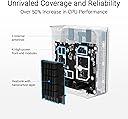
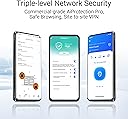
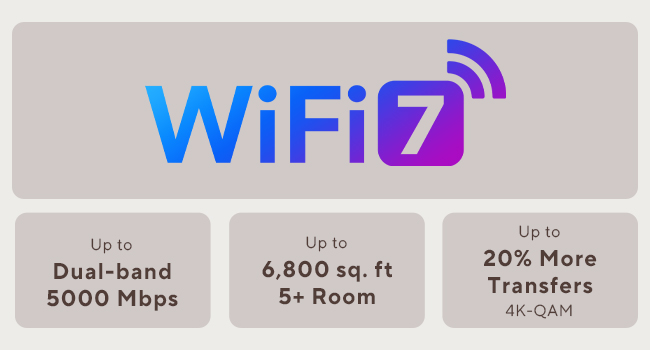
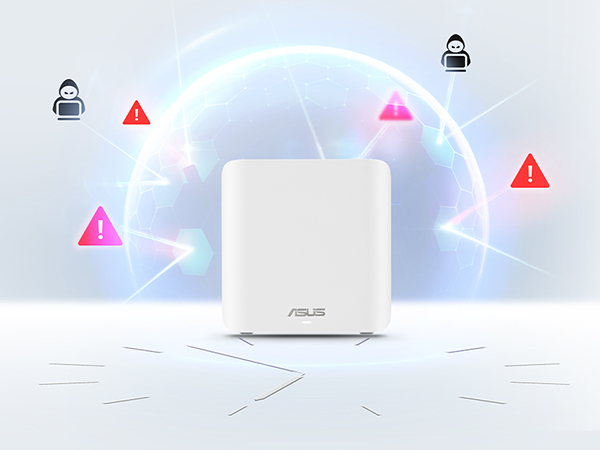
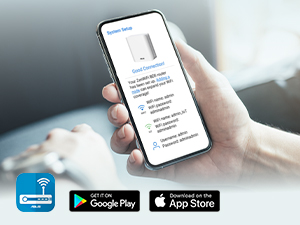
The ASUS ZenWiFi BD5 is a cutting-edge WiFi 7 mesh router system designed to deliver ultra-fast dual-band speeds up to 5 Gbps and expansive coverage up to 5000 sq.ft. Featuring ASUS AiMesh technology, it ensures seamless whole-home connectivity with easy scalability. Equipped with four internal antennas and high-power modules, it eliminates dead zones while providing robust, commercial-grade security through AiProtection Pro and advanced VPN support. Ideal for professionals and smart homes, it supports multiple devices with smart app control and future-proof dual 2.5 Gbps LAN ports.


| ASIN | B0DHW9Q7GL |
| Antenna Location | Business, Gaming, Home |
| Antenna Type | Internal |
| Best Sellers Rank | #2,036 in Computers & Accessories ( See Top 100 in Computers & Accessories ) #56 in Whole Home & Mesh Wi-Fi Systems |
| Brand | ASUS |
| Built-In Media | BD5 2 pack Router, Power adapter, Quick start guide, RJ45 cable, Warranty card |
| Color | WHITE |
| Compatible Devices | Personal Computer, Smart Television, Smart Thermostat, Smartphone, Tablet |
| Connectivity Protocol | Wi-Fi |
| Connectivity Range | 5000 square_feet |
| Connectivity Technology | Power adapter, RJ45 Cable, Wi-Fi |
| Control Method | App, Touch |
| Controller Type | App Control, Push Button |
| Coverage | 5000 Square Feet |
| Customer Reviews | 3.4 out of 5 stars 27 Reviews |
| Data Transfer Rate | 2882 megabits_per_second |
| Frequency | 5 GHz |
| Frequency Band Class | Dual-Band |
| Item Dimensions L x W x H | 5.5"L x 2.8"W x 5.5"H |
| Item Weight | 1.2 pounds |
| LAN Port Bandwidth | 2500 Mbps |
| Manufacturer | ASUS |
| Maximum Upstream Data Transfer Rate | 2882 megabits_per_second |
| Mfr Part Number | BD5 (W-2-PK) |
| Model Name | BD5 (W-2-PK) |
| Model Number | BD5 (W-2-PK) |
| Number of Antennas | 4 |
| Number of Ports | 2 |
| Operating System | Mac, Windows |
| Other Special Features of the Product | AiProtection, VPN, WPS Security, Alexa Compatible, Network standard: WiFi 4 (802.11n), WiFi 5 (802.11ac), WiFi 6 (802.11ax), WiFi 7 (802.11be), IEEE 802.11a, IEEE 802.11b, IEEE 802.11g, IPv4, IPv6, Whole-Home Mesh, Wirelss Router, AiMesh Node, Access Point Mode |
| Router Firewall Security Level | High |
| Router Network Type | Hybrid (Wired & Wireless) |
| Security Protocol | AiProtection, VPN, WPS, Let's Encrypt, DNS-over-TLS, Security Scan, Firewall, WPA/WPA2/WPA3-Personal, WPA/WPA2-Enterprise |
| Special Feature | AiProtection, VPN, WPS Security, Alexa Compatible, Network standard: WiFi 4 (802.11n), WiFi 5 (802.11ac), WiFi 6 (802.11ax), WiFi 7 (802.11be), IEEE 802.11a, IEEE 802.11b, IEEE 802.11g, IPv4, IPv6, Whole-Home Mesh, Wirelss Router, AiMesh Node, Access Point Mode Special Feature AiProtection, VPN, WPS Security, Alexa Compatible, Network standard: WiFi 4 (802.11n), WiFi 5 (802.11ac), WiFi 6 (802.11ax), WiFi 7 (802.11be), IEEE 802.11a, IEEE 802.11b, IEEE 802.11g, IPv4, IPv6, Whole-Home Mesh, Wirelss Router, AiMesh Node, Access Point Mode See more |
| UPC | 197105627802 |
| Unit Count | 2 Count |
| Warranty Description | 3 year |
| Wi-Fi Generation | WiFi 7 |
| Wireless Communication Standard | 802.11.be, 802.11ac, 802.11ax, 802.11g, 802.11n |
| Wireless Compability | 802.11.be, 802.11ac, 802.11ax, 802.11g, 802.11n |
N**K
Great Purchase
The ASUS WiFi router has been a great upgrade for my home network. Setup was quick and easy using the mobile app, and the connection has remained fast and stable throughout the house. Streaming, gaming, and video calls all run smoothly with minimal lag or interruptions. I also appreciate the strong signal range and built-in security features. Overall, this router delivers reliable performance, excellent speed, and solid value for anyone needing dependable home WiFi.
J**N
Good range, poor documentation, limited support for older devices
Setup was a bit rough. Initially I was unable to connect to the primary over HTTP. After resetting the unit, I was able to connect, but after following the instructions the secondary was trying to use wireless to connect to the primary, even though both were connected to the LAN via ethernet. The next day, I found the buried menu page with the switch to use ethernet backhaul. That should be the default behaviour if it's plugged in to ethernet and can reach the primary via the ethernet port. It should at the very least be easier to find. Maybe put it on the same menu page as "backhaul priority". But it's working pretty well now. Legacy (IoT) mode does not support all older devices. Specifically, Slim Devices Squeezebox 2/3 does not work at all. Squeezebox Radio needs the "community firmware" upgrade in order to connect reliably. It doesn't seem like there should be an issue, since both devices support WPA2 security, and the legacy mode of the ZenWiFi is supposed to support WPA2/WPA3.
V**O
Do not buy the bd5. It’s so much more trouble than it’s worth.
I love love love asus for the xt8. No fuss no muss. It just worked with the occasional update. Then it got hit by lightening. Not asus’s fault. Time to buy a new one. I thought, i’ll upgrade. I bought the asus BD5. The worst idea EVER! It has been a problem ever since i bought it. Box has a slip in it that says STOP! Call us before you return this item. So you call 3 times and the system puts you on hold and it clicks off at the 15 minute mark each time. You email and they say to call. They also say it’s the internet cable company’s fault. You change every cable 10x and still doesn’t work. You go through the setup at least a dozen times. Then it suddenly works and you have no idea why. Your only tools are a reboot, reset, an unwound paperclip and soooooooo much time watching lights. Signal strength says connection Great! with the xt8 Signal strength says connection ok or poor with the bd5 when it works. BTW - both units are in the same exact place they were before. Bd5 says update available. So you update and get the red light. No internet connection. Then you get the white light which means all good. No it does not because when you go to the app you get the orange bar that says “unable to connect to the internet” Value for money - no value at all. I would give ZERO stars if that were an option. These are paperweights that sometimes give you wireless internet. Context Lived with xt8 for 3 years, no issues. Pretty much set it and forget it. Living with bd5 since june 2025 and thoroughly regret the purchase. Now i’m gonna take my paperclip, reset the whole thing again and cross my fingers. Maybe i’ll have wireless internet again one day. The moral of this story is….. Do not buy the bd5. It’s so much more trouble than it’s worth.
W**B
Asus needs to hire competent instruction writers
The units themselves are great. The setup instructions are horrible. We used AI to navigate our setup because the 3 separate instruction sheets were confusing and contradictory. After the setup was complete, we’ve been very happy with the BD5’s look, performance, and security.
M**E
Love it!!
Returned my spectrum router and used this instead best service ever!
S**Y
Random reboots and connectivity issues
I'm an IT professional. I was setting this up for a friend. I have a TP-Link Deco at home; I've had zero issues with it. The Fire TV 4K Max would not connect to the Asus Zen wifi with Wi-Fi 7, MLO, WPA2/3 enabled. It kept telling me the password was wrong, even though it was correct. It turns out that, even though WPA2/3 allows WPA2 supported devices, the Fire Stick (which doesn't support WPA3) won't connect to this router with security set to WPA2/3. But MLO, which allows automatic switching between 2.4 GHz and 5 GHz, will only work with WPA2/3, and not with WPA/WPA2. So, if you want all your devices to connect, use WPA/WPA2, but then all my devices connect to the 2.4 GHz band and won't use the 5 GHz, resulting in slower speeds. Disabling the 2.4Ghz band so that only the 5Ghz band would be used, resulted in none of the devices being able to connect. Also had 3 random reboots of the Asus Zen wifi out of nowhere.
A**R
Electronics that work as advertised and per the instructions as advertised
Easy to setup and did the job. Worked out of the box and successfully replaced my Spectrum router when plugged directly into the fiber optic modem. Used the same password and everything connected seamlessly.
A**R
Difficult to set up and manage, finally replaced after 4 months
Difficult to set up and manage once installed. I do have 42 years of IT experience. I know what I am doing with networks. This router took a ton of time to set up. It is not easy. And then, I reboot the router monthly as a way of making sure everything is updated, cleared and OK. On the fourth month, I could not get the router to come back up. Everything I tried failed. I tried a factory reset but the method for doing that is not simple and you never know if it worked. So, I bought a Netgear Nighthawk. It was set up in less than 1/2 hour. I now have a BD5 shelf ornament. Ease of set-up and management is key for success. Asus isn't there..... and it isn't because I have not owned Asus routers. My previous four routers at two locations were Asus.
E**O
Recomendable 100%
Súper recomendable. Lo único es que necesité asesoría para poder quitar el doble NAT que me generaba por el tipo de servicio que uso en México. Pero incluso con el doble NAT las redes wi-fi se hicieron mucho más rápidas y al fin llegó a toda mi casa.
Trustpilot
1 day ago
2 weeks ago