Desertcart purchases this item on your behalf and handles shipping, customs, and support to South Africa.
📚 Kindle Paperwhite: Your ultimate escape, faster and sharper than ever.
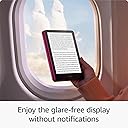
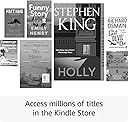
The 12th generation Amazon Kindle Paperwhite features a 7-inch 300 ppi glare-free display with 25% faster page turns, a sleek ultra-thin design, and up to 12 weeks of battery life on a single USB-C charge. Waterproof with IPX8 rating, it supports millions of titles plus Kindle Unlimited, offering a distraction-free reading experience without social media or notifications.
| Display | Amazon's 7” Paperwhite display technology with built-in front light, 300 ppi, optimized font technology, 16-level gray scale. |
| Size | 127.5 x 176.7 x 7.8 mm |
| Weight | 211 g. Actual size and weight may vary by configuration and manufacturing process. |
| System Requirements | None; fully wireless and doesn't require a computer to download content. |
| On-Device Storage | 16 GB; holds thousands of books. |
| Cloud Storage | Free cloud storage for all Amazon content. |
| Battery Life | A single charge lasts up to twelve (12) weeks, based on half an hour of reading per day with wireless off and the light setting at 13. Battery life may vary depending on use. Audible audiobook streaming over Bluetooth will reduce battery life. |
| Charge Time | Fully charges in approximately 2.5 hours with a 9 W USB-C power adaptor. |
| Wi-Fi Connectivity | Supports 2.4 GHz and 5.0 GHz networks with support for WEP, WPA, WPA2, WPA3 and OWE security using password authentication or Wi-Fi Protected Setup (WPS). Does not support connecting to ad-hoc (or peer-to-peer) Wi-Fi networks. |
| Accessibility Features | VoiceView screen reader, available over Bluetooth audio, provides spoken feedback allowing you to navigate your device and read books with text-to-speech (available in English only). Kindle Paperwhite also includes the ability to have dark mode, adjust font size, font face, line spacing, and margins. Learn more about Accessibility for Kindle. |
| Content Formats Supported | Kindle Format 8 (AZW3), Kindle (AZW), TXT, PDF, unprotected MOBI, PRC natively; PDF, DOCX, DOC, HTML, EPUB, TXT, RTF, JPEG, GIF, PNG, BMP through conversion; Audible audio format (AAX). Learn more about supported file types for personal documents. |
| Documentation | Learn more about Kindle devices with our Quick Start Guide and Kindle User Guide. |
| Warranty and Service | Kindle is sold with a limited warranty of one year provided by the manufacturer. If you are a consumer, the limited warranty is in addition to your consumer rights and does not jeopardise these rights in any way. This means you may still have additional rights at law even after the limited warranty has expired (see here for more information on your consumer rights). Use of Kindle is subject to the terms found here. |
| Included in the Box | Kindle Paperwhite, USB-C charging cable and Quick Start Guide. |
| Waterproofing | Waterproof (IPX8), tested to withstand immersion in 2 metres of fresh water for 60 minutes. Learn more about the waterproof Kindle Paperwhite. |
| Available Colours | Black, Raspberry and Jade |
| Generation | Kindle Paperwhite (12th generation) – 2024 release. |
| Software Security Updates | This device receives guaranteed software security updates until at least four years after the device is last available for purchase as a new unit on our websites. Learn more about these software security updates. If you already own a Kindle e-reader, visit Manage Your Content and Devices for information specific to your device. |
User
Love this device and highly recommend it!
We were replacing an, unfortunately, lost device. It is so handy to have. Great interface, easy to buy and download books and great customisation features. I suffer from astigmatism so I can easily change the font size to use the book when I’m without my glasses. Equally, changing the brightness and warmth of the backlighting makes it convenient to read at any time of the day. It is extremely lightweight and very responsive when Im reading. I honestly forget how long the battery lasts, I’m almost surprised when I need to charge it.I would like some customisation of where I can tap to go forward/backwards when I am flicking through pages - but the default works fine.I recommend this item to whoever I can - though I frequently hear “I prefer the feel of a book”, I quickly forget that when I think of the convenience and quality the kindle gives me.
User
Kindle Paperwhite 12th Gen
BLACK & WHITE SCREEN:Once I got over my irritation at not being able to have a colour device I started to inspect the quality of the black & white images & to be fair I am impressed, they are definitely better on the 12th Gen than on previous generations, OK there are a few titles that are hard to read in B&W because the cover design & colours are similar, therefore not so obvious when you're viewing in B&W, but I have my library set to List View so I get a tiny thumbnail image (which is hard to see in colour & B&W) with the title, author & description, so I know what I'm looking at - making colour a redundant feature.I no longer have my old Kindle Paperwhite as I accidentally left it behind on holiday in July & it was never found, so unfortunately I can't make the side-by-side comparisons that other people have, but I can still tell that the image quality in B&W is better, there is more definition to the images that there was on my old device.SCREEN:I have used Kindles for several years, due to being a migraine sufferer. I do have the App installed on my phone, laptop & tablet, but even with the time taken to get the screen set up properly for my eyes I still get eye strain & headaches from prolonged use on those devices, so when I lost my old Paperwhite I was gutted.The Kindle screen is designed for the sole purpose of being a reading surface - it has been optimised so that users are getting a paper-like screen which helps to reduce eye strain & headaches, therefore I was desperate to replace my lost Kindle, but knowing there was a new one to be realised I waited it out so I would get the newest generation.BACKLIGHT & WARMTH SETTING:I spent a couple of hours setting up my Paperwhite 12th Gen, there are one or two things that have changed in the settings, but nothing that is a major bugbear for me personally - I have been able to set up the screen to change warmth settings at sunset & sunrise (I had this on my old Kindle & it's essential for night & low light reading), this is still available on the drop-down menu on the screen, so is quick & easy to adjust should I need to.FONTS:Setting up your book fonts is still available, although I do believe there used to be an option to download other fonts which is no longer an option on the Paperwhite 12th Gen (I never used that option so I don't miss it).REFRESH RATE:The refresh rate is better & as of yet I have not had any issues with pages being slow to change, I do remember that my old Kindle would freeze from time to time, or I would end up flipping 2-3 pages at once due to the slow refresh rate of the pages, but that is definitely not an issue with this 12th Gen.One thing I have seen other reviewers say is that there is ghosting on the pages sometimes, but I really don't mind about that, I also believe it was present on my old Kindle but it doesn't bother me so I can't be sure whether it was there or not. I guess to the purists it might be a bugbear, but for me, it goes away when you turn the page so I really don't care about it - I have taken a picture of it for people to be able to make their own judgement.DOWNLOADING CONTENT:I have 221 Kindle books, 10 documents & 5 audible files on my Kindle - I have downloaded all the books & documents, but not the Audibles as I have already listened to them & don't need them taking up space. It probably took 10 minutes to download all my books & files, I set them going & left the device to it, when I went back they were all downloaded & the device was fully responsive (it took my old Kindle 3 hours to download all my books & documents & crippled it throughout) it is definitely must faster & smooth to use.READING EXPERIENCE:Once I finished setting up & put the Paperwhite on charge for a while, as the set-up process does drain the battery. Once the Kindle was fully charged I found myself a comfy corner & sat down to read a Kindle book (the one shown in the photos) - I read for 2 hours before going to bed, I don't have lights on at night - I have colour lamps around the house (reduces eye strain & makes it cosier) & when I decided to go to bed I did not have eyestrain or a headache (which I do get from late night reading on my other devices) & I was relaxed, my eyes adjusted quickly to the dark room (which again is impacted when reading on other devices) & I was able to drop to sleep normally - all in all a good night time reading session.PDF VIEWING:I have said in the past that Kindles are not the best PDF viewers it's not one of their intended purposes I guess, I have a MacBook for that, but if I do happen to want to read one of the files on my Kindle they are there & they are accessible ... I have posted a video with a demo of viewing a PDF, the font is tiny & you have to pinch the screen to zoom in (as you do on all other Kindles) & that is cumbersome & very hit & miss, sadly I don't think that part has really improved from previous generations, but like I say I don't view PDF's very often anyway, but if you are going to use PDF's I would recommend getting a tablet over a Kindle Paperwhite.STORE BROWSING:I do like to browse the Kindle store to look for free & 99p books - most of my library has been purchased that way. Finding out that this is much smoother & less glitchy was a blessing, I only buy Book 1 of a series & after reading it I then decide whether to buy any more from that series, so being able to purchase one on the fly is great, as it saves time going onto one of my other devices to do what I should be able to do whilst using my Kindle, so I am now a happy bookworm.WEIGHT, TEXTURE & SIZE:I love the 7" screen. It's only a fraction bigger than my previous Kindle, but it's noticeable to me, I also love the flush screen, it makes swiping from the top so much more straightforward & therefore accessing the Quick Menu is just that - quick. I do believe that this Kindle is slightly lighter than my previous one - I hand a pop-socket for my old Kindle because I found that prolonged holding would make my wrist ache, but setting up & reading did not create the wrist ache, so although I can't compare it to my old Kindle, I am pretty sure it is slimmer & lighter.I immediately put a clear silicone skin & a screen protector on my Kindle (I keep all my portable devices in cases/skins & have screen protectors on them) because I am a bit clumsy (AuDHD poor hand-eye coordination), but before I put the clear skin on I studied the beautiful jade green back & I love the texture too (probably another AuDHD sensory thing), but I am simply too clumsy to be trusted not to damage it if I don't offer it some sort of protection.CONNECTIVITY:I cannot comment on the wired connectivity side of the Kindle Paperwhite 12th Gen, because I didn't connect it to my MacBook with a USB-C cable, I did everything via Bluetooth & WiFi, but I did not experience any issues with the Kindle connecting to my devices & internet - it was very quick to set up, however on the Kindle there was an option to set up with my phone (iPhone) or manually, I tried the set up with my phone, but it wouldn't work - it kept saying "Unable to complete set-up", so I just did it via logging into my Amazon account & following the on-screen directions, so it was no bother in the end.PERSONAL NOTE:I initially purchased the Kindle Colorsoft which was going to be delivered on the 31st October, but that got changed to the 9th-11th November, then on the 11th November it got changed again to the 27th Dec-7th Jan which I was not willing to wait for, so I decided to save myself £100 & purchase the newest Paperwhite instead. I wanted a colour screen to see the covers in colour, but once I received and set up this new Paperwhite, I realised that the additional £100 would be wasted because I only look at the covers of the books when I am selecting my next read. I do not read graphic novels or comic strips, so I didn't really need colour.AND FINALLY:I am over all very happy with my purchase - yes I was initially fuming at Amazon for letting me down several times with the Colorsoft, as I had my heart set on that specific device (it was a birthday gift to myself) so I was going to go to another brand of e-book reader, but I have so many Kindle books already that it was going to be a nightmare to get them all onto a different branded device, & I cannot read on a normal tablet, computer or phone screen for too long due to migraines & eye strain, so I stumped for the newest Paperwhite, & I am glad I did, it's definitely an improvement on my old Kindle, even if it's only in B&W.Unless you're a person who reads graphic novels & comic strips there's no point in spending £100 more on the Colorsoft, it doesn't enhance the reading experience on plain text, I guess it would be nice to highlight in colour, ut I don't do much highlighting anyway, so again colour adds no value for me personally.
User
Just buy it if you’re considering one
I have had kindles since the first kindle keyboard with free 3G. I can honestly say that they are one of the most wonderful personal devices one can own and this model is the best yet. They are so light and easy to hold that it is a pleasure to read for hours whilst holding the device. This is my second paperwhite, I regrettably lost the first. The warm lighting and front-lit lighting make reading at night as good as reading in the day without annoying either my sleeping baby or wife.The touchscreen is smooth and responsive enabling you to easily type, not as quickly as on a smartphone but close, and recent updates to the software have also made the browsing experience more palatable.
User
Perfect gift for a book lover 📖
I bought the Amazon Kindle Paperwhite as a birthday gift for my husband, and it was such a good choice.He loves reading, so I wanted to get him something he’d genuinely use rather than just another gadget - and this has been perfect. He started using it almost straight away and appreciated the features and book selection available.The screen is really impressive. It’s clear, easy on the eyes, and the glare-free display makes it feel much more like reading an actual book than looking at a tablet. He especially likes that he can read comfortably in different lighting without any issues and can read at night and not wake me up if I'm sleeping!It’s also really lightweight and easy to carry around, so he takes it everywhere. The battery life has been excellent too, which is a big plus as it doesn’t constantly need charging.What I like most is that it feels like a gift that’s actually enhanced something he already enjoys. Instead of buying more physical books to pile up around the house, he now has everything in one place and loves how convenient it is.A really thoughtful gift that’s been genuinely appreciated and well used. If you’re buying for someone who loves books, this is a brilliant option.
User
Best purchase you can make
I will never change my opinion that a Kindle is one of the best purchases you can ever make in your life. Value for money is incredible. My old Kindle from 2013 is still going strong (although it’s understandably not as fast as newer models) and was built like a tank. The build quality was incredibly robust. The only reason why I’m giving the new Kindle a 4 star rating is that the build quality has taken a noticeable hit.Cons: The newer model definitely doesn’t feel as sturdy as the older models and this is a sentiment echoed by many other people. You are unlikely to get a perfect screen either. There is likely to be uneven yellowing and dimness in particular areas. Some are worse than others. I tried to replace my first one and the one I got was even worse. It’s something you stop noticing though with time as long as it’s not too egregious.Pros: It’s fast! Especially if you’re coming from an older model. It’s a huge difference. Page turns are instant and everything in general is way snappier. You also get the latest features which are good quality of life improvements. Readability is great, the display is sharp. It’s lightweight and easy to handle for hours.Overall still would highly recommend.
User
New paperwhite is much more advanced
Really happy with this kindle. I had to replace an older paperwhite model as it was being discontinued. This new model is a big step forward with tech. Really easy to see books in the library, very visual. Can see what’s been read and what’s part of kindle unlimited so its easy to do returns. Very simple. I went for the one with adds and you just get a suggested title to read when you open the case. Touch sensitivity is really good, much quicker page turns than my older model. Storage is more than I’d ever need! It took it little bit of getting used to using the menus but it’s very intuitive and easy to work out. It’s not heavy either. I was nervous about changing as was happy with my old one but I needn’t have worried, this is much easier to use. Couldn’t be happier.
User
Love reading? You’ll love this!
Love this. Bought because a friend recommended and well worth it. Easy to hold, very clear screen in any light means easy to read. Huge battery life and great selection of reading material. Very happy.
User
Perfect upgrade from an older model
My wife is delighted with this new Kindle, and upgrade from one she'd owned for years.It's responsive, clear and has storage for more books than she'll ever need.The screen lighting is easy on the eyes; she uses it in daylight, artificial light and in bed at night with no light on and has no issues either way.Buying books for it is easy, and she can take dozens of books on holiday, so if she doesn't like one she can swap to another rather than having to grind through a paperback she really isn't enjoying.We paired it with the Amazon Kindle Colorsoft Case, which not only looks good, it offers great protection so the Kindle should last her for many years to come.
User
Mein erster Kindle überhaupt, ich bin anspruchsvoll und doch sehr begeistert
Vergleich zu einem iPadIch möchte vorab schreiben, dass ich ein Vergleich zwischen meinem iPad Mini der 6. Generation ziehen will, und aus meiner Sicht Gründe und Entscheidungshilfe für oder gegen einen Kauf ausspreche.Beim Kauf meines iPad Mini nahm ich mir vor darauf mehr zu lesen, da es die perfekte Größe zum lesen hat. Allerdings stellte ich fest, dass es ein paar Nachteile gibt, die so ein iPad oder Tablet im Vergleich zu einem E-Book Reader hat und will euch meine Gründe schreiben, warum der Kauf eines E-Book Readers eine gute Idee ist und wie sich seit dem Kauf meines Kindle mein Leseverhalten veränderte. Ich besitze viele E-Books und PDF`s, doch mein Leseverhalten hat sich trotz des Kaufes meines iPad Mini nicht verbessert.Vorteile/PositivesPunkt 1: Zu viel AblenkungDa hilft mir auch der Fokus Modus nicht, mit dem man viele Benachrichtigungen ausstellen kann, um die Ablenkung zu minimieren. Unterbewusst habe ich bei meinem iPad stets im Kopf, dass ich damit auch andere Apps nutzen, Soziale Medien, Spiele, Internet Surfen und vieles mehr tun könnte, statt ein Buch zu lesen.Alleine dieser Grund, diese hohe Vielfalt an Möglichkeiten auszuschöpfen reichte aus, um mich vom Lesen auf dem iPad abzuhalten. Ich hatte den Eindruck, ich brauche ein Gerät, dass den Fokus alleine aufs Lesen zurückbringt, wo es keine Apps gibt, keine Ablenkungen, keine Benachrichtigungen, welche die Aufmerksamkeit rauben.Punkt 2: BildschirmDann gab es noch einen weiteren wichtigen Grund für mich, warum ich etwas anderes suchte. Mein iPad hat mit seinem LCD Bildschirm eine Leuchtkraft, die für meine Augen irgendwann auch anstrengend und ermüdend wird, besonders fürs Lesen. Wenn man den Vergleich von so einem LCD Display mit einem Blatt Papier vergleich, fällt schnell auf, was das Auge mit der Zeit mehr ermüdet. Hier kommt ein E-Ink Bildschirm ins Spiel, welches viel Angenehmer aufs Auge wirkt. Der Effekt habe ich den Eindruck wird durch das Einschalten der Hintergrundbeleuchtung noch etwas gedämpft, ist aber immer noch im Vergleich zu einem Tablet zum Lesen deutlich angenehmer.Es gibt die Möglichkeiten zur Regulierung der Farbtemperatur in 24 Stufen, was sich als sehr sinnvoll herausstellt, wenn im Verlauf des Tages die Helligkeit zunimmt oder abnimmt, was das Lesen angenehmer gestaltet. Besonders wenn es draußen dunkler wird, ist die Farbtemperaturanpassung auf höhere Stufen entspannter fürs Auge. Morgens zb. nutze ich zum wachwerden mehr kalte Temperaturen mit wenig Wärme, meistens auf Stufe 5-6, während ich im laufe des Tages mehr auf 8-10 unterwegs bin und Abends dann bei 12 lande. Es gibt allerdings auch Stufe 0, wo man die Farbtemperatur ausschalten kann.Ganz so warme Einstellung nutze ich nicht, denn ab einer gewissen Dunkelheit schalte ich in den Dunklen Modus, wo alles Invertiert dargestellt wird, sprich der helle Hintergrund wird Dunkel und die dunkle Schrift wird hell dargestellt.Darüber hinaus kann man eine Hintergrundbeleutung in 24 Stufen einstellen oder bei Stufe 0 komplett ausschalten. Sobald man die Beleuchtung ausschaltet, sieht es so aus, als würde man von einem Blatt Papier ablesen, wenn man die Hintergrundbeleuchtung anschaltet, als würde man ein Blatt Papier mit einer Taschenlampe gleichmäßig ausleuchten.Was noch wichtig zu erwähnen wäre ist, man kann alle Features zusammen vermischen, sprich Farbtemperatur, Hintergrundbeleuchtung und Dunkler Modus. Im Dunklen Modus sollte man wissen, dass man bei E-Ink kein richtiges Schwarz wie bei einem OLED erwarten sollte, es ist dann Schwarz-gräulich ausgeleuchtet.Warum ist das nun ein Vorteil zu einem Tablet, denn immerhin fehlt abgesehen von der Farbtemperatur Farbe komplett? Ein Grund ist das schonende Lesen für die Augen, dann die Matte Oberfläche, welche nicht reflektiert was klasse ist, und dann noch ein wichtiger anderer Punkt, die Akkulaufzeit.Punkt 3: AkkulaufzeitSo ein E-Ink Display ist von der Technologie her ganz anders als ein LCD oder OLED Bildschirm.Ich werde das jetzt nicht im einzelnen beleuchten, aber um es kurz zu fassen, der Stromverbrauch richtet sich hier nur beim Wechsel einer Seite, ansonsten verbraucht das Display keinen Strom. Wenn man aber die Hintergrundbeleuchtung anschaltet, Farbtemperatur und WLAN anschaltet, wird das Gerät dementsprechend auch schneller entladen. Ich kann hier Entwarnung geben, ich benutzte immer Hintergrundbeleuchtung, da es mir wichtig war, unabhängig von einer Lichtquelle wie zb. einer Lampe lesen zu können. Trotz durchgängiger Beleuchtung habe ich so eine geniale Akkulaufzeit noch nie erlebt. Die ersten Tage und erste Woche war der Verbrauch des Akkus sehr hoch, dass lag am Einrichtungsprozess, am kennenlernen der Funktionen und vor allem am Synchronisieren mittels WLAN. Mein Tipp an alle, die eine Wochenlange Akkulaufzeit wollen ist folgender Punkt. Schaltet nach der Einrichtung, der Synchronisation euer WLAN durch den Reiter Flugmodus dauerhaft aus. Schaltet es nur an, wenn ihr kurzzeitig Internet braucht, denn das ist ein großer Faktor und Gamechanger für den Akku.Nachteile/NegativesGibt es Kritikpunkte welche mir auffielen, welche erwähnenswert sind und wenn ja, welche wären das?Punkt 1: Kindle App SynchronisationAuf der einen Seite ganz einfach und intuitiv, man muss kaum etwas machen und die E-Books und PDF's werde im Großteil der Fälle anstandslos übertragen. Dafür habe ich mir die Kindle App auf meinen Geräten heruntergeladen, meinen Amazon Account eingeloggt und konnte alles übertragen. Gab es Ausnahmen, wo eine Übertragung nicht möglich war? Leider ja, in wenigen Fällen.Ich hatte ein paar Bücher bei Apple in der Bücher App gekauft, und diese haben einen DRM Kopierschutz. Leider lassen sich solche Bücher nicht auf die Kindle App übertragen. Schade ist nur, dass ich diese Bücher nicht im Kindle Store finden kann. Da es sich aber nur um 2 Bücher handelt, kann ich das als einen von wenigen Kritikpunkten auflisten. Ein paar Bücher hatten bei der Übertagung ansonsten ein Problem umgewandelt zu werden und waren dann nicht kompatibel, da gibt es mehrere Wege zur Abhilfe.In der Kindle App findet man eine Kindle Email für den Account. Man kann eine Email mit einem E-Book an diese Kindle Email des eigenen Accounts senden und in der Überschrift "Convert" schreiben, dann wird das Buch in das Kindl Kompatible Gerät umgewandelt und an die eigene Kindle App geschickt. In vielen Fällen klappte dieser Weg problemlos, aber einige Bücher ließen sich auf diesem Wege nicht Umwandeln. Man kann dann einige kostenlose Programme wie zb. Calibre verwenden, um es in das richtige Format umzuwandeln, dabei kann man das Cover selbst bestimmen und einige Einstellungen nutzen. Ich persönlich brauchte das nicht, aber schwer zu verstehen ist das ganze nicht.Punkt 2: Darstellung von Markierungen im BuchDas hier ist kein wirklicher Grund zur Kritik, also Meckern auf hohem Niveau und nur eine Frage der Vorliebe der Darstellung von Markierungen. Man kann Stellen in einem Buch markieren und sie werden dabei zu erst Unterstrichen und verschiedene Optionen angezeigt. Man hat die Optionen "Markieren", "Notiz", "Teilen", "Suchen" in Form eines Icons einer Lupe, und dann "Wikipedia","Wörterbuch" und "Übersetzer". Wenn ich "Markieren" auswähle gibt es keine Möglichkeiten, die Markierung in der Darstellung zu verändern. Die Markierung wird wie ein grauer Textmarker über und um den Text angezeigt. Schade finde ich, dass man es nicht Unterstrichen markieren kann, denn das würde schöner aussehen.Punkt 3: Fehlende SprachpaketeEs gibt so einige Sprachen, welche man zur Übersetzung nutzen kann, aber leider fehlen auch einige Sprachen wiederum. Es wäre schön, wenn man Sprachpakete nachgereicht bekommt, und damit auch entsprechende Wörterbücher für diese Fremdsprachen installieren könnte. Es gibt wohl Workarounds für einige Sprachen, aber leider nicht alle. Die Installation von Fremden Sprachpaketen und Wörterbüchern ist auch nicht so einfach zu handhaben. So habe ich davon abgesehen. Denn ich wollte meine Sprachkenntnisse in Polnisch verbessern und ein Buch dazu lesen, doch leider muss ich somit immer auf ein anderes Gerät wie Smartphone greifen, um mir ein Wort übersetzen zu lassen, oder mir die Bedeutung in einem Wörterbuch anzuzeigen.Fazit:Bis auf ein paar wenige Nachteile, die ich für mich persönlich nicht so gravierend halte kann ich den Kauf jedem nicht nur bedenkenlos empfehlen, sondern spreche eine ganz klare Kaufempfehlung aus. Bevor ihr wirklich ein Kindle kaufen wollt und bereits E-Books und PDF's übertragen wollt, könnt ihr bereits vor einem Kauf des Geräts euch die Kindle App installieren und schauen, ob die Übertragung klappt und dem Kauf nichts im Wege steht, oder ob ihr notfalls einen E-Book Reader oder App und Formatanbindung eher kaufen solltet. Mein Leseverhalten als letzen Punkt ansprechend habe ich keine Statistik die ich euch in Prozenten nennen könnte, doch ich lese unfassbar viel mehr in dieser kurzen Zeit, seit dem ich das Gerät habe (23. Oktober). Ich kann mich nicht erinnern, wann ich zuletzt soooooo viel gelesen hatte. Wenn ich ein Buch in der Hand habe, stören mich ein paar Punkte wie die fehlende Beleuchtung, je nach Dicke des Buches auch die Seiten ständig aufhalten zu müssen und das Gewicht des Buches selbst. Ich liebe den Formfaktor des Kindles. Natürlich könnte die Dicke des Rahmens zwischen Gehäuse und Bildschirm kleiner werden, doch das habe ich bei meinem iPad in einer sehr ähnlichen Größe und fällt mir als anspruchsvoller Technik-Enthusiast nicht negativ auf. Ich würde behaupten, dass für mich der Kauf mehr als nur gerechtfertigt ist und ich mich über Endlos viele weitere Stunden des Lesen freuen werde. Das Gerät ist schön anzusehen, der Übergang zwischen Gehäuse und Display ist fließend, Matt und ohne Spalte schön anzusehen, die Rückseite fühlt sich sehr toll an, ist etwas Fingerabdruck anfällig, muss aber nicht so häufig gesäubert werden wie bei einem Smartphone. Bereue ich den Kauf? Nein, ich würde es jederzeit wieder kaufen. Das Lesen am Abend vor dem Schlafengehen hat dazu noch meine Schlafgewohnheiten verbessert, dass ich mich gesünder fühle. Ich wünsche euch viel Freude mit dem Kindle Paperwhite, solltet ihr über diese Bewertung stolpern und sie euch helfen eine Entscheidung für oder gegen den Kauf zu treffen.
User
Molto bello
Bellissimo. Lo schermo è meraviglioso, il sistema veloce, la batteria dura tantissimo, e il fatto di forma è perfetto. Un ebook dev'essere a mio avviso innanzitutto trasportabile, perché è uno dei vantaggi rispetto ai libri cartacei, e quando un dispositivo è da 7'' diventa già ingombrante quindi aggiungere barre laterali per i pulsanti (come altre marche) diventa deleterio. Certo, ha difetti, congeniti ad Amazon. Innanzitutto, poca personalizzazione in generale, sia del sistema che della formattazione. La ricerca del dizionario è in un solo senso: dalla parola selezionata e basta ma se, ad esempio, questa è la coniugazione di un verbo il dizionario vi dice, ad esempio, "participio passato del verbo xxx" ma non potete cercare cosa significa "xxx"; perché non fare ricercabile anche il dizionario? La selezione di parole spesso comprende anche la punteggiatura (una virgola, un punto) e questo inficia la ricerca in Wikipedia che spesso non trova la parola nonostante la relativa pagina esiste. Manca anche una ricerca semplice in un motore di ricerca, per trovare più informazioni su qualcosa, che sarebbe comodissimo e perfettamente congruo con quello che è un ebook, a cosa serve altrimenti includere un browser dato che di per sé questo browser è quasi inutile? Tolto ciò, magnifica la possibilità di inviare via email file epub che vengono automaticamente convertiti.
User
Best Kindle ever.
This is my third Kindle. It is bigger and brighter than the previous versions. It reacts so fast and precise, even with fast scrolling. It use the usb-c cable so it also charges faster than the previous versions.
User
Una experiencia de lectura excelente y muy cómoda
Estoy muy satisfecho con este Kindle Paperwhite. La pantalla ofrece una lectura muy cómoda, nítida y agradable, incluso durante largos periodos. Es ligero, fácil de manejar y perfecto para llevar a cualquier parte. La batería dura muchísimo y permite olvidarse del cargador durante semanas. Además, su capacidad para almacenar numerosos libros resulta muy práctica. La experiencia de lectura es fluida y la iluminación se adapta muy bien a diferentes ambientes. Sin duda, una excelente compra para quienes disfrutan de la lectura. Cumple perfectamente con mis expectativas y lo recomendaría totalmente a cualquier amante de los libros.
User
Easy to read and great battery life
I was originally very miffed that I had to discard my original Kindle due to the support being stopped and the fact that it couldn't be used to download purchases any longer. But having paid out quite a lot for a new Kindle, I'm pleased with the outcome. The new one has a bigger screen; is easier to read, and the battery lasts a lot longer. It's a nice device - I just hope Amazon won't kill it off too soon!!!!!
Trustpilot
1 month ago
4 days ago