Desertcart purchases this item on your behalf and handles shipping, customs, and support to South Africa.
🚀 Elevate your home network to WiFi 7 speed and coverage—because buffering is so last decade!
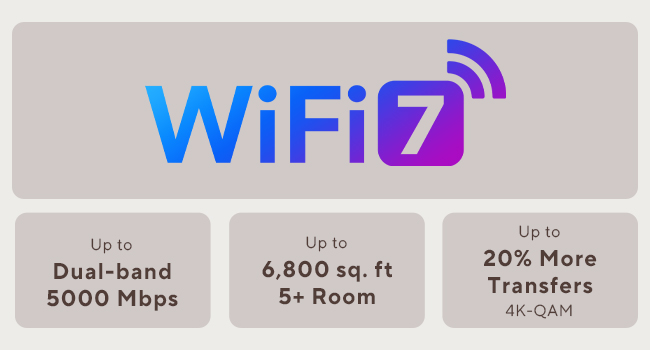
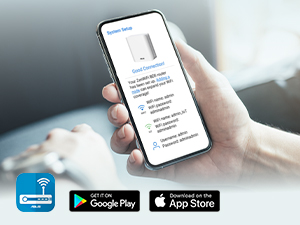
The ASUS ZenWiFi BD5 is a premium WiFi 7 mesh router 3-pack delivering ultra-fast dual-band speeds up to 5Gbps and expansive coverage up to 6800 sq.ft. Powered by ASUS AiMesh technology and four internal antennas per unit, it ensures seamless whole-home connectivity. With dual 2.5Gbps ports, commercial-grade AiProtection Pro security, and easy web-based setup, it’s designed for professionals seeking high-performance, secure, and scalable home networking solutions.


| ASIN | B0DHW9M7CB |
| Antenna Location | Business, Gaming, Home |
| Antenna Type | Internal |
| Best Sellers Rank | #1,776 in Computers & Accessories ( See Top 100 in Computers & Accessories ) #66 in Whole Home & Mesh Wi-Fi Systems |
| Brand | ASUS |
| Built-In Media | BD5 3 pack Router, Power adapter, Quick start guide, RJ45 cable, Warranty card |
| Color | WHITE |
| Compatible Devices | Personal Computer, Smart Television, Smart Thermostat, Smartphone, Tablet |
| Connectivity Protocol | Wi-Fi |
| Connectivity Range | 6800 square_feet |
| Connectivity Technology | Power adapter, RJ45 Cable, Wi-Fi |
| Control Method | App, Touch |
| Controller Type | App Control, Push Button |
| Coverage | 6800 Square Feet |
| Customer Reviews | 3.3 out of 5 stars 65 Reviews |
| Data Transfer Rate | 2882 megabits_per_second |
| Frequency | 5 GHz |
| Frequency Band Class | Dual-Band |
| Item Dimensions L x W x H | 5.5"L x 2.8"W x 5.5"H |
| Item Weight | 1.2 pounds |
| LAN Port Bandwidth | 2500 Mbps |
| Manufacturer | ASUS |
| Maximum Upstream Data Transfer Rate | 1441 megabits_per_second |
| Mfr Part Number | BD5 (W-3-PK) |
| Model Name | BD5 (W-3-PK) |
| Model Number | BD5 (W-3-PK) |
| Number of Antennas | 4 |
| Number of Items | 3 |
| Number of Packs | 3 |
| Number of Ports | 2 |
| Operating System | Mac, Windows |
| Other Special Features of the Product | AiProtection, VPN, WPS Security, Alexa Compatible, Network standard: WiFi 4 (802.11n), WiFi 5 (802.11ac), WiFi 6 (802.11ax), WiFi 7 (802.11be), IEEE 802.11a, IEEE 802.11b, IEEE 802.11g, IPv4, IPv6, Whole-Home Mesh, Wirelss Router, AiMesh Node, Access Point Mode |
| Router Firewall Security Level | High |
| Router Network Type | mesh |
| Security Protocol | AiProtection, VPN, WPS, Let's Encrypt, DNS-over-TLS, Security Scan, Firewall, WPA/WPA2/WPA3-Personal, WPA/WPA2-Enterprise |
| Special Feature | AiProtection, VPN, WPS Security, Alexa Compatible, Network standard: WiFi 4 (802.11n), WiFi 5 (802.11ac), WiFi 6 (802.11ax), WiFi 7 (802.11be), IEEE 802.11a, IEEE 802.11b, IEEE 802.11g, IPv4, IPv6, Whole-Home Mesh, Wirelss Router, AiMesh Node, Access Point Mode Special Feature AiProtection, VPN, WPS Security, Alexa Compatible, Network standard: WiFi 4 (802.11n), WiFi 5 (802.11ac), WiFi 6 (802.11ax), WiFi 7 (802.11be), IEEE 802.11a, IEEE 802.11b, IEEE 802.11g, IPv4, IPv6, Whole-Home Mesh, Wirelss Router, AiMesh Node, Access Point Mode See more |
| UPC | 197105643826 197105627819 |
| Unit Count | 3 Count |
| Warranty Description | 3 year |
| Wi-Fi Generation | WiFi 7 |
| Wireless Communication Standard | 802.11.be, 802.11ac, 802.11ax, 802.11g, 802.11n |
| Wireless Compability | 802.11.be, 802.11ac, 802.11ax, 802.11g, 802.11n |
D**D
Underrated, Good Performer when On Sale, Web Config! 2gbit/s NAT capable
I am giving this mesh router setup five stars because the interface is great for power users, the setup is very simple, and Asus generally makes good home network gear. This device has been far more stable than what I've seen from the reviews - maybe a new revision, or the firmware bugs are fixed? For what it's worth, my setup has all APs and the router connected over the wired backhaul. This is the best way to connect them - otherwise, you are likely to get far lower throughput. HUUGE PLUS: You DON'T need an app, and an app is never required to set up these access points and router! It's suggested, but there is no need at all. The web configurator does it all. On the latest firmware as of today, I haven't had any issues really, apart from needing to set the default gateway on DHCP. The reason for this is because I had some 6ghz-only access points set up, but they kept taking over because it wasn't set. I can saturate my 2 gigabit/s internet connection over Ethernet, and over WiFi I get about 1050 to 1300mbps within about 20ft on the access points over 5ghz on a 2x2 client (S25 Ultra). So, yes, it works fine. I did buy it during the sale for a returned unit that wasn't used for half the price, so for THAT price, it is a fantastic deal. When on sale for $250 or less, it's also quite decent. The included picture is for the speed over Ethernet - the device is capable of NAT (network address translation) at the speed of a 2gb Fiber connection at the least. No one seems to ever include this in reviews...
J**T
Constant disconnections, compatibility issues, 3-4 daily reboots required to make this system usable
Terrible product overall. These were easy to setup and the WiFi coverage was sufficient but that is where my positive experience stopped. Speed was extremely variable compared to my aging Orbi system that I was trying to replace. After a reboot speed was great, then after 10-15 minutes it would slow tremendously. Nodes were constantly disconnecting/going offline. The whole system needed to be rebooted 3-4 times a day to remain usable. I’m very disappointed in the functionality and performance of Asus mesh networks after trying both this system and a higher end version. Not to mention the ongoing compatability issues with many of my products. I returned the system and for now I’m sticking with my much older Orbi system as it has bullet proof reliability, good speed, and zero compatibility issues. Hopefully asus can work out their issues in future versions since on paper this product should have been awesome.
M**N
Disappointing Reliability Despite Wired Backhaul
I bought the ASUS ZenWiFi BD5 (WiFi 7, 3-pack) hoping for seamless coverage in my 2400 sq ft home. On paper, the specs looked amazing: dual 2.5G ports, high speeds, and WiFi 7. In reality, the experience was frustrating. Even with a wired backhaul, I ran into major connectivity issues. One of the nodes would completely disrupt browsing and texting when clients connected to it, forcing me to unplug it just to regain basic network functionality. The “AI Mesh” seems overly aggressive — it kept moving devices to nodes with weaker signals or otherwise breaking the connection. While the hardware is sleek and the WiFi speeds can be impressive, the mesh management and stability fall short, especially for anyone who wants a “set and forget” network. If you rely on your network for work, streaming, or smart home devices, this system may cause more headaches than it solves. In short: great specs, poor reliability. For me, sticking with a wired-backhaul setup using enterprise-style APs (like Ubiquiti UniFi) would have been far more stable. Pros: Fast WiFi 7 speeds (when it works) 2.5G ports per node Stylish design Cons: AI Mesh often breaks connectivity even on wired backhaul Devices can get kicked to weaker nodes Unreliable for critical devices or messaging apps Firmware/mesh logic feels unfinished Overall, I regret the purchase and caution anyone needing a reliable home network.
T**B
Not too bad
bought it used from reseller. works great! looks mint and imesh works like it should
F**Y
Rough around the edges
I moved to this from a TP-Link Deco X20. The Deco was solid, but there are some security concerns about hidden backdoors so I needed an upgrade. I have not had many issues with stability or connectivity with this ASUS BD5 router which seem to plague other ASUS products (XT series for example). I am in a really small place so my routers are close together. I don't think any of our devices are roaming between nodes. We are moving to a larger place soon and I suspect the stability might suffer. Here are my main issues with this router: 1. There is an app that you can use to manage the router. The problem is that the app does not have all of the settings the web does. This makes the app obsolete for me because I am tired of opening the app and hunting around for something that only exists on the web. Now, I just go straight to the web. 2. The web interface has not been updated for many years. The layout and categorization does not make sense to me as it has grown organically over time. Settings are hard to find. An intuitive consistent interface for both app and web would be a welcome addition. 3. You will have to tweak this to get stability and performance. I am constantly moving things around to get it to work. Almost all changes require a full reboot for some reason and it takes a really long time for the nodes to reconnect with this happens. 4. The setup process was buggy. I changed the default subnet during the setup and that caused it to choke. I had to start over again. It took a long time and was frustrating. 5. I monitor my router logs for anything unusual. I have this router dumping the output to a log server on my NAS. This router is constantly logging emergency and error level messages that make no sense and do not seem critical or an emergency. There are things like "PHYMODE: 38" or "Channel is already set," and even errors with no messages at all. The end result is that anything really important will undoubtedly get lost in this noise. My sense from this constant noise is that the code must be really sloppy.
M**K
Amazingly good mesh access points
This is a really good mesh system, and a good value. With the 3 pack, it covers at least 4000 square feet, including through walls, with nearly full signal everywhere on the 2.4ghz network. It's easy to set up - just find the IP address and log in. There is an app, but it never forces you to use it. I am using a wired backhaul with gigabit fiber, and I get ~300mbit up and down over 2.4ghz and about 700mbit over 5ghz using wifi 6E (I don't have any wifi 7 devices yet). I get the full gigabit using the wired port. These do support connecting with each other wirelessly though, and with wifi7 and the ability to use double the channel width, I'd imagine they would do a pretty good job even without the backhaul; although I didn't test that. The web based management console is quite nice too. I was able to diagnose a long standing issue with my wired network using the built in diagnostics, which was an extra bonus. These can also be used as a router, and it has a lot of features like VPN, etc. in that mode, but I needed to use them as access points due to my ISP. If you are in the market for a router though, skip it and just get the 3 pack of these since it's cheaper and you get way more range. The only downside is that they only give you two Ethernet ports - one for backhaul and one for a single device. That's easily remedied by connecting a cheap 5 port switch to the device port though, and I'd rather do that than have to pay a higher price for each of these. These are night and day better than my old Linksys mesh access points (which were terrible in every way), and I am so glad I upgraded to these.
S**N
Horrible do not buy
Gotta be the worst router I've ever had the displeasure of attempting to setup. Setup fine the first time, then did one (1) firmware update to the latest version and it wouldn't connect to the Internet anymore. Power cycled modem, modem and router together, nothing. This is an absolute joke and I feel like they're just pranking people. I see no other reasonable explanation as to how you can sell something so absolutely unusable. Don't buy this I'm serious. I didn't believe it could be this bad either and made the mistake of wasting my time with this before returning after 3 hours of trying to get it to do the one job it is made to do
C**2
Seamless Setup. Mostly set it and forget it.
This set of 3 was delivered to me at the beginning of February 2026. I installed them the following weekend. Fairly seamless setup process. The first one gets connected to your modem/ONT right away. Each of the satellite nodes must be next to the primary node during initial setup. They connect wirelessly. After each one is set up, you can move it to where ever you need it, and use a wired backhaul if you have one. These things have worked like a charm. I was so pleased, that I bought 2 more to go in my other residence. The BD5’s only have two 2.5G RJ45 jacks on the back. So you’re going to need to add a switch to your setup if you don’t already have one.
J**N
WiFi muy lento, con conexión inestable
Pésima experiencia con Asus ZenWiFi BD5. Velocidades WiFi muy bajas (peor que versiones anteriores), inestabilidad, problemas con mesh y puertos. Decepcionante tras años con Asus.
Trustpilot
2 weeks ago
1 day ago