


Desertcart purchases this item on your behalf and handles shipping, customs, and support to South Africa.
๐ฎ Dominate the digital battlefield with speed and style!
The TP-Link Archer GXE75 is a tri-band WiFi 6E gaming router delivering ultra-fast 5.4 Gbps speeds, a 2.5G WAN port, and four optimized antennas for whole-home coverage. Designed with gamers in mind, it features a dedicated game panel for real-time network monitoring, customizable RGB lighting, and robust HomeShield security to protect your online experience. Compatible with EasyMesh for seamless mesh networking, it ensures low latency, minimal lag, and stable connections for the fiercest multiplayer battles.
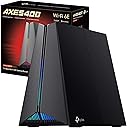


| Antenna Location | Gaming |
| Antenna Type | Internal |
| Asin | B0DLL5W4HR |
| Best Sellers Rank | 13,701 in Computers & Accessories (See Top 100 in Computers & Accessories) 112 in Routers |
| Box Contents | Power Adapter, RJ45 Ethernet Cable, Wi-Fi 6E Gaming Router Archer GXE75 |
| Brand Name | TP-Link |
| Colour | Shadow Black |
| Compatible Devices | Gaming Console, Personal Computer, Smart Television, Smartphone, Tablet |
| Connectivity Protocol | Wi-Fi, Ethernet |
| Connectivity Technology | Ethernet, Wi-Fi |
| Control Method | App, Touch |
| Controller Type | App Control, Push Button |
| Coverage | whole home |
| Customer Reviews | 4.4 4.4 out of 5 stars (1,003) 4.4 out of 5 stars |
| Data Transfer Rate | 5400 Megabits Per Second |
| Frequency | 6 GHz |
| Frequency Band Class | Tri-Band |
| Has Internet Connectivity | Yes |
| Has Security Updates | Yes |
| Is Modem Compatible | No |
| Item Dimensions L X W X H | 23.7L x 13W x 19.3H centimetres |
| Item Weight | 1.07 Kilograms |
| Lan Port Bandwidth | 574/5400 Mbps |
| Manufacturer | TP-Link |
| Manufacturer Part Number | Archer GXE75 |
| Maximum Upstream Data Transfer Rate | 2500 Megabits Per Second |
| Model Name | Archer GXE75 |
| Model Number | Archer GXE75 |
| Number Of Antennas | 4 |
| Number Of Items | 1 |
| Number Of Packs | 1 |
| Number Of Ports | 5 |
| Operating System | Tenda OS |
| Other Special Features Of The Product | Access Point Mode, Alexa Compatible, Beamforming, Parental Control, QoS |
| Router Network Type | hybrid |
| Security Protocol | WPA2-Enterprise, WPA3 |
| Unit Count | 1.0 count |
| Wi Fi Generation | Wi-Fi 6E |
| Wireless Compability | 802.11a, 802.11ac, 802.11ax, 802.11b, 802.11n |
User
Highly recommended for gamers.
5 months in and still connected since Day 1. Very Reliable. Great speeds.Having received only a dual band wifi 7 router from my ISP, following upgrade to 2300Mbps fibre, I was shocked at the "lower" speed I got from that. I was more surprised how much the GE550 improved speeds from wifi 7 devices.ISP supplied router (dual-band) = around 900MbpsTP-Link GE550 (tr-band) = around 2000MbpsCompatibility is excellent. No issues encountered with any device.The Quality-of-Service (QoS) features allow you to easily prioritise either devices or specific apps/games. You can also prioritise based on the service you're using (e.g. it can automatically prioritise connection to EA or Steam/other gaming service).The 5Gbps ethernet ports are way better than the 2.5Gbps of the ISP supplied router. These can also be prioritised.Wireless range is decent enough. We live in a 3-storey house with router on ground floor. Connection is fine throughout the house. Speeds of 800Mbps+ on the top floor.Compared to other similar tri-band routers, the price was acceptable - many alternatives did not offer the gaming oriented features.Easy setup via TP-LINK Tether App.Highly recommended for gamers looking for fast connectivity.
User
Good Design.
So far, so good. I installed it last night, because I couldn't wait. Set up was fairly straight forward, because I already had an older TP Link Router, so I visually copied the settings, resetting the network name when I finished, which meant I didn't have to reset all the peripherals. I did have to rejoin the Amazon Dot, because it gave me a red ring & complained that the network password has been changed. I do like the fire effect LEDs in the front, and I thought they might irritate me, but they don't, and I'm used to them now; they can be quite relaxing. Now, for the speed and coverage. My older router was ok, but it was a bit hit & miss around the house. In the bathroom especially, when I'm bog browsing, it would be slow, annoyingly so. Now, with this, I'm getting 433Mbps sat on the bog...! I was amazed and very happy. I will write another review in the future, after I've been using it for a while, but so far I'm happy. Oh yes, and the design, I love the design...!!! It looks a lot better than a flat unit with an array of antenna sticking out, that are usually pointing in the wrong direction.
User
Good product
Expensive but has good options to optimise for gaming. Looks good.
User
Not just for gamers... Amazing Router Changed My Life!
First of all the looks... even bigger and uglier than the photos (taste dependent). I'd prepare a hiding place! Installation... simplicity itself. It connected via bluetooth for the setup and was almost completely automatically. The web interface was easy to fine tune settings to my preferences. Since then... Perfect! The coverage is amazing, it easily gets into every corner with rock solid stability that I hasn't cut out once yet!Everything just works perfectly, speed is amazing even at distance, connectivity is the best I have seen, even through multiple walls and objects. Three networks keeps the traffic seperated. Dual ethernet aggregation to the NAS drive in a busy house is an unexpected bonus.Negatives? The app needs a bit of polish and more options to match the web interface. Some options, such as QOS do not go into as much detail as I might have wanted, offering slide bars for action priority such as downloading or gaming. A couple of other brand gaming routers have way more options... which is usually a good thing, but in this case I find TPLink has made this so efficient and easy, I simply haven't needed to touch setting since initial setup!I use this constantly connected to over 30 devices not including 20 smart lights, and have not had a hiccup yet, this is a fantastic router that is perfect for people with high device and online usage... not just gamers!!
User
Finally no Wi Fi Drops outs!
I've had nothing but issues with the Virgin Media hub 3 (4-year-old tech) and Virgin basically ignored my issues. With working from home, we really needed a good wi fi connection to the office, the kitchen, and outside. This has hands down solved it all!The setup is very easy, just a case of putting the Virgin router on modem mode, then connecting this TP-Link router and that's it. Works like a dream. (Make sure to turn off the Virgin router before you connect the TP-Link router, then turn it back on or else you'll get an orange internet light.Can't fault the signal, WI FI 6 is brilliant, and so far today, I've had no WI FI dropouts. I even tested the signal in the garden which is nearly 60 ft away and the signal is good (Good enough to stream music)I also got this because if I need to, I can extend it using the TP-Link Deco mesh systemsHighly recommend!Also, I've had no issues with the heat, I saw reviews about it being hot to touch, it's warm, like any other electrical device.Updated 12/04/2022. --- This is amazing! I've had no dropouts since installing this. WIfi 6 is fast and all devices in the house are connected without issue. Highly recommend this! This solved all my Virgin wifi issues. Update on the warmth...Not hot at all and it has been on since I installed it.Parental controls are quite handy. I can set time limits for their devices. You can name the devices on your network so you can see what is connected.
User
Awful Performance
I bought the GXE75 to replace an AXE75 due to the GXE75 having a 2.5gbps wan port. I was hoping to get increased speeds because I have a 1.5 gbps internet connection and it caps out at 850mpbs on the AXE75 due to having only 1gb ports.The GXE, using the same settings as the AXE75, was substantially slower and worse in every possible way compared to the AXE75. The 6ghz was unusable. The 5ghz wifi was only getting 500MBPS downloads and the even over wan I was only getting 600mpbs, which is odd and doesn't make any sense considering the port is meant to be a "gaming port". My latencies were 60ms vs the 21ms I get on the AXE75.I suspect that because the antennas are nested inside the router that it just has pathetic broadcasting abilities. After this experience I will never buy another TpLink product. The AXE75 is also a mediocre router.
User
Brilliant powerful peice of kit
Brilliant powerful piece of kit, well worth the money, these things may seem expensive but if you stream wirelessly to TV's and handheld devices you will see the benefits straight away. beats any standard cheep home Wifi router (and i've had a few), the increase in coverage in the house is excellent, for the first time i have actually been able to use my Playstation wirelessly online with no lag (The router is up stairs at the other end of the house) i normally have to run it hardwired from a separate modem, so pleased i bit the bullet and invested in one of these gaming routers.Another plus is the phone tether app for this makes life a lot easier to control other wireless users as well1 x 2.4ghz Channel and 2 x 5Ghz Wireless Channells, makes it easier to control which devices use which dedicated signals so any high usage devices keep on 1 and the rest use the others, Brilliant, Simple trouble free setup and a lot of in-depth additional settings make this the best bit of kit i have bought for many many yearsWould recommend to anyone you cant go wrong
User
Great replacement for the Virgin Media Hub 3
Purchasing a new Router is a big decision. Will it perform better than my current one? Will coverage improve? Am I purchasing the new technology too early? Will an extra ยฃ50 spent really make a difference?This took me some time to decide, I looked to spend no more than ยฃ150. Finally deliberating between the AX20 (AX1800) and the AX50 (AX3000), after looking at the ASUS RT-AX82U too. I read through tech reviews, 'top 20 routers of 2021' and the reviews here.My goal, was to improve the poor coverage of the Virgin Media Hub 3 - a common theme throughout many Wi-Fi router reviews.Finally I decided on this AX20 (AX1800) due to:-1. Having 400Mbps of internet and only max. 4 streaming devices at any time, AX1800 still delivers 450Mbps theoretically to each (1.8Gbps/4)2. Filtering Amazon reviews by Virgin and seeing predominantly AX1800 purchases and feedback3. Price - couldn't justify the extra ยฃ30 for the extra 600Mbps of bandwidth, which is unlikely to change speed at deviceHappy days, that was the decision made - phew!Before it arrived, I went through the house and every room recording all speeds whilst two streaming devices going. Downstairs near the Virgin Hub was always reliable 300+Mbps. Kitchen varied and signal dropped off significantly (lost it completely 3/7 mornings a week). No signal near front door and very low (4-20Mbps down/3-8Mbps Up, 15ms jitter) in upstairs bedrooms above kitchen and front door area.Boy oh boy was I pleasantly surprised by the purchase!New speed in upstairs bedrooms of around 52Mbps down and 35Mbps Up and only 2ms jitter. Similar story for main bedroom, which would again suffer from 1-2 bars on wifi; now a strong signal - couple of results below:-Main Bedroom (room above but ~12m to left of router)from: 59.4Mbps down, 20.8Mbps up, 14ms ping, 71ms jitterto: 95.5Mbps down, 36.5Mbps up, 11ms ping, 3ms jitterFront Door Area (farthest point from router)from: 72Mbps down, 27.5Mbps up, 10ms ping, 12ms jitterto: 91.4Mbps down, 36.4Mbps up, 11ms ping, 4ms jitterAlso, to point out that the front door, although holding during testing, only had 1 bar if lucky of WiFi, often cutting out. Now it has at least 2 and has not cut out once.We are only on day 3, but no crashes yet either - if anything adverse happens I will update this, but for now one happy camper!
User
Works supergreat with Oculus Quest 2
Great router with very strong and fast signal. Easy setup procedure via web-interface. I bought the router specifically for Oculus Quest 2 to be able to stream games from my PC without cable connection and it works better then I expected - speed and stability suprisigly even better than with USB.IMPORTANT: The power plug is Chinese one (NOT EU COMPATIBLE). Consider ordering an adapter right away.
User
ุงูู ูุชุฌ ุฌูุฏ ููู ููุงู ู ุดุงูู ูู ุงูุงุฑุฌุงุน
ูุงุฌูุช ู ุดุงูู ุจุงูุงุฑุฌุงุน ููุงููุง ูู ุงููู ุจูุนุทููู ุงูู ุจูุบ ูุณุญุจูุง ุนูู ุงูุญูู ูู ูฃ ุดููุฑ ู ุบุจูู ุญุณุจู ุงููู ุนูููู ู ุชูุงุตูุช ู ุน ุงูุฏุนู ุงูููู ู ุง ููุงุฑุจ ูฃู ู ุฑู ููุง ูุงุญุฏ ู ููู ูุงุฏููุ ูุณูู ููุณู ูุงูู ููู ู ุง ูุฏูุฑูุง
Trustpilot
3 weeks ago
3 weeks ago