๐ Elevate Your Viewing Experience!
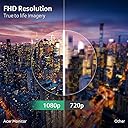
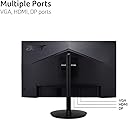
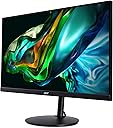
The Acer CB272 Ebmiprx is a 27-inch Full HD monitor designed for the modern professional. With a resolution of 1920 x 1080, it features AMD FreeSync technology for smooth visuals, a rapid 1ms response time, and a 100Hz refresh rate. The monitor boasts a 99% sRGB color gamut for vibrant images and offers extensive ergonomic adjustments, including height, tilt, swivel, and pivot capabilities. Connectivity options include Display Port, HDMI, and VGA, making it a versatile addition to any workspace.


| Adaptive Sync | FreeSync |
| Asin | B0C8ZPF6M6 |
| Aspect Ratio | 16:9 |
| Brand Name | Acer |
| Colour | Black |
| Colour Gamut Value | 99 |
| Compatible Devices | Computer |
| Contrast Ratio | 1000:1 |
| Customer Reviews | 4.4 4.4 out of 5 stars (632) 4.4 out of 5 stars |
| Display Technology | LCD |
| Display Type | LED |
| Hardware Connectivity | HDMI |
| Has Color Screen | Yes |
| Image Brightness | 250 cd/mยฒ |
| Item Dimensions D X W X H | 23.4D x 61.2W x 44.5H centimetres |
| Item Weight | 13.6 Pounds |
| Manufacturer | acer |
| Maximum Display Resolution | 1920 x 1080 |
| Model Name | CB272 Ebmiprx |
| Model Number | UM.HB2AA.E01 |
| Mounting Type | Wall Mount |
| Native Resolution | 1920x1080 |
| Network Connectivity Technology | DisplayPort, HDMI, VGA |
| Picture Quality Enhancement Technology | AMD FreeSync |
| Pixel Pitch | 0.311 |
| Product Features | Built-In Speakers, Frameless, Height Adjustment, Swivel Adjustment, Tilt Adjustment |
| Refresh Rate | 100 Hz |
| Resolution | FHD 1080p |
| Response Time | 1 Milliseconds |
| Screen Finish Type | Glossy |
| Screen Size | 27 Inches |
| Specific Uses For Product | Business, Desktop, Gaming |
| Total Hdmi Port | 1 |
| Total Video Out Ports | 3 |
| Upc | 195133186346 |
| Viewing Angle | 90 Degrees |
User
Good monitor
Works as intended. Bought as a exact model replacement for the previous one that had it's LCD break during a move. (Too fragile from my perspective, but I don't plan to move it again anytime soon.)
User
Great value for computer station!
I received two of these for Christmas for my new computer setup, one horizontal and one vertical. So happy with them! They even arrived EARLY!
User
Bleedin' thing DOES rotate.
I wanted to use this as a vertical monitor, but it was not obvious how to rotate it. Instructions on how to do so is not in the instruction manual included. They ARE included in the pdf manual on the Acer website. In short (so you don't need to find it) So tilt the top of the monitor as far back as it will go, grab the top corner of the screen (I grabbed top right and bottom left corners) and rotate. It is FIRM, like, needs a bit more muscle than I thought, but it can be done. My only other complaint is there are two power switches (Why? Why are there two?!) Rocker switch needs to be on, then the button power will turn it on.As for the monitor? It seems fine. It shows me things. It was a good price. I'm content.
User
Perfect monitor for what I needed
I recently bought a 27" AIO computer. I use a dual monitor setup, but all my extra monitors were 24". I know you can do it, but it just didn't look right to me to have a 27" monitor paired with a 24" monitor, so I was on the lookout for a relatively inexpensive 27" monitor.Started out with an LG monitor at about the same price point. The problem was that the screen didn't line up with my AIO monitor. About 2 inches difference in the height from the bottom of the screen to the desk. Not a huge deal, but again, it just didn't look right to me, so then I was on the lookout for a 27" monitor with an adjustable height stand.This worked out perfect. I can adjust the height so the monitor lines up perfectly with my AIO monitor. Looks great. Screen quality is very good. Bright (adjustable) and crisp. Perfect for what I do (Word, Excel, PowerPoint, PDF, e-mail, videos and web surfing).Moving up from 24" to 27" screens doesn't seem like a big deal, but it really is. Makes a huge difference.100mhz refresh rate is a nice little bonus, since most of the monitors at this price point have 60 or 75. Not a huge difference, but higher is better.There are several reviews about receiving units that wouldn't power up (DOA). I thought I had one too, but I didn't. The problem is that turning the monitor on is very unintuitive. There is a rocker switch that says power, so you would think that is how you turn on the monitor. It isn't. You have to turn the power on with the rocker switch, then you have to press another small, nearly hidden button to turn the monitor on. I was literally about to pack up the monitor and return it until I figured this out. I suspect that many of those who thought their monitor was DOA didn't realize it was a 2-step process to turn it on. Very confusing.Overall, this is a good monitor at a budget price point. I recommend.
User
Nice monitor, good color, but the speakers are very, very poor quality. Still, we can live with it.
For the price, this will do.The color is good, the monitors processes video signal quickly and the base makes for quick, easy adjustments up and down and also swivel side to side.I'm using this as monitor, feeding from my laptop, a Macbook Pro M3 Max.The only thing I can complain about is the sound quality. It's honestly quite poor, as there appears to be little to no bass. But, for a monitor of this size and price, I can't complain or expect anything too miraculous.For my application, it's working quite well.High quality, powered speaker sets are available at very reasonable prices, so if needed, I'll just purchase a set.I purchased this for using Fusion 360, so sound isn't exactly an issue and currently I'm in no way a gamer. Thankfully MacBooks have really nice speakers.All in all, great monitor. Funny though, I always thought bigger is better, but this monitor when using a design program is probably the max size most would find reasonable comfortable to use, at least without moving your head side to side far too often.
Trustpilot
1 week ago
2 weeks ago