Buy anything from 5,000+ international stores. One checkout price. No surprise fees. Join 2M+ shoppers on Desertcart.
Desertcart purchases this item on your behalf and handles shipping, customs, and support to South Africa.
🎥 Elevate your security game—because peace of mind shouldn’t wait.
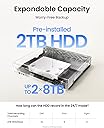
The Reolink 4K PoE NVR 8 Channel CCTV System is a professional-grade network video recorder featuring plug-and-play PoE technology for hassle-free installation. It comes with a pre-installed 2TB hard drive supporting continuous 24/7 recording across up to 8 cameras simultaneously. Compatible exclusively with Reolink PoE and WiFi cameras, it offers versatile remote access through mobile and desktop apps, real-time alerts, and expandable storage up to 6TB, making it ideal for both home and business surveillance needs.


| ASIN | B07DHBYRCH |
| Audio Input | Microphone |
| Best Sellers Rank | 14,398 in DIY & Tools ( See Top 100 in DIY & Tools ) 2 in Surveillance Video Recorders |
| Box Contents | 1x 8 Channels PoE NVR, 1x Power Adapter, 1x USB Mouse, 1x HDMI Cable 1x 1m network cable, 1x Quick Start Guide, 1x Pack with screws |
| Brand | Reolink |
| Brand Name | Reolink |
| Compatible Devices | Camera |
| Compatible devices | Camera |
| Connectivity technology | Ethernet |
| Country of Origin | China |
| Customer Reviews | 4.4 out of 5 stars 1,973 Reviews |
| Hard disk size | 2 TB |
| Hard-Drive Size | 2 TB |
| Item Dimensions L x W x H | 25.5L x 22W x 5H centimetres |
| Manufacturer | Reolink |
| Manufacturer Part Number | EU-RLN8-410 |
| Media Format Digital Video | HDD |
| Memory Storage Capacity | 2 TB |
| Memory storage capacity | 2 TB |
| Model Number | RLN8-410 |
| Network Connectivity Technology | Ethernet |
| Number of Channels | 8 |
| Product Warranty | 24 months warranty from the date of purchase. |
| Product dimensions | 25.5L x 22W x 5H centimetres |
| Total USB Ports | 2 |
| Unit Count | 1.0 count |
| Video Input | Ethernet (PoE) |
S**S
NVR Channel Box Review – Efficient, Reliable, and User-Friendly
The NVR Channel Box is an essential hub for managing multiple IP cameras in a surveillance setup. It supports multiple channels—typically 4. Installation is generally straightforward, with plug-and-play compatibility for most IP cameras. The user interface is intuitive, offering easy navigation through live views, playback, and settings. Video quality depends on your camera specs but is typically clear and smooth with 1080p or higher resolutions supported.The box often supports remote viewing via apps or web browsers, making monitoring accessible from anywhere. Storage options vary—usually supporting multiple HDDs for extended recording times.Ideal for home or business security, the NVR Channel Box offers dependable multi-camera management with useful remote access features. Definitely value for money and the speed is great. Everything connects with WiFi.
T**K
Reolink NVR
Very impressed with the overall quality. The device feels well built and performs exactly as described. Setup was straightforward and everything worked straight out of the box. I’ve been using it regularly and it’s been reliable with no issues so far. Fast delivery and well packaged.
E**D
The Heart of your poe CCTV system just add more TB's
A must have alternative to cloud based home CCTV systems. If you want a doorbell of floodlight camera but don't want your data held on someone else's servers. A Reolink system is what you need. No subscription needed and you control who has access to the footage. Easy to use operating system and easy setup for poe and wifi cameras. Connect it to your router and you can access all your cameras wherever you have an internet connection. unfortunately the 4TB HDD only stores just over a week of footage with 7 cameras connected. It is easy to replace the HDD with 2 8TB drives and now stores over a month worth of footage before rewriting. I have a Logitech wireless keyboard connected with a trackpad on it and it makes navigating the menus easy. I 3d printed some brackets I found to mount it to the wall to keep it out of the way. I only really use the nvr directly when adding cameras as the windows and android apps are so much more convenient and it allows you to hide the nvr out of the way.
P**L
Simply the best, most reliable, affordable NVRs and Cameras, no BS subscription
I upgraded from a "still fully functional" 2019 model Reolink 8 channel 2TB NVR that has worked faultlessly for 7 years only because some of my newer cameras are not compatible with the original NVR8. The new NVR 16 4TB I've added a second hard drive to bring it to 8TB, giving me around 13 days storage for my 10 cameras and a doorbell. The new model NVRs from Reolink appear to be still the same top-quality build as the old ones but the User Interface is much improved. First Class equipment from Reolink, I wouldn't go for anything else, some of my Reolink cameras are now almost 10 years old and ran floorlessly 24/7 since new, no issues whatsoever.
D**M
Constantly Changing Product
Some reviewers commented that this machine only has ONE playback speed. It has MANY playback speeds now. See my captured screen image. I imagine that many of the reviews here may well refer to earlier versions of the product. I had to update the firmware in this NVR in order for it to be compatible with the RLC-822A cameras that I bought at the same time. The fix is easy once you find out that you need it. (Refer to the Reolink website of course.) That update made the user interface completely different. Generally it works fine whether you work direct from the NVR to a monitor, or via the PC APP or via the smart phone App. Each interface is a little different. The PC interface is perhaps the most convenient and almost as comprehensive as the direct interface. I found that on the PC I can see all 4 camera views at the same time, but only in low-res. If I switch to single camera mode on my PC, I can see any one single camera in glorious 8K vision (and sound!). Applies to both live and playback. The Windows PC interface I suggest has not been programmed that efficiently, it's very slow to load and slow to respond sometimes. My iPhone app is much quicker. Quite often the Windows playback just stops and I have to give it some sort of kick to get it restarted. After the initial set up you don't need to go near the NVR, so it can be hidden away in a closet along with all the cables that it attracts. Everything is controlled from your own PC. The 2TB that comes with the NVR is enough for 6 days continuous recording of my 4 x 8MP cameras. You have the option of replacing the internal HDD with a 6TB SATA HDD, or you can plug in an external 6TB SATA HDD via the eSATA port. You'll need to buy a suitable SATA HDD designed for surveillance AND an enclosure to put it in. The enclosure will supply the power it needs and also the eSATA interface to the NVR. Note that "SATA" is not quite the same as "eSATA", that's why you need the enclosure. Note also that you cannot connect an external HDD via the USB port. I'm just reviewing the recorder of course, you'll need to buy separate cameras, cables, crimping tool, conduits...etc. At the time Amazon gave a decent discount for adding the cameras to my basket at the same time as the NVR. (i.e. the discount is real...not a con!)
S**O
Reolink Products. High end, excellent build, functionality & email responses. NVR first class
I have four Reolink cameras. All worked out of the box. Excellent picture. Easy to set up on mobile, PC and tablet. Following initially unnoticed vehicle damage to a wall, I reviewed the playback and sadly, it had been overwritten on the SD card. The motion detection 'sees' rain and we've had a lot of that! My first reaction was to position a C1 Pro looking through a window. Rain on window pane seen as motion! Night vision infra red reflects of the glass burning out the picture. Switch off the night vision and wow. The motion detection is excellent seeing a cat 20 metres away through the window because security lights switching on are seen as movement and provide a better picture than night vision. Rain is still an issue so, try I thought I'd try an NVR8-410 using two mains powered wi-fi cameras. Uncertain as to how to set this system up as the NVR is primarily marketed as POE device. I can't find an ON switch. To set it up, I connected it to my wi-fi network by plugging it into the router, plug in the supplied mouse, connect to a spare input on my monitor and power it up. Answer a few questions, log in to my network, pause puzzled at the screen asking to initiate the hard drive so ignore this, click next and there, listed' are my two cameras. Fantastic. Tip from Reolink: they need to be logged in to the NVR so scroll right to find the 'hidden' log-in boxes. 30 minutes total and there are my cameras. Still learning how to use the software but it seems easy enough. It really is very good indeed. I can recommend their products unreserveably
S**2
Good reliable recorder
I recently installed the Reolink 4K PoE NVR 8 Channel CCTV Camera System, and I am extremely satisfied with its performance. The ease of setup was impressive, making it simple even for someone with minimal technical experience. The build quality is solid, and the system feels very durable. The picture quality is outstanding, with clear and detailed 4K resolution. This high level of detail is perfect for security purposes. In terms of value, the system is reasonably priced for the features it offers, making it a great investment. Performance-wise, the system operates smoothly with excellent speed, ensuring real-time monitoring without any lag. The storage space provided is ample, allowing for extensive recording without the need for frequent backups. Overall, the Reolink 4K PoE NVR 8 Channel CCTV Camera System is an excellent choice for anyone seeking a reliable and high-quality security system.
B**S
Wish NVR Durability was better
This is my replacement purchase of RLN8-410 NVR. The first one that was bought in 2022 along with Reolink cameras failed completely in just over 3 years. There was no fix despite several contacts with the Reolink support services. I am not satisfied with the durability - my previous system operated for over 15 years where the first NVR bought with Reolink system failed just after 3 years. However, it was economical to replace the NVR instead of the whole system. Overall happy with this RLN8-410 system. Happy with the simple to install and operate this system - easy to install by any reasonably confident DIY person. Satisfied with the continuous recording with good picture quality. However, POE connection slots (upper and lower) at the back of unit are closely placed and it is not that easy to insert and remove the Ethernet cable connecters . Reolink needs to improve the customer support services - both chat services and of support team. As for value for money, it is reasonably priced but some other systems with good NVR and cameras are now available at around similar prices and some even cheaper.
F**O
Ottimo prodotto
E' il mio primo NVR (non le prime video camere) ma mi sembra un ottimo prodotto. e' di dimensioni abbastanza contenute, nessun rumore. facile da configurare inizialmente. Ma richiede comunque un po' di tempo per capire il tutto. ho dovuto settare il flag per il discovery automatico delle camere. ho comprato 3 video camere e si sono collegati automaticamente, ma solo dopo che ho cambiato la configurazione. il sistema non richiede nessun cloud e nessun pagamento aggiuntivo. si possono visualizzare le registrazioni sul disco anche da remoto. si puo' estendere lo spazio su disco aggiungendone uno esterno o penso cambiando quello interno, volendo. L'applicazione reolink su telefono (o PC, anche se ancora non provato su PC) si gestisce tutto e si vedono anche le registrazioni salvate su disco (playback). Bisogno scegliere playback dal channel dell'NVR e non dalla video camera direttamente (necessita sd card su camera) . Si possono creare account per altri utenti (senza dare loro la possibilita' di configurare il device), sulle singole video camere o sull'NVR. Inizialmente occorre collegare l'NVR ad un monitor o TV ma dopo non e' piu' necessario. si gestisce tutto su telefono. avendo comprato le video camere posso dire che i prodotti reolink sono molto curati nei dettagli e di ottima qualita' di costruzione. sono rimasto impressionato. l'unica cosa che e' al pari di altri prodotti (e non cosi' superiore) e' la qualita' di immagine delle video camere. molto buona ma ho video camere Arlo che non hanno tutti questi led infrarossi visibili ma alla fine si vede, forse, anche meglio, o comunque siamo sullo stesso piano. Pero' la flessibilita' di montaggio e la cura neinsettagli e' migliore per le reolink! ottimo prodotto che consiglio vivamente a meno di particolari requisiti
C**N
Fonctionne très bien !
Conforme à mes attentes
B**6
Very happy
This is an upgrade to replace my old system, I got this one as I can also install my 4tb HDD from my old system for a total now of 8tb. The software is great, and easy to use. I was unaware there are so many new features for recording these days. It just does everything well.
K**R
HD zu klein
Das Gerät ist OK, jedoch ist die HD mit 4TB viel zu klein. 16 Kameras und 4 TB da muss alle paar Tage die HD wieder abgeräumt werden. Optimal wären für den Recorder 16TB. /kuwe
D**R
ein gutes und trotzdem preiswertes System
Ich hatte zunächst nur die CX410 Kamera im Einkaufskorb. Dabei wäre dann aber noch ein PoE (Power over Ethernet)-Switch nötig gewesen, der ein passendes Netzteil mitbringt. Dann entdeckte ich den NVR8-410, der bereits alles (und viel mehr) zur Verfügung stellt. Also habe ich kurzerhand auch den noch in den Warenkorb gelegt. Dank 'Prime-Mitgliedschaft kam alles bereits am nächsten Tag bei mir an und das 'unboxing' und die Experimentierphase begann. Vorab: Das gesamte System kommt _nicht_ ins Internet. Ich nutze aber die Netzwerkfähigkeit in einem Intranet (also eigenem Netzwerk). Nach Anschluss der Kamera mittels mitgeliefertem Ethernet-Kabel an einen der acht 'Survilence-Ports' hinten am NVR, dem mitgelieferten HDMI-Kabel an einen Flachbild-TV/Monitor und der mitgelieferten Maus (die Erstkonfiguration erfolgt über den angeschlossenen Monitor!) und Einschalten des NVR und des Monitors, erschien wenige Sekunden später das Eröffnungsbild. Nach weiteren ca. 2 Minuten wurde dann die Bedienoberfläche angezeigt und ich habe zuerst nach der installierten Firmware-Version und der Hardware-Revision des NVR gesucht. Im Internet gab es für den NVR und die CX410 bereits Updates vom November/Dezember 2023. Diese habe ich auf einen FAT32 formatierten USB-Stick entpackt (.pak-Datei) und denselben an den hinteren USB-Anschluss gesteckt (vorne steckte bereits die mitgel. Maus). Über die Datei-Update-Funktion erfolgte nun ein Ugrade, denn es ist eine vollkommen neue Version für den NVR gewesen. Später bekam dann auch die cx410-Kamere ihr eigenes Update. Das funktioniert auch einwandfrei mit einer eigenen Update-Datei per USB-Stick am NVR (geht alles direkt über den NVR - war also die richtige Entscheidung diesen mit zu bestellen). Mit der neuen Firmware wurden aber einige alte Einstellfelder verändert bzw. Funktionen woanders hin 'versteckt': Ich hatte vorher meinen eigenen NTP-Server zur individuellen Zeiteinstellung angegeben. Diese Funktion war nun auf 5 vorgegebene INTERNET-NTP-Adressen begrenzt worden. Da ich es auch nicht hinbekam, den NVR über Webbrowser in einem PC des eigenen Netzwerks zu öffnen, schickte ich einfach dem ReoLink-Support eine Mail mit meinen Fragen. In wenigen Stunden erhielt ich bereits Antworten mit Hinweisen/Links zu meinen Fragen (das ist doch mal ein Service!). So konnte zuerst der NVR im Webbrowser geöffnet und bedient werden (hier muss man erst einmal den HTTP/HTTPS-Port gezielt über die Bedienoberfläche des NVR mit angeschlossenen Monitor freigeben!). Auch den eigenen NTP-Server konnte ich eingeben, nachdem ich unter 'Servertyp' von 'default' auf 'Andere' abgeändert hatte, dann wird ein IP-Adressfeld eingeblendet, wo die IP-Adresse des eigenen NTP-Servers eingegeben werden kann. Ich darf also an die Reolink Software-Ingenieure ein Lob mitgeben: der NVR ist sehr flexibel was die Einstellungen/Konfiguration betrifft (so sollte es eigentlich immer sein). Nun noch ein paar Worte zum Gesamtsystem: Wer sich einen (technischen) Überblick über den NVR verschaffen möchte (wie ich!), der kann über eine eingebaute Funktion eine Datei auf den USB-Stick ausspielen, die etliche 'Logs' und Konfigurationen des verbauten Linux-Systems enthält (sehr interessant). Das ist natürlich eigentlich für den technischen Support gedacht, damit man dort besser Hilfestellung leisten kann. Hierin enthalten ist z.B., welche Festplatte verbaut ist (eine Seagate Surveilance ST2000VX007 mit 2 TB), welcher Prozessor im Innern werkelt (ein ARM v7) und vieles weitere, auf das ich hier nicht weiter eingehen werde. Die Überwachung klappt bereits in der Vorkonfiguration recht gut (reagiert dann auf Bewegungen im Bild und startet eine Aufnahme), lässt sich aber vielfach konfigurieren. Die CX410 ist ausserordentlich lichtstark (wird ja auch so beworben: Blende f1.0), bei schwacher Beleuchtung kommt dann aber ziemliches Sensorrauschen zum Tragen (ist ein 1/8 Zoll-Typ). Bei Bedarf kann man den "Einbrecher" (Tiere etc.) mit den eingebauten Lichtquellen in der Kamera 'überraschen' oder ihn Sirenengeheul verschrecken (Lautstärke in der Konfiguration einstellbar) oder per Sprache ('Du, Du, Du...) versuchen ihn loszuwerden - es ist ein Zwei-Wege Audio-System verbaut, man kann also auch mithören. Das geht auch alles mit in die Aufzeichnung auf die Festplatte wenn gewünscht. Hier ist das Jonglieren (das Heraussuchen bestimmter Ereignisse wird durch die Software gut unterstützt (man kann z.B. in mehreren Schritten mit unterschiedlichen Sekunden/Minuten-Vorgaben schnellst möglich ein Ereignis finden durch Vor- und Rückspulen in der Datei auf der Festplatte. Die Videos kann man ggf. auch auf AUF USB-Stick überspeieln (ist eine .mp4-Datei, pro 5 Minuten verbraucht es etwa 3GB - kann wieder angepasst werden. Der NVR hat jetzt hinten auch einen eSATA-Anschluss. Ob dieser aber vom Betriebssystem unterstützt wird, wäre noch experimentell zu testen (wahrscheinlich hat der Festplatten-Controller einfach diese Schnittstelle). Großer Vorteil: die Kamera (ist IP67, also spritzwassergeschützt) wird lediglich über das LAN-Kabel mit Energie versorgt (PoE) und liefert/bekommt darüber auch alle Signale zum NVR. Selbstredend könnte die Kamera auch auf eine eigene micro-SD aufnehmen und man benötigt dann keinen NVR. Hier muss dafür dann ein eigenes (nicht im Lieferumfang enthaltenes) Netzteil mit 12V, 2A und Standard-Rundstecker 2,1/5,5mm) angeschlossen werden. Oder man nutzt auch hierbei ein Ethernet-Kabel an einem PoE-Switch und versorgt damit die Kamera. Über deren eigene IP-Adresse erhält man dann per Browser auf die Bilder und Konfiguration der Kamera Zugriff. An der Kamera fest angebaut befindet sich eine 'Kabelpeitsche'. Der dritte Anschluss ist ein Reset-Taster. Alles kann über O-Ringe natürlich wasserdicht angeschlossen werden. Fazit: Meine Erwartungen an ein kleines Überwachungssystem wurden mehr als erfüllt, Gerade die gute 'Flexibilität bei der Konfiguration' machen auch den NVR eigentlich unabdingbar... (es ging aber ohne nur mit der CX410). War etwas länger heute, aber ich habe versucht für Interesssierte möglichst viele Infos mit zugeben. Update: (wer lesen kann, ist klar im Vorteil ;-) ) Ergänzung zum eSATA-Anschluss: Hierzu steht in der Produkt-Beschreibung bei Amazon: 'Ohne das Gehäuse des NVR zu öffnen, können Sie über seinen e-SATA-Port zusätzlich eine externe 6TB-Festplatte anschließen...' Somit ist auch das noch geklärt. _Dieter_
Trustpilot
1 month ago
5 days ago