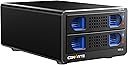
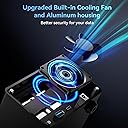
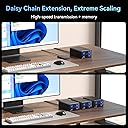
🚀 Unlock lightning-fast, cool, and scalable storage power!
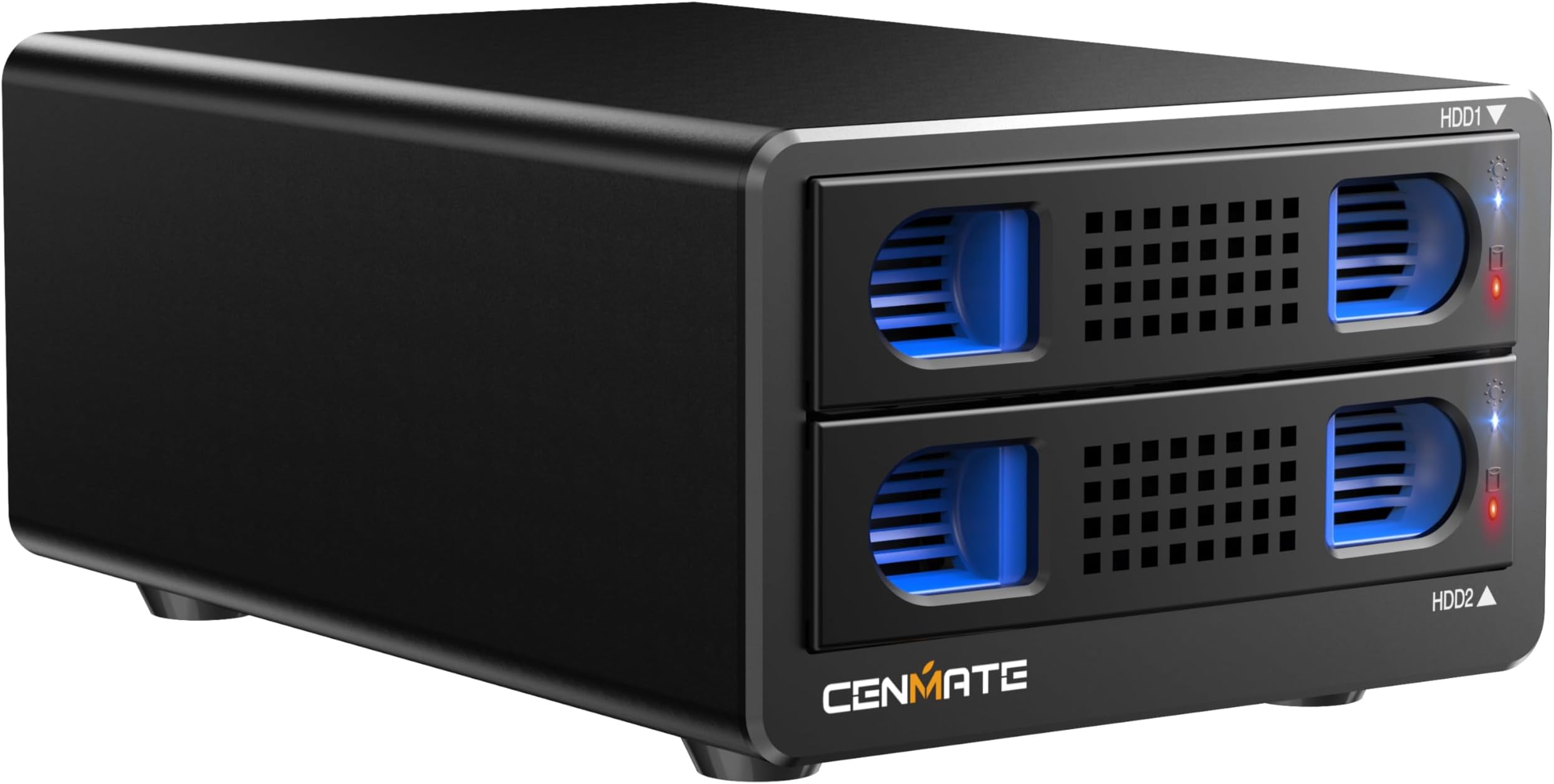
The CENMATE Aluminum 6 Bay HDD Enclosure offers ultra-fast 10Gbps USB 3.2 Gen 2 connectivity, supporting up to six 2.5”/3.5” SATA HDDs or SSDs with a total expandable capacity of 120TB via daisy chaining. Its robust aluminum alloy chassis and dual cooling fans ensure optimal thermal management, while hot-swappable bays enable seamless drive replacement without downtime. Compatible across major OS platforms and interfaces, it’s a professional-grade external storage solution designed for high-performance personal and business use.


| ASIN | B0DD3DPD4M |
| Best Sellers Rank | #323 in Enclosures |
| Brand | cenmate |
| Built-In Media | Dual Bay 10Gbps Hard Drive Enclosure(NO RAID) USB A/C 3.2 Cable User Manual Power adapter |
| Color | Black |
| Compatible Devices | Desktop, Laptop |
| Connectivity Technology | USB |
| Customer Reviews | 4.1 out of 5 stars 375 Reviews |
| Data Transfer Rate | 10 gigabits_per_second |
| Enclosure Material | Aluminum |
| Hard Disk Form Factor | 3.5 inches |
| Hardware Interface | USB 3.2 Gen 2 |
| Hardware Platform | Windows Mac Linux |
| Item Dimensions L x W x H | 7.95"L x 5.2"W x 3.5"H |
| Item Weight | 2.1 pounds |
| Manufacturer | cenmate |
| Material | Aluminum |
| Memory Storage Capacity | 40 TB |
| Model Number | 2 Bay |
| Number of Items | 1 |
| Product Dimensions | 7.95"L x 5.2"W x 3.5"H |
| Supported Devices Quantity | 2 |
| Unit Count | 2 Count |
| Warranty Description | 1 year |
J**N
Simple DAS that so far seems to do its job well.
I admittedly haven't had this DAS for long (at the time of writing this review), but I will keep this review in mind and edit it should any of the below change. I was running Ubuntu Server 24.04 with Frigate (Linux-based NVR software) at home, but as I added cameras over time, the old server was a little too weak. I moved the Ubuntu/Frigate install to a higher powered micro tower which solved the first set of problems, but of course I had no room for a 3.5" HDD for the video storage in the replacement system, which is where the Cenmate 2 bay unit comes into the picture. I have a single 6TB drive in it. It's USB'd right into my micro tower. Ubuntu mounts it via UUID on startup, and Frigate takes over recording footage to it without issue. So far, it's a very boring unit - which is exactly why I like it. I was concerned about throughput speeds, so for kicks I generated a bogus 10 GB file and transferred it from the onboard NVME SSD in the micro tower to the WD Purple within the Cenmate DAS. It sustained 170 MB/s transfer. According to random searches online, that WD Purple is expected to handle about 180-200 MB/s write speed, so seeing 170 MB/s sustained write made me pretty happy. I should note, I am not using the included USB cable. I read a few reviews that suggested the included USB cable is problematic for some folks, so I opted to use my own existing USB A/USB C cable from the get-go. Another concern I had was the behavior of the unit in the event that the power switch is left "on" but power is lost and then restored, as it's critical for my particular setup that the DAS simply always be on if power is available. I decided to test this right out of the gate, so once I unboxed the DAS, I put my HDD in it, flipped the power switch on, and then after that I plugged it into the wall outlet for the very first time. It lit up and I could feel the drive motor spinning up. I tested this in total 3-4 times, and each time it simply fired up the drive since the switch was set to "on" already. While this may seem like a "duh" thing, some different units I compared contained some reviews that suggested even if they had an explicit on/off toggle (like this Cenmate does), if power is lost, and then restored, some of these other units reportedly still required turning the switch off and then back on. This didn't seem to be the case with the Cenmate, which is great as this would have been an instant deal breaker where I would have returned it. In my setup, it's a requirement that if power is lost and then restored, that the DAS kick on automatically since the NVR micro tower is also simultaneously booting up which would be expecting the storage drive to be present to begin recording feeds. It was a relief to see that the Cenmate behaved as I hoped it would with auto-power-on after power is restored. I can't comment on using two drives in the unit as I haven't had a need to yet, but with a single drive it does the job well so far. It's simple, but I needed simple as well as predictability. Given I have an available bay open, it is tempting to pick up another matching HDD and doing some sort of Linux LVM group to span the two drives for more CCTV storage, but that's a project for another day. No issues with this relating to Linux. My Ubuntu Server install simply saw the drive when I ran "blkid", I added it as an automatic mount point, rebooted, and there it was - ready to be used. The jury is still out on long term reliability. For now, I rigged up a script on the Linux system using the Cenmate DAS along with my uptime monitor server which will check for the presence of the Cenmate/CCTV HDD every 5 minutes and email me if there's an issue. I'm hopeful this will reveal no surprises over time, but if it does, I'll update my review here. For now, it's serving my Linux/Frigate NVR micro tower just fine and ticks what few (but important) boxes I needed.
J**C
Great backup storage device
Great backup storage, for those with extra drives setting around. I love the easily removable bays, and how easy it is to add the drives. For full size drives, there is side rails that pressure fit into the side screw holes of the drives, taking just seconds to attach. For 2.5 drives, the rail closest to the drive needs to be removed, which is easy to do, as it just snaps off the drive bay, and then you use the included screws to attach drive to bay.. which is quick and easy to do. The drive bays inset and engage smoothly. The power adapter and usb cable are included. And love that there is on/off switch on back of chassis. I added drives, went into the Manage Function in "This Computer" in Windows - initialized drives and added drive letters - and voila - drives present and available. Unit works great, and file transfer speeds are adequate. AS for FAN NOISE - I saw reviews that complained about this - HOWEVER - on my unit fan noise was negligible, with the fans in my desktop computer being louder. Maybe mine features an upgraded fan, so for me I am very satisfied. Would buy again (and I have ordered the Raid ready model), and would recommend this unit.
R**N
Very nice product
Nice product, fits my needs. I bought one, then another, & another. One unit has 2 8TB drives, formatted as ExFat, and is attached to my NAS (ExFat format is required by my Ugreen NAS, unfortunately). The other two have 14TB drives, formatted as APFS. I use these as external storage & backups for photos, etc. I would give it 4.5 stars, but Amazon doesn't offer half stars. Pros: Enclosure is well-built. The back has ports for (left to right): USB-A, USB-C, and power. Easy to install drives. Can be daisy-chained to other Cenmate drives: Connect computer to the first drive via USB-C to USB-C cable. Then from that drive via USB-A to the second drive's USB-C port with the included cable. Hot swappable (though one should always unmount a drive first). I have a handful of HDD formerly used in a noisy 8-bay Raid drive. After reformatting, they work great in this unit. Cons: A tad noisy fan, but they clearly admit that (just use a longer USB-C cable to move it away from a microphone and/or place the unit into a sound-reducing box). Manual is very poor and disorganized, some word choices are clearly mis-translated. Some details are not clear, so I checked with the Cenmate website, itself unclear. It claims compatibility with Windows, macOS, & Linux, but discusses only Windows systems (average users might not know how to format a HDD for their non-windows systems, nor what format to use). They also offer Raid software, but it's Windows-only (sad face). Power plug is a large brick that blocks the adjacent socket on a power strip (brick should instead have a removable cord that plugs into 1 socket without blocking an adjacent socket). Included cables are not what is shown/advertised on Cenmate website and not clearly shown on Amazon website. Included are: 1 USB-C to USB-C and 1 USB-C to USB-A, not a USB-C to USB-A cable with one removable end that reveals a USB-C within, as shown on Cenmate website. In Cenmate's photos, the back of the unit does not match the actual product (in the photos, is that second USB port a USB-B port? Ugh).
R**Y
Perfect for adding storage
This unit lives up to and exceeds what it promises. I added two hard drives and after plugging into my computer and the power, it provides instant access to two more drive letters and a bunch of extra storage. It works just like an internally installed hard drive and is a very quiet unit which provides zero distractions. I really love this unit and depend on it daily for my added storage.
B**T
Device Fried Two WD Gold 16TB HDDs
Device seems well built, but when I installed two SATA WD Gold 16TB drives, the device did not recognize either of them. The drives worked properly in other devices. This device simply kept flashing the blue light for each drive, and there was nothing in the instructions about what a flashing blue light meant. (Per the instructions, a properly functioning recognized drive should show a solid blue light.) I then installed two Seagate 8TB drives, and again, all I got was flashing blue lights. I then installed the 8TB drives into an older device, and they worked fine. I then installed the 16TB drives into the same older device and the drives did not power up. I installed the 16TB drives in two other devices, and they did not power up in any of the three other devices. This unit fried my two 16TB drives. I am not happy.
A**R
Great HHD enclosure
Perfect HHD enclosure. Build quality feels great and works out of the box and no problem connected to pc. Using this enclosure to connect to a mini pc running truenas. Much cheaper option then all the nas options available and you get much better versatility. The fan noise is not bad at all.
T**T
BUYER BEWARE!!! THE SAVINGS AREN'T WORTH IT!!!
gonna be honest here if you know what you're doing and can disable UASP if needed AND just need a JBOD solution AND are using new drives AND are limited to antiquated USB ports this MIGHT be just good enough, but for anything requiring performance or even modest reliability this is utter trash the chipsets (ASM1051E, ASM1153E) are flaky junk. i bought this dual bay because i had limited usb3.2 ports at my disposal but first it wouldn’t recognize my drive partitions which were pulled from other fully working enclosures. after painstakingly migrating many TB of back ups i reinitialized the drives in this new enclosure and they seem to work at reasonable speeds… UNTIL i tried large disk to disk transfers which resulted in massive disk i/o errors like crazy after testing and verification that the drives and my data where ok and doing some digging it turns out that the UASP on this is just garbage. i manually disabled UASP on my linux host and things stabilized but my throughput is now HALVED. i would have been better off leaving the drives in the old enclosures and just having one of them be slow on the usb2 port but now they both crawl. Ive spend days needlessly migrating date because of this enclosure DONT WASTE YOUR MONEY ill be sending this back.
D**R
wrong screws
This item is built really well. But the bag of screws to attach the hard drive. They are too small at the head of the screw. So they fell through the holes. So I am not able to connect my old hardware drive. until I get some screw. So big disappointment for me.
M**O
un po rumoroso
case valido, comoda anche l'estrazione di un singolo hd
S**N
Works perfect under linux
Works perfect, have a 1tb and 16tb drive in it. Have mounted it upside down under the desk.
A**R
Looks good.
It was delivered to Australia with a plug that is not compatible with Australian electrical outlets. I have contacted the seller and wait for their response.
R**I
Excellent boitier, ventilateur bruyant (changeable)
Excellent boitier, la qualité est au rendez vous. Le boitier est en aluminium (ou équivalent métallique en tout cas), ce qui lui donne une bonne rigidité. Les tiroirs en plastique coulissent bien, le système de verrouillage est bien pensé, efficace. Les ventilateurs sont très bruyants, je les ai enlevé. En ayant acheté 2 boitiers, je les ai superposés et confectionné un caisson avec un ventilateur de 120mm qui rend le refroidissement "silencieux". Les ventilateurs d'origine sont le seul souci. Côté perfs, je monte à 310mo/s débit max de mon disques le plus rapide. Le WD red Pro 4to plafonne à 220mo/s, limite technique du disque également. Acheté il y a env 1ans, je pense que le boitier est un bon investissement. Acheté x2 pour que le serveur gère les 2 boitiers avec 2 contrôleur USB 4 indépendant. Je craignais une perte de perf avec un boitier de 4 disques (ou +) et des accès sur les 4 disques indépendamment, géré par 1 seul contrôleur USB.
P**N
very good item
good
Trustpilot
2 weeks ago
2 weeks ago