


Buy anything from 5,000+ international stores. One checkout price. No surprise fees. Join 2M+ shoppers on Desertcart.
Desertcart purchases this item on your behalf and handles shipping, customs, and support to South Africa.
🚀 Unlock Thunderbolt 4 speeds with style and cool confidence!
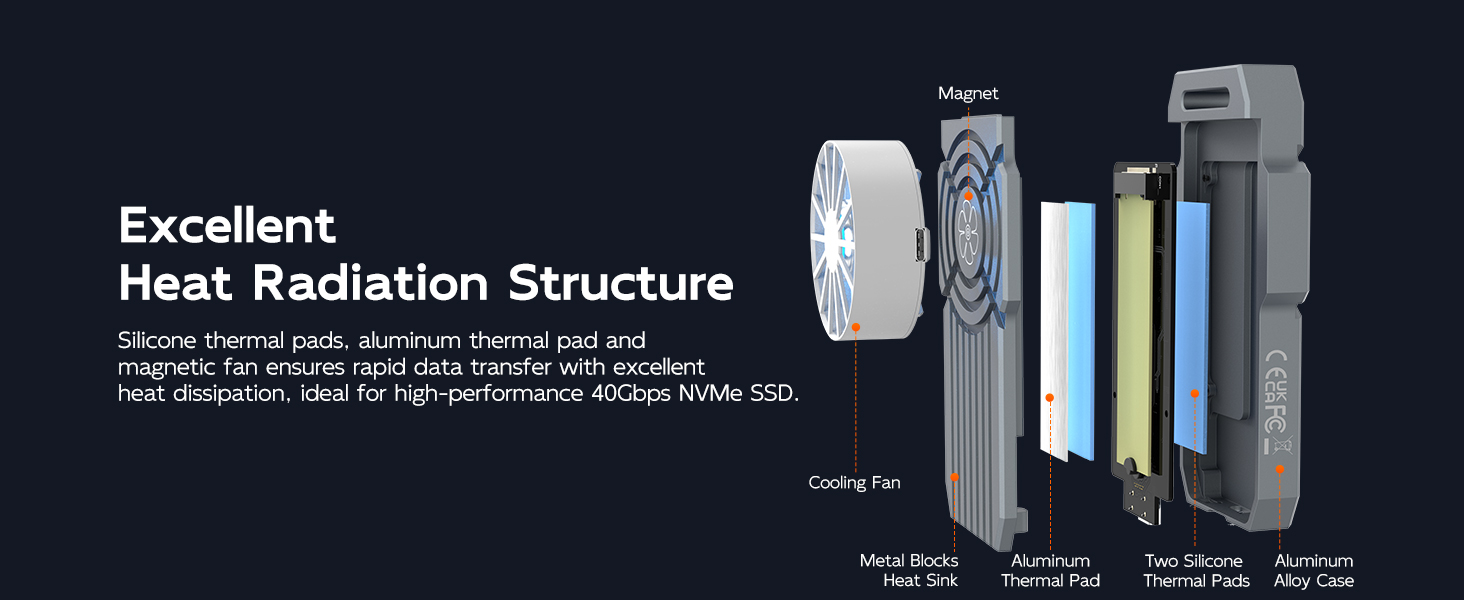
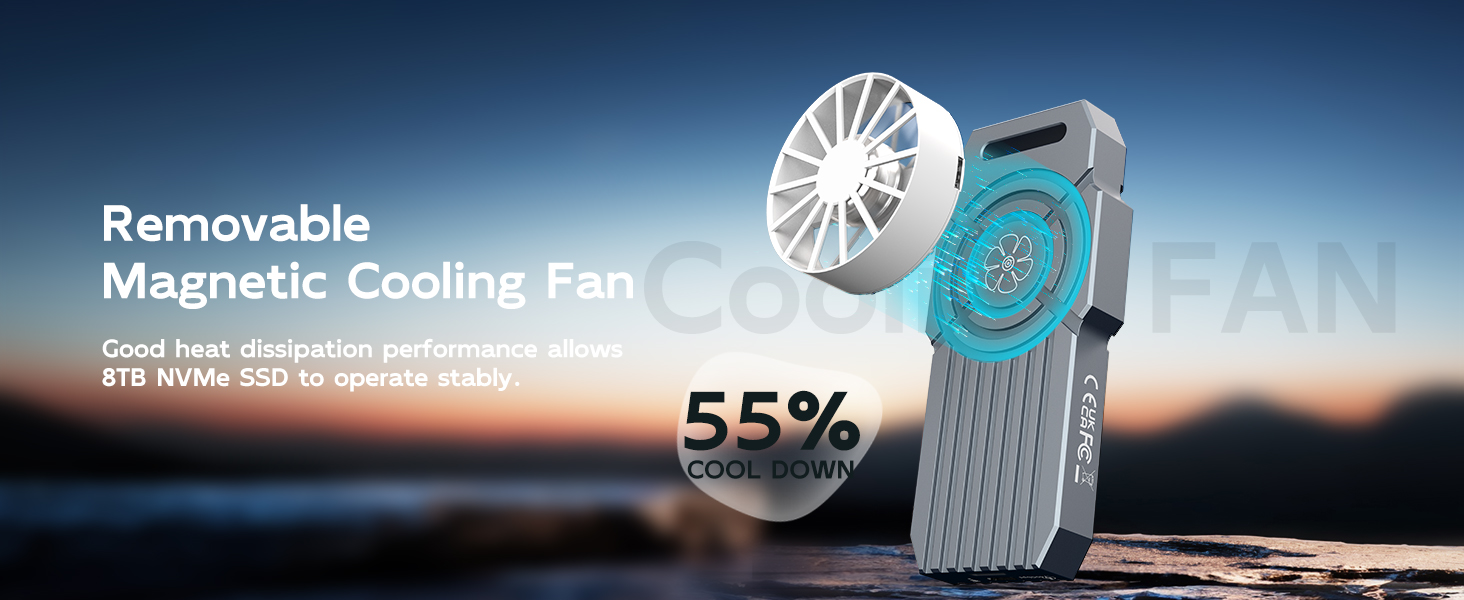
The MAIWO 40Gbps Thunderbolt 4 M.2 NVMe SSD Enclosure delivers ultra-fast data transfer speeds up to 3105MB/s write and 3070MB/s read, supporting up to 8TB M.2 NVMe SSDs. Compatible with Thunderbolt 4/3, USB4, and USB3.x across multiple OS platforms, it features advanced thermal management with a removable RGB fan and premium aluminum alloy construction. Its tool-free design and compact portability make it an essential high-performance storage solution for tech-savvy professionals.




| ASIN | B0CNG53DJD |
| Best Sellers Rank | 192,530 in Computers & Accessories ( See Top 100 in Computers & Accessories ) 1,230 in Internal Solid State Drives |
| Box Contents | 1x 40Gbps USB4 Data Cable (C-to-C ), 1x 40Gbps USB4 M.2 NVMe Enclosure, 1x Aluminum Thermal Pad, 1x Carabiner and Braided Strap, 1x Magnetic Fan and Attractive Sheet, 1x Silica Gel Plug, 1x Silicone Thermal Pad, 1x User Manual |
| Brand Name | MAIWO |
| Colour | Grey |
| Compatible Devices | Desktop/Laptop/Xbox,PS5/PS4/PS3/TV/Router, etc. |
| Customer Reviews | 3.8 3.8 out of 5 stars (39) |
| Data Transfer Rate | 40 Gigabits Per Second |
| Enclosure Material | Aluminium |
| Hardware Interface | Thunderbolt 4 |
| Hardware Platform | x86_64 |
| Item Dimensions L x W x H | 11.9L x 5.1W x 1.3H centimetres |
| Item Type Name | Thunderbolt 4 M.2 NVMe SSD Enclosure for Mac mini M1 M2 |
| Item Weight | 0.31 Kilograms |
| Manufacturer | MAIWO |
| Memory Storage Capacity | 8 TB |
| Supported Devices Quantity | 1 |
| The Standard Size of the Hard Drive or the Bay the Hard Drive Is Compatible With (in inches) | 2.5 Inches |
A**R
Works great with added fan, nvme is nice and cool.
R**S
I like it. Very nice speed. I use it to boot my Mac mini from it and no issues. It gets hot so I use my old intel processor fan to keep it cool. It has been working great so far
A**A
Works great, is fast. What I don't like is that the fan is external and needs a 2nd USB power supply
C**T
I'm using Windows 11 with an MSI Motherboard and Thunderbolt 4 connections on the back. Inserted a WD_Black SN7100 2GB NVME. Its working good so far. Speeds are as expected for Thunderbolt 4 on Windows. There is one thing you need to do in order to get full write speed. You need to enable the write cache located in Device Manager > Disk drives > your NVME > Policies (see photo). Otherwise the write speed will be much lower. The cooling fan definitely keeps the enclosure cool but its not a quiet fan. Knocked off one star for that. Otherwise its working and will follow up long term if something happens.
M**Z
This has to be the goofiest, worst designed nvme enclosure I've ever seen. It gets incredibly hot and even with all the metal that you would assume would make a decent heat spreader, they messed that up too. The included thermal pad does not make contact with the heat spreader, instead they added a sheet of metal that sits on top of the thermal pad, completely ruining the transfer of heat into the metal casing.
Trustpilot
4 days ago
3 weeks ago