Desertcart purchases this item on your behalf and handles shipping, customs, and support to South Africa.
🎨 Elevate your digital art game—create anywhere, anytime with precision and style!
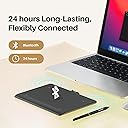
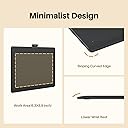
The HUION Inspiroy Frego L310 is a sleek, compact wireless drawing tablet featuring a 6.3 x 3.9 inch active area, 8192 levels of pen pressure sensitivity, and dual connectivity via Bluetooth 5.0 or USB-C. Designed for professionals on the move, it offers up to 24 hours of battery life, ergonomic comfort with curved edges and wrist rest, and broad compatibility across Windows, Mac, Android, and iOS devices.


| ASIN | B0D6FXHX7P |
| Active Surface Area | 155.89 cm² |
| Best Sellers Rank | 18,310 in Computers & Accessories ( See Top 100 in Computers & Accessories ) 56 in Graphic Tablets |
| Box Contents | Stylus |
| Brand | HUION |
| Brand Name | HUION |
| Colour | black |
| Compatible Devices | Tablet, Laptop, Smartphone, Desktop (possible) |
| Connectivity technology | Bluetooth, USB |
| Country of Origin | China |
| Customer Reviews | 4.4 out of 5 stars 2,495 Reviews |
| Display Type | LCD |
| Item Dimensions L x W | 16L x 16W centimetres |
| Item Highlight | 8192 Pen Pressure Battery-Free Stylus, Bluetooth 5.0, Portable for Note-taking Photo Editing, Work with Windows/Mac/Android |
| Item Weight | 350 Grams |
| Manufacturer | HUION |
| Manufacturer Part Number | cd309a38-c58c-4ad0-a07b-3c493ec71a63 |
| Model Name | Inspiroy Frego S |
| Model Number | cd309a38-c58c-4ad0-a07b-3c493ec71a63 |
| Model name | Inspiroy Frego S |
| Native Resolution | 8192 levels |
| Network Connectivity Technology | Bluetooth, USB |
| Number of Items | 1 |
| Number of Packs | 1 |
| Operating System | Windows |
| Operating system | Windows |
| Pressure Sensitivity | 8192 Levels |
| Pressure sensitivity | 8192 Levels |
| Product Features | Wireless Connectivity |
| Screen Size | 9.5 Inches |
| Software Update Supported to Date | unknown |
| Specific Uses For Product | Animation, Designing, Draw, Drawing, Remote Work, Working at a distance, education |
| Target Audience | Teacher |
| Unit Count | 1.0 count |
B**S
price and performance 10 out of 10
pros 1 easy to install software 2 easy to use 3 the software works 4 they give you a bluetooth dongle it is a no brainer for them to do so but i have bought several bluetooth devices in the past that dont do this so spot on for them doing so 5 the pen and tablet both work great feel smooth way more accurate touch than i expected 6 i have a pen tab that cost around 360 at the time and honestly this 70 bucks tablet is better for starters like i said above the software works unlike pen tabs software lol 7 on average i can hover pretty decently high over the tablet and it knows were the pen is unlike my other pen tab that cost 360 bucks con 8 it is wireless like jesus i hate when i use my other pen tab that is wired with such short fecking wires its like im hugging my pc when i use it but with this i can sit on my sofa lean back on my pc chair anything as long as i can see my pc monitor 1 yes it does not have a screen you cant see jack on it but for the price i was not expecting to see one 2 the utube vids i watched said you cant use it while charging so that kinda sucks overall thoughts 10 out of 10 for price 10 out of 10 for performance 10 out of ten for the software an amazing entry level tablet that has so many features as other tablets out there at a fraction of the price yeah its a con that you cant see anything on the tablet other than the darkness but hey i am prolly gonna pick up a another one so i can have it spare while the other one is charging my only concern is if you cant use it while charging what happens when the battery life starts dying on me suggestion to the makers of it let us use it while charging esp when its lifespan goes out the damn window other than that buy it like damn buy it u have not been so happy about a purchase in a long time for a change i feel like i underpaid for a product
M**R
Feels just like real life painting!
For years I've been using a Wacom Bamboo tablet with an active surface area of about A6 (9.5 x 15 cm) which works great, but I was looking to upgrade. A few of the "speed paint" YouTubers I follow mentioned this HUION tablet and had great things to say about it. At just over 90 quid it's an absolute bargain compared to other tablets of a similar size! The only slight problem with the item is that the instructions seem to be from an older model, so for instance it says "Insert the CD to install drivers". I imagine this could be confusing to some people cos all the software is on a little USB stick tucked away under a panel on the back of the tablet. In the past I've had problems setting up wi-fi devices like printers, so I was expecting to have to use the cable to connect the tablet, but it just... worked straight away! It's wonderfully responsive, precisely keeping track of your position on the pen on the tablet with zero latency. The pressure sensitivity is excellent, meaning you can transition from light touches to heavy firm strokes in a way that feels just like real drawing or painting. The large working area means you make expressive gestures with your drawing arm, unlike my old A6 size pad where I was limited to drawing with a rather stiff wrist. The size also allows for much more detailed work than smaller tablets. It's been really simple to set up 12 buttons on the tablet to handle the all the shortcuts I need. Just click on the tablet icon on the taskbar, go to "advanced" and enter options for each button. I'm using Krita, so I've selected "CTRL" for button 1, "Shift" for button 2, "Space + Shift" for button 3, "M" for button 4 etc, so I can hold button 1 while tapping the tablet to trigger the eyedropper tool, hold button 2 while moving the pen left or right to change the brush size, hold button 3 while moving the pen to zoom in and out of the canvas, hit button 4 to flip the canvas horizontally, etc. As other reviewers have said, the tablet and pen stay charged for AGES! I've been using mine for around 40-50 hours in total without having to recharge. In summary I'm absolutely delighted with this tablet. It's giving me a really authentic painting experience without any of the mess :)
D**C
PROVISIONAL 4 stars - great product but the example I received is defective.
The wh1409 gets a provisonal 4 stars - good product but the one that I was sent is defective (more later). Build quality is mostly acceptable, the usb dongle being (literally) the weak point. It really needs to be plugged into an "out of harm's way" port - it is flimsy enough to be broken by a quite modest knock. Barring the dongle, the quality matches that of the (still fully functional) h610 pro I've been using for the past 18 months. The pen has a softer spring than the one that came with the h610 pro. After some use, I've found this to be preferable. The tablet surface is smooth making for a MUCH quieter experience than the h610. The size of the active area is large enough to give controlled drawing on a 24 inch monitor but not so large that it hogs the desktop. Despite huion's hyperbole, the largest tablet is, in fact, a wacom - the huge intuos 4 xl. WiFi: works fine at least as far as 6m (out the door and down the hall). Aesthetics: looks sleek and functional apart from the 'control panel' which is cheap and tacky - the shiny plastic and vulgar colouring are horrid! Windows 8.1 installation was fine - removed ALL tablet drivers, installed new driver from the dongle, worked with no difficulties. The driver is a 'no frills but works' affair - the absence of 'portrait mode' is annoying. Krita 2.9.11 is a joy with this tablet. Debian (Jessie): works perfectly with digimend drivers. Kubuntu 16.04 LTS: just plug and play. Krita 2.8.5 on Debian, 2.97 on Kubuntu, and 3.0 beta on Kubuntu all played nice with the wh1409. xinput gives complete control over the tablet's geometry - make 'hot key' shortcuts for switching between screens on a dual monitor display, portrait/landscape modes, full screen and '1 to 1' (350x219mm active surface mapped to equally dimensioned portion of the screen) screen mappings. EDIT: the hotkeys do not work (at the moment) under linux. DEFECT: the last cm on all four sides distorts input - diagonal lines drawn (with a ruler) to the edge or the digitizer suddenly turn and shoot off at an angle. This is clearly a (hopefully not too common) manufacturing fault and an opportunity for HUION to step up to the customer service plate...
H**Y
Old school artist using it for life-drawing. - Brilliant!
This is my first tablet, so I have nothing to compare it with it - caveat lector. I purchased this to reinvigorate my long interest in life drawing. For the last 15 years I have been using A1 paper, pastels, charcoal and chalk. Using this device with Windows 7 + GIMP has been a revelation. Firstly it was very easy to setup (a few cycles of unplugging the USBe dongle for windows to pick up the required drivers but no more than 10 minutes to get working with it). It is very easy to use with a lovely natural feel that, for me, felt "right" from the get go. This device + GIMP is a great combination, GIMP picked up on pressure sensitity straight away and its a doddle to start sketching. For me, it was important at the start (although this may change over time) to have a 1-1 mapping between my hand movements on the tablet and that displayed on the screen. Remember that the entire screen (or screens in multi-monitor setup) map onto the rectangle of the tablet. Its a bit weird, for example, if you have a large tablet and a small laptop screen. So you need to set this up correctly and look to match your monitor size with the size of the tablet. (I could be convinced that a smaller tablet may be better) There are somethings that I would like to change (hopefully Huion might consider this in a driver update) 1) I would very much like to use the tablet in portrait mode, just works better for life drawing. at the moment I can rotate my 24 inch monitor but not the tablet. 2) I would like to assign brush size adjustment to the tablet buttons but the buttons are not repeat keys, e.g. you can't hold it down to continuously update the brush size, you have to click loads of times. But having said all that, I am really enjoying using it and it is exceptional value.
P**Y
Amazing Product! Definitely Buy. See pros and cons below...
I am an illustrator and before that a wedding photographer so have a lot of artistic software on my pc. And a pen/graphics tab is essential. I have used a Huion before, as the professional brands like Wacom were out of my price range, and looking at youtube demos, did not provide a lot more for your money. My previous Huions worked wonderfully, up until the connection port went (on both of them). So when I saw they had a wireless one I went for it! It's not wireless in terms of internet connectivity (so don't worry if you have a slow connection). It uses a usb to communicate (maybe Bluetooth or something). It is fast and no lag. The only lag I get is if I use a ginormous brush size (and I think that is my PC memory and not the graphics tab). It is a very large screen size (around A4) for the working area. Plus space for buttons. I always restrict the screensize in the settings so that I don't have to got to the edge of the graphics tab to get to the edge of my work. The pressure sensitivity of the pen is fab and their are options in the setting to get that just right for you. The device has 8 customizable buttons. For me this is the downside. I think my other one had a few more. I don't need lots, it's just that I use different software and have to reprogram the buttons every time I change. If I could request one change it would be that you could store the function of the buttons for each piece of software you have, and just tell it which software you are now using. But I'm not sure if any graphic tabs have that ability. I like to have an undo button, a save, pen size increase/decrease and a grab icon to move the screen about, as well as a colour picker. So I am a bit fussy! Also it would be nice if you could label the buttons easily. I stick paper next to them to remind me at first, but they always full off. I am being nit-picky however, as it is a wonderful item at a fabulous price! I charged my pen when I received it but have not charged the graphics tablet and yet it has been working for weeks now! It has a very long battery life. I've also never needed to change pen nibs in this one or my older (and it came with 10 spare). I am not a heavy user, but I imagine you have enough nibs to keep most users going. The best thing about it is that you can move about and get comfy with the pad without that annoying wire in the way. It's a lovely big size and the pen is comfy. I cannot praise it enough. Yes, I'd like some extras, but it's pretty good already. Mine was around £70 I think. And I would definitely recommend at this price. Just looking at some questions on Amazon I will try to answer: I think the different between this version and the newer is not much. I think the new one has a more sensitive pen, which is not something I would be bothered about. Software that it works with: Prob everything. It works just like a mouse would work in your software. And any shortcuts you have (eg copy and paste or CNTRL+S for save can be programmed into the buttons. CNTRL + Z for undo is useful!) The software I use is mainly: Photoshop and Corel Painter. It works great with both You do have to look at the screen- it is not a monitor. It is really just a complicated mouse- so it does not play software, store images or anything else. PS if you have used a Huion previously. Do uninstall all software before installing this new software!
C**H
Very impressed
This is a review for the Inspiroy Dial 2. I have to say this tablet has really impressed me, I do have a Huion Kamvas Pro 16 screen tablet but I like wireless non screen tablets for when I want to sit back and relax when I draw. The pen is the first thing that really impressed me, the 3rd generation pen is on par with Wacom now, the nib has almost no travel so feels far better to draw with over the second generation pen on my Kamvas Pro. Both types of nib feel great but I really love the felt nibs these feel better than the felt nibs did on my old Wacon Intuos Pro. The tablet has a larger working area than the Intuos pro medium which costs twice as much but the physical size still remains compact, The surface has a good amount of tooth but not too rough. The keys and dials are both very nice to use and feel good quality. Battery life is in line with what was stated, roughly 18 hours. If i had anything negative to say it would just be 2 very minor things. I think the feet are a little small and don't grip the desk as much I would like but it's not a big problem, also the Bluetooth connection button is where you would hold the tablet if resting it in your lap so it can be accidentally pressed resulting in the tablet losing connection and you having to re-pair it. I have a Bluetooth 5.1 dongle plugged in to the front usb ports of my desktop and have not had any issues with connection. I can't speak to how it works with Android or Ibis paint on the Ipad because I only wanted it for my desktop PC. A little bit of advice for these types of tablets as a whole, a lot of them have a 16 x 10 apect ratio so if you are using a 16 x 9 display you should go in to the driver, click on working area and set it to aspect ratio instead of full screen. This will mean a very small area at the top and bottom of the tablet becomes unusable but the shape you draw on your tablet will not be slightly distorted. Overall a great tablet at a very fair price, my Intuos pro medium cost me about double what this did. I would pick this any day.
A**.
A perfect low-budget tablet
I have to say, Huion made a really good product and rather cheap at the same time. I am using the tablet mostly with Adobe software like Photoshop and it works perfectly well. Some of the things I have to applaud are: - There is no or almost no pause between pressing the pen on the tablet and seeing results on a computer screen. - The software itself is easy to use and install. - The pen is comfortable while using. It leaves a nice sound while using on the tablet, similar to the one pencil makes on a paper which is a plus for me. - Additional settings can be set up on both the pen and the tablet. Quick eraser without losing focus? Yes, please. Also, you can disable them if they are not needed. - Pen stand is a nice accent and a good place to safely hide your wireless receiver during travels. Just don't forget to do it! - It's rather big, the drawing area is about the size of A4 and is scaled in software to fit your computer screen. Nice. - Esthetics? It's sleek, light and universal black colour. - The drawing glove is a good addition for anyone with the bad habit of putting your wrist down while drawing. Overall, it gets a big 5 from me after a few months of using it both as a working and a hobby tool.
S**N
Small things drag a great product now.
The WH1409 is fantastic in and of itself. At an extremely reasonable price, HUION has provided hobbyists a huge tablet with a great pressure range and useful wireless capability. 12 function keys, a large battery life - this tablet does really seem to have it all. The devil, however, is always in the details. Simply put, the driver support is poor. The drivers for the WH4109 do not support Window's built-in scaling correctly - instead detecting a scaled screen as being at a different resolution and cutting the working area of the tablet significantly. This can be worked around - either by turning off scaling (which makes working on a high-resolution screen extremely difficult) or by setting the tablet to work across all screens - which can be problematic on a multi-monitor setup. Further, there are other small niggles. Why must we charge the device for five hours by connecting it to our desktop or laptop - a USB plug works a lot better and would be a simple inclusion. As would a two-fingered glove - something that is included in many of the other HUION tablets. Whilst we are at it - the manual could do with some love - being all of two pages yet being massive due to it being one manual for every language. I do not regret my purchase - and struggled a lot with what to rate this - but I feel that, at the very least, the driver issues should have been addressed already (after all, they are widely reported across their support forums). HUION is a good choice for those looking for a Wacom alternative but do be aware that you don't quite get the same level of polish and support as the market leader yet.
A**T
Great
Works great in linux. Works as expected with one caveat, the keyboard part can only register one keypress at a time. If you're just working then that's fine but my feeble attempts to use it as a sort of gaming pad as well were ruined. Hitting w+a to strafe simply won't work. Still, that's a niche issue that we really shouldn't hold against the device.
C**N
Good quality - Great price
A good quality item, with a good discount too. Very quick delivery.. It performs well and is much cheaper than similar items . I am very happy with this tablet
B**N
Wacom c est fini
Mais c est la tablette que j attendais même en tant que professionnel, des drivers qui fonctionnent un prix défiant toute concurrence , une très bonne qualité , une tablette sans fioritures. Au revoir wacom qui a surfé sur son monopole. A des prix indécents. Et surtout des pilotes très très mal gérés qui ne fonctionnent pas sur le dernière Mac OS par exemple . C est hallucinant de la part de wacom
C**M
superbe tablette!
J'ai longuement hésiter entre différentes tablettes graphiques est mon choix c'est arrêter sur celle-ci et voici les raisons: La première qui ma semblé plutôt logique est bien sure le prix, car comme il s'agit de ma première tablette je voulais pas mettre plus de 200 euros. La deuxième sont les caractéristiques du produit qui sont équivalentes à d'autres marques bien plus chères. La troisième a été les nombreux avis que j'ai pu lire sur les autres tablettes de la marque Huion (pas beaucoup de commentaires sur celle-ci car model récent) qui été très rassurants. Et la dernière raison qui a vraiment finaliser mon choix et pas qu'un peu est tout simplement sa taille!!! Alors voyons voir si mon intuition d'acheteur c'est confirmer! Comme cité précédemment il s'agit de ma première tablette graphique donc je n'ai pas pu comparer avec d'autre tablette et il s'agit par ailleurs de ma première commande Amazon, donc mes impressions seront sur l’ensemble de celle-ci. Pour les délais de livraison ils ont été très convenable au vu de la provenance du colis (Angleterre), commander le 11/04/2016, reçu le 19/04/2016 en livraison point relais. Pour l’emballage du produit rien a redire les dimensions du carton d'envoie son adapté au carton d'origine de la marque. Un bon point concernant la boite du produit ou j'ai été surpris par son design très propre. (voir photos) Pour la tablette elle est superbe, grande avec un mélange de noir matte/brillant et elle n'est pas trop légère se qui inspire confiance sur la qualité de cette dernière. Pour le package l'essentiel est la, une notice en anglais (Windows/ Mac), un stylé bien évidemment avec son support ou se trouve 4 mines de rechanges, un petit chiffon pour le nettoyage des traces de doigts sur les parties brillantes, 2 câbles, un pour le stylé et l'autre pour la tablette et une clef USB caché dans un petit compartiment sous la tablette qui sert a l'installation des drivers. En parlant d'installation (sous Windows 7) tout ses bien passer et rapidement, on branche la clef on lance l'installation des drivers, une fois finis on allume la tablette, on branche le stylé on attend que les pilotes s'installe et c'est bon! rien de compliqué. Je les testé sur différents logiciels (Photoshop elements, Krita, Blender et Opentoonz) et la tablette a toujours été reconnu sans rien toucher, agréable quand on veut pas trop aller trifouiller dans les paramètres. En ce qui concerne le stylé il semble bien faire son travail niveau pression et précision mais ayant pas testé d'autre tablettes mon avis sur se point la est donc relatif. L'ensemble est je pense adapté au personnes qui comme moi veulent découvrir un autre monde que celui de la souris tout en démarrant sur un produit de qualité sans se ruiner ou qu'il veulent tout simplement passer sur un format plus grands que du A4. Pour conclure une belle tablette bien grande que Huion propose parmi ses différents produits avec un très bon rapport qualité prix, à voir dans le temps si celle si vieillit bien, si cela se vérifie elle méritera même une sixième étoiles.
D**E
perfetta in tutto, consigliata anche rispetto a marche più costose
Ho acquistatao questa tavoletta grafica per utilizzarla con un programma di modellazione 3D professionale, dal momento che possedevo già un'altra tavoletta grafica di più piccole dimensioni ma di una marca più conosciuta e costosa. inizialmente ero un po' restio per via, appunto, del "nome" meno conosciuto ma con mia grande sorpresa posso dire, senza pericolo di smentita, che questa tavoletta grafica è a dir poco PERFETTA. perfetta in tutto: spessore, peso, collegamento bluetooth, autonomia della batteria, portabilità (entra comodamente in uno zainetto di medie dimensioni), qualità della penna, che può vantare una punta stabile senza oscillazioni fastidiose, superficie non liscia ma non ruvida, oserei dire "vellutata" e precisione. Insomma, da utilizzatore abituale di tavolette grafiche da un po' di anni ormai (ho provato anche tavolette con schermo), non posso che parlare bene di questa tavoletta che, se l'avessi saputo prima, avrei comprato già tempo fa, senza spendere soldi ulteriori per altre tavolette grafiche di marca più conosciuta ma di qualità, secondo me, inferiori a questa.
Trustpilot
2 weeks ago
4 days ago