Desertcart purchases this item on your behalf and handles shipping, customs, and support to South Africa.
๐ Upgrade your storage, upgrade your game โ donโt get left behind!
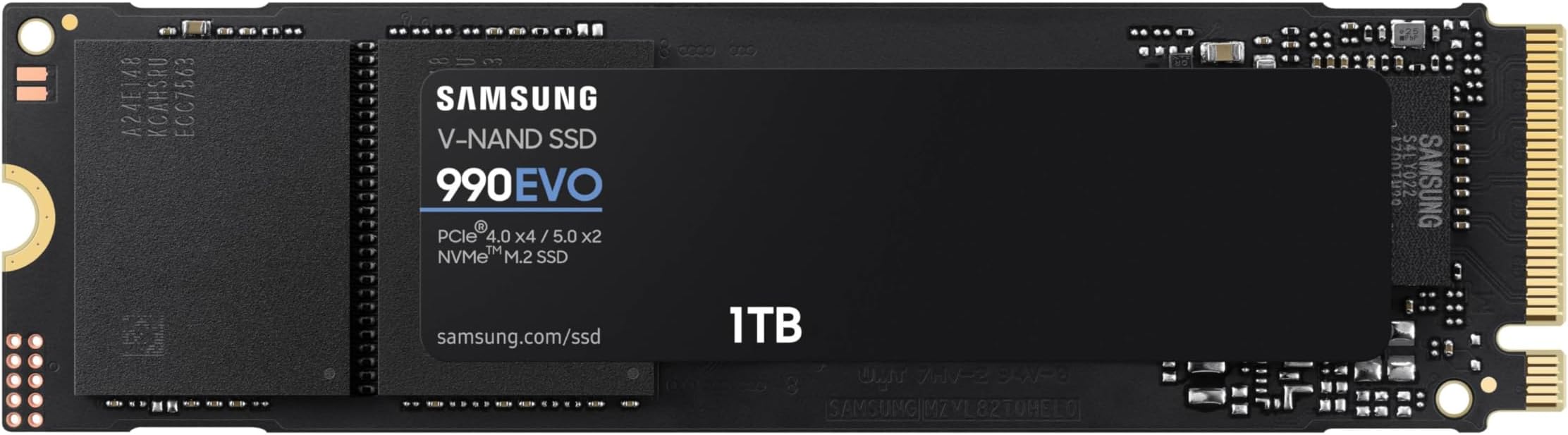
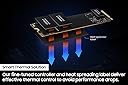
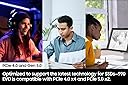
The Samsung 990 EVO SSD 1TB is a cutting-edge internal NVMe drive featuring PCIe Gen 4x4 and Gen 5x2 compatibility, delivering blazing read/write speeds up to 5,000/4,200 MB/s. It combines power efficiency with smart thermal management to maintain peak performance without overheating. Backed by Samsungโs Magician software for continuous updates and security, this sleek M.2 2280 SSD is the ultimate upgrade for professionals and gamers seeking speed, reliability, and future-ready tech.


| ASIN | B0CRCC9863 |
| Additional Features | Backward Compatible, Hardware Encryption |
| Best Sellers Rank | #6,398 in Computers ( See Top 100 in Computers ) #71 in Internal Solid State Drives |
| Brand | Samsung |
| Built-In Media | SSD |
| Cache Memory Installed Size | 1 |
| Color | Black |
| Compatible Devices | PC, Laptop |
| Compatible Video Game Console Models | Sony PlayStation 5 |
| Connectivity Technology | PCIe |
| Connectivity technology | PCIe |
| Customer Package Type | FFP |
| Customer Reviews | 4.8 out of 5 stars 2,365 Reviews |
| Data Transfer Rate | 5000 Megabytes Per Second |
| Digital Storage Capacity | 1 TB |
| Digital storage capacity | 1 TB |
| Enclosure Material | Nand |
| Form Factor | M.2 2280 |
| Hard Disk Description | Solid State Drive |
| Hard Disk Form Factor | 2.5 Inches |
| Hard Disk Interface | PCIE x 4 |
| Hard disk form factor | 2.5 Inches |
| Hard disk interface | PCIE x 4 |
| Hard-Drive Size | 1 TB |
| Hardware Connectivity | Solid State Drive |
| Hardware Platform | PCI Express 4.0 |
| Installation Type | Internal Hard Drive |
| Item Dimensions L x W x Thickness | 7.9L x 2.3W x 0.3Th centimeters |
| Item Weight | 9 g |
| Manufacturer | SAMSUNG |
| Media Speed | 4200 megabytes_per_second |
| Mfr Part Number | MZ-V9E1T0B/AM |
| Model Name | 990 EVO |
| Model Number | MZ-V9E1T0B/AM |
| Number of Items | 1 |
| Read Speed | 5000 Megabytes Per Second |
| Smart Home Compatibility | Not Smart Home Compatible |
| Special features | Backward Compatible , Hardware Encryption |
| Specific Uses For Product | Gaming, Personal |
| UPC | 887276812519 |
| Unit Count | 1 Count |
S**V
purchase installed and enjoy overall performance
Excellent performance and satisfied
B**E
Notice a little better performance
Upgraded my SSD in my desktop seems to be slightly faster ..
C**D
Great value compared to Crucial P3
I needed a backup solution for my old photos, i plan to make this as a Photo memory Vault from my old phones that i dont touch for 20 years. I was comparing the Crucial P3 and This SAMSUNG 990 EVO, in the end i chose SAMSUNG 990 EVO over the Crucial P3 because of the write speed.
J**N
fast, reliable, and a great upgrade for performance
The Samsung 990 EVO 1TB SSD has been an excellent upgrade and made a noticeable difference in everyday performance. Boot times are much faster, applications open quickly, and file transfers feel smooth and responsive. Installation was straightforward and the M.2 form factor keeps everything clean and simple inside the system. The drive runs efficiently and has handled gaming, multitasking, and general use without any issues. Storage capacity is a great balance for operating systems, programs, and a good amount of files or games. Samsung also has a strong reputation for reliability, which made this an easy choice. Overall, a fast and dependable SSD that delivers excellent performance and feels like a worthwhile upgrade.
G**F
Very Easy To Upgrade
I got the 990 EVO SSD to swap out the old smaller SSD that was in my desktop motherboard. Just finished the swap a couple of hours ago and after a series of checks, I can't believe how easy it was and that the boot up with the new drive was flawless. I actually did a "Properties" check just to confirm that the new SSD did the boot... it was that seamless. "Very Easy" means that you know how to open your desktop or laptop case and access the motherboard. If not. there are lots of You Tube videos to show you how. If you are doing an upgrade swap like I did, I would suggest investing $15.00 in a M.2 SSD exterior enclosure. That way you can download the Samsung Magician Software and initialize the drive and perform the cloning before you even open the case. And of course backup your files, just as a precaution. With the Magician, the process is as simple as copying a file to a memory stick, except it takes a lot longer, depending on the capacity of your old drive. The one thing they don't tell you is that the software probably won't recognize the new drive until you do a Disk Management setup to give it a Drive Number. That''s easy enough, but if you don't know how, just do a quick search. My cloning transfer took about 5 hours, and they suggest not using the computer during the transfer, just to avoid the possibility of a glitch. After the "Transfer Complete" message, turn the power off and pull the plug. Open the case and swap the old drive for the new one. It's worth watching a You Tube video on this, just to avoid any surprises if you haven't done something like this before. You may also want to watch the process for your specific brand and model of computer, because you may have to remove a couple of components to get access to the slot on the motherboard. Reassemble any parts you removed, put the cover back on, plug it in and turn on the power. Voila... the boot was flawless. It even renamed the new SSD as Drive C. I was just sceptical enough that I did a "Properties" check to ensure that it was the new drive. It couldn't be that easy... but it was.
C**N
De los mejores SSD
Muy buen rendimiento
Trustpilot
2 weeks ago
5 days ago