Desertcart purchases this item on your behalf and handles shipping, customs, and support to South Africa.
🎯 Step up your workflow and game with precision at your feet!
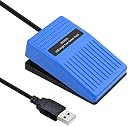
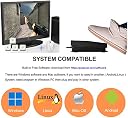
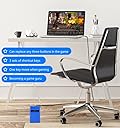
The iKKEGOL Upgraded 2023 Digital Optical USB Foot Pedal is a single programmable footswitch designed for hands-free control across gaming, streaming, transcription, and professional applications. Featuring a durable optical sensor, a 1.9-meter USB cable, and broad OS compatibility (Windows, Mac, Linux), it supports keyboard, mouse, multimedia, and string input emulation. Easy to set up with downloadable software, it offers quiet, stable operation with anti-slip feet, making it an essential tool for multitasking millennials seeking ergonomic efficiency and seamless control.
| ASIN | B0BWTRBLNP |
| Best Sellers Rank | #12,021 in Musical Instruments ( See Top 100 in Musical Instruments ) #64 in Pedals & Footswitches |
| Brand | iKKEGOL |
| Button Quantity | 38 |
| Colour | Single Pedal |
| Compatible Devices | Gaming Console |
| Connectivity Technology | USB |
| Controller Type | Push Button |
| Customer Reviews | 4.4 out of 5 stars 204 Reviews |
| Hardware Platform | Desktop |
| Item Dimensions | 9.9 x 6.4 x 3.8 Centimeters |
| Item Package Quantity | 1 |
| Manufacturer | iKKEGOL |
| Manufacturer Part Number | IKG-10020C |
| Model Number | 10020C |
| Product Features | Customizable Input Emulation |
| Special Feature | Customizable Input Emulation |
| Unit Count | 1.0 Count |
| Whats in the box? | Foot pedal |
K**R
Does not function as a Joystick. 'Game' menu is useless in Footpedal 7.4.4
The 'Game' option to use Joystick inputs does not work. It would have to come up as a HID-compliant game controller in Human Interface Devices as well. This image is from the Footpedal 7.4.4 software available on Ikkegol's website. The ElfKey software which also functions does not have this 'Game' menu. This is very disappointing as the ElfKey software does have an option to 'Hide in Tray' so it could easily run a virtual gamepad to facilitate this function. I am going to have difficulty reprogramming the internal microcontroller because the part number has been filed off the 16pin chip inside the pedal. It is possible to use Keyboard keys beyond F12 (such as F13 to F24) for programs such as Discord. It is NOT possible to use Joystick Button 1 in Teamspeak, Ventrillo or other chat software that supports Joystick inputs for push-to-speak. However while playing a Video Game this device can interfere with the amount of keys pressed at once during complicated maneuvers if also set to a keyboard and pressed down. There is a 'Key Press Limit' in most games and some operating systems. Windows 95 to 2000 has a 6 key press limit. XP removes this limit but many older games are still set to 6 keys at once. I am going to have to continue to use the Sewing Machine pedal I have wired into a 'USB Joystick Controller Board' (also available on Amazon, just use that as a search term) usually used for Arcade stick projects for the exact functionality I am looking for. It is a mouse with keyboard keys to device manager. Similar to a mouse with a number pad, 1 entry in Device Manager. It is not however a Mouse and Keyboard and Joystick device. I have a product like that and it puts 3 entries into Device Manager. For the lack of Controller support and filing off the chip info, 1 star. If/when ElfKey's tray icon also runs a Virtual Joystick (source code is very easy to find for that) and it would get 4 stars. Still get -1 for filing off chip info. If you find the device loud on press, an inch of foam tape above where the cord attaches will make it nearly silent.
G**.
Me llegó un artículo usado y dañado
Mal, me llegó un artículo ya usado y sin los aditamentos de adentro del pedal.
M**K
Smooth, Responsive, and Perfect for Workflow Efficiency
The iKKEGOL Upgraded 2023 Digital Optical USB Foot Pedal has been a great addition to my setup. It’s super responsive and works exactly as described. Setup was quick, and the included software made it easy to assign custom commands. The build quality feels solid, with a low profile and smooth action. It doesn’t slide around while in use, and it registers every press without lag or misfires. Whether you’re using it for transcription, push-to-talk, streaming commands, or productivity shortcuts, it performs reliably. If you're looking for a hands-free solution to speed up your workflow, this is a smart, affordable option that actually delivers.
G**R
Used to make and experminent, works great, sturdy, stays in place
Very well put together and works well for what I using for. Has great weight to holding in place so I'm not searching for it under my desk My brother likes it and said much better and easier to use and set up... and was easy to program for the raspberry pi device he made for.
S**D
Very multituse and works easily
Love it so much that I wish I got the double option!
Trustpilot
1 month ago
1 week ago