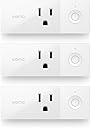
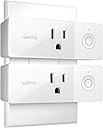
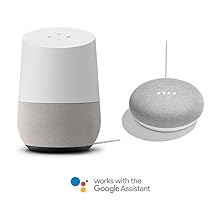
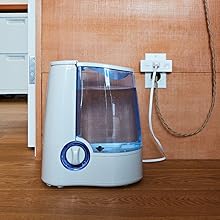
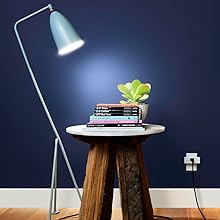
🔌 Plug into the Future of Smart Living!
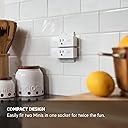
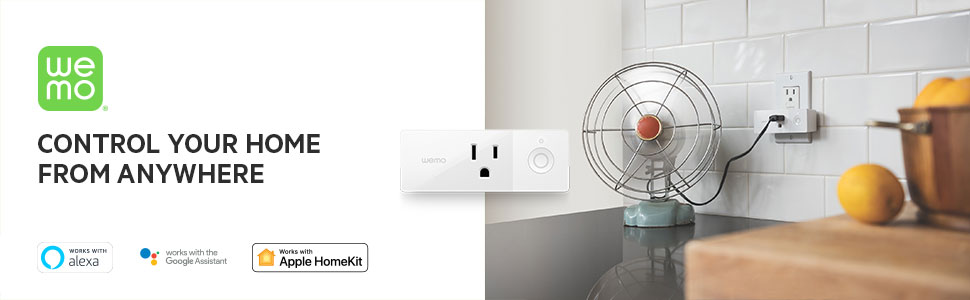
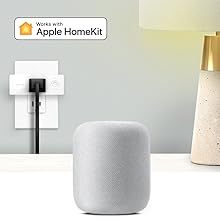
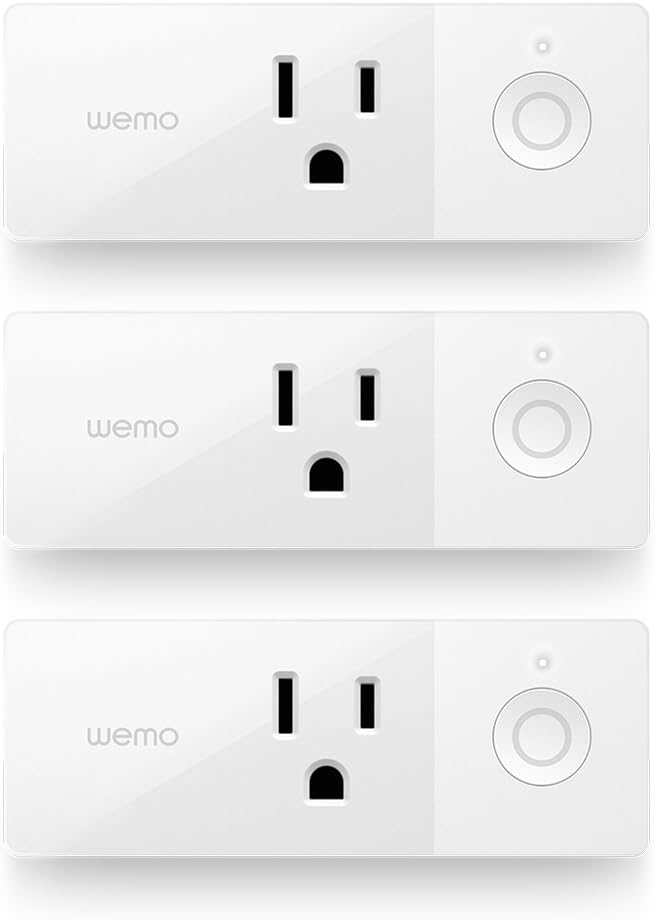
The Wemo Mini Smart Plug 3-Pack allows you to control your home appliances from anywhere using your smartphone or voice commands. With a compact design, scheduling capabilities, and compatibility with major voice assistants, this smart plug enhances convenience and security in your daily life.


| ASIN | B076J8SLSF |
| Actuator Type | Push Button |
| Best Sellers Rank | #1,153,908 in Tools & Home Improvement ( See Top 100 in Tools & Home Improvement ) #1,378 in Home Automation Devices |
| Brand | WeMo |
| Brand Name | WeMo |
| Circuit Type | 1-way |
| Color | White |
| Compatible Devices | Lights, Appliances, Fans, Alexa, Google Assistant, Apple HomeKit |
| Connectivity Protocol | Wi-Fi |
| Connector Type | 2 Pin |
| Contact Material | Copper, Brass |
| Contact Type | Normally Open |
| Control Method | Voice |
| Control Type | Full |
| Controller Type | Amazon Alexa, Android, Google Assistant, homekit, iOS |
| Customer Reviews | 4.1 out of 5 stars 1,077 Reviews |
| Global Trade Identification Number | 00745883750214 |
| Included Components | 3 x Wemo Mini, Quickstart Guide |
| Item Dimensions | 3.9 x 1.45 x 2 inches |
| Item Type Name | Wemo Mini Smart Plug 3-pack, WiFi Enabled, Works with Amazon Alexa, the Google Assistant and Apple Homekit |
| Item Weight | 10.4 ounces |
| Manufacturer | WeMo |
| Material Type | Brass, Copper |
| Model | F7C063-BDL |
| Mounting Type | Plug-In Mount |
| Number of Items | 3 |
| Number of Positions | 3 |
| Operation Mode | automatic |
| Part Number | F7C063-BDL |
| Switch Type | Toggle |
| Terminal | Screw |
| UPC | 745883750214 |
| Unit Count | 3 Count |
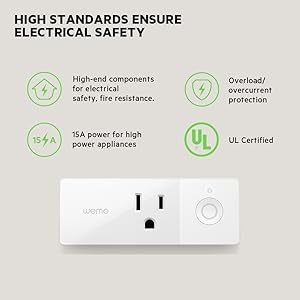
| Wattage | 1800 watts |
G**T
Great Google Home Integrated Switches
These are great WiFi Switches that can be integrated with Google home. I use them for ambient lights, fans, and heaters. The switch seems to have no issues turning on a 1500 Watt heater in the mornings. The device setup can be a little frustrating at times when the switch wont accept the wifi credentials but I have always been able to setup a device. The firmware updates do seem to fail sometimes but I haven't seen any real issues with this, I've never lost connectivity or had to perform resets with a device because of a failed update. On a pretty regular basis Google will report that it cannot access Wemo and the switch will still change, so there seem to be a few minor API bugs there. Also, once in a while I have the switches drop off wifi and not reconnect for a few hours without being manually reset, but if left alone they always reconnect and fix things eventually. Overall, these are great cost effective switches to add some additional smarts to a simple device!
R**S
Easy to install & connect to Google
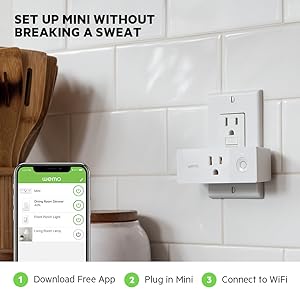
I had the previous version of WEMO plugs (large) these minis are nice in that they make it easier to use the second plug in the outlet. However what I really liked was how easy they were to install. The package comes with QR code which you use with your phone to make the connection. It worked on the first try. Then it was over to the Alexa app to search for new devices. And set up a group. And now I can say "Alexa turn on Christmas" and all my Christmas light inside turn on. I can also selectly turn on or off an individual device by WEMO app on phone or via "Alexa turn off mini-tree". I don't think WEMO required a hub because I already had set up older plugs a while back before I had an Alexa. But if I remember correctly, you don't need a hub for WEMOs to connect to Alexa. Did not call Tech support, but having used with the older plugs and assuming it hasn't changed. They do a great job helping out if you have problems.
L**E
Works surprisingly well, no issues or bad on/off cycles
I love home automation... I've had remote switches for a while, all my bulbs in the house are smart LED controlled via bluetooth, 12 alone in the great room / kitchen ceiling. I use Amazon's Echo to voice control them, as well as my thermostat, garage door, etc... So I saw these had their little 3 pack special, and thought I'd give it a try. The remote outlets I was using currently were still just remote devices using their proprietary wireless controller. I wanted something more, so tried these. Setup really couldn't be much easier - downloaded the WEMO app on my iPhone X, plugged them in one at a time, and joined their wireless. I like that the app remembered settings so it was only the first WEMO switch I had to input the wireless network info to get it on my home's wireless. The other two, after that was set up, were configured automatically after I joined their wireless to let the app contact them for the initial setup. Firmware updated right away on the first, but no prompt on the second or third, so I will have to see if I need to initiate those manually or if they will automatically update. To get them working with my Echo, again, painless. Enabled the WEMO skill in Alexa's app, then had to power one of them off or on. The Alexa app noted that, asked if I turned off the specific one I did, I acknowledged, and that was it. All three are now easily controlled - "Alexa, turn on the Lego Table." "Alexa, turn on Oculus." "Alexa, turn on firewall." Or off, as the case may be. The app works well also, and I've had no misfires so far with any attempts to turn things on or off. There are schedules you can do, or control auto-off settings. Other than being a little pricey, there's not anything to dislike here. They are sized well enough that they leave the other outlet open as long as it doesn't have an oversized wall wart that would go up too high or low. And the switch on them lets you hit it physically as well as using the app, so you're not forced to always have the app handy on a smart device. I've found them so useful that I've now got 8 of them scattered through my house for various things.
C**S
Super Easy Addition
I already had one Wemo Mini Smart Plug for a year or so and finally needed to add more, the Wemo Mini 3 pack, throughout the house. The first step I took was to close all the apps on my iPhone and then turn off and back on. I have the following apps already installed and accounts for each...Apple HomeKit, Alexa (with the Wemo skill added), and Wemo. The install only took a couple of minutes for each smart plug. The Alexa integration automatically installed when running the Wemo install. I had to add one of the three Wemo plugs manually in HomeKit utilizing the QR code in the paperwork that came with the plugs. I left the plugs running for an hour or so and received notification to update the firmware. I've had zero issues over the past year or so and highly recommend for people in the HomeKit or Alexa universe.
G**N
Idiotic product design: give me back the hours of my life wasted trying to make it work
I know what I'm doing around gadgets, and am always up to solve a good problem. Let's Google it and make the thing work, right? But not with these babies. I've bought a dozen-plus Wemo plugs over the years, and am frankly embarassed by how many hours of life I have burned trying to make them work. Sure, many of them work, which is probably why there are so many good reviews out there. But there are far too many that don't. Even when they do function, the design is idiotic. Here's how the installation is supposed to work. First, plug in the unit and wait until the lights are flashing a certain way. Then open the app and begin the process. After a few clicks, you're prompted to change your phone's wifi network to "WemoWhatever" and then if everything goes to plan (it usually doesn't), the next big step is to scan the QR code on the back of the plug. How nice of them to design it so I don't even have to type in the code... Except that the QR block is on the back of the plug, and since since the first step was to plug it into the outlet, the second step is physically impossible. How could that possibly have eluded the geniuses who designed this thing? The first few times this happened, I assumed it would be OK to unplug the thing, scan the code, and then plug it back in -- because what else could they have possibly intended, right? Those plugs are now permanently haunted, presumably because of being powered down during setup. No matter how many times I've factory-reset them, they still won't work correctly. I've learned through painful experience that basically your only shot to get one of these things to work, is for everything to happen perfectly, the first time around. Otherwise you're toast. And you're going to waste an hour coming to that conclusion. But back to my story. So once you're realized that it's physically impossible to scan the QR code during setup, the smart thing to do is just photograph the back of the plug, so you have the code handy during setup. Photo, check. Factory install for good measure, check. Switch to WemoWhatever wifi, back to the app, find the device (unless it's haunted by a prior attempt), get to the QR code step, and then select "enter the number manually" (despite the physical impossibility of scanning the code, they don't have an option to pull it from your photo library). Off to the races!!!! Quick flip my task manager from the Wemo app over to my photos, quickly memorize the 8 digit code, repeat it out loud a few times for good measure, and now back to my Wemo app to enter the numbers and get down to business. Except that the app now takes me away from setup, and back to the home screen. WHAT. THE. etc.... And of course, now that this virgin plug has had its first setup interrupted, it's haunted, and effectively worse than useless, since it can only rob you of more time. I genuinely cannot understand how Belkin allowed this product to go to market, let alone how it's become such a popular product. Do yourself a favor and find another plug. That's what I'm planning to do. And then I'm taking all of these Belkins outside to smash them up like the copier from Office Space. PC Load Letter!
A**I
Awesome for google home!
I bought the three pack after I got a google home mini for Christmas. When I started installing the first one with the app it wouldn’t connect to the WiFi from the smart plug. But after playing with it for 5 minutes I figured it out. During the install process when it uses the camera to scan for the code, the bar code is on the instruction sheet, FYI.
S**G
Very reliable versatile product
These are so much easier to use than the old fashioned style timers where you have to push down and pull up all the little tabs. The great thing about wemo products is that they dont require any kind of smart hub. You just plug these in and install the app on your phone. Follow the setup instructions and a few minutes later you have a smart plug that you can use to turn any device into a smart device. I have been using mine these and other wemo devices for a long time now and they are the most reliable of all the smart devices I own, and I own a lot or smart devices.
S**N
Great product, the app sucks, connecting is a b*tch
Once you've got these things up and running, they run like little champs. The app leaves much to be desired - laggy, buggy, takes forever to connect to the plug and then forever and a half to tie to the house wifi including having to restart the app multiple times - and don't forget to blink no more than three times a minute and hold your mouth just right 'cuz otherwise you've got to start all over. So, if you can tolerate the pain of setup, they're good products.
C**N
Works great with google home and IFTTT
I have google Home setup in my house and the Wemo Mini smart Plug works very well with it. Setting it up was easy, but I found that when I added them separately to google home, I had to remove the previously installed one and do them all at the same time. Not sure why (I didn't plug them in all at once because I wasn't sure where to put the third one). When you plug them in for the first time, on your smart phone, switch to the Wemo wireless network that shows up (you'll get a warning that you have no internet connectivity, but that's ok, ignore that). Then, start up the Wemo app and it will take care of things for you. It was quite simple to set up. You can then set the plugs on any schedule you want, give them a name, control them remotely etc... It's home automation at your fingertips I did the same thing for the Wemo light switch. Through google home I can now say "turn on living room light" and it will turn the switch on. The one drawback is that if the mini switch is off, you can't control the light from the built in light switch of the actual light. But it's great to have on a schedule, say turn on switch at 8pm and turn it off at 1:30am; When the lights go out it's a great reminder, if you get carried away watching too many episodes of Breaking Bad, that it's time for bed. I've also set up applets through IFTTT to (for example) receive a text message whenever the light switch is turned on (or Wemo mini switch button is pressed) although the delay is unacceptable if you want to know in real time. IFTTT notification sometimes shows up 15 minutes late, as can the text message. I attached a pic of what it looks like in your google home app and how it shows up in the Wemo app and also some options in the Wemo app.
M**O
Excelente Apagador Inteligente
Este producto es importado, pero la calidad del mismo es excelente. El rango de red Wifi es suficiente y confiable aun cuando se encuentra detras de varias paredes. no tengo repetidor. Ocupa exactamente un espacio horizontal equivalente al de cualquier enchufe convencional, es un poco ancho pero me imagino que es por el tamaño de la antena. Su capacicad de 1800W es adecuada para conectar mi centro de entretenimiento que tiene: pantalla, bocina bose, sound bar, Playstation 3 y Playstation 4. Lo he probado con la pantalla, la bocina el playstation 4 y el soundbar encendidos sin problema
I**E
Funcionamiento y compatibilidad
Funcionan muy bien y siempre están actualizados, son compatibles con todos los Asistentes de voz y son fácil de instalar
R**R
Installation Confusion
Now that I have the socket incorporated into my wifi network and responding to Siri commands from an ipad, operation of the Wemo socket is intuitive, reliable and generally excellent. My only criticism relates to the lack of sufficient detail to assist a neophyte, presently rather unfamiliar with the concepts and complexities of 'smart' systems, in achieving a frustration-free installation and commissioning of the unit in a reasonable length of time. A more comprehensive guide would substantially mitigate this significant shortcoming.
A**R
Útil pero con trucos
Funcionales. Se conectan a homekit después de varios intentos. Recomendación: usarlos con una red únicamente de 2.4Ghz. Lo que tuve que hacer fue comprar un router inalámbrico en modo puente para todos los accesorios que no cuentan con hub y así funcionan de maravilla sin desconexiones constantes.
Trustpilot
2 months ago
3 weeks ago