Desertcart purchases this item on your behalf and handles shipping, customs, and support to South Africa.
🎬 Elevate your home theater game—big screen brilliance, zero hassle!
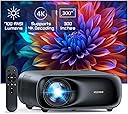
The NexiGo PJ40 (Gen 3) projector delivers native 1080P resolution with 700 ANSI lumens brightness and D65 color calibration for true-to-life visuals. Equipped with 20W built-in speakers and Bluetooth 5.1, it offers immersive sound and wireless audio connectivity. Its advanced 4D keystone correction and 60-100% zoom enable flexible, distortion-free projection up to 300 inches. With 5GHz WiFi screen mirroring compatible with iOS, Android, and Windows devices, plus multiple HDMI and USB ports, it’s designed for seamless connectivity and easy setup. Adjustable fan speeds ensure quiet operation, making it perfect for indoor and outdoor cinematic experiences.


| ASIN | B0CRKLJ8HC |
| Additional Features | ① Native 1080P with 700 ANSI Lumens, D65 Calibrated ②Low Noise with adjustable fan speed, Latest Cooling system ③ Built-in 20w speaker features lifelike sound ④ HDMI CEC Support ⑤Wireless screen mirroring for IOS, Android, and Windows devices. |
| Antenna Location | Business, Gaming, Home Cinema |
| Best Sellers Rank | #59 in Video Projectors |
| Brand | NexiGo |
| Brightness | 700 lumen |
| Built-In Media | Power Cord, User Manual |
| Color | Black |
| Compatible Devices | TV Stick, iOS, Android |
| Connectivity Technology | Bluetooth, USB, Wi-Fi |
| Contrast Ratio | >10000:1 |
| Control Method | Touch |
| Controller Type | Button Control |
| Customer Reviews | 4.1 out of 5 stars 3,025 Reviews |
| Display Resolution Maximum | 3840 x 2160 |
| Display Type | LCD |
| Display resolution | 1920 x 1080 |
| Form Factor | Portable |
| Hardware Connectivity | Bluetooth, Ethernet |
| Item Weight | 3.56 kg |
| Lamp Wattage | 20 watts |
| Light Source Operating Life | 30000 hours |
| Manufacturer | Nexight INC |
| Maximum Image Size | 150 inches |
| Maximum Throw Distance | 30 feet |
| Mfr Part Number | PJ40 Gen 3 |
| Minimum Throw Distance | 6 feet |
| Model Name | PJ40 Gen 3 |
| Model Number | PJ40 Gen 3 |
| Mounting Type | Table Mount, Ceiling Mount, Tripod |
| Native Resolution | 1920 x 1080 |
| Number of Items | 1 |
| Picture Quality Enhancement Technology | D65 Calibrated |
| Projector Maximum White Brightness | 700 ansi_lumens |
| Recommended Uses For Product | Business, Gaming, Home Cinema |
| UPC | 766214654544 |
| Unit Count | 1 Count |
| Vertical Keystone Correction | 15 centimeters |
| Video Encoding | HEVC |
| Wattage | 20 watts |
B**D
PJ20 Projector
I recently purchased the PJ20 Movie Projector with the idea that I would use it camping with my family during the summer nights, as you can image the time can be long. I have seen other such devices used in the camp ground. I tested this device with my iPhone, a Roku and my Mac Air. It exceeded my expectations. I would just like to say that this device, the remote, and the user manual, both online and provided, were super easy to use. The PJ20 Movie Projector that I bought was easy to setup and there is no configurations needed. Simply plug some cables, focus, and it worked fine. I connected power and it was that simple. I started to unpack it and within 15 minutes was up and running with little or no experience in setting up devices like this. I tested it against a white wall, as it was the most convenient surface I had. I plan to buy a screen for the summer but have not done so yet. I have seen these devices used on camper sides and a screen will be a great addition to this device. This is clear and this one can be tilted up to 15 degrees with an adjustment on the back on the PJ20. First, the iPhone mirror connection was easy to use. It was very intuitive and the video quality was excellent. It offer me, the ease of setup that my niece (8 years old) and nephew (7 years old) could use easily. The WiFi option, is what I did use first, it is as easy as the steps that are shown in the manual and are covered in more depth in the manual than I will go in to here. I also did mirror my iPhone with a cable. It did what the same as the WiFi option cast feature did with the same result. It did work very easily. The iPhone I used was was running the latest iOS and was a few years old, an XR. So it does not need the latest hardware to operate. Nor does the iOS. The projector could, and will, be used by everyone this summer. They have iPhones, and will probably want to share videos and pictures that they took during the days of summer fun. The USB port for the iPhone does work with ease. I only have apple products. I can only attest to how well this would work with Apple products, not PC’s or Android devices . I have no experience with these, sorry. Next, I tested my Roku player I have. As you can image that they need WiFi. You could use the WiFi Option on your iPhone. I have not tried that but I image that it would work also. The Roku, as you may know, can need a power connection. The Roku usually uses the TV as it’s power source, but that can be supplied by that PJ20. It has a USB port that can provide power to the Roku. I did not use the power supplied by the PJ20. The Roku had it’s own power adapter. I preferred to use it instead. The player and device work just fine, no problems. This setup was seamless and easy. I have not included photos of the actual screens but it did work fine. The PJ20 was fine in that regard. The PJ20 displayed any image that that Roku could provide. Last, the laptop that I used was a Mac Air 13 inch 2019 running Ventura and 8 Gigs of RAM. The PJ20 Movie Projector, while I did not know this, would mirror: Netflix, Prime video or other streaming services image, I only tried these two. It would not mirror Netflix on my iPhone, but did for the laptop. I had no play back problems on my Mac. The USB C Multi-Port Hub was generic and should not affect the playback or quality of videos that you would expect to get from a device like the PJ20 Movie Projector. The HDMI connections work and there should be no configuration needed.The mirroring of Mac Air and PJ20 was easy and allowed the video playback to take place. It was easy to setup with little or no experience necessary. I hope that anyone that reads this review will see the ease of use, and the intuitive setup features, that everyone needs are provided by this device and are for all skill levels. I can only imagine the good memories that a future of family camping will bring and how much fun that we will have using it and sharing their days adventures. And the fun they will be having! In closing, the purchase of this device will be greatly used, showing the day events, movies and selfies that we can share as a family. I hope you share your family memories also! Brian
A**S
Fantastic budget projector
I had a decent, big name brand, bulb projector about six years ago and recently got interested in getting another one because of the new LED/LCD technology that's currently available. I watched a lot of reviews and decided this one looked like the best all around pick for me and I was correct. This thing is BRIGHT, like watchable in a fairly well lit room bright. Of course it's best in low light as any projector would be, but I can have lights on and even curtains open (blinds still shut) with almost no degradation in picture quality. I have it set up where it's about a 100" screen and the picture is crystal clear 1080p and I have no doubt it would look amazing all the way up to the possible 300" (which I can't wait to try when I can find a space big enough for it). I also just have the thing projecting on a flat white painted wall, no special screen or paint and it looks prefect, I can only imagine how good it would look on a purpose made screen. I originally hooked up the sound output through a bluetooth speaker, but there was a slight delay in the sound making it not line up with the picture. I disconnected the bluetooth and to my surprise the built in speakers actually sound great. I'm still going to try to run a hard line 3.5mm headphone cord to the speaker for booming sound when I want it, but I'm honestly very content with the unit itself. I have the thing mounted just a couple feet over my head and the fan noise at level 8 (stock setting) is basically zero, I don't even hear it when there's any audio playing. I haven't tried hooking up to a gaming system yet, but I'm fairly confident that it will preform well. I'll update this review if it's at all laggy once I do. I couldn't be happier with this purchase, for the price of a 50" television I have a 100"+ screen that absolutely rocks. Just a note, I do have mine set up where it requires no keystone correction which should give it the best chance of optimal performance. Be aware that it projects the picture evenly, equal up, down, and side to side, so you want to be as centered and straight on to your screen as possible. As you can probably gather I have nothing but good things to say about the PJ40, but I will be brutally honest and update this review if I encounter any issues in the future. 6 month update: I have typically used this projector for 2-3 hours each evening for the last six months and it's still as amazing as the day I got it. Every person that sees the image, size, and brightness of the screen is seriously impressed. I couldn't be happier with its performance. I still haven't even bothered getting a real screen or special paint for the wall because it looks perfect on my flat white wall. I think this projector is going to last, but even if it crapped out today, I have spent the equivalent of about $1.60 a day to own it at this point (around $300 to buy and owned for around 180 days), totally worth it already. There's no need to buy a more expensive projector for general home theater use.
C**T
Picture Quality is Stunning but figuring things out might be hard for Non-Tech Folks.
First, I am not what I would consider a “tech-person.” Things have to be very simple for me to try to figure out when it comes to technology. So, I was super thrilled at how easy it was to set up the PJ10 in terms of setting up the language, figuring out the focus, screen tilting, getting connected to the Wi-Fi, etc. The remote control is simple to use, but sometimes pushing the buttons wouldn’t always get me to the place I wanted to be. I found myself pushing the buttons multiple times in some instances to get to the screen or choice I wanted to get to. But to me, this is more of a minor annoyance than it is a major issue (I’m probably pushing buttons too fast, or off center, etc.) Also, the picture, color, clarity of the projection is stunningly magnificent, and the project is lightweight which is also a plus!! The only problems I had was really maneuvering through the menus to figure out how in the heck to get things (computer, iPhone) connected to mirror images. Some of the problem actually lied in the connected devices and trying to figure where to go what to do, etc. This had less to do with the projector itself. I’m pretty sure that if I just used connector cables like my HDMI cord, I would have got this thing up and running quite soon. But the draw for me to this project was the fact that I didn’t have to use any of these other connections to use it. I also couldn’t not figure out the Bluetooth function for the iPhone easily. I was able to figure out the iOS mirror screening from the iPhone but when I actually tried to mirror a movie from my iPhone to the projector, it would only do the sound from the projector, but not the actual picture itself. But again, I’m not sure that the problem is the projector, it’s probably me…LOL. Once I was able to figure out how to actually mirror and/or duplicate/extend my media from my computer to the projector, it became a whole lot of fun. The only thing is that you may have to connect a component audio source speaker because there is very little bass in the sound from the projector and the sound is a bit tin thin. However, there is very little fan noise coming from the machine which is ten times better than my old projector which made SOOO much noise and got so darn hot after a while, I had to shut the apparatus off. This is not the case with this projector. It hums quietly so as to not interfere with your viewing entertainment. Overall, I am satisfied with the projector, I just think I have to get a lot more practice in figuring out the Wi-Fi connection piece so I can continue using it without having to hook up any additional wires to it. Also, it does seem that I have to put in the Wi-Fi password each time I turn the machine back on and I’m wondering if there is a way that the Wi-Fi password stores itself into the projector, so I don’t have to spend time typing it back into the projector each time I use it. I give it an overall rating of 80%. It’s a pretty cool machine.
D**E
Nexigo's Obsession with Excellence
My choice of this Nexigo projector was influenced in major part by my complete and total satisfaction with the company’s Nexigo N970P Zoom-certified 4K webcam. I concluded that a company that could make a perfect webcam, would not know how to make a crappy projector. And I was right. My one regret is that I bought the PJ10 projector and not the company’s top-of-the-line PJ20 model. The reason is simple. 10,000 lumens of brightness is better than 8,000 lumens of brightness, and a 5-watt speaker is better than a 3-watt speaker. I can do nothing about the brightness of my 8000 lumens version, and for that, I pay a high price when I want to use the machine during the day or in brighter than low-light conditions. But the speaker size is not a problem because of the machine’s easy connectivity with any large external amplified speaker. Of course, to be fair, the PJ20 that I prefer costs more than the PJ10 which I bought. The PJ10 5.1 Bluetooth model comes with most, if not all the bells and whistles that one can reasonably expect in a projector that costs under $300. This multi-function remote-controlled projector has an impressive digital zoom range, adequate brightness for a low-lit room; a wide range of source connection options including USB, thumb drive, computer, Apple and Android cell phone, television, VCR as well as, VCD. This makes the projector extremely versatile. However, I definitely have a few recommendations for improvement. Having discounted my observation for the possibility that I may have failed to see all that I should see, the manual makes no reference to a very important part of the projector. I refer to its angle elevation device. The machine comes with 4 stub legs attached that keep it very stable when operated in a flat position on a desktop. However, to maintain that flat angle you must either have a screen that can easily be lowered, or a projector stand that can easily be raised, or both. To help with this problem, the PJ10 comes with a flimsy screwed pole that can extend for approximately an inch, and which has the effect of raising the front of the projector and thereby adjusting the angle of its projection. This is better than nothing, but I would have provided a much sturdier device and one capable of raising the front of the device by at least 2 inches. I would also have preferred that the pole came with an extension stop so that it could not be screwed out completely. Finally, I strongly recommend that this pole be identified in future diagrams and that something be said about it. In the meantime, I readily used any stable object that extends the width of the machine, and on which I could rest the two front legs. It is definitely not the ideal situation, and it is a bit tacky. The overall impact of this deficiency would cause me to reduce Nexigo PJ10’s score by 1%. Finally, I eventually figured out how to operate the keypad for things like connecting the PJ10 to my locked internet modem/router which requires the use of a password. An improvement in the clarity of the manual’s instructions would definitely have helped to reduce the frustration in my learning curve. Eventually, I figured it out. For that, I reduced the company’s score by 1%. In summary, the Nexigo PJ10, while inferior in some ways to its Nexigo PJ20 brother/sister, is an excellent projector, and much better than the other lower Nexigo models. At the heart of a projector is its lumens rating. Because the lumens value cannot be adjusted upwards or downwards as yet, the consumer needs to purchase the one that best suits his/her most frequent requirements. Higher lumens value-rated projectors cost more dollars and consume more electricity which also costs more dollars. So carefully select the one you need. Nexigo can definitely benefit from a communications consultant who can help with making their manual more step-by-step and user-friendly. By way of disclosure, I am a communications consultant, and I do specialize in children-modeled, step-by-step user-friendly instructions. I am therefore likely to be biased and am possibly setting the bar too high for Nexigo. Chances are, the majority of consumers would find the Nexigo manual to be in no way lacking. I am therefore giving the Nexigo PJ10 projector a 98% approval overall rating, and a 100% rating for value.
B**H
Premium projector/Horrible software update
This definitely feels and look like a more premium version of the PJ20. Pros: - I really liked the auto keystone correction. It's very useful and works properly. - The speakers are very good considering it's a projector speaker. - The image is very clear, and can achieve massive size of up to 300" (although I didn't test that size) - The lens cover and controller feel very premium, as opposed to the PJ20 Cons: - The main con and the reason I'm giving it a 3 stars is that when making the software update from RUIOS 5214.1.1.0 to RUIOS 5214.1.1.1 it got stuck for no apparent reason in 21% download. In general, most electronics are not supposed to be shut off in the middle of a software update, so I decided to just leave it there updating and see if it continued. After 4-5 hours, it hadn't move from 21%, so I decided to try to back out of the update. When I click back in, it continued from 21%, but it started loading again, then it got stuck on 33% again for no apparent reason. So, I went back out of the update, and back in, and it continued downloading more, but the same thing happened 5 times, so I had to back out and back into it 5 times to complete the update. By the time I was finally able to get the software update, it had spent so much time on the same screen, that the lens got burn in with the update screen, which was incredibly annoying when watching TV series or movies on it. It would've honestly been a 1 star if the burn in had remained, but after watching a few movies on it, the burn in is completely gone now. - In the default settings, the fan noise is quite noticeable, but it is something that can be easily changed in settings. - Before the software update, I was watching a movie and the projector was flickering a bit, with a black frame every now and then. I couldn't figure out why, but after the update I didn't see that again, so I imagine it was something that was fixed with the update. Overall: I'm pretty concerned with the software updates for this projector, and while other than that it is a ver good projector, I'm not sure if it justifies the price difference from the PJ20. It probably does if you need the 300" screen, or if you're really into the premium look/feel of it. Update, 14/09/2024: After speaking with Nexigo support, they gave me a local update file, which allow me to update the projector very easily. Having said that, having to contact support for a software update still seems too much of a hassle for something that should be very easy, which is why I am maintaining the score at 3. Their support team did mention that the very slow online software update was likely caused by the fact that I am in LATAM, and their servers for updates are in the US. I've bought several items from them in the past, so I do believe them, and if you are in the US, it's very likely that this won't be an issue for you at all, in which case I'd give this projector 5 stars. If you are in LATAM, then you may encounter the issue mentioned in the original post, and I believe that it merits 3 stars as it can damage the projector screen, or force you to contact support for an update, which seems excessive for a very simple software update.
B**N
Vibrant Image, Easy to Use
I love it when things work right out of the box - and this projector does exactly that. I was up and watching my projector in under 5 minutes. Just plugged in the power cord, plugged in my fire stick to one of the hdmi ports on the back, and then focused the image with the focus ring. It was a straightforward, no-nonsense experience with no technical issues. And the focus ring and legs made for quick adjustment (note, the legs are meant for leveling, not for orienting your projector more than a about 10 degrees up or down). The picture quality actually exceeded my expectations. There was no blurriness or any warping that I found distracting or detracted from the experience of having a large, vibrant projection in front of me. Colors were rich and vibrant despite me having very thin curtains that let in plenty of light (see the video I attached). A lot of projectors are unwatchable unless the room is extremely dark. I was surprised to find this projector was watchable during the day indoors - sure, the image was somewhat faded with so much light but this was still a very impressive performance. Note, I was not using any special surface - just beamed it right at my wall. This means I could see the wall's texture if I scrutinized the image, but this would be the case with any projector in the world. At night or in a dark room the vibrancy of the image is truly terrific in my opinion. So this would work great indoors or for an outdoors movie night against the garage door or a wall. The heat and fan sound is not distracting unless you have your head directly next to the projector but this should never be the case. The projector should be behind or above you. A projector stand would be a wise investment if you don't have a place for your projector. There are more silent projectors on the market but they cost a lot more. There are also ultra-short-throw projectors that you can position directly in front of the wall but those cost a lot more. You are not paying for the best projector on the market which would cost you several thousands. You are not paying for a high-end sound system. You are paying for a large, vibrant projection that doesn't break the bank - and with that in mind, I think most people will find the projector provides a very cool and impressive experiencce.
A**R
Fantastic quality, more conveninlent than a TV, and less expensive!
Fantastic bang for the buck with the same stellar quality I've grown fond of with NexiGo. I have a NexiGo webcam I love, which has great quality. And with the PJ40 I was hoping for the same, and I was not disappointed! Not only is the device itself very nice, but even the manual and box feel quality. I Was also impressed that I was able to update it immediately update it online by connecting to wifi. Love how NexiGo keeps on top of their product software. I travel a good bit to visit family and sometimes for work, and there isn't always a TV available for me to use at the destination. But this beast is not only easy to pack back up and transport than some giant TV, but it's also significantly less expensive. Up to 300" screen size? Setup in just a couple minutes with manual focus adjustment that works perfect? Phenomenal color quality and gorgeous picture? 1070p native and 4k??? Count me in! It also comes with a remote with batteries. But has buttons on the projector in case your dog eats the remote! And if the dog eats the manual too? There's a digital copy built into the projector, that you can easily access! I think they've thought of everything with this one. Truly blown away. And with NexiGo's incredible customer service, I'd be surprised if you have any issues that don't get properly resolved if you give them a chance. I saw a negative review that seemed to be left by someone that never gave the company a chance to repair or replace their product. I guess my point is, don't hesitate to to business with NexiGo. Need something convenient that's less than a TV? Have family or kids that visit? Travel often? Want to set up your own theater? Then the PJ40 will do a great job for you, for whichever your needs are!
S**5
Great Projector for its price!
I wanted a projector to show movies outside with family and friends. I’ve never had a projector, but I’ve used other NexiGo products and liked them, so I tried this NexiGo PJ40 (Gen 3) Projector. I wanted something relatively inexpensive and easy to use. This projector fit the bill. Basically take it out of the box, plug it in, connect to your Wi-Fi and you are ready to go. I do not always read all of the included manuals, but was able to navigate through the projector’s menu with relative ease. There are a lot of options for dialing in the picture, but I was ok with the default settings. I set up projector about 20 feet from an outside wall and the picture was about 13 and a half feet by 8 and a half feet. It was very bright even though we have a lot of ambient light in the area. The sound from the internal speakers was ok. The speakers can go very loud, but they loose a little clarity when turned up. They would probably be ok if you were using them inside in a smaller venue or for a business presentation. I liked that the projector had a lot of different options for connectivity, either wired or wireless. I found with my setups, I had some lags with wireless, but the wired connections were great. The projector is well built and is very portable, however it does not include auto focus so you will have to do it manually each time you set it up. You will need to remember this depending on where you locate it. (I have mine on top of a portable 7’ stand.) This is not an issue if you are permanently installing in one location. Overall I think this is a solid projector for its price and would recommend it to anyone for their first projector.
G**P
Great projector
Excellent product. Pure joy to use it.
P**N
OTTIMO PRODOTTO
Il prodotto è ottimo ed ha un rapoorto qualità/prezzo fantastico. Arrivato in tempo ed integro.
W**O
AMAZON E DHL, SÃO 10.
RAPIDEZ,SERIEDADE E RESPEITO COM O CLIENTE. PARABENS A ESTA DUPLA PERFEITA,AMAZON E DHL POIS AS DUAS SABEM COMO FAZER O CLIENTE SUPER SATISFEITO. RECOMENDO COM CERTEZA ESTE PROJETOR MUITO BOM MESMO E DE ÓTIMA QUALIDADE.
A**H
BEST VALUE PROJECTOR EVER!
The most famous affordable home cinema experince. PROS: -SHARP -LARGE -BRITH -GOOD COLORS -GOOD AND EASY MENU CONS: -NOT FOR GAMING: Even with gaming mode, it has a noticeable latency (like 1-2 seconds/1000ms+) dont game on this. Check on youtube, this stuff is good compared to its price. (VS expensive high-end projectors)
A**A
Appareil inutilisable
Rien ne fonctionne, ni le wifi,ni les ports usb, hdmi et flash drive. Contrairement à sa présentation il est incompatible avec android...pfft et en plus appareil qui a déjà été retourné par qqun d autre vu le paramétrage des réglages....
Trustpilot
5 days ago
1 month ago