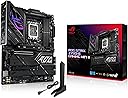
🚀 Power, Speed & Style — The Ultimate Intel Gaming Arsenal
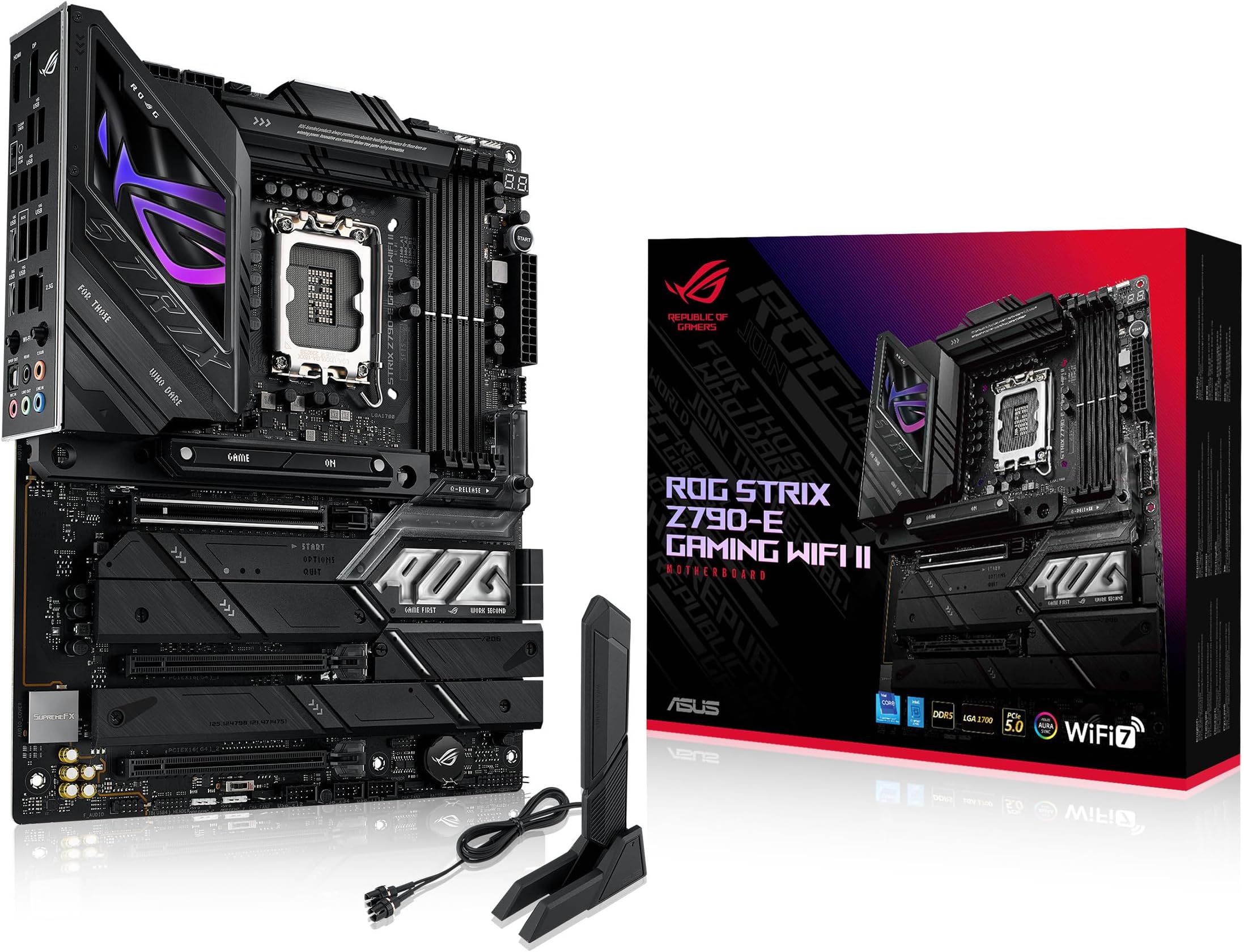
The ASUS ROG Strix Z790-E Gaming WiFi II motherboard is engineered for elite Intel 12th to 14th Gen processors, featuring an 18+1+2 power stage design, PCIe 5.0 support across multiple M.2 slots, and cutting-edge WiFi 7 connectivity. Its advanced thermal solutions and Aura Sync RGB lighting combine performance and style, making it the go-to choice for professionals and gamers demanding stability, speed, and future-ready tech.


| ASIN | B0CJMQ2S5M |
| Are Batteries Included | No |
| Best Sellers Rank | #57,940 in Computers ( See Top 100 in Computers ) #439 in Motherboards |
| Brand | ASUS |
| Color | BLACK |
| Connectivity Type | Wi-Fi |
| Customer Reviews | 4.3 4.3 out of 5 stars (165) |
| Date First Available | 5 February 2024 |
| Graphics Card Interface | PCI Express |
| Item Weight | 680 g |
| Item model number | ROG STRIX Z790-E GAMING WIFI II |
| Manufacturer | ASUS |
| Maximum Memory Supported | 192 GB |
| Memory Technology | DDR5 |
| Number of Ethernet Ports | 1 |
| Number of HDMI Ports | 2 |
| Number of USB 2.0 Ports | 14 |
| Processor Socket | LGA 1700 |
| Processor Type | Pentium |
| Product Dimensions | 35.56 x 28.7 x 8.89 cm; 680.39 g |
| Series | ROG STRIX Z790-E GAMING WIFI II |
J**S
Yes. I have rebuilt my PC 3 times in the last 3 months. Did I want to? Absolutely not!! I could not buy a motherboard or set of RAM stable enough to obviously not last more than a few weeks. Now, this is a VERY tentative 5 star rating but, maybe, just maybe this is the one??? I sure didn't want to pay $450 plus for a motherboard, but if it consists of actual quality and real stability, I'll obviously pay up. Just for a little background info, my CPU, 14700K, 1000W MSI PSU, 4070 Ti Super. Started with a TUF Z790 Gaming Plus Wifi. Most unstable product you can buy, at least for my CPU and nothing but RAM issues. I requested RMA but never sent it in because I kind of threw it after taking it out of the chassis. Oops. So that was obviously my loss and fault and I'm OK with that, BUT maybe if the mobo had been decent, that wouldn't have happened?? I dunno, just a thought. Second motherboard purchased one month later, ASUS ROG Strix Z790 A Wifi II. Supposed to be for 14th gen Intel out of the box. Well, it was OK some days, but most days was once again unstable especially with memory. So I decided to buy a new set of RAM. G-Skill Trident 7200MTs. Wasn't stable at any stock XMP setting until lowering the frequency. So Not 24 hours after installing that RAM the whole PC shut off. I don't know if it was the RAM or Motherboard so, I sent these back this time. I'm genuinely displeased and tired of playing this run around. So, I get my small once a month check again on the 1st and I buy this motherboard (I know you're thinking, why do you keep buying ASUS you idiot???) and a set of TeamGroup T-Force Delta 6800MT's and so far everything is going without a hitch. No memory errors, XMP actually works along with dimmflex. SO maybe the extra money was worth it, but time will tell because there's a serious lack of quality control on these high priced products which makes you company extremely untrustworthy. I hope this one works out
A**N
The ASUS ROG Strix Z790-E Gaming WiFi II is a solid choice for high-performance builds. Paired it with an i9-1200k and Corsair Dominator DDR5 RAM—runs flawlessly! PCIe 5.0 support is a huge plus, and the WiFi 6E is super fast. Build quality is top-notch, and setup was smooth. Highly recommend for gamers and power users!
P**Z
A nice update to Asus's STRIX series, future-proofed with WiFi 7, and plenty of USB inputs, with 2x Type C and plenty of USB-A. Some of the newly manufactured versions of these boards come with the Intel chip fix that was released over the summer, but this one came installed with the factory BIOS (v0801) from early in 2024. Before doing any installation, I made sure to flash and update to the latest BIOS (v1801) - Asus makes this super simple with the EZ Flash 3 feature that just lets you plug in your PSU to the 24- and 8-pin connector, then flash with a USB stick. After that, I proceeded to seat my CPU and other components. You could probably get away with booting it with the CPU straight into BIOS, but given Intel's issues the past year, best to do your first boot with the BIOS fix already in place to avoid any damage to the Raptor Lake CPU. Currently running an i7-14000K, works great, board fits perfectly fine into my Corsair 4000D case. Versatile for both work and play.
K**K
calidad de producto de lo mejor
G**O
This is a very nice motherboard. I bought it to replace my Asus motherboard. Please note that ASUS support is horrible and it took weeks to get my existing board replaced this is why I had to buy this Motherboard
Trustpilot
1 month ago
2 weeks ago