Desertcart purchases this item on your behalf and handles shipping, customs, and support to South Africa.
📞 Elevate your home phone game—smart, wireless, and wallet-friendly!
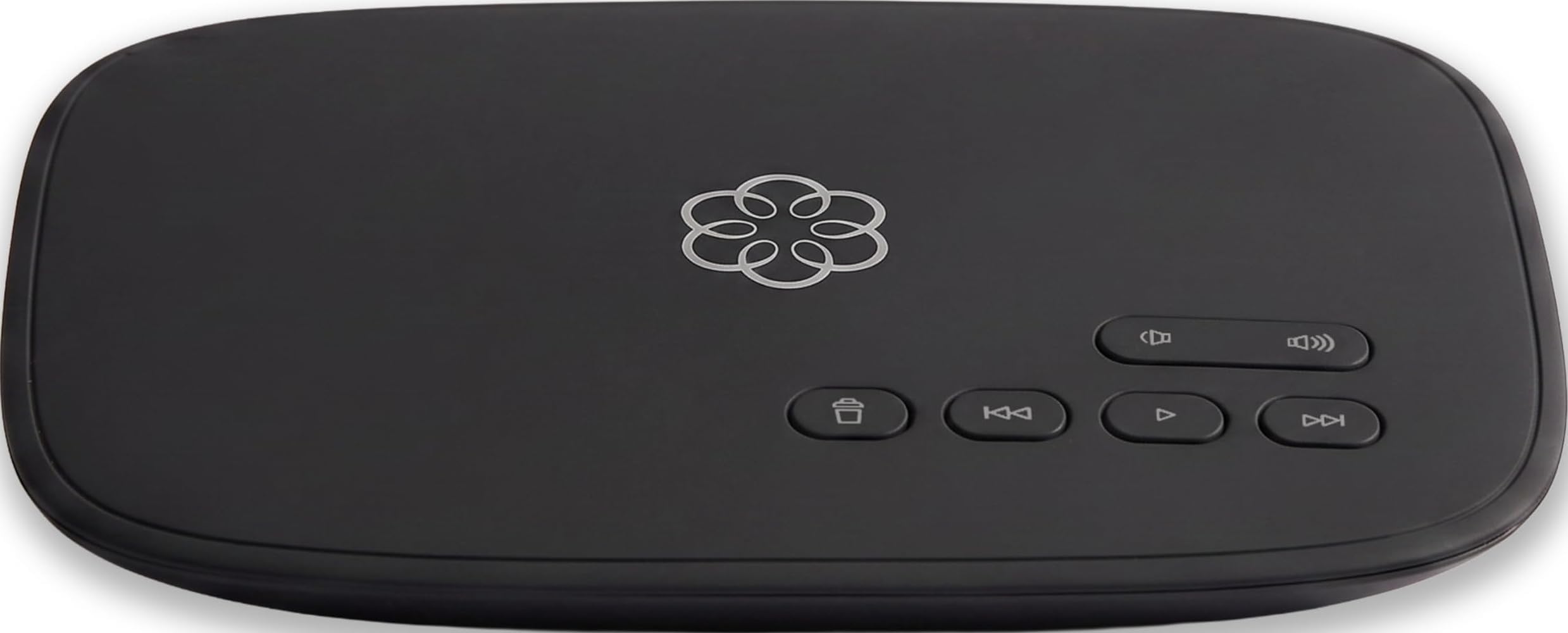
Ooma Telo Air is a top-rated VoIP home phone service offering unlimited nationwide calling with built-in wireless connectivity. Designed for US users, it features a free mobile app for calls on the go, advanced robocall blocking, and requires only monthly taxes and fees—delivering crystal-clear calls and significant savings over traditional landlines.


| ASIN | B078Z4HBFG |
| Answering System Type | Digital |
| Best Sellers Rank | #18,119 in Office Products ( See Top 100 in Office Products ) #10 in VoIP Telephone Adapters |
| Brand | ooma |
| Built-In Media | Power Adapter for Telo, Telo base station, Ethernet Cable, Quick Start Guide |
| Color | Black |
| Compatible Devices | Telephone, iOS Devices, Android Devices |
| Conference Call Capability | basic |
| Customer Reviews | 4.2 out of 5 stars 2,282 Reviews |
| Dialer Type | Single Keypad |
| Enclosure Material | Plastic |
| Global Trade Identification Number | 00811008021450 |
| Item Dimensions | 5.9 x 7.8 x 1.7 inches |
| Item Type Name | Ooma Telo Air |
| Item Weight | 1.2 pounds |
| Manufacturer | Ooma, Inc. |
| Material | Plastic |
| Mfr Part Number | 811008021450 |
| Model Number | 811008021450 |
| Multiline Operation | Multi-Line Operation |
| Number of Batteries | Unknown batteries required. |
| Number of Items | 1 |
| Number of Packs | 1 |
| Phone Standby Time | 1 hours |
| Power Source | Corded Electric |
| Recording Capacity | 22 minutes |
| Telephone Type | Cordless |
| UPC | 811008021450 |
| Unit Count | 1 Count |
| Warranty Description | 1 Year Warranty |
P**R
Easy to set-up
It simply works. The hardest part of installing it was getting the Ethernet wire through the wall to where my switch is located. Lots of wire going through the wall. I cheaped out and turned off all of the 3-way calling and Instant 2nd Line and "advanced caller ID" and the rest. All very cool stuff but I'm not interested. I played with all of it in the late '80's and well, got it out of my system. I just want a working phone. It sounds great! Clear as a bell. The handset is simple to use and shows the name if the caller is in my contact list. That's all I really need. I have Starlink and I do not notice any lag while on a call. Simply amazing! I went into the Ooma website settings and changed the settings for how soon for the answering machine to pick-up to max and "minimum message length" to minimum. That has taken care of 95% of my spam caller's voicemails.. Why did I buy this? Because my cell service has been flaky for the last year or so. I don't think it's my phone, I dropped and shattered the screen on my LG V20 phone a few months ago but I had a new spare LG V20. It acts the same. The neighbor comes to visit and she has all of 2 bars signal. She has 5 bars at her house a couple of thousand feet away. It's a Verizon issue, pretty sure. Oh, and with Gorilla Glass? It shatters and stays together but the cracks are razor sharp. So I had a shattered screen covered with blood. Good times. I have my cell forwarded to the Ooma. *72. I put it in my contacts as a speed dial. *73 to turn off forwarding when I take my phone to town where I have 5 bars signal. Battery life seems good. Almost two days off of the charger. I'm not worried because I can always use a couple of AAA cells. I really like this Ooma thing. I had Vonage years ago and all I remember about it was it was a pita and didn't work all that well.. Ooma charges the various taxes, for me, $6.64 a month. Ooma is good stuff. Simple to set-up, sounds great, easy to use.
G**N
Should have done this years ago.
Works beautifully! I recently changed internet providers and switched to Ooma. The setup was as simple as can be. It connected to my new network without a hitch. I paid to have my old numbered ported to Ooma and it took place as promised. A temporary number until my old number ported worked flawessly. The wireless feature costs a little more, but the setup is much neater and works better. Only having to pay taxes and fees, less than $7 a month saves me over $30 a month.
J**A
Great piece of Gear! Works like a champ once you get past the terrible setup process!
Overall, a great device and once you get it working, things go smoothly. It's just that little thing about getting the device to setup that isn't clear. Ooma clearly has a long way to go with smoothing out their documentation and setup process. First off, the advertised setup app on Android does NOT connect to the Ooma and it is not at all clear what version of Bluetooth they are running. Technical specifications could NOT be located for this device which is very surprising. Ooma should make this a high priority in addition to their setup process needing overhaul. Overall, here are the issues I encountered in setting up the device: 1. The Bluetooth setup process via the mobile app did not work for me because my recent vintage Bluetooth phone was incompatible which is very surprising. 2. The alternate procedure using the https://setup.ooma.com ALSO did not work with the laptop connected via ethernet port due to the fact that they insist on using a self-signed certificate which most browers trap and refuse to connect with these days. Shame on you Ooma! You should KNOW this! 3. The instructions are disjointed and written by a marketing team and not real world people who are more likely than not to run into real-world issues. I consider the instructional guide for the Ooma to be practically worthless. 4. The only REALLY useful documentation is the shortcuts guide which is very well done. Two copies are provided and I plan to make copies just to keep with all my phones. 5. There are no technical specifications which is utterly mystifying to me. This should be standard with all devices, especially a VOIP device. Continuing on with my setup experience: What DID work as to access the default http://172.27.35.1/ address. The reason the SSL connection via the https://setup.ooma.com doesn't work is because most browsers intercept and deny connection to self-signed SSL certificates. It is a catch-22 I've seen on a lot of wireless devices. Ooma NEEDS to change these confusing aspects of it's setup process to something more streamlined and easy for people to understand. I'm an experienced (now retired) professional webmaster and it took me 45 minutes to sort through getting this thing hooked up. Wireless does work. The setup menu in the built in webserver does work and extremely basic. I have a Google Voice device which is MUCH more comprehensive, but this gets the job done for the bare basics with the Telos. What isn't clear is the order of precedence and prioritization for multiple wireless connections. Again, a mystery sauce and I have yet to understand their system for handling this. Once again, the Ooma documentation isn't much help, but I will keep working to find out how it works and will update when I learn more. It is also not clear as to the Telos boot process and how long it takes. This isn't covered at all in the guide and needs attention. It took a couple of minutes for the Ooma Telos to reach a ready state. This should be clearly discussed in the manual. The Bluetooth issues were also notable. The system absolutely refused to speak with a Samsung cell phone that is only a few years old and Ooma should state the Bluetooth version minimums clearly on their device and literature. As it sits now, I cannot direction access the Ooma setup without their included ethernet cable. At least I had a way to press forward but if the Bluetooth is this picky, why not carry a line of Bluetooth adapters that plug into the USB port and give you options for multiple specifications of Bluetooth other than this paltry and non-working version bundled into the system? My take is that the Ooma is a really nice piece of gear. It's main issue seems to be the poor documentation and a Bluetooth issue that seems to be a deep dark secret for those of us wanting to know more. I have yet to work with the Ooma team to port my old landline number, but will update here about the experience when I get that all done. I did like the security features to block spam callers with "unknown" and a wide variety of other settings on the web app for the application. Time will tell how well this works. The other great feature is the addition of a forwarding number you can use when the Internet is down which can be to a wireless device for continued coverage. On to the positive: I'm glad I got this. Price is right for the basic service and I'm considering the premier plan. It is FAR FAR cheaper than what we are getting from a certain ancient carrier whose prices are completely out of line with reality. Goodbye Landline, Hello VOIP and Ooma.
W**N
Best VoIP provider on the market
About my original unit in 2018 this is intended to be a hardware upgrade with a built-in wireless function to consolidate it was easy to change over my existing account to the new device. The service has been useful since I've had it had no problems customer service is very responsive during the week Monday through Saturday weather phone number. The device also has nomorobo support and touchdown on spam calls the service for the premier package was very easy to sign up for and I got a free year upon immediate sign up when I was reporting an existing magic number I'd use the magicJack in the past but the quality dropped even when our DSL went to fiber optic cable this device is very responsive and the only time you have an issue is if you have power outages which means your internet would not work service gym will responds quickly when the router resets and comes back online and once set up very seldom has to be done they also offer flat rate international calling to 80 countries and tends to be very beneficial for elderly adults then I'm on One service is right you don't receive a conventional bill and the only fees generally tend to be 911 taxes and applicable regulatory fees the premier package was my taxes as of this date 2024 for a monthly total if you tie it up my cost is only $17.30 a month this will vary by ZIP code for the 911 fees and taxes but doesn't have the caveats of a MagicJack which can block some area codes like Alaska which is 907 assuming you're dialing a 900 number some area codes in Arizona are still blocked not to mention magicJack has the problem of a 2-hour call limit to prevent abuse at least with Uma you have 5,000 minutes a month of unlimited calling which is approximately 83 hours before you're even considered abusing the service typically in most cases that is taking on a case-by-case basis and I've never had an issue I've had calls where they have had to last for an hour or more depending on if I was put on hold or not with certain agencies or government services the services reliable and well worth the investment because you did not receive a conventional monthly bill and don't have to worry about anything once you're initially set up and no how to handle the dashboard and add services that you may need I would encourage you to sign up for the premier package the limit robocalls and include the US Canada and Mexico in your calling package that alone is worth the investment and protects your privacy and prevent spam calls fairly efficiently it's not to say that you won't have any that don't come through but it is beneficial for the consumer to help limit the number of robocalls youreceive plus you have personal block list and you get an instant second number for your charge which I use for faxing and there is faxing support with the premier package.
D**.
OMG Don't do it...
What started out as a resolvable problem and an opportunity for Ooma to earn my business quickly turned into one of the absolute most frustrating experience of my life. TLDR; I received a faulty device, the phone number I received was listed by carriers as a spam number, they wanted to charge me $20 for a different number, and when I tried to cancel I had to spend the next 27 minutes telling them "no, I won't keep the service" over and over and over again (at least 15 times). If you read through then review you will find there there are some users reporting poor wifi connectivity, an inability to connect to the device using the Ooma setup app, and issues seeing SSIDs on the network. Unfortunately the device that I received suffered from all of these problems. Even when located less than 10ft from my high-end tri-band wifi router it would report weak signal. I even tried creating a new SSID (on both 5ghz and 2.4 ghz bands) for the Ooma device. The setup app could only see one of the several SSIDs I have at my site. Attempting to connect to that SSID more often than not immediately reported failure. Trying to connect to the device via bluetooth took at least 10 tries and and I mostly got the spinning wheel of death. Finally after connecting via ethernet, allowing a firmware update, factory resetting the device, and configuring it using the web interface I was able to sort-of get it working provided I kept it in a specific 10x10 square in my house. If this wasn't bad enough, I make my first test call only to find out that the number I chose was reported in multiple databases as a spam number. I thought about returning the device, but I figured I would give them a chance. I called their support, and this is when things started to go horribly wrong. After explaining the issue with the number several times, the rep (after talking to his manager), informed me the only way to get a new number was to pay them $19.95. This was totally unacceptable considering I picked the number from the list they offered me less than 12 hours ago. I wasn't about to jump through hoops with carriers trying to get it removed from their spam databases. I hadn't even said anything about the hardware yet, so I told Ooma to cancel my account. He asks what else is wrong, and I made the mistake of telling him about the wifi/bluetooth issues. At this point he becomes confrontational and starts arguing with me, telling me that it is normal that the device needs to be 5 feet away from the wireless router to work properly, and I needed to speak to tech support. I told him no, I needed to cancel the service. He told me I should just keep it for a spare number since it only costs a few dollars a month. I told him I wasn't paying $100 plus monthly taxes and fees for something that had no use. He told me I should just transfer the number from my cell phone to avoid the $19.95 fee (are you serious?). I told him no again. And again. So finally he transfers me to the "cancellation department" (Is this the cable company?) And I have to go through the whole thing again. They even did the thing where they try to offer me discounts to keep the service. It was 27 minutes from the first time I asked to cancel the account until they finally agreed to cancel it, and that was only after I told the rep, "don't ask again." Nearly half an hour of flat-out arguing with the "customer care" reps. I have seriously had easier times walking out of car dealerships. Of all the consumer experiences I've had, this ranks among the worst. Had they given me a new number (which would have cost them next-to-nothing) and sent me a working device I would have at least given them a fair chance. Instead I am considering filing a formal complaint.
C**Z
Great device to save money to keep a landline!
I bought this to replace my Verizon landline that was $96 a month! I wanted to keep my old phone number (had it for 26 years) so I did do the 'porting' of the number which took 1 week and was seamless. There is a porting fee $39.99 + taxes/fees which came to $47 and change. So after reading other reviews, I was worried about getting the wireless Ooma Telo Air but after about 3 attempts, it connected wireless to my internet. Picked a phone number and was able to use it right away. Starting receiving emails immediately about my service which is now $6.75 a month for the basic plan (savings of almost $90 a month)!! Then received the email about the porting of my number and given a date Verizon was going to release it which all happened on time as expected! After getting final email confirmation everything was ported, I could call Verizon and cancel my service with them. So far, I am really happy with this device and service. I definitely recommend getting this if you want to have a landline!!
J**L
This is a Telo Air 2
Do not mistake this for the Telo Air 1. This can be taken anywhere and set up wirelessly as only the second version can. The 1 & 2 look identical. Be careful with the description because if it does not say Air 2 it is not the true wireless version. I think some other people selling the original Telo honestly don't understand the difference. And it's truly the manufacturer's fault because the company should have made the upgraded version the (Telo Air 2) look different in some kind of way so that it could be easy to recognize. I had the (Telo #1) and sent it back and order this (Telo air 2). The first version (the 1#) has to be connected to a Wi-Fi box or modem to get service. The second version this device (the Telo air 2#) does not have to be connected into a WiFi box or modem. The benefit of having the second version is that you can connect to any Wi-Fi anywhere so you can take your setup anywhere. Also, some people are saying on other sites and blogs that if you get (Telo 1#) you will not be able to pick which plans you want to stay on. Both Telo devices offer a 60 day free trail with there premier service. Premier service is awesome do your research I'm not going to explain everything here. After the 60 days is up you have to decide if you want to keep it or not. You do have to pay the taxes on your free service, that fee for your state is mandatory no matter what. So that's about $6 a month or $7.27 a month if your in NYC like me. You cannot get around paying taxes but the premier service is optional it's an additional charge that you can choose to not have after your 60 day free trail is up. The premier service cost $9.99 a month. So if you keep the premier service in total you will be paying about $16 or $17.27 a month if your in NYC like me. And it's worth it to me because I get to have two phone numbers if I want them and I do. Friends and family get one number.. business related stuff get the other number. I now have the (Telo air 2) and I plan on keeping the premier service. I did ask the customer service representative at Telo if I could have a basic package of free service by paying the taxes only and no premiere service on the (Telo 1#) and he said yes it's possible. But I wouldn't know because I returned mine. But you can try it at your own risk but I have seen a lot of other people who have purchased the (Telo 1#) reviews and they are saying that they are being forced to pay state taxes and the premier fee together. Me, I have a choice with the (Telo air 2#) I brought mines on Amazon for $99. My personal opinion. If you have teenagers like me and I homeschool one of them at his request because he has a disability and I'm also Christian.. having home phone service could be golden. I can limit my kids screen time whenever I want and I can still allow them to talk on the phone with their friends and of course contact them if I'm not home. No smart phone at night = no looking up porn. And parental controls on laptops and smart TVs also helps me to filter out unwanted content. Having a (Telo air 2 #) means I get to take my same *in the house wholesome values* on the road to hotels, camping trips, grandmas house or anywhere WiFi is available and phones are needed. Both devices are also answering machines. They have a flashing light to let you know you have a message waiting. I brought a 3 piece phone package from Amazon refurbished home phones sets for $35 and the phones work great and look new. All in at $135 for peace of mind and structure. My kids are allowed to have there cell phones and Hulu or whatever during the daytime after school work is done because I can monitor what they're doing but not overnight when I'm sleeping or not home.
J**L
Not bad, though basic service features could be better
Had this since August of 2022 and works for a basic home phone. After I got rid of my landline due to years of ridiculous pricing from AT&T, I looked around for alternatives. I decided to switch my internet service along with the phone line so I went the complete wireless route with a 5G service. This was the cheapest option, compared to some of the others that I researched. The phone number porting process was relatively simple but it did take some time. The setup of the unit wasn't too bad but it did take a couple of tries to get everything set up correctly and contacting support because I was connecting it wirelessly. After that though, it was just a matter of setting up preferences to my needs. I don't use the answering system on the unit itself but messages from Ooma shows up there and certain calls from gov't services as well (DMV for example if they leave a message). Call quality seems fine but certain automated calls can be staticky. The only things that I think could be improved are basic features and the unit at random at times have lost connection with the router. I'll start with the router. When I first set it up, it took like fifteen to twenty minutes for the unit to connect the router and download the latest updates. It works fine after that but it did lose connection to my router a few days later. I had to reset it to connect it again but the resetting can be anywhere from a couple of minutes to over ten minutes. It's only happened a couple of times but it can be annoying if you don't know what's going on. Now the basic features: you have to make sure your phone settings are correct to receive phone calls. Didn't realize I had to do that when I didn't receive any calls but figured it out after fussing with the app and the online control panel of your account. There's a lot of stuff on your online account so you have to go through each section to make sure your phone works the way it's supposed to work. It's not complicated if you take your time but can be tedious at first. The annoying thing about the basic service vs the premium service is call blocking. With the basic service, there's none so you have to upgrade for the call blocking, which I think should be included. It is cheap with the basic version though and I have call blocking on my phone so it's not a huge deal. If you're not too tech savvy, you should have someone you trust set it up for you because it can be a headache if you're not used to doing things like this. For the price though, it's definitely worth it.
B**D
Love it-but Installation isn't easy
When I received this Ooma device I went to work setting it up- turns out the one I had was set up for a US system. I attempted to set it up with my Lap Top- advice- Don't. Once I used a cell phone- scanned the code and waiting about 45 minutes - it was up and running. It has great sound quality. My problems setting up the system was more Shaw related than Ooma. I'm not who Shaw is hiring for Tech Support but the one lady I spoke with didn't even know what an Ethernet Cable was.
F**S
Pour telephone
Fonctionne parfaitement en autant que l internet est stable la moindre variation de l internet et le téléphone coupe
I**R
Excellent value And excellent customer service,
I have saved hundreds of dollars using the Ooma voip telephone system.since 2012. I have had one unit fail after the warranty period, and the Speaker fail on another Unit which was replaced under warranty without a problem. I have found their Customer Service to be excellent. the Telo Air 2 wi-fi is excellent and the hds 3 handsets are very nice and efficient . I especially like the portability of the Ooma system. I use it in Florida and in Canada. Sound quality could use improvement for me to give 5 Stars. but I am more than satisfied with this product..
"**"
I do not recommend
1/ I had problems with settings and factory reset 2/ I sent it back in june as Ooma told me to do and Ooma always spam me (even by phone) to make me pay service from june. Now they even threaten me this faulse balance being turned over to their collections department. SCAMMERS!
T**S
Can't activate as Canadian unit
Unlike the Telo non-Air unit on Amazon, this one can't be activated in Canada (as others have said) without using a US address. However, that won't work if you want a Canadian phone number. I purchased a Telo Air directly from Telo, and it (like the Telo non-Air from Amazon) both activate with Canadian addresses and permit Canadian phone numbers. The product is fine, I'm sure, but I can't imagine why you'd come to amazon.ca to buy a US unit.
Trustpilot
2 days ago
1 month ago