


⚡ Power Meets Performance: Elevate Your Setup!
The JEYI GaN Thunderbolt 3 Dock is an 8-in-1 docking station that combines powerful charging capabilities, extensive storage options, and dual display support, making it the ultimate solution for professionals seeking efficiency and style in their workspace.


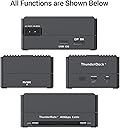

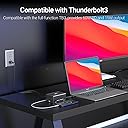
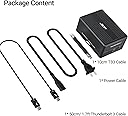


| ASIN | B0B6QBWV3N |
| Brand | JEYI |
| Compatible Devices | MacBook Pro |
| Customer Reviews | 3.6 3.6 out of 5 stars (3) |
| Hardware Interface | DisplayPort, PCI Express 3.0, Thunderbolt 3, USB 3.2 Gen 2, USB Docking Station, USB Type C |
| Input Voltage | 20 Volts |
| Item Dimensions L x W x H | 11L x 7.8W x 4.8H centimeters |
| Item Type Name | T |
| Item Weight | 550 Grams |
| Manufacturer | JEYI |
| Model Number | ThunderDock 7 Ultra |
| Number of Ports | 1 |
| Total Usb Ports | 1 |
| Wattage | 60 watts |
T**M
Works great and as described. Be sure you use TB3/4 and/or USB3.2 cables to the TB ports and connect USB 3.2/3 to the USB port. 8K DP output connected to my MBP M1 (2020) defeated the USB 3.2 output so I don’t use the 8K DP out and instead connect my MBP thru the USB 3.2/3 output of the JEYI ThunderDock to my StarTech USB3SDOCKHD laptop docking station which gives me 3 extended screens (2 external monitors and the M1 screen all with individual content/window movement across all 3 screens). A cheap way to get 3 screens from a M1 as the StarTech is years old and can be found relatively cheap now (StarTech.com Dual Monitor USB 3.0 Laptop Docking Station with HDMI & DVI/VGA, 6x USB-A Hub, GbE, Audio, Universal Type-A Dock - Windows/macOS/ChromeOS (USB3SDOCKHD) https://a.co/d/cuwr1YV).
T**Y
Power delivery and Thunderbolt connection was solid on my 2021 M1 MBP 14". USB side was NOT and ended up killing a Logitech mouse and another peripheral.
K**.
I have not tried power to Laptop. Using on M1. NVMe and DP can save ports. Everything works great.
Trustpilot
3 weeks ago
2 weeks ago