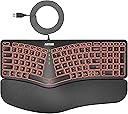
⌨️ Light up your workflow with comfort and style!
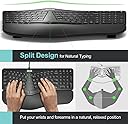
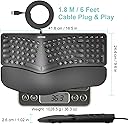
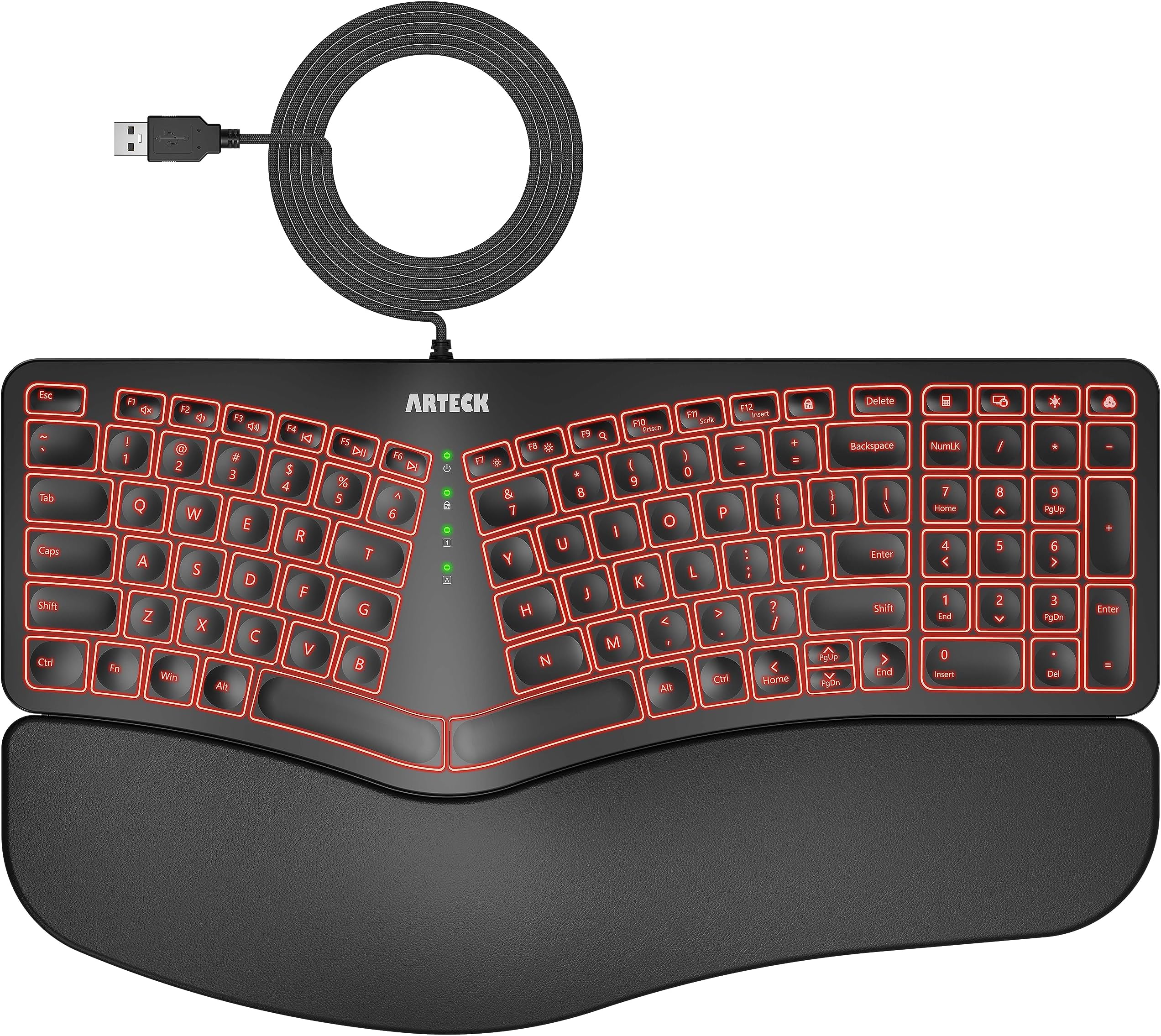
The Arteck Split Ergonomic Keyboard combines a natural split layout with a cushioned palm rest to maximize typing comfort and reduce wrist strain. Featuring 7-color LED backlighting with adjustable brightness, it enhances both aesthetics and usability. Its 6-foot USB wired connection ensures hassle-free plug-and-play setup on Windows devices, while whisper-quiet scissor-switch keys provide a durable, silent typing experience perfect for professionals seeking ergonomic efficiency and modern flair.


| ASIN | B0CGL8X4H6 |
| Additional Features | Backlit, Ergonomic, Low-Profile Key, Split Keyset Design |
| Antenna Location | Office, Gaming |
| Best Sellers Rank | #173,540 in Office Products ( See Top 100 in Office Products ) #947 in Wrist Rests |
| Brand | Arteck |
| Built-In Media | USB Cable |
| Button Quantity | 104 |
| Color | Black |
| Compatible Devices | PC |
| Compatible Operating System Family | Windows |
| Compatible devices | PC |
| Connectivity Technology | USB |
| Connectivity technology | USB |
| Customer Reviews | 4.4 out of 5 stars 1,181 Reviews |
| Enclosure Material | Plastic Silicone Rubber |
| Hand Orientation | Ambidextrous |
| Is Electric | Yes |
| Keyboard Backlighting Color Support | RGB |
| Keyboard Description | Ergonomic |
| Keyboard Layout | QWERTY |
| Keyboard description | Ergonomic |
| Manufacturer | Arteck |
| Mechanical Keyboard Switch Model | Interruptor de tijera |
| Mfr Part Number | HA315B |
| Model Number | HA315B |
| Number of Items | 1 |
| Number of Keys | 101 |
| Number of Sections | 1 |
| Power Source | Corded Electric |
| Recommended uses for product | Office, Gaming |
| Special features | Backlit, Ergonomic, Low-Profile Key, Split Keyset Design |
| Style Name | Modern |
| Switch Type | Scissor-Switch |
| Theme | Ergonomics & Lighting |
| Unit Count | 1.0 Count |
| Water Resistance Level | Not Water Resistant |
N**Y
Good erganomic keyboard
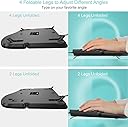
Very pleased with this keyboard. I've had tennis elbow (apparently now sometimes called "mouse elbow" in some circles) which has been very painful when working with a standard mouse and keyboard. As my job requires pretty much full time use of both (I'm a programmer), I needed to find something that would reduce the pressure on my elbow/wrist/tendon. I did a bit of research and eventually found and bought this keyboard and a Protoarc upright mouse (which I've also reviewed positively). I was never sure about erganomic keyboards before, but with the pain that I was having, I needed to try something to reduce the pressure on my elbow. This has been pleasantly surprising. It's a well built keyboard with a surprisingly very nice feel to the keys, which are well spaced and have a decent amount of travel. It has a really comfortable (non removable) padded palm/wrist rest and has legs on both the front and the back of the keyboard so you can angle it away from you as well as tilting it toward you, or raise the keyboard slightly, as I do. This makes (for me, anyway) a very comfortable typing position. If you've not used one before, having a split keyboard might be a little different for you for a short while, but I've found that I've lost no accuracy or speed and can touch type as well as I could before. The keyboard has several built in macros on the function keys for things like media: volume, skip forward/backward, search - accessible using the Fn key. This can be toggled using the function lock key to either have the Fn keys or macros in use full time with the Fn key performing the "opposite" function. There are also several other macro keys - lock session, calculator, plus a couple of keyboard specific keys for the backlight. The backlight is quite good- there are 7 colours (including white) with 3 brightness levels and although I never really used a backlit keyboard prior to this, during the darker months working from home, it does provide a nice even glow across the whole keyboard. Connectivity, really simple - it's plug and play, no drivers required, just plug in the USB and go In all, I'd recommend this.
D**G
After years of trying different keyboards this is it: Ergonomic, and illuminated and no blue tooth
I have nothing against blue tooth, but I don't want any more of it around. It's a nuisance, drops connections, needs charging, etc, etc. In my hunt for a usb wired ergonomic keyboard I've tried (and have) most of them, since I'm an editor/writer, but even though I love the old Microsoft, and I really like my old mechanical ergonmics, I really wanted -- as my eyesight get's worse with age -- illuminated keys. I don't need it for wordsmithing, but for numbers and special characters, especially today with keyboards moving things around when they feel like it (i.e. there's a standard folks! Keep it!) I needed that light, especially at my desk. I don't like to flood my desk with light as I work on keyboard and monitor all day. Finally, after endless hunting, and many keyboards I found one both Ergonomic (and that means full sized keys!, not just wrist supports and angles) and USB with LED-lit keys. I didn't order for awhile, as it was pricey for what I thought was an unknown brand (I don't know it, myself, anyway), but finally, when I didn't find alternates I ordered. No regrets. It may be an unknown sleeper, but it's comfortable, quiet, easy to type on all day, USB plugin (yeah, no more charging!! Is there anything dumber than having to charge a keyboard and mouse? I'm already charging laptop, phone, ereader, tablet and a dozen other things. Why would I want to both with charging keyboards and mice?) Am I lazy? Maybe, but anyway Arteck built the lazy-man's keyboard, ergonimic with lights and no batteries. Amazing how the small things matter. (The leather-ish wrist wrest is nice, too). One small nit is the up/down/left/right arrows are small keys when everyting else is full size.
J**H
Great Ergonomic Backlit Keyboard With Easy Type Keys
This is the best ergonomic keyboard I've owned. I've had maybe 6 over my 25-30 years of computing. I like the backlighting color options as well as the three levels of dimming. The wristrest makes typing very comfortable. The keys are well laid out and more 'flat' not 'cube-y' like my other keyboards were.. so the keys are easier to push down. The keyboard also fits nicely on my pull-down keyboard tray that stows up under my corner desk on an arm, with enough room for a mousepad with a wrist rest beside it. I've had no issues with hand or wrist pain with this setup. I guess the only downsides would be one of the color options isn't rainbow (even though you can do pretty much all the colors, just one at a time), and that some of the keys that would have a dedicated key on one of the old/big keyboards are tied into a 'function' key.. but those are used pretty rarely anyways. Overall, highly recommend.. I remember when I was shopping for keyboards I was hoping this was the one.. and I'm glad to say I didn't have to return it and super happy with it. Their support is also A+.
A**Y
High quality, comfortable and great design
If you are in the market for a well-rounded, budget-friendly ergonomic keyboard that offers a comfortable typing experience, the Arteck Ergonomic Wired Keyboard is a top contender. Here's why: 1. Design and Build Quality (5/5) The Arteck keyboard boasts a sleek and modern design that stands out in its price range. The build quality is impressive, featuring a robust structure that doesn’t feel flimsy or cheap. Its ergonomic shape immediately catches the eye, with a slight curvature that ensures your wrists are at a comfortable angle while typing. I’ve found this to be especially helpful during long work sessions. 2. Ergonomics and Comfort (5/5) The standout feature of this keyboard is its ergonomic design. It provides excellent wrist support with a gentle slope and a soft, cushioned wrist rest. This helps reduce strain on your hands and wrists, making it ideal for people who type for extended periods. The keys are also well-spaced and have a satisfying tactile feel, making typing a pleasure. The adjustable stand at the back allows you to raise the keyboard to your preferred angle, which further enhances the comfort and reduces the risk of repetitive strain injury. After using it for a week, I noticed less fatigue compared to my previous flat keyboard. 3. Typing Experience (4.7/5) Typing on this keyboard is smooth and comfortable. The keys have a nice bounce to them, and the low travel distance means you don't have to press down too hard. This makes typing faster and more accurate. Additionally, the keys are quiet, so it's perfect for shared office spaces or if you prefer a quieter working environment. One minor downside is that it may take a bit of time to adjust to the layout if you're coming from a traditional keyboard. However, once you're used to it, the typing experience is significantly improved. The backlit keys, which are adjustable for brightness, are a nice touch, especially when working in low-light conditions. 4. Backlighting (4.5/5) The Arteck keyboard comes with adjustable backlighting that enhances both the aesthetic appeal and the functionality, particularly in dimly lit environments. You can adjust the brightness to your liking, and the illumination is evenly distributed across the keys, ensuring each key is clearly visible. While the back light works well, it offers limited customization colors or fancy lighting modes, which might be a deal-breaker for those looking for something more dynamic. However, for most users who need functional lighting, this is more than enough. 5. Connectivity and Setup (5/5) Being a wired keyboard, the Arteck is incredibly simple to set up. It’s plug-and-play—no need to install drivers or software. Just connect it to your PC or laptop, and you’re good to go. The cable is long enough to accommodate various setups, whether you’re using it for a desktop or laptop. 6. Durability and Longevity (4.8/5) After weeks of heavy use, the Arteck keyboard shows no signs of wear. The keys feel just as responsive as they did on day one. The materials used in the build are durable, ensuring this keyboard can handle regular usage without losing its quality. 7. Value for Money (5/5) At its price point, the Arteck Ergonomic Wired Keyboard offers incredible value for money. It packs features you’d expect from higher-end models—like adjustable backlighting and ergonomic support—into a much more affordable package. Whether you’re working from home, gaming, or just want a more comfortable typing experience, this keyboard is a great investment. Final Verdict: Pros: Excellent ergonomic design with wrist support Quiet, responsive keys Adjustable backlighting Durable build quality Plug-and-play setup Cons: Limited backlight customization May require a short adjustment period for some users In conclusion, the Arteck Ergonomic Wired Keyboard is a great product for anyone looking for an affordable yet high-quality typing experience. Its ergonomic design, quiet keys, and backlighting make it ideal for both work and leisure. I highly recommend this to anyone in need of a reliable, comfortable keyboard for everyday use. Would definitely buy again!
R**Y
I Chose Well
First: Would I buy this again? YES! After burning through more than 2 Logitech ergonomic keyboards and the wireless failing, I gave up on them. Nearly one hundred bucks for a "temporary" keyboard? The Arteck Ergonomic Keyboard hits all the features I wanted and some that I did not think I needed. I am a touch typist (thank you 1972 High School teacher!!!) and after many decades of typing (MS Thesis, work projects, etc) I prefer only ergonomic keyboards. This works well and the palm rest is comfortable. Back lighting is even more important than ever for these 72+ eyes. I prefer the red, as an FYI. Okay, here are the critical features: -ergonomic keyboard with comfortable palm rest, -wired, so no more issues with BT, etc. dropping the keyboard-plug it in and go, -zero connectivity issues (can't say enough about this one), -backlit with choice of many colors (I think the red is the most eye-safe color), -full-sized numeric keypad, -function led lights front and center (do I have the Caps or numlock keys pressed?), -value! Value for the money is tough to beat with this one, -classy appearance. Future improvement requests: -up/down/left/right arrows too small and not in a good place to reach, -a better height adjustment for the rear section (would like it a bit higher in back-will use something to prop it up a bit), -all in all, not bad for the price. Bottom Line: This is a near-perfect keyboard for me and others like me (70+) who prefer something ergonomic to use and easy on the eyes and...visible to senior eyes!
Trustpilot
1 month ago
2 days ago