Desertcart purchases this item on your behalf and handles shipping, customs, and support to South Africa.
🚀 Boost Your Signal, Own Your Space!
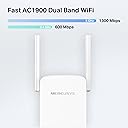
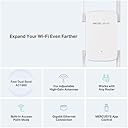
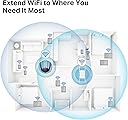
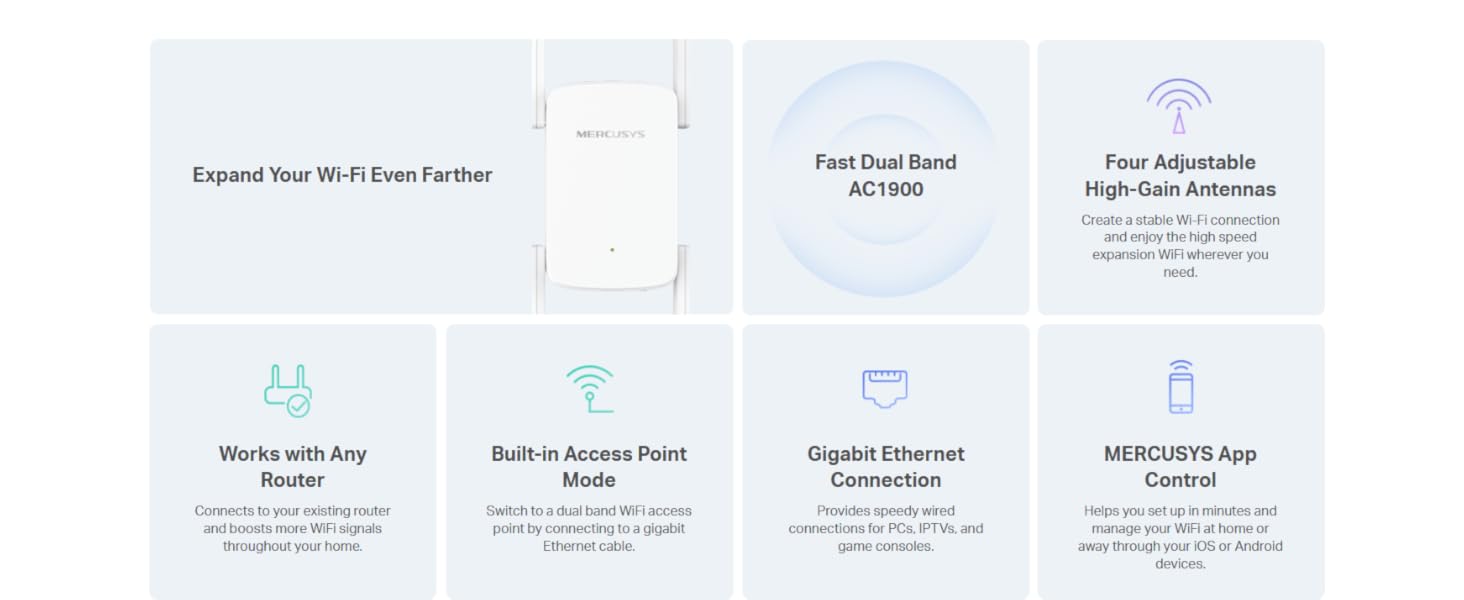
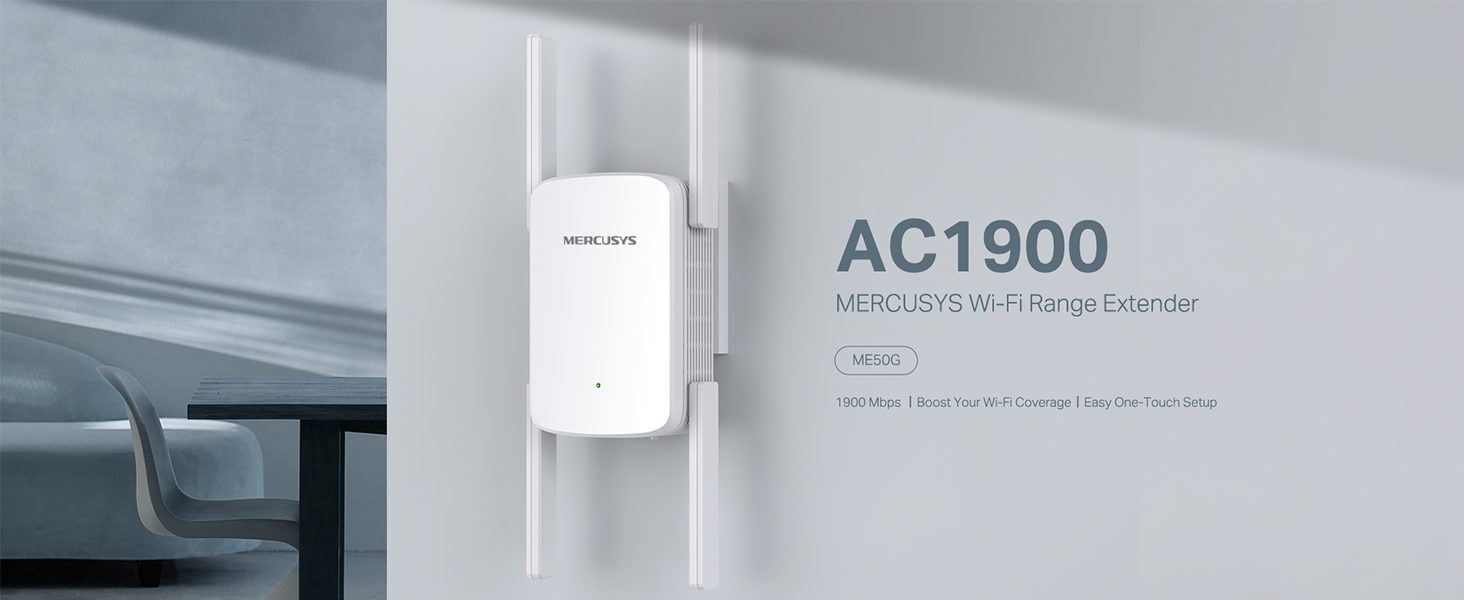
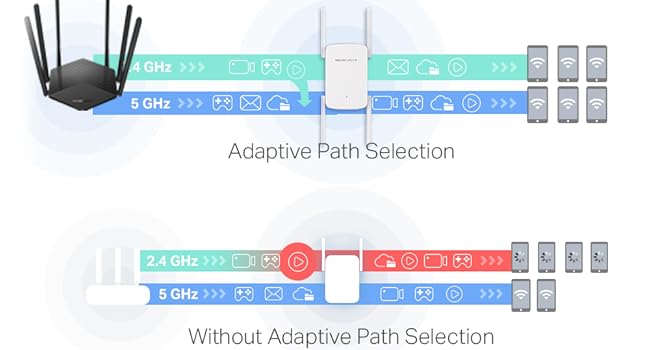
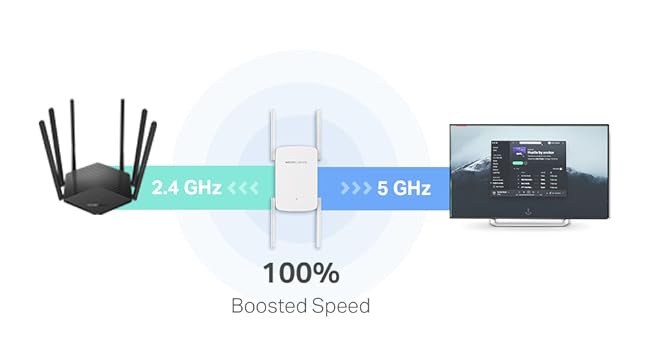
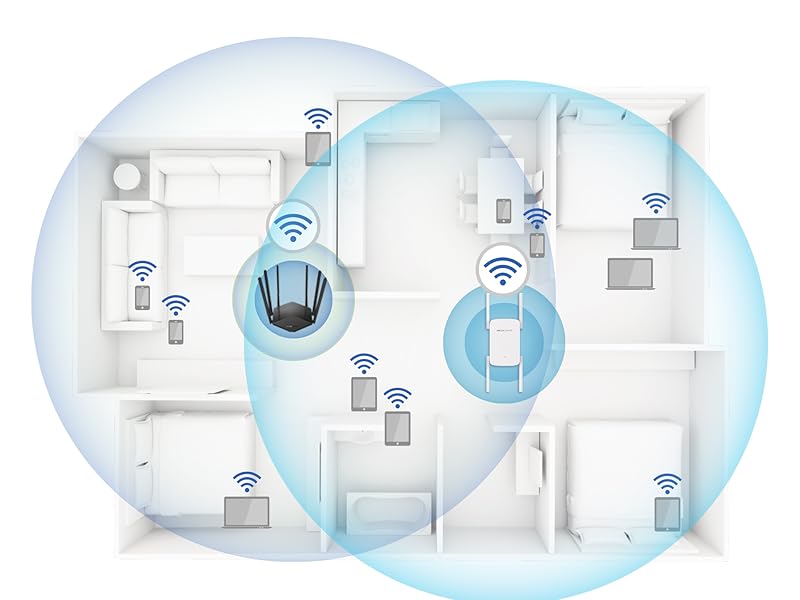
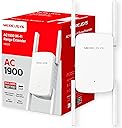
The Mercusys ME50G AC1900 WiFi Extender is a powerful dual-band booster delivering up to 1900 Mbps combined speed. Equipped with four high-gain antennas and 3×3 MU-MIMO technology, it extends WiFi coverage up to 7,000 ft² and supports multiple devices simultaneously. Its versatile design allows use as a range extender or wired access point via Ethernet, ensuring seamless connectivity for 4K streaming, gaming, and video conferencing. Easy one-touch setup and app control make it ideal for home and office environments.


| Asin | B0C8ZFF58W |
| Best Sellers Rank | 7,452 in Computers & Accessories (See Top 100 in Computers & Accessories) 57 in Network Repeaters |
| Box Contents | ME50G |
| Brand Name | MERCUSYS |
| Colour | white |
| Compatible Devices | Router |
| Connector Type | RJ45 |
| Customer Reviews | 4.1 4.1 out of 5 stars (1,281) 4.1 out of 5 stars |
| Data Transfer Rate | 1900 Megabits Per Second |
| Frequency Band Class | Dual-Band |
| Frequency Bands Supported | 2.4 GHz, 5 GHz |
| Item Weight | 450 Grams |
| Manufacturer | Mercusys |
| Manufacturer Part Number | ME50G |
| Model Number | ME50G |
| Number Of Items | 1 |
| Product Warranty | 1 Year Manufacturer |
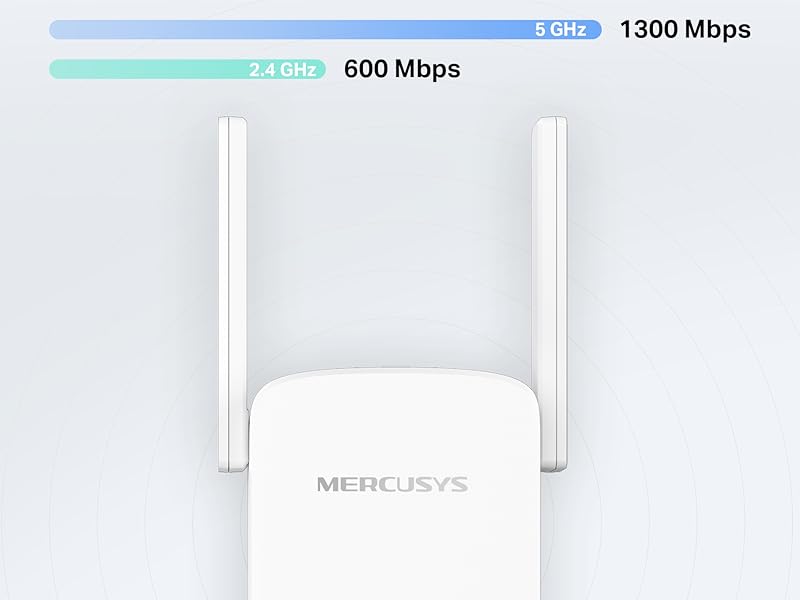
| Range | up to 1300 Mbps on 5 GHz and up to 600 Mbps on 2.4 GHz megabits_per_second |
| Special Features | Access Point Mode, MU MIMO |
| Unit Count | 1.0 count |
| Wireless Compability | 802.11b |
User
Best product for the price by far.
Firstly, I'm not great with products like this being 55 , I've had a wifi booster in the past and couldn't set it up, so it went in the bin ! The ME80X however was so easy to set up, and now I can either have 2.4Ghz at a longer distance, but with a reduced speed, or 5Ghz at an acceptable extended range, with the same speed that the router delivers. To explain, ... I get 130Mbs from the router, thats good for my village. At 2.4Ghz, I get 35Mbs but everywhere, even in the garden, at 5Ghz, I get 125Mbs all round the house ! Absolutely brilliant product, wish I had bought one years ago.My only gripe, and its not a huge one, is that it doesn't auto connect, so if you go out, when you come back you have to select the WiFi that you want, if you dont, it defaults to your router, and that is poor reception around 50% of my property. Id still give it 4.9 stars though, as I can live with the lack of auto connect.
User
A decent extender.
I use these to give wireless connectivity to networked CCTV cameras so there's no ethernet cables running around the house to the CCTV box, and they work perfectly well. Plugged them in, followed the instructions to set up (you'll need a laptop or PC for this for ease - they can be setup on the PC and then moved elsewhere after) and they were running within minutes.The ethernet port on the bottom is also ideal if you're using a PC/laptop that doesn't have wifi, as you just plug a patch cable into the PC/laptop ethernet port and then plug the other end into the extender and instant wifi (although it will show as an ethernet connection).The speed is also fairly good, considering they're hauling 4K video and playback is fluid. They're also fine for multiplayer gaming as well as cloud gaming (the latter being bandwidth intensive). They also integrate with other brands of mesh networks so you don't need a matching router.Recommended.
User
Range is good but speed is limited to 30 mbps max, not good for multiple devices or streaming.
the range extension is good, however this is a single band extender, works on 2.4 ghz only. it uses half duplex, in english this means it has to listen for traffic then send it to the router on the same channel so it will not be able to reach the nominal advertised 300mbps speed. real world speeds are about 30 mbps.In my case I have 150 mbps internet speed on my router, using this extender (ME12 300mbps) I get a good stable range but the max speed I can reach is 20 mbps. I will return it back as I need to extend the range and maintain a higher speed for tv streaming.Regarding setup, I set it up using the WPS feature, setup was quick and easy, pressed the wps button on the router, powered on the extender and pressed the WPS button on the extender and it was able to configure itself. the caveat is this way it creates a new network with the suffix _EXT, you will need to look for it on your device and connect to it, it will need the same password for your wifi to connect, the password is the wifi password configured on your router. You will need to do the connection bit once per device, i.e. to connect a cell phone look for the _EXT wifi network, connect to it, enter the wifi password. to connect a TV, repeat the steps on the tv.Another user pointed out that renaming the extender network and removing the _EXT suffix to keep the name exactly the same as the original wifi name allows connecting to the network seamlessly, that should work if you are extending the connection to the garage and are happy to be on 20mbps and don't want to manually select the extender network, however with in the house if the device changes from the original fast wifi to the extender network you will end up with the lower speed and you won't be able to tell, so my advise is to keep the _EXT suffix if you are using this device.I did some reading and found that the (Mercusys AX1500) seems to be the one that will meet my needs, it is a dual band extender, supports 2.4 and 5 ghz & wifi 6, it should be able to provide a 5 ghz wifi network for the endpoint devices like a tv or a cell phone within a 5-8 meter distance within direct line of sight from the extender, while the extender itself can maintaining a connection to the router on 2.4 ghz, using the two bands simultaneously should be get me into the 80 - 120 mbps speed zone which would be good enough for my streaming need.
User
Does the job
Fairly simple to install even with limited instructions. Speeds around half of what I am getting via main Router so perfectly acceptable for its intended purpose which was increasing range.
User
A WiFi 6 extender that does go through walls - there is a compatibilty issue and solution provided
Setup:When you first set this up, you'll need upgrade the firmware to the latest version, then i factory reset (ideal to do this with new firmware), then start the process again.Speed:This is a beast, having used a TP-Link RE220 and RE330, they're limited to WiFi-5 standard and each have a 100mpbs RJ45 port (that can provide networking in repeat/extend mode or be used for backhauling when in access point mode), the ME80X is WiFi-6 and has a 1Gbit (1000mbps) port.The ME80X goes through multiple brick walls, the ME80X in access mode it's like standing next to the router when in the next room (connected to the router via network cable at 1000mbps (1gbit))Word of caution, if you have an eco home, the external walls are often lined with foil sided insulation boards, your house will be like a faraday cage, as we discovered when setting one up inside his house, internally no issue, limited WiFi just metres outside (this isn't a fault with this device). As my house is brick, at the end of the garden i was getting 33% of the speed i was getting indoors next to the router, 110mpbs of the 330mbps i can get via my 5G router (when in access mode).Compatibility Issue Warning and Resolution:It was seemless pairing with my 5G router (2.4Ghz and 5Ghz have separate SSID's), however, we had a compatibility issue with my friends BT Super hub 2 with the ME80X he bought too.This is due to the fact the BT router (like many ISP routers) uses 1 SSID for both 2.4Ghz and 5Ghz (can't be separated), when initially setting up the ME80X, you get the option to connect to the 2.4.Ghz and 5Ghz bands on the router, in the ME80X you assign the same router SSID to both 2.4Ghz and 5Ghz connectivity bands and assign your own extension SSID to the 2.4Ghz and 5Ghz (don't use the same SSID as the router if you use more than one extender/acccess point with the same SSID as the router (unless in mesh mode), this could cause extenders to try and connect to each other if the router loses WiFi (off-line).Once we rebooted after config, the ME80X couldn't connect to the BT router (no internet), the issue was with the band/channel mangement on the BT Router, you have to disable "smart connect" in the router admin WiFi management and assign a fixed 2.4Ghz band channel (1, 6 or 11) and a fixed 5Ghz channel (36, 40, 44, or 48), then after a reboot of the router and ME80X, this allowed to surf the internet via the ME80X, and allowed us to continue to switch it into access mode (can't be done until extend mode is configured), once i was able to configure access made, i logged back into the BT router admin and reenabled "smart connect" and alll back to normal.The key point is, repeaters like this want to connect to the 2.4Ghz and 5Ghz bands, as some routers use a single SSID, you'll likely have to diable any band/channel mangment within the router and assign fixed chnannels (reboot), as in my case, once we were in Access Mode (direct link back to the router via networking cable) we could enable the band/channel mangement (AKA smart connect) and use the access point like it is it's own WiFi (router) (only reaon i bought it was for 1Gbit port WifFi-6 access mode that goes through walls)Friends is working fine too as an access point via his BT router once the smart connect was enabled again (always reboot afterwards to ensure they connect after reconfig).So far so good!
User
You can get stuck in a 'password not accepted loop' where the device is basically bricked.
Unfortunately, A complete disaster...While this seemed like an ideal solution, I've spend hours of frustrated time trying to get it to work.The extender rapidly found my gigabit WiFi after a few tries and it was able to flash the 'connected light' and the extender WiFi option was able to be discoverable on my home wifi set-up. After that, there was absolutely no way to log into it... the password that we use for the wifi (although the instructions claim it to use the same password) was not accepted. Tried repeatedly to pair and re-pair and always the same answer: password invalid. Tried to access to website to configure the router manually and it dead-ends as the website no longer live. Tried to log into the browser via the same instructions and same result - not possible to access from multiple devices and using different WiFi (phone, laptop etc).As a last ditch attempt: downloaded the app, created an account and filled in all the details - the router is discoverable, but the usual password is not accepted. I see from going online people are more recently having the same problem. After a few hours of trying to find ways to change the password (you require the original password - which is simply not accepted - to change the password) and several cycles of resetting and ending up in the same situation, I'll save my sanity and return this and select a different brand. Overall frustrating few hours that resulted in finally giving up.
User
Mercusys N300 Wi-Fi Extender
Does a good job, easy to set up. Takes less than 2 minutes and it's ready.
User
Great and works well
This is a great little device and works so well. I needed internet boosting to a cabin in my garden and previously I was only able to achieve 1 bar of signal if that and it would always drop out. Since installing this, I have now got full bars of WiFi and it’s fast too, which has been amazing. It was super fast to set up, only took about 10 minutes and it’s generated a strong signal ever since. For the price, I’d highly recommend.
User
spina non conforme
L'immagine riportarla spina europea ed invece é stato fornito con spina UK. Ho dovuto comprare un adattatore per non inviare indietro il prodotto e perdere tempo.
User
Speed might not be the best but the signal is very powerful
It might not reach the full speeds like 3000 Mbps combined 2.5 and 5 GHz, but it can reach a lot farther than some name-brand devices - mainly my shed from behind 2 thick walls. Highly recommended for getting coverage to any IoT devices or smart cameras.
User
Good
Good product
User
انصح بشرائة
سريع جدا و سهل و بسيط ف استخدامة و مدى التفطية محترم جدا جدا عن اى جهاز مماثل او اعلى منة
User
Potente y sencillo
Potente y facilísimo de instalar. Básicamente se conecta solo al router principal. Alcance y calidad de señal inmejorables por el precio que tiene. Compra totalmente recomendable.
Trustpilot
1 month ago
4 days ago